I am thrilled that Music Ed Tech Talk is sponsored by MusicFirst this month. What is MusicFirst? In their own words:
MusicFirst offers music educators and their students easy-to-use, affordable, cloud-based software that enables music learning, creation, assessment, sharing, and exploration on any device, anywhere, at any time.
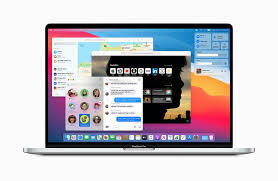
MusicFirst Classroom is the only learning management system designed specifically for K-12 music education. It combines the flexibility of an LMS with engaging content and powerful software integrations to help manage your students’ progress, make lesson plans, and create assignments.
And for younger students, MusicFirst Junior is the perfect online system for teaching elementary general music. It includes a comprehensive K-5 curriculum, hundreds of lessons & songs, and kid-friendly graphics to making learning and creating music fun!
Whether you’re teaching remotely, in-person, or in a blended learning environment, MusicFirst will work with you to find a solution that fits your program’s unique needs. Try it free for 30 days at musicfirst.com.
This past school year, I piloted our district’s General Music II class. It marks the first time in our school system where a middle school level music class has built off of a prior year of skill development. Along with this development, our school’s Mac lab began to get phased out and replaced with Chromebooks.
I decided to invest in MusicFirst, a holistic, all-in-one, solution for teaching music with computers.
A small grant covered the cost of some low-end MIDI controllers, and my 8th graders were off! MusicFirst, and the integrated third party apps, blew open the doors. Suddenly we could compose notation with the clarity and creativity that Noteflight offers. Soundtrap, one of the digital audio workstations that you can bundle with a MusicFirst subscription, stores its content in the cloud, meaning students were never limited to the instruments or loops that happened to be installed on the Mac they sat down at that day.
To top it off, we were able to apply our piano skill from earlier in the semester to record our original parts into the computers. The fact that this software runs on the web means students can work on projects at home. It’s fantastic!
In March, when schools shifted to an online model, MusicFirst suddenly increased in value. I honestly don’t know how I would have taught my music class without it. Soundtrap kept students engaged in creating music once every week and collaborating on projects.
MusicFirst’s content library is massive. You can download an entire course-worth of units and lesson plans from dozens of pre-built classes.
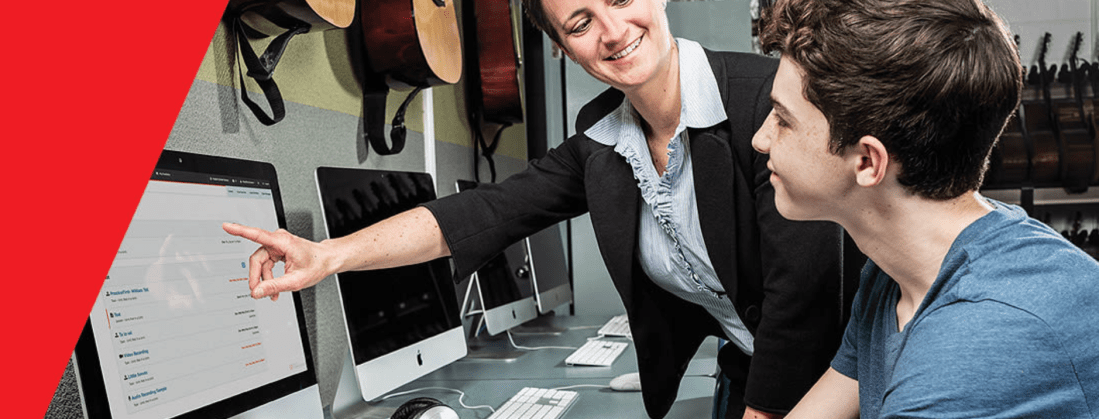
In my early curiosity, I downloaded MusicFirst’s “Middle School Music Technology” class to my account and invited all of my students to it. I was able to easily drag and drop lessons and units from this course into dates on a calendar and have them appear as tasks to students. These lesson plans include clear instructions, engaging media, and assignments that link directly out to whatever software is required to get the task done.
For example, we spent some time learning the blues last spring. There is a unit in the pre-made music tech course that teaches students some blues basics. It starts with a lesson plan that has a pre-made playlist featuring artists like B. B. King. After listening to some recorded examples, it links students to a discussion task, where they can comment about the stylistic features of the music. Next, students move on to a lesson that explains the blues scale and links directly to a Soundtrap project, where the are tasked to record an improvisation using the notes of the blues scale. Saving their work in Soundtrap automatically saves it to the assignment in MusicFirst, where I can review and grade them all in the same place.
The pre-made content is a life saver if are teaching out of your content area and are feeling overwhelmed. Even if you are not, the content will speed things up for you. (Aggregating Spotify playlists, images, and instructions into a meaningfully structured lesson takes time, even if the ideas are already in your head!).
The course content is also fully customizable. In the blues example above, I wanted the improvisation assignment in Soundtrap to have a 12 bar bass line and shuffle beat pre-recorded, so that students felt like they were playing along to something. I was able to accomplish this, and saved a lot of time due to the instructions and embedded media having already been curated.
Give MusicFirst a try. It is such a comprehensive offering, that I am sure it can enhance your teaching! Click herefor more details.
<div class="
      image-block-outer-wrapper
      layout-caption-below
      design-layout-inline
      combination-animation-none
      individual-animation-none
      individual-text-animation-none
    ">


    <figure class="
          sqs-block-image-figure
          intrinsic
        " style="max-width:925px">


      <div class="image-block-wrapper">
        <div class="sqs-image-shape-container-element


          has-aspect-ratio
        " style="position: relative;padding-bottom:15.243242263793945%;overflow: hidden">


            <img src="https://images.squarespace-cdn.com/content/v1/5595df9ce4b0ce9ff9ecd1a8/1599398242244-DSIL1YW9YVE14T0RSKEX/MusicFirst+Logo+black+for+blog+post.png" alt="MusicFirst Logo black for blog post.png" width="925" height="141" style="display:block;object-fit: cover;width: 100%;height: 100%;object-position: 50% 50%" loading="lazy">

        </div>
      </div>


    </figure>


</div>






You must be logged in to post a comment.