Apple had an iPhone event today. Here are some quick thoughts…
While I would love to get the new iPhone mini, the software features, camera upgrades, and battery life in the 12 Pro Max are too tempting.
Love the new flat edge sides inspired by the iPad Pro and the blue color.
Mag Safe! I love that Apple is re-using this name and I am kind of excited that they are making a leather wallet attachment for the back of an iPhone. It looks like the exact amount of minimal I have been looking for in a new wallet, plus magnets!
HomePod Mini. As a home automation nerd, this was my favorite announcement. The price ($99 is aggressively cheap for Apple) and features finally have convinced me that it is worth owning more than one HomePod.
HomePod software. Features like intercom, CarPlay integration, and more are going to be huge winners in our household. My wife and I have tried to use the walkie-talkie feature on our Apple Watches with little success but this looks to solve the problem of communicating around the house in a nice way.
At some point, I will have to reconcile my HomePod excitement with the fact that we still have a bunch of Sonos speakers in the house. I prefer the Sonos system for a number of reasons and would think of any possible HomePod mini purchases as "Siri" purchases more than I would smart home speaker purchases. I hope to write more about smart home audio soon.
Last weekend, I had the awesome pleasure of being a workflow guest on Learn OmniFocus, a website dedicated to teaching and training on the task management app OmniFocus, complementary apps, and the productive way of life.
The video, along with resources mentioned in my appearance can be viewed here. I recommend watching it here because there are chapters you can use to skip around to the various sections of the video by topic.
Alternatively you can watch the video on Facebook or on YouTube.
how single item action lists are useful in the middle school band teaching environment
how to stay on top of more tasks than are actually possible to do in the day through use of tags and perspectives that filter out information only relevant to a particular context
Using the Drafts app for quickly capturing my thoughts, processing my tasks, and acting upon them in powerful ways
using project templates for larger projects like field trips and musical performances so that tasks don’t slip through the cracks
using Siri Shortcuts to turn data into variables and make a blog post, shared document, and OmniFocus project for creating an episode of the Music Ed Tech Talk podcast
Using DEVONthink to connect documents to projects and tasks in OmniFocus and keep things I want to “check out later” off of my todo list
putting widgets with charts that show a view of my day in OmniFocus on the Home Screen of my iPhone
My thanks to Tim Stringer for his invitation and for his inspiring work with Learn OmniFocus and for inviting me to join!
Learn OmniFocus is a great website, resource, and community dedicated to empowering people to be more mindful and productive. The app OmniFocus is at the center of it but there is so much more to it than that, including productivity basics, apps, and services that compliment one another. Be sure to check it out here and become a member here. There are educator discounts!
My school district purchased us some music tech services for use in our online classes this fall. I have been meaning to write at more length about Noteflight Learn and Soundtrap, but I am still getting my heels into the ground with them. Both services take time to learn how they are effective in practice, not to mention there are a lot of quirks with how they integrate with our learning management software, Canvas.
I did want to highlight some upcoming features to Noteflight Learn, specifically regarding their new SoundCheck integration which launched this past summer. My district purchased the SoundCheck integration which means that I can give Noteflight scores as assessments where my band students play the notes into the computer and get a score. Some of these forthcoming features are going to save me a lot of headaches and I am glad to see them coming.
Check out the full list in the blog post below from John Mlynczak. I have quoted some of my favorites.
We are working on several new features to be made available ASAP. In the coming weeks, here is what you will see:
– The SoundCheck assessment rating will be automatically added to grade book of your own LMS, including Google Classroom, Canvas, Schoology, Powerschool, Brightspace, Blackboard, Moodle, and more.
– Students just need to complete their assignment and use the same “Turn In” button already available in Noteflight Learn.
– All Content Library scores will include a SoundCheck version that can be used right away. You can always edit a Content Library score and create your own SoundCheck version as well.
And the cherry on top for this iPad-loving, late-night, couch worker:
– iOS functionality. SoundCheck currently does not work in the browser on iOS.
The past eight or so days have been very exciting and busy for me. I have been engaged with a number of online learning opportunities and resources. Here is a recap:
Scale Exercise Play-Along Tracks
Last week, I launched my store on this website. I am selling my first ever resource for teachers: Scale Exercise Play-Along Tracks with Trap Beats underneath them. You can buy just the audio play-alongs, or the Logic and GarageBand projects I produced them in to edit them in any way you like.
You can find my store here, a blog post about them here, and watch the promo below.
On Saturday, I was a Workflow Guest for LearnOmniFocus, a fantastic website and community where you can learn not only about the task manager application OmniFocus, but about other great productivity apps and the very nature of being a mindful and productive worker.
You can read about the appearance here and join the community here. There are educator discounts. The video of my session will be made available publicly and for free very soon.
Links to two of my more recent blog posts about OmniFocus can be found below:
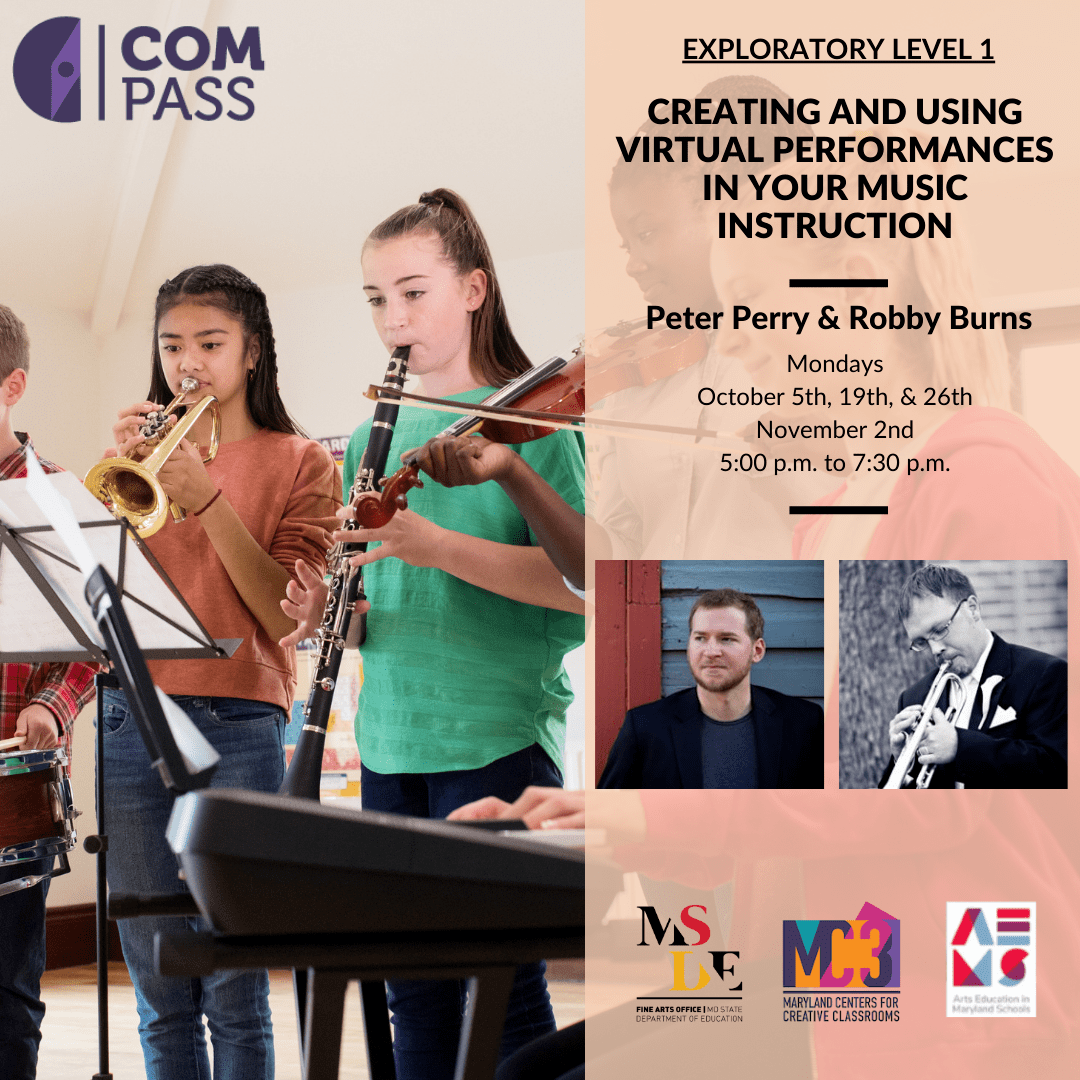
Creating and Using Virtual Performances in Your Music Instruction
I am teaching this online class for the Maryland State Department of Education with my awesome friend and colleague, Peter Perry. Peter’s book, Technology Tips for Ensemble Teachers is third in the same series as my own, and is worth checking out.
Last week, Google’s video conferencing tool launched a 49-person grid and background blur. Google Meet is now integrating with Jamboard to add a digital whiteboard for visual and collaborative brainstorming.
Google Jamboard, which I have blogged about here, is indeed a fun tool and all of my students find it engaging.
This new Google Meet integration is awesome. Once you start up a digital whiteboard from within a Meet, Jamboard asks you if you want to create a new one or use an existing file in your Google Drive. If you opt to create a new one, it automatically saves it to your drive and names it using the date and meet code of your session.
Immediately, a dialogue with share permissions for the file pops up, pre-filled with the accounts of all students who are present in the Meet so that you can make sure they all have access in one click.
The integration is very smooth. I tested it today at the beginning of my classes so that they could give feedback to one another on a recent Soundtrap project I had them do.
The students recorded brass duets and trios in Soundtrap projects last week. I played three examples of them for the class today and students posted sticky notes on this whiteboard that took me one minute to set up last night. It was a simple activity that was made even more simple by this new integration.
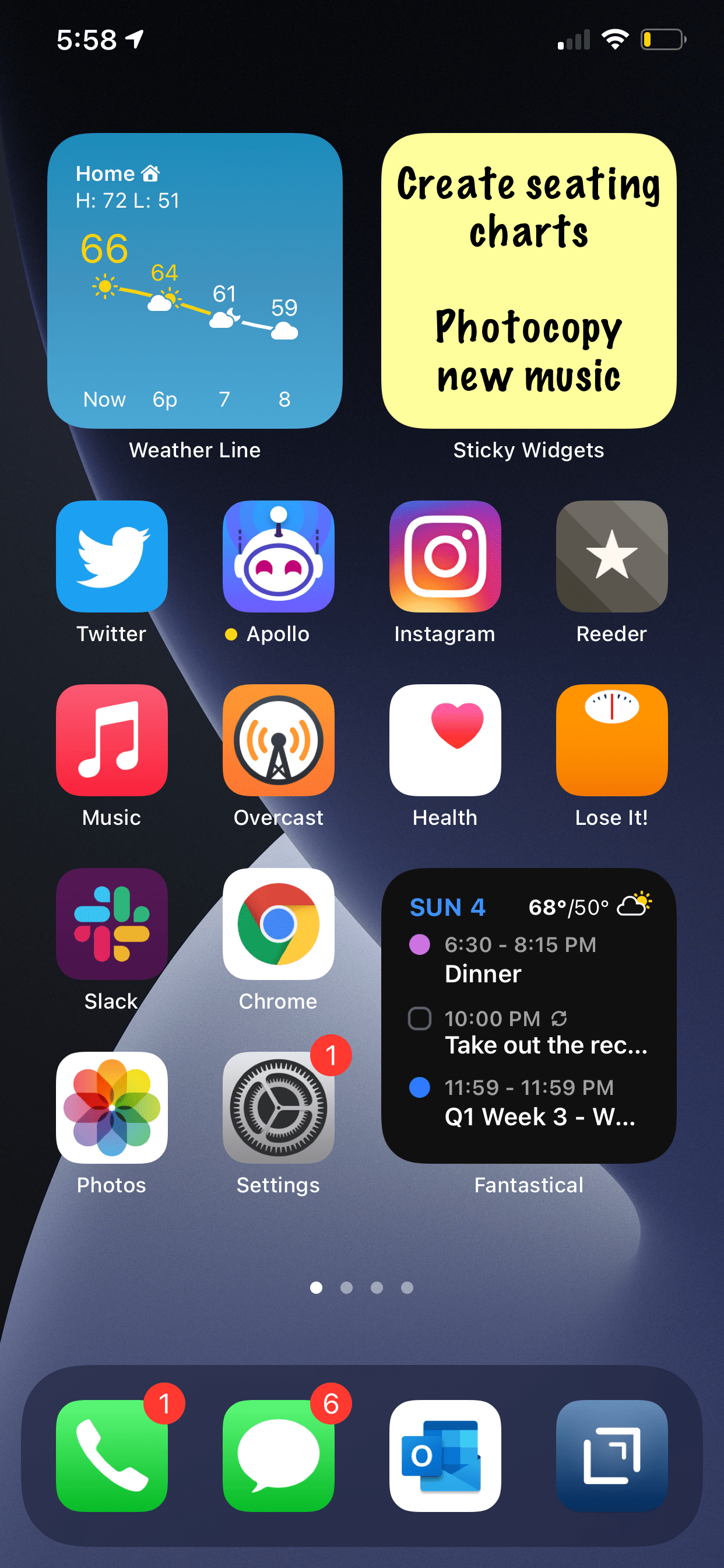
Speaking of widgets on the iPhone home screen, this is one that I have a feeling a lot of people will appreciate.
Sticky Widgets allows you to post sticky notes straight to the home screen that come in different colors and say anything you want. The experience is as simple as you can imagine.
Sure, I advocate for using proper note-taking and task management software, but there are times where you just want to write something directly and trust that it will be plastered in front of your eyes indefinitely.
Sticky Widgets enables placing sticky note-style widgets on your iPhone or iPad Home Screen which can be modified simply by tapping on the widget. It’s utility that’s such an obvious fit for widgets, I’m surprised I haven’t seen a hundred other apps doing the same thing.
iOS 14, iPadOS 14, watchOS 7, and tvOS 14 came out a few weeks ago. I have a lot to say about these updates, but today I wanted to write about widgets for a moment.
Widgets are catching on as a significant feature amongst the masses. As someone who plays around with the way apps are organized on the home screen at least twice a week, I can tell that widgets are going to add a lot of excitement (and anxiety) into my life. I have been toying with them since July when this software entered the public beta, and I am far from resolved.
Page one (middle image) contains my most tapped app icons. This will be a hard habit to break, but I find lots of value in having upcoming calendar tasks and weather permanently on my most visited screen. Weather Line and Fantastical have the best small-sized widgets, in my opinion. Even this smallest widget size takes up four app icons, so they need to be beautiful and information-dense for it to be worth me sacrificing four apps.
I didn’t think I would want weather on this first screen, but now that it is always visible to me, I don’t see how I could live without it. The Weather Line widget is awesome because its user interface depicts the weather on a line, almost like a chart. It even manages to fit an hourly rain graph into its small space when it is raining out. Not even my second favorite weather widget, Carrot Weather, does that.
The Today View (left image) is where I keep Siri Shortcuts and the older, legacy style widgets from iOS 13. As much as I like the newer widgets’ look, the older style widgets are interactive. I keep OmniFocus, Timery (for time tracking), Streaks (for tracking daily habits), and Waterminder (for quickly logging water) all on this screen because I can tap right on the buttons to act on these apps without the widget needing to launch into the app.
I am continually playing with page 2 (right picture). I like it to be mostly another grid of tappable apps, but I am experimenting with various widgets here. I think what I have settled on is to have the Maps and Notes app widgets stacked on top of each other at the top, and then to use the Siri Suggestion widget, which shows me two rows of apps that swap in and out throughout the day based on my phone’s predictions of which apps I want to use in which contexts. The image above shows some other widgets I am experimenting with, but I think I prefer having more app icons there.
On the iPad, I keep: calendar, weather, notes, Apollo (a Reddit app I use to keep up on the latest news about my interests), Siri Shortcuts, and the Files app for launching into recently modified files.
On both my phone and iPad, I am waiting for an OmniFocus widget to track my tasks. Even though I like the one in the Today view where you can mark the tasks as done right from the widget, I think I might want to have my next few upcoming tasks permanently visible on page one.
9to5Mac.com and MacStories.net have been two great websites to follow if you want to stay up on which apps offer widgets.
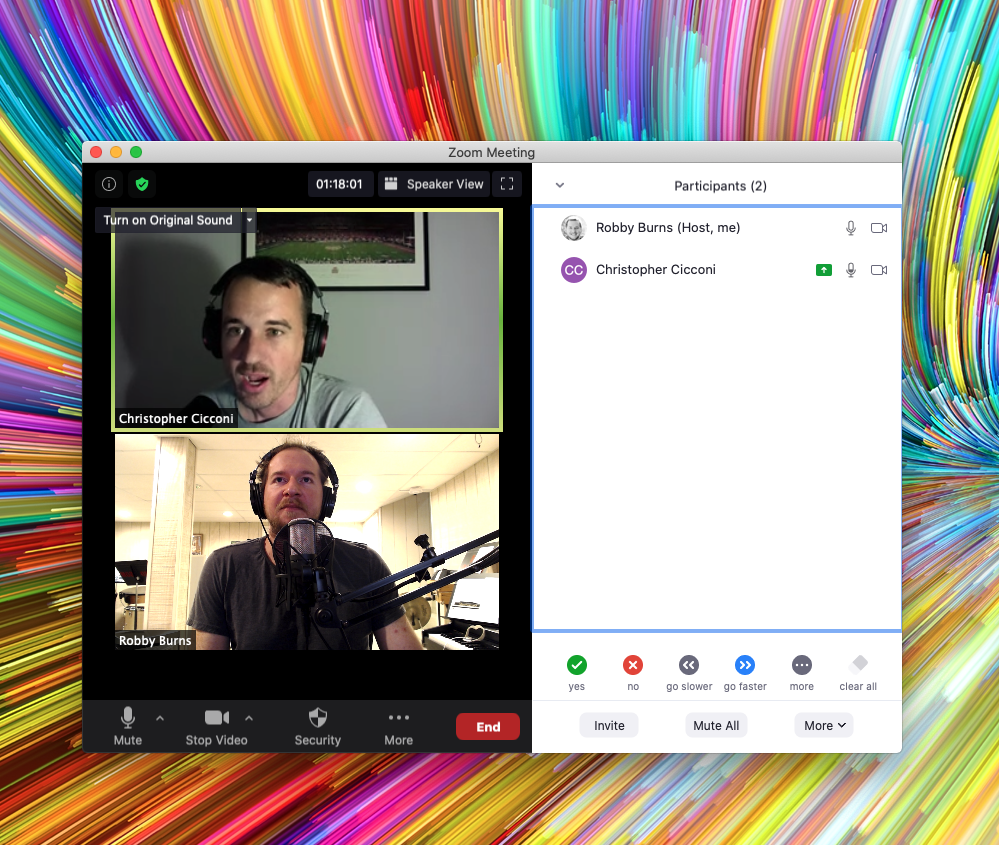
Dr. Christopher Cicconi, Assistant Professor of Music Education, and Director of Bands and Orchestra at Towson University, joins the show to talk about selecting meaningful repertoire for your ensemble. We also talk about score study with iPad Pro apps, involving yourself in your music teaching community, and yes, I go on a tangent about my favorite new weather app.
I am announcing a new section of this website. A STORE! Starting today, I will be selling digital products and services I have created for musicians and music teachers. Check it out here!
Here is the product description from the sale page:
This collection contains over 70 major scale play-along tracks for your ensemble.
Each track includes a tuning drone playing the tonic with a scale overtop in just intonation so that you can reinforce flawless intonation, tone production, and blend amongst your students. Every exercise includes a count-off and a trap beat underneath to engage your students while reinforcing slower playing and subdividing!
The audio-only version of this package includes mp3 files of the following recordings in all twelve major keys, at 70bpm.
Whole note scale
Half note scale
Quarter note scale
Eighth note scale
Scale Exercise in Thirds
Mini-Scale with Arpeggio
Also included:
Remington at three different speeds! Perfect for playing underneath many of the exercises that come from popular band methods.
The premium version of this product includes the audio tracks above in addition to the Logic Pro and GarageBand stems so you can edit every element of the tracks, including speed, pitch, and instrumentation.
These are perfect for running through your Zoom/Google Meet/Virtual Classroom to keep kids playing as much as possible.
I have been using tracks like these with my band students for years now and they LOVE them. The trap beat resonates with them. Its popularity in hip hop music aside, there is something compelling about them, musically. The backbeat on three, combined with the busy hi-hat activity, helps kids subdivide slower tempos and keeps them motivated to practice stuff like long tones and scales. The strong 808 baseline asserts the beat while adding fun syncopation.
It was essential to me that the drones were in just intonation because I teach my students to hear and adjust to the beats that result when unison pitches and diatonic intervals are in/out of tune. The Yamaha Harmony Director was definitely the tool for the job. Here’s a really brief blog post I shared earlier this month about the process if you want to take a stab at making something like this.
You can alternatively do this process using the (excellent) Tonal Energy Tuner App, a MIDI keyboard, and GarageBand on iOS. I wrote about that here. I prefer the Tonal Energy experience, but the Yamaha’s hardware keys made it easier to “perform” the drones and allowed me to create in Logic Pro, which I am more proficient in.
The original concept for this was very ambitious initially, and I simplified the vision a ton to help myself “ship it.” I have seen music teachers asking for something like this on social media a lot lately, and it seemed like time to do the work. I am happy with how they turned out and I hope to create more of these down the road in varying style, tempo, and exercise patterns.
A few notes:
Due to file upload limitations on Squarespace, buying the stems directs you to download a text file instead of the audio files. The text file contains a link to a third-party hosting source. A little inelegant, I know, but setting up a Squarespace store was otherwise the most comfortable choice.
These are incredibly effective for engaging synchronous ensemble rehearsals. No, we still can’t play at once, but running rehearsal tracks through your Google Meet or Zoom call while students are muted is a great way to keep them playing. These tracks are slow enough that I have had success having groups of 3-6 unmute while playing along, and it is not total chaos. Between these, my Solfege Bingo tracks, and The Breathing Gym DVD, we can be synchronously active for more than 80 percent of each class. I get the audio to route directly through to the call using Loopback.
Many of these tracks, particularly the scale exercise in thirds, mini-scale, and Remington tracks, pair perfectly with a multitude of examples in the Foundation for Superior Performance band method books series. I did not title them as such because the book and my project are in no way connected. I bring it up here because I know those exercises are ubiquitous in band rehearsals, and it’s for this reason, many directors have their students purchase those books.
I made the arrangements of these tracks simple to keep the appeal as wide-reaching and flexible as possible. My hope is that people who really want to change the style, edit the beat, change the speed, or any other kind of alternation, will buy the version that comes with the GarageBand and Logic stems. Tip: If you want to use software instruments to create your own accompaniment, and want them to be justly in tune with my tracks, Logic Pro has support for tuning systems. That means that if you mute my trap beat and add your own samba tracks, you can have the instruments play in the key area you select instead of their usual equal tempered tuning.
Attendance for Google Meet (download here) is an exceptional extension for Google Chrome that automatically takes attendance for you and saves it to a Google Sheet document in your Google Drive.
There are other extensions like this but most of them are poorly designed, buggy, and unreliable.
Attendance for Google Meet has an elegant and straightforward design and user experience, down to the icon even matching Google’s ‘Material Design’ language. I am especially proud of this extension because it is made by a student at Centennial High School, which is one of the schools that my band program sends students to when they graduate.
Watch the video below to get an idea of what the features look like in action.
The process is simple. Once installed, you are prompted to create a class list the next time you start a Google Meet. Creating a list is as simple as entering the students names and pressing enter after each one. Once a class is created, you can select it from the same menu every time you launch a Meet.
The app logs when kids enter, when they leave, and the total number of minutes they spent in class, so you can catch it if they dip in for the first minute and then leave immediately. Even the Google Sheet is designed to be easy to read.
There are some bugs, notably that the chat window closes frequently during the session. I also have to manually export the list before closing the Meet because the option you check in settings to make this happen automatically keeps turning itself off.
I strongly recommend this extension if you are teaching with Google Meet this year. Congratulations to this awesome student developer on making such a useful tool for teachers!





 Music Ed Tech Talk
You must be logged in to post a comment.