METT Episode 44 – Rehearsal Tech

Check out the latest episode of Music Ed Tech Talk!

Dr. Peter Perry joins the show to talk about the software and hardware we use in rehearsals, his book Technology Tips for Ensemble Directors, and our recent favorite music, apps, and tech tips.

Subscribe to the Blog…

RSS | Email Newsletter

Subscribe to the Podcast in…

Apple Podcasts | Overcast | Castro | Spotify | RSS

Support Music Ed Tech Talk

Become a Patron!

Buy me a coffee

Show Notes:

Music of the Week

Robby – Astor Piazzolla and Gary Burton – The New Tango

Peter – Tony Benett and Lady Gaga – Love for Sale)

App of the Week:

Robby – Craft

Peter – Izotope RX9

Where to Find Us:

Robby – Twitter | Blog | Book

Peter – Twitter | Website

Please don’t forget to rate the show and share it with others!

Blink Session Music: Because Virtual Music Lessons are More Than a Video Chat (Sponsor)

Your virtual music lessons are more than a video chat. You interact over sheet music, tabs, audio, YouTube, videos. Sound quality is more important than a chat with grandma. Using advanced settings must be easy. Then, what about homework, scheduling, getting paid? Everything is important but at times requires using multiples online tools that can get time-consuming and complicated both for you and your student.

Blink Session Music is the most advanced and easy-to-use software for online music lessons. Upgraded sound? Absolutely, but Blink goes way beyond to upgrade your entire online lesson experience and business operations.

Are you stuck using Zoom or Skype? Then you’re stuck with screen share. With Blink Session Music, load sheet music, tabs (with midi), audio or videos you upload, YouTube, all without screen share. Even assign all your music resources as homework.

Using a DAW or virtual mixer to stream your guitar or keyboard? No need with Blink. Stream up to three audio sources, at up to 300kbps mono or stereo. Plus toggle noise suppression off.

Blink Session Music’s features go way beyond the lesson. Schedule, self-schedule, reminders, invoices, take payments, notes, files, homework, learning management, reports, and online lessons, all in the same platform.

Sign up now for Blink’s free plan or take the plunge to a paid plan with more time and features.

🎬 Technology Tips for Musicians and Teachers, Facebook Live with David MacDonald

Speaking of live video, here is the video from my Facebook Live with David MacDonald last Sunday. In the video, we discuss apps and gadgets we are using to teach virtually. Watch on Facebook here or in the embedded video below.

“Rehearse Your Ensembles Remotely!” at the MMEA Inservice Conference this Saturday, March 5

Sat 545pm-3.png

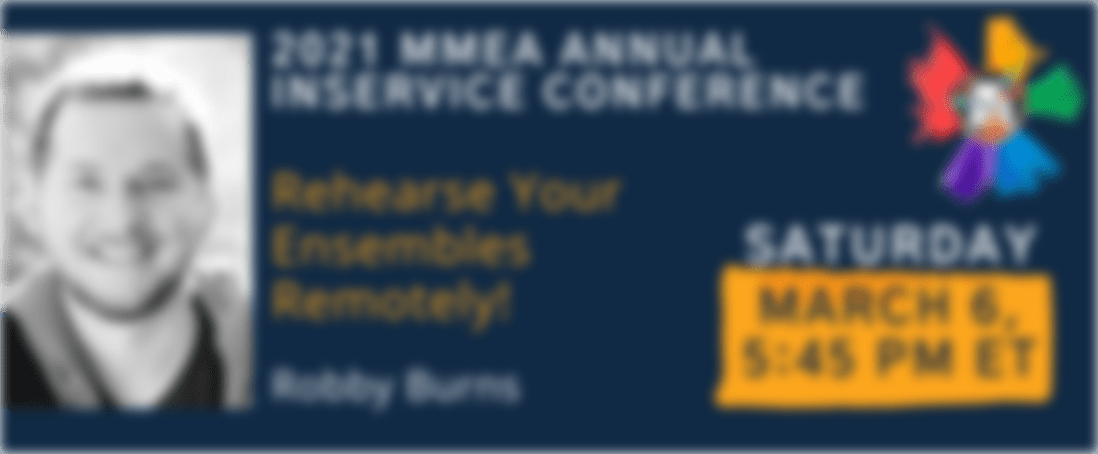
If you are a NAfME or MMEA member, please join Maryland at our Inservice Conference this weekend. I will be presenting a session titled Rehearse Your Ensembles Remotely! on Saturday, March 6 at 5:45 pm.

Here is the session description:

Learn the strategies and technologies to run engaging synchronous rehearsals. Engage students visually and speed up your flow using Open Broadcasting Software. Pump the sound video/music/play-along tracks directly through Zoom or Google Meet for a lag-free experience. Explore play along with resources, student reflection with Google Docs, effective camera/mic practices, and have students working collaboratively in synchronous chamber ensembles with Soundtrap! Software discussed includes: Keynote, Google Slides, Loopback, Soundsource, Farrago, AnyTune, Soundtrap, Smartmusic!

🎬 Develop Performance Skills Remotely with Cloud Software

<div class="sqs-video-wrapper" data-provider-name="YouTube" data-html="

“>

I have been meaning to write about “what I have been doing for online learning” since the fall.

This has proven difficult for many reasons, mostly that there is a lot I have been doing and it is all interconnected.

Generally, my planning and technology use has fallen into two categories.

  1. Tech that supports synchronous classes (via Zoom/Google Meet/etc.)
  2. Tech that supports the asynchronous work (via LMS, cloud-based and student-facing software, etc.)

Fortunately, I was invited to present at two music conferences this year, MMEA and TMEA, and each of my accepted sessions has serendipitously aligned with each of those areas.

This presentation in the video above is an overview of the asynchronous part. In other words, how I am keeping my virtual instruction focused on playing instruments solo, through student-facing tools like Noteflight, Soundtrap, Flipgrid, and a handful of iOS utility apps.

These strategies were developed while I was teaching virtually but they can just as easily be used in a hybrid or in-person teaching model. I would argue that they are just as valuable in either of those environments.

This presentation was first given at TMEA on Saturday, February 14th, 2021.

You can view the notes to this session here.