Watch my “How to Make a Virtual Ensemble” videohere.
At the end of last spring I posted three virtual ensemble videos of my Ellicott Mills Middle School students performing concert literature we would have otherwise played on a concert.
While concert literature has had a very diminished role in my teaching this school year, my students found playing this music on our Google Meets (on mute) very engaging.
Our ensembles chose to record one piece each and I edited them into the following two videos. I am very proud of their hard work this year. A majority of the students in these ensembles have only had a year or two of in-person instruction.
Credit to my amazing colleague, Nicole Sobel, who taught all of the woodwinds last semester. Usually, I teach the Concert Band and she teaches the Symphonic Band, but due to some scheduling changes to this school year, we thought it would be best for these ensembles to be broken up by instrument instead.
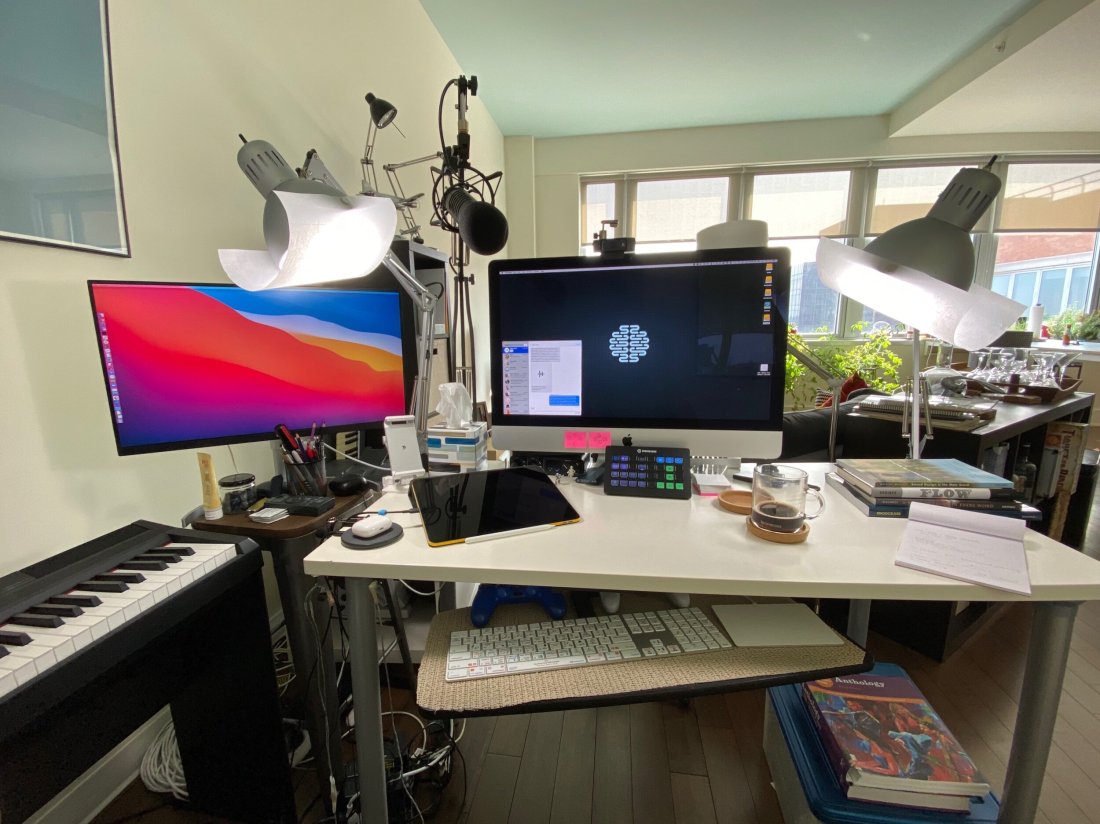
David MacDonald returns to the show to talk about the hardware and software in our virtual teaching setups. Then we speculate about touchscreen Macs and consider how Apple’s recent App Store policies might impact the future of creative professional software on iOS.
MusicFirst offers music educators and their students easy-to-use, affordable, cloud-based software that enables music learning, creation, assessment, sharing, and exploration on any device, anywhere, at any time.
MusicFirst Classroom is the only learning management system designed specifically for K-12 music education. It combines the flexibility of an LMS with engaging content and powerful software integrations to help manage your students’ progress, make lesson plans, and create assignments.
And for younger students, MusicFirst Junior is the perfect online system for teaching elementary general music. It includes a comprehensive K-5 curriculum, hundreds of lessons & songs, and kid-friendly graphics to making learning and creating music fun!
Whether you’re teaching remotely, in-person, or in a blended learning environment, MusicFirst will work with you to find a solution that fits your program’s unique needs. Try it free for 30 days at musicfirst.com.
Zoom came out with a recent update that allows users to optimize the sound quality of calls for music, amongst other features specifically geared towards music performers and teachers.
Here is a roundup of some great resources for making the most of these new audio options. Click each headline to read more.
This resource covers how to use the online meeting platform Zoom for online instrumental rehearsals. To find out more about Zoom and how to set it up, read our Zoom: how it works resource.
A recent release of Zoom has brought, among other things, “High Fidelity Audio Mode” (High fidelity music mode in the application settings) to the Windows and Mac clients. The feature was announced in August and rolled out publicly on September 1, 2020 with the 5.2.2 update.
Today Apple is updating Final Cut Pro X with powerful new features designed to enhance remote workflows and speed up editing for content creators. Improvements in creating and managing proxy media provide editors with portability and performance when working with large resolution formats, or when collaborating remotely. New social media tools automate video cropping in square, vertical, and other custom sizes for popular social media platforms, and new workflow improvements enhance the versatility and performance of Final Cut Pro — making the Mac stronger than ever for all video editors and motion graphics artists.
Teachers rejoice! If you are looking to make online lesson content or virtual band/orchestra/choir/whatever videos this school year, look no further than Final Cut Pro X.
If you were already taking advantage of their 90 day free trial, guess what? They just released a new version, and you can renew your trial with the update!
There’s a 90-day free trial for Final Cut Pro 10.4.9 if you want to check it out/train yourself up.
UPDATE: Listen to Theresa’s appearance on my podcast and subscribe below…
Listen on Apple PodcastsListen on SpotifyRSS FeedTheresa Hoover Ducassoux is a band director in Virginia doing awesome work ensuring that her students are engaged and empowered in her band classes, online and in person. She is especially savvy with a lot of the web-based tech tools that are popular in education right now.
Her post, which I have linked and quoted below, explains some ways you might use Google’s Jamboard app in the music classroom to engage students.
Jamboard is one of the newer and lesser-known G Suite tools, but it’s one that I love and am excited to use this school year! Jamboard is a collaborative whiteboard that be accessed by an app or web browser. The simplicity of the tool makes it great for education. Jamboard is a great way to have all students in your class share their voices.
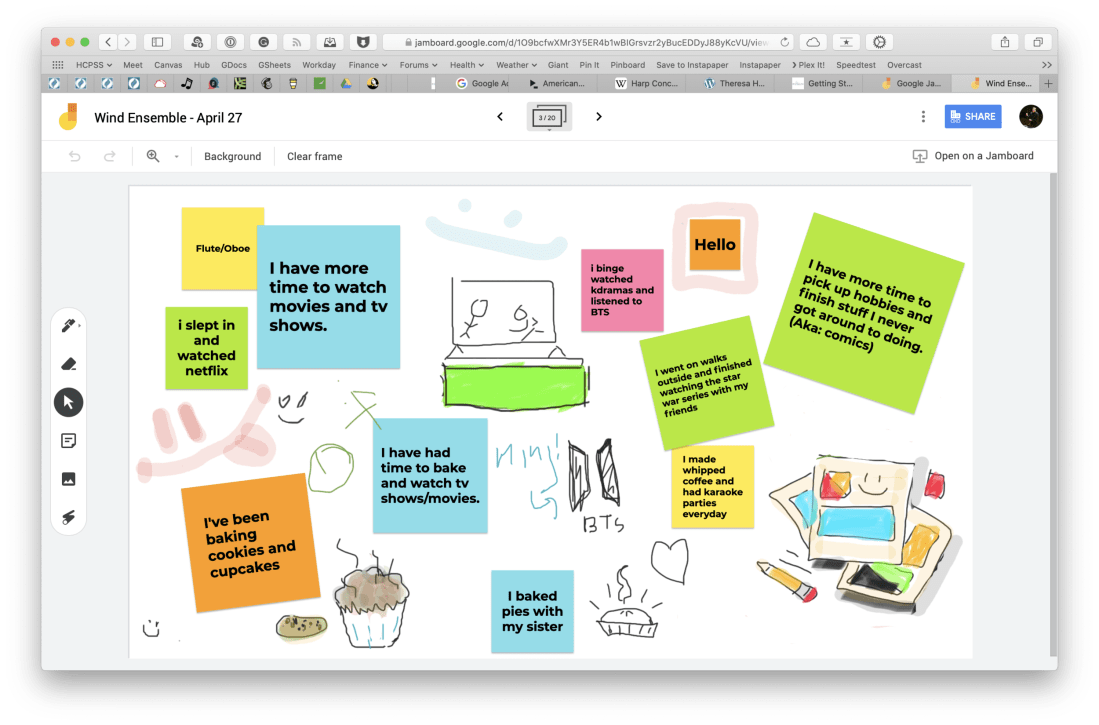
Jamboard is indeed excellent. I used it for a number of things last spring. One way we used it was to communicate and share what we had been up to in our free time when school started online.
<div class="
      image-block-outer-wrapper
      layout-caption-below
      design-layout-inline
      combination-animation-none
      individual-animation-none
      individual-text-animation-none
    ">


    <figure class="
          sqs-block-image-figure
          intrinsic
        " style="max-width:2500px">


      <div class="image-block-wrapper">
        <div class="sqs-image-shape-container-element


          has-aspect-ratio
        " style="position: relative;padding-bottom:65.95999908447266%;overflow: hidden">


            <img src="https://images.squarespace-cdn.com/content/v1/5595df9ce4b0ce9ff9ecd1a8/1596727567417-F9EYY0NWKQGJQAMN4WLR/CleanShot+2020-08-06+at+11.18.02%402x.png" alt="CleanShot 2020-08-06 at 11.18.02@2x.png" width="2500" height="1649" style="display:block;object-fit: cover;width: 100%;height: 100%;object-position: 50% 50%" loading="lazy">

        </div>
      </div>


      <figcaption class="image-caption-wrapper">
        <div class="image-caption"><p class="">I used this Jamboard our first day of online learning to ask students how they had been spending their extra time at home. Each section of the band had a page of the digital whiteboard to edit.</p></div>
      </figcaption>


    </figure>


</div>
Another way we used it was as an adjudication tool for providing ourselves feedback on our virtual ensemble video progress. You can see a brief snippet of that process in the middle of my How to Make a Virtual Band video, below.
Go and check out Theresa’s post, and all of her fine work at Off The Beaten Path Music. Spoiler: She is my podcast guest this week. Jamboard is just one of the many awesome tools and online teaching strategies we talk about. I learned a ton from her. That episode should be published tomorrow. Stay tuned!
The school year is finally over, as is my first ever quarter of online teaching.
I wanted my students to end the year seeing themselves represented together, playing the same music, at the same time. So I sharpened my Final Cut skills and dove into the process of making a virtual ensemble.
The video in this post gives an overview of my process for making these videos, all the way from making a play along track, to advanced editing such as pitch and rhythm correction. The video includes a couple of my favorite Mac utilities for manipulating audio and video files. Scroll to the bottom to see all of the final videos of my students.
Here is the first of a few “virtual band” videos I have been editing over the past few weeks. I am proud of my students for their hard work in unfamiliar conditions. I enjoyed making this a lot, but for different reasons than I enjoy teaching band.
I really refined my audio and video editing workflow for this. Stay tuned in the coming weeks for a video post on how I made this using Final Cut Pro, Logic Pro, and handful of other indie Mac apps.




 Music Ed Tech Talk