Linking Together Data Across Many Apps using Obsidian and Hookmark

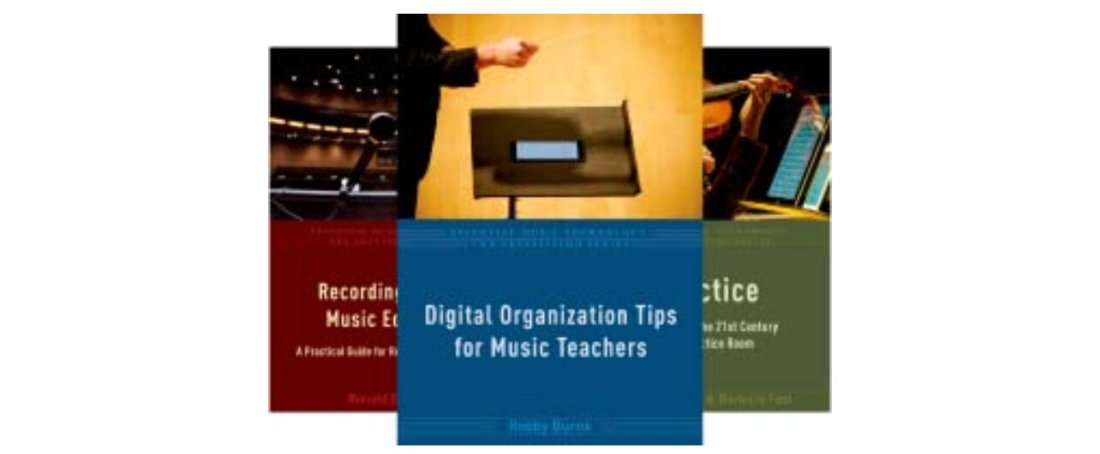
In my recent trip to TMEA, I presented on the topic of my book, Digital Organization Tips for Music Teachers.

There are a lot of different types of data to manage on a computing device. There are notes, tasks, events, words, websites, audio, video, sheet music, and more.

One of the things we discussed in the session is how the move to web-based productivity apps like Google Docs has made it challenging to organize website URLs alongside the documents that are stored locally on a computer.

It can be confusing to keep track of where all of this data is, especially when your different files may be spread across multiple apps and websites, even though they relate to the same subject.

<div class="
      image-block-outer-wrapper
      layout-caption-below
      design-layout-inline
      combination-animation-none
      individual-animation-none
      individual-text-animation-none
    ">


    <figure class="
          sqs-block-image-figure
          intrinsic
        " style="max-width:2680px">


      <div class="image-block-wrapper">
        <div class="sqs-image-shape-container-element


          has-aspect-ratio
        " style="position: relative;padding-bottom:71.56716918945312%;overflow: hidden">


            <img src="https://images.squarespace-cdn.com/content/v1/5595df9ce4b0ce9ff9ecd1a8/2ff1c31d-efa8-47c9-a928-9c538bd78ef9/CleanShot+2023-02-16+at+14.30.39%402x.png" alt="" width="2680" height="1918" style="display:block;object-fit: cover;width: 100%;height: 100%;object-position: 50% 50%" loading="lazy">

        </div>
      </div>


    </figure>


</div>

I have been using a PKM app called Obsidian to create “dashboards” where I link this various data together.

Linking URLs to Google Docs is easy enough using copy/paste. But linking to other files that live on my hard drive is tricky.

I have been using the Mac app Hookmark, which solves this very friction. A keyboard shortcut (mine is Control+Command+Spacebar) takes whatever data is in the foreground, generates a link to it, and copies it to the clipboard, where it can be pasted somewhere else.

<div class="
      image-block-outer-wrapper
      layout-caption-below
      design-layout-inline
      combination-animation-none
      individual-animation-none
      individual-text-animation-none
    ">


    <figure class="
          sqs-block-image-figure
          intrinsic
        " style="max-width:800px">


      <div class="image-block-wrapper">
        <div class="sqs-image-shape-container-element


          has-aspect-ratio
        " style="position: relative;padding-bottom:65%;overflow: hidden">


            <img src="https://images.squarespace-cdn.com/content/v1/5595df9ce4b0ce9ff9ecd1a8/3f67faf1-c01a-4dea-987d-46dcce040964/CleanShot+2023-02-16+at+14.38.20.gif" alt="" width="800" height="520" style="display:block;object-fit: cover;width: 100%;height: 100%;object-position: 50% 50%" loading="lazy">

        </div>
      </div>


    </figure>


</div>

For example, I can be inside a note or a document I open frequently, invoke Hookmark, and then paste the a URL directly to that file right inside of my Obsidian Dashboard. The Dashboard can therefore include links to websites, notes, documents, and nearly any other kind of data imaginable.

I have a dashboard that matches each large project I have going in OmniFocus (where I manage my tasks). Creating links with Hookmark also allows me to link to specific tasks inside of the dashboard. It goes the other way too. I can link an Obsidian note to the notes field of an OmniFocus task to create better context for my data.

<div class="
      image-block-outer-wrapper
      layout-caption-below
      design-layout-inline
      combination-animation-none
      individual-animation-none
      individual-text-animation-none
    ">


    <figure class="
          sqs-block-image-figure
          intrinsic
        " style="max-width:3024px">


      <div class="image-block-wrapper">
        <div class="sqs-image-shape-container-element


          has-aspect-ratio
        " style="position: relative;padding-bottom:64.94709014892578%;overflow: hidden">


            <img src="https://images.squarespace-cdn.com/content/v1/5595df9ce4b0ce9ff9ecd1a8/5867206b-10e2-45b6-8446-c91d1b5ee25d/CleanShot+2023-02-16+at+14.35.26%402x.png" alt="" width="3024" height="1964" style="display:block;object-fit: cover;width: 100%;height: 100%;object-position: 50% 50%" loading="lazy">

        </div>
      </div>


    </figure>


</div>

You can learn more about Obsidian in the podcast episode below.

I’m presenting at TMEA 2023

Hello! I am pleased to say I am presenting at the Texas Music Educators Association conference next month. Will you be there? If so, I hope you will check out one of my two sessions.

Digital Organization Tips for Music Teachers – Wednesday, February 8 @ 4:15 pm, Room CC 214B

Teaching Intonation with Tonal Energy – Friday, February 10 @ 11:30 am, Room CC 216

Stay tuned to the blog for complementary session notes and links.

<div class="
      image-block-outer-wrapper
      layout-caption-below
      design-layout-inline
      combination-animation-none
      individual-animation-none
      individual-text-animation-none
    ">


    <figure class="
          sqs-block-image-figure
          intrinsic
        " style="max-width:3024px">


      <div class="image-block-wrapper">
        <div class="sqs-image-shape-container-element


          has-aspect-ratio
        " style="position: relative;padding-bottom:64.94709014892578%;overflow: hidden">


            <img src="https://images.squarespace-cdn.com/content/v1/5595df9ce4b0ce9ff9ecd1a8/fd0e65a2-5f59-44b2-af9d-8442ba89f274/social+square+icon+tea+2023.png" alt="" width="3024" height="1964" style="display:block;object-fit: cover;width: 100%;height: 100%;object-position: 50% 50%" loading="lazy">

        </div>
      </div>


    </figure>


</div>

Soundtrap for Instrumental Music Teachers (HCPSS PD August 23, 2021)

I am presenting at the Howard County Public School System Music Professional Development on August 23, 2021.

These are the notes for that session…

  1. “What Do We Keep?” – This presentation is an loosely adapted from a post I wrote for the NAfME blog titled “Take, Leave, Transform! What Do We Keep from Last School Year”, which was based on a presentation I gave at the Music Ed Tech Conference this past summer. Check it out for more resources and ideas, and most importantly, links to the software mentioned in today’s session.
  2. “What Do We Keep?”” Session Notes – If you want just the links and resources from the blog post above, click here.
  3. Getting Your Students to ComposeClick here to read more about implementing Putting the E in Ensemble and to listen to my interview with Alex Shapiro.
  4. “Develop Performance Skills Remotely” – TMEA Presentation Notes – Some of the videos in today’s presentation were taken from my TMEA presentation this past year. Click here to watch the entire thing and receive the session notes.
  5. Making Just Intonation Play-Alongs with Tonal Energy TunerClick here to read my blog post about making play-along tracks using the TE Tuner app.

These three podcast episodes also address the subject of using Soundtrap creatively in the performing arts contexts.

What Do We Keep? (Podcast version of the above NAfME post)

Interview with Alex Shapiro about her “Putting the E in Ensemble” Curriculum

3 Soundtrap Projects Your Students Will Love (more Soundtrap ideas for in and outside of the performing arts classroom)

Develop Performance Skills Remotely with Cloud Software – YouTube

Making a Play Along Track – YouTube

Making a Virtual Ensemble Video – YouTube

🎙 Music Ed Tech Talk #27 – Catching Up With Shawna Longo, with Shawna Longo

Shawna Longo joins the show to talk about our hybrid teaching gear, social emotional learning, cloud-based music tools, and our favorite apps/albums/tech tips of the week.

Topics include:

  • COVID hybrid teaching strategies
  • Teaching hardware (on a cart!)
  • Teaching performance virtually
  • social emotional learning
  • music tools in the cloud
  • the Canvas mastery grade book

Show Notes:

Tech Tips of the Week:
Robby – Command+K (or Control+K) will create a hyperlink
Shawna – Mute All for Google Meet | Use AirPod mic as input in Google Meet

App of the Week:
Robby – TIDAL
Shawna – Scannable

Album of the Week:
Robby – Future Nostalgia – Dua Lipa
Shawna – Happiness Begins – The Jonas Brothers

Where to Find Us:
Robby – Twitter | Blog | Book
Shawna – Twitter | Website

Please don’t forget to rate the show and share it with others!

Subscribe to Music Ed Tech Talk:

Subscribe to the Blog

Subscribe to the Podcast in…
Apple Podcasts | Overcast | Castro | Spotify | RSS

🎬 Develop Performance Skills Remotely with Cloud Software

<div class="sqs-video-wrapper" data-provider-name="YouTube" data-html="

“>

I have been meaning to write about “what I have been doing for online learning” since the fall.

This has proven difficult for many reasons, mostly that there is a lot I have been doing and it is all interconnected.

Generally, my planning and technology use has fallen into two categories.

  1. Tech that supports synchronous classes (via Zoom/Google Meet/etc.)
  2. Tech that supports the asynchronous work (via LMS, cloud-based and student-facing software, etc.)

Fortunately, I was invited to present at two music conferences this year, MMEA and TMEA, and each of my accepted sessions has serendipitously aligned with each of those areas.

This presentation in the video above is an overview of the asynchronous part. In other words, how I am keeping my virtual instruction focused on playing instruments solo, through student-facing tools like Noteflight, Soundtrap, Flipgrid, and a handful of iOS utility apps.

These strategies were developed while I was teaching virtually but they can just as easily be used in a hybrid or in-person teaching model. I would argue that they are just as valuable in either of those environments.

This presentation was first given at TMEA on Saturday, February 14th, 2021.

You can view the notes to this session here.