I am presenting at the Howard County Public School System Music Professional Development on August 23, 2021.
These are the notes for that session…
Related Blog Posts
“What Do We Keep?” – This presentation is an loosely adapted from a post I wrote for the NAfME blog titled “Take, Leave, Transform! What Do We Keep from Last School Year”, which was based on a presentation I gave at the Music Ed Tech Conference this past summer. Check it out for more resources and ideas, and most importantly, links to the software mentioned in today’s session.
“What Do We Keep?”” Session Notes – If you want just the links and resources from the blog post above, click here.
Getting Your Students to Compose – Click here to read more about implementing Putting the E in Ensemble and to listen to my interview with Alex Shapiro.
“Develop Performance Skills Remotely” – TMEA Presentation Notes – Some of the videos in today’s presentation were taken from my TMEA presentation this past year. Click here to watch the entire thing and receive the session notes.
Making Just Intonation Play-Alongs with Tonal Energy Tuner – Click here to read my blog post about making play-along tracks using the TE Tuner app.
Related Podcast Episodes
These three podcast episodes also address the subject of using Soundtrap creatively in the performing arts contexts.
What Do We Keep? (Podcast version of the above NAfME post)
Interview with Alex Shapiro about her “Putting the E in Ensemble” Curriculum
3 Soundtrap Projects Your Students Will Love (more Soundtrap ideas for in and outside of the performing arts classroom)
Related YouTube Videos
Develop Performance Skills Remotely with Cloud Software – YouTube
Paul Kafasis, CEO of Rogue Amoeba, joins Robby to talk about the stellar audio apps they make and how Robby is using them in the music classroom both before and during COVID.
If you have not already checked out my Scale Exercise Play-Along Tracks, do it now! Everything is currently 10 dollars off on my store if you use code THANKFUL at checkout. This puts them at only $5! Sale ends tomorrow.
And if you are itching to add some holiday cheer to your rehearsal warmups, you can download my Holiday Edition of the Remington play-alongs from that collection here. These are free of charge.
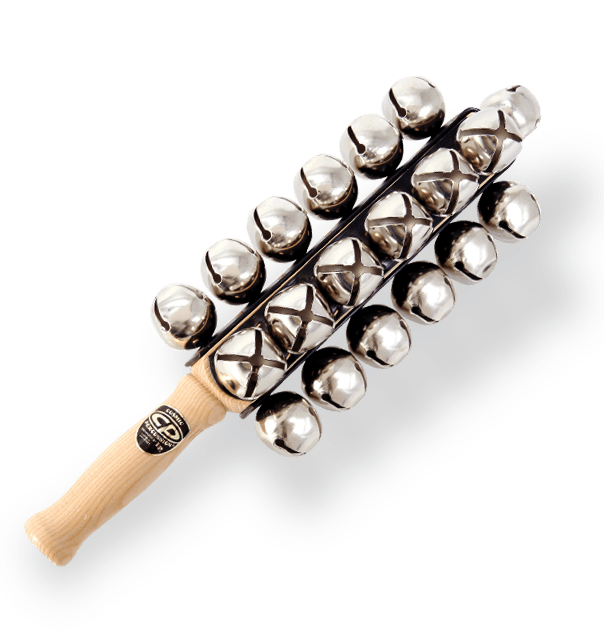
What makes them a “Holiday Edition?” Sleighbells, of course. And that half-diminished 7 chord everyone thinks sounds “Christmassy.” Sample below.
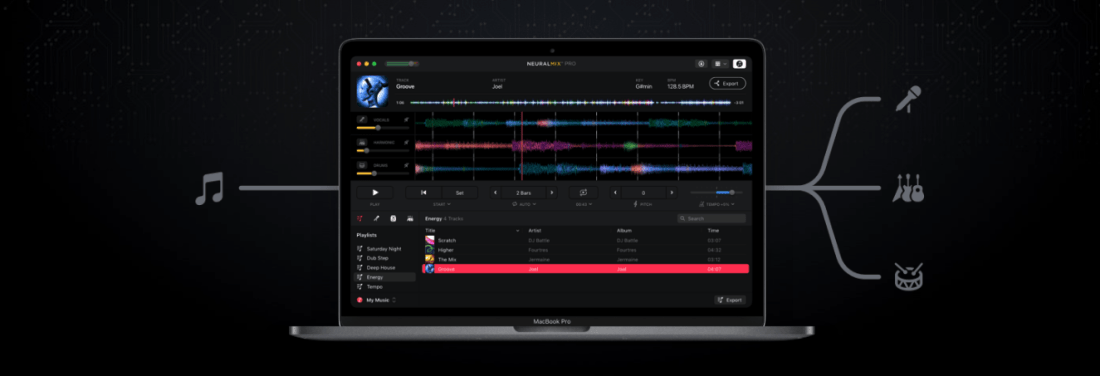
I have been testing out a Mac App called Neural Mix Pro, made by the people who make the popular DJay App for macOS and iOS.
It promises to take songs in your music library and hard drive and independently isolate vocals, drums, and other accompaniment so that they can be separated and mixed independently.
It works. I haven’t played with it enough to know the breadth of its capability, but I tested the following songs, and they worked enough that I think I would use this tool for future music projects and teaching resources.
Blues for Time: a fusion song in a drum set method book I assign often. I already had a drum-less version of the track, but the one I could make in Neural Mix Pro was satisfactory. There are some artifacts when you filter out instruments, but that was to be expected. No vocals on this track, but drums and other accompaniment separated correctly.
Material Girl, Madonna: The vocals and electronic drums are so heavy in this track that isolating just the accompaniment instruments resulted in the correct instruments but not with an EQ that I would use for anything professionally. The vocals and drums sounded ok when separated.
Jesus Walks, Kanye West: very satisfactory separation of drums, accompaniment, vocals. The backup vocals in the intro are tied to the vocal track, however. No way to separate that. With Neural Mix, you can export just one of the three tracks and apply a target key or tempo to change to it. I exported this tune to an even 80 bpm (it was around 78.x bpm, to begin with) into Logic Pro and has some fun toying around with adding my own improvisations using software instruments. I can see how this could be a useful tool for DJs, music producers, and music educators alike.
Here is a video of my quick demo. I made this on a computer with limited access to my music library and no real goal in mind other than to play around. Let me know if there is something you think I should test in the app.
I can see this app being useful in the music classroom for a few reasons. In my general music class, where we use Soundtrap to produce music, I could giving students a vocal track for a pop song and having them remix it. The results in Neural Mix are, by far, good enough for student use, and I imagine my students having a blast with this.
I could also use this in private lessons by taking songs my students drum along to and making "Minus One" recordings out of them that don't any longer have the drums. Alternatively, I could make them a drum-only version of a song to study the details more closely.
This would be more useful you could separate other instruments than just drums. Taking an instrumentalist out of a jazz record to create a track to improvise over is one of a handful of possibilities that immediately popped into my head. Perhaps these features are in store for a future update. Or maybe this app will remain geared towards pop music, DJs, and music producers. Either way, I can see myself using it on my never-ending quest to make fun play-along tracks for the band to play along to.
The past eight or so days have been very exciting and busy for me. I have been engaged with a number of online learning opportunities and resources. Here is a recap:
Scale Exercise Play-Along Tracks
Last week, I launched my store on this website. I am selling my first ever resource for teachers: Scale Exercise Play-Along Tracks with Trap Beats underneath them. You can buy just the audio play-alongs, or the Logic and GarageBand projects I produced them in to edit them in any way you like.
You can find my store here, a blog post about them here, and watch the promo below.
On Saturday, I was a Workflow Guest for LearnOmniFocus, a fantastic website and community where you can learn not only about the task manager application OmniFocus, but about other great productivity apps and the very nature of being a mindful and productive worker.
You can read about the appearance here and join the community here. There are educator discounts. The video of my session will be made available publicly and for free very soon.
Links to two of my more recent blog posts about OmniFocus can be found below:
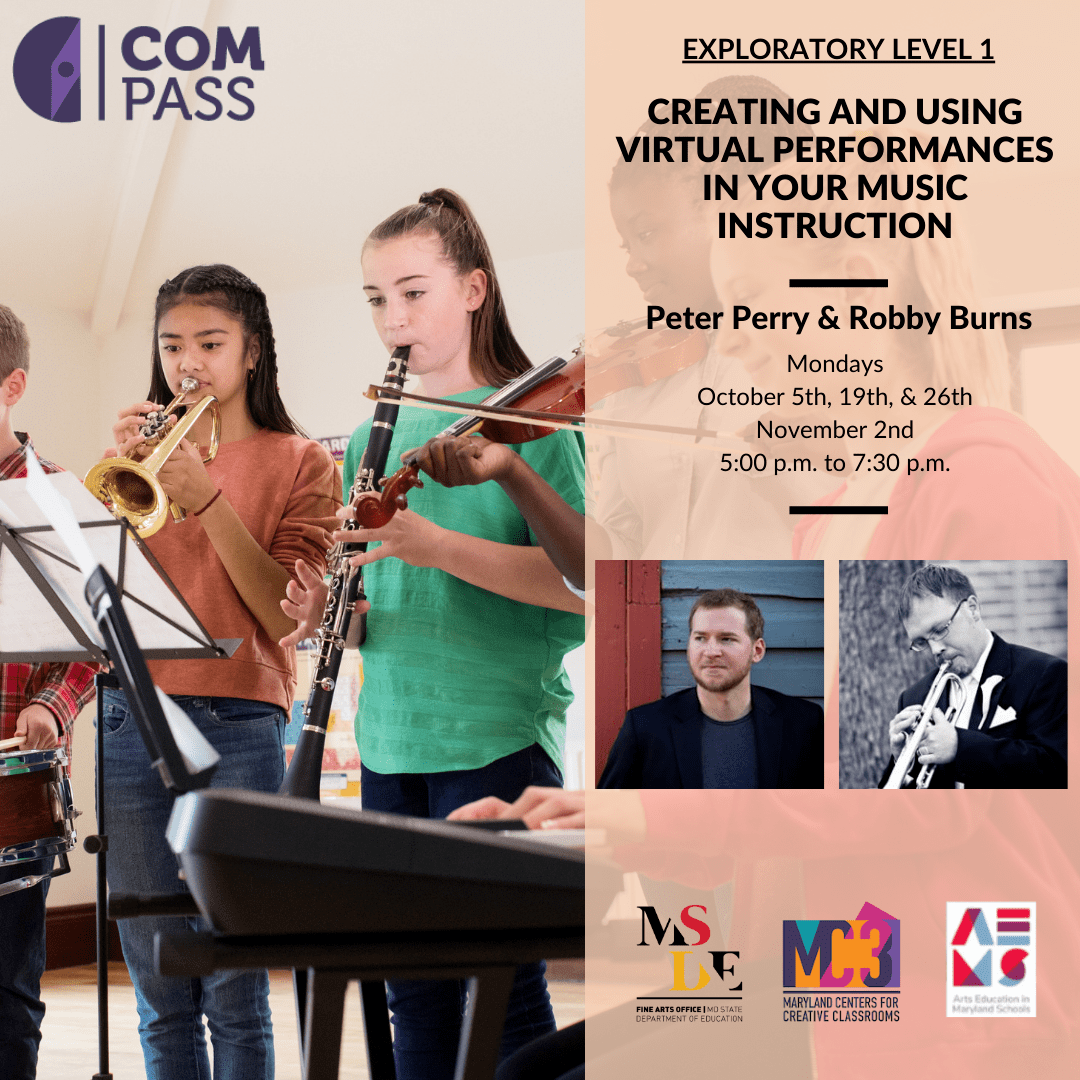
Creating and Using Virtual Performances in Your Music Instruction
I am teaching this online class for the Maryland State Department of Education with my awesome friend and colleague, Peter Perry. Peter’s book, Technology Tips for Ensemble Teachers is third in the same series as my own, and is worth checking out.
I am announcing a new section of this website. A STORE! Starting today, I will be selling digital products and services I have created for musicians and music teachers. Check it out here!
Here is the product description from the sale page:
This collection contains over 70 major scale play-along tracks for your ensemble.
Each track includes a tuning drone playing the tonic with a scale overtop in just intonation so that you can reinforce flawless intonation, tone production, and blend amongst your students. Every exercise includes a count-off and a trap beat underneath to engage your students while reinforcing slower playing and subdividing!
The audio-only version of this package includes mp3 files of the following recordings in all twelve major keys, at 70bpm.
Whole note scale
Half note scale
Quarter note scale
Eighth note scale
Scale Exercise in Thirds
Mini-Scale with Arpeggio
Also included:
Remington at three different speeds! Perfect for playing underneath many of the exercises that come from popular band methods.
The premium version of this product includes the audio tracks above in addition to the Logic Pro and GarageBand stems so you can edit every element of the tracks, including speed, pitch, and instrumentation.
These are perfect for running through your Zoom/Google Meet/Virtual Classroom to keep kids playing as much as possible.
I have been using tracks like these with my band students for years now and they LOVE them. The trap beat resonates with them. Its popularity in hip hop music aside, there is something compelling about them, musically. The backbeat on three, combined with the busy hi-hat activity, helps kids subdivide slower tempos and keeps them motivated to practice stuff like long tones and scales. The strong 808 baseline asserts the beat while adding fun syncopation.
It was essential to me that the drones were in just intonation because I teach my students to hear and adjust to the beats that result when unison pitches and diatonic intervals are in/out of tune. The Yamaha Harmony Director was definitely the tool for the job. Here’s a really brief blog post I shared earlier this month about the process if you want to take a stab at making something like this.
You can alternatively do this process using the (excellent) Tonal Energy Tuner App, a MIDI keyboard, and GarageBand on iOS. I wrote about that here. I prefer the Tonal Energy experience, but the Yamaha’s hardware keys made it easier to “perform” the drones and allowed me to create in Logic Pro, which I am more proficient in.
The original concept for this was very ambitious initially, and I simplified the vision a ton to help myself “ship it.” I have seen music teachers asking for something like this on social media a lot lately, and it seemed like time to do the work. I am happy with how they turned out and I hope to create more of these down the road in varying style, tempo, and exercise patterns.
A few notes:
Due to file upload limitations on Squarespace, buying the stems directs you to download a text file instead of the audio files. The text file contains a link to a third-party hosting source. A little inelegant, I know, but setting up a Squarespace store was otherwise the most comfortable choice.
These are incredibly effective for engaging synchronous ensemble rehearsals. No, we still can’t play at once, but running rehearsal tracks through your Google Meet or Zoom call while students are muted is a great way to keep them playing. These tracks are slow enough that I have had success having groups of 3-6 unmute while playing along, and it is not total chaos. Between these, my Solfege Bingo tracks, and The Breathing Gym DVD, we can be synchronously active for more than 80 percent of each class. I get the audio to route directly through to the call using Loopback.
Many of these tracks, particularly the scale exercise in thirds, mini-scale, and Remington tracks, pair perfectly with a multitude of examples in the Foundation for Superior Performance band method books series. I did not title them as such because the book and my project are in no way connected. I bring it up here because I know those exercises are ubiquitous in band rehearsals, and it’s for this reason, many directors have their students purchase those books.
I made the arrangements of these tracks simple to keep the appeal as wide-reaching and flexible as possible. My hope is that people who really want to change the style, edit the beat, change the speed, or any other kind of alternation, will buy the version that comes with the GarageBand and Logic stems. Tip: If you want to use software instruments to create your own accompaniment, and want them to be justly in tune with my tracks, Logic Pro has support for tuning systems. That means that if you mute my trap beat and add your own samba tracks, you can have the instruments play in the key area you select instead of their usual equal tempered tuning.
Theresa Hoover Ducassoux joins the show to talk about technology for teaching band at a distance, productivity methodologies, Google apps for personal and school use, Flipgrid, empowering students, and more…
Other topics:
Personal productivity systems and apps
The Getting Things Done Methodology
Teaching band online
Being creative with whatever teaching scenario and schedule your district is moving forward with this fall
Engaging students with musical performance using the Flipgrid video service
Google apps for personal productivity
Google apps for classroom teaching
Organizing files in Google Drive
Automating band warm ups
Chamber music breakout groups using Google Meet and Soundtrap
Getting Google Certified
Her book- Pass the Baton: Empowering All Music Students



 Music Ed Tech Talk