

<div class="sqs-video-wrapper" data-provider-name="YouTube" data-html="
“>
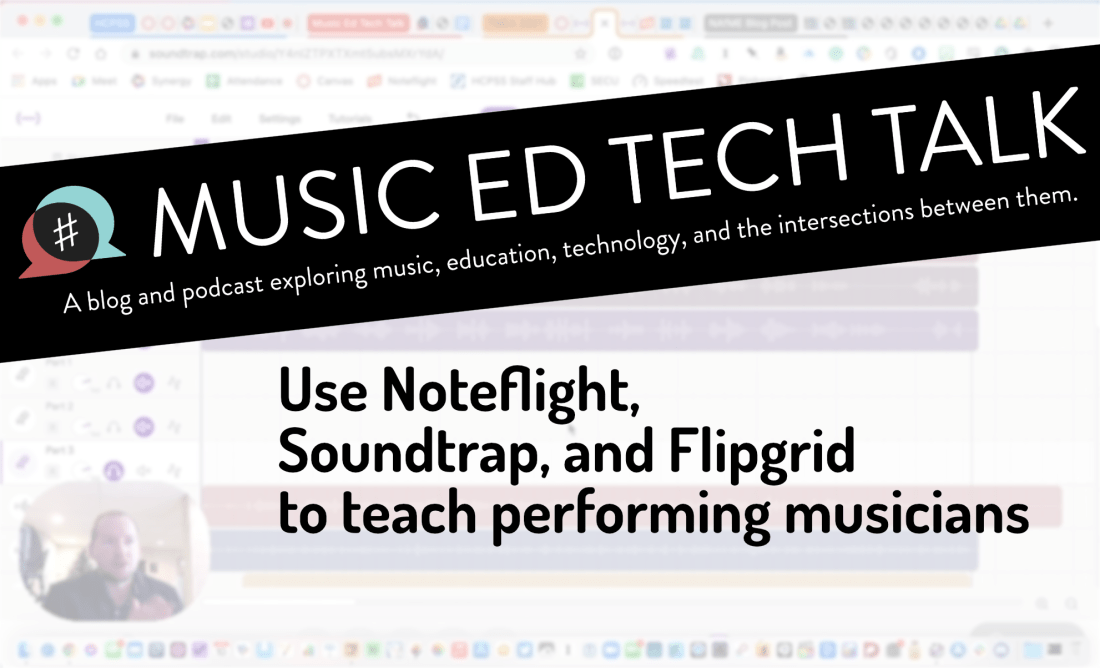
I have been meaning to write about “what I have been doing for online learning” since the fall.
This has proven difficult for many reasons, mostly that there is a lot I have been doing and it is all interconnected.
Generally, my planning and technology use has fallen into two categories.
Fortunately, I was invited to present at two music conferences this year, MMEA and TMEA, and each of my accepted sessions has serendipitously aligned with each of those areas.
This presentation in the video above is an overview of the asynchronous part. In other words, how I am keeping my virtual instruction focused on playing instruments solo, through student-facing tools like Noteflight, Soundtrap, Flipgrid, and a handful of iOS utility apps.
These strategies were developed while I was teaching virtually but they can just as easily be used in a hybrid or in-person teaching model. I would argue that they are just as valuable in either of those environments.
This presentation was first given at TMEA on Saturday, February 14th, 2021.
You can view the notes to this session here.

Are you coming to my TMEA session, Develop Performance Skills Remotely with Cloud Software today? It starts at 3 pm! Here are the session notes which include links to all of the software mentioned in the presentation.
Website – robbyburns.com
Blog – Music Ed Tech Talk (musicedtechtalk.com)
Subscribe to the Music Ed Tech Talk podcast – Apple Podcasts | Spotify | RSS
Subscribe to my email newsletter
Buy my book – Digital Organization Tips for Music Teachers
Buy my Scale Play Along Tracks
<div class="
      image-block-outer-wrapper
      layout-caption-below
      design-layout-inline
      combination-animation-none
      individual-animation-none
      individual-text-animation-none
    ">


    <figure class="
          sqs-block-image-figure
          intrinsic
        " style="max-width:1634px">


      <div class="image-block-wrapper">
        <div class="sqs-image-shape-container-element


          has-aspect-ratio
        " style="position: relative;padding-bottom:65.60587310791016%;overflow: hidden">


            <img src="https://images.squarespace-cdn.com/content/v1/5595df9ce4b0ce9ff9ecd1a8/1613227875460-H8Q6TU7S6U09BSBNAWJV/Let%27s+Connect.001.jpeg" alt="Let's Connect.001.jpeg" width="1634" height="1072" style="display:block;object-fit: cover;width: 100%;height: 100%;object-position: 50% 50%" loading="lazy">

        </div>
      </div>


    </figure>


</div>
Twitter
YouTube
Instagram
Soundcloud
Facebook
Pinterest
Are you going to be at the Texas Music Educators Association conference next week? If so, I hope to see you there! I am presenting a session and appearing on a panel.
Session description: If you are teaching in person, remotely, or hybrid, learn about great software you can use to reinforce the growth of perfor- mance skills among your students! Explore how students can use Noteflight Learn, Soundtrap, Flipgrid, and Google Docs to demonstrate technical skills, compose music, respond to music, multitrack-record themselves playing ensemble literature, col- laborate in chamber ensembles synchronously, and more.

My book, Digital Organization Tips for Music Teachers is part of the Prestissimo Series by Oxford University Press. Richard McCready, series editor, will be hosting a session featuring all of the authors in the series and the editors at OUP responsible for making it happen.
Each author will talk for a few minutes about their book and give one tip that a teacher could take immediately into the classroom the following day. I will be talking about organizing digital score libraries and managing your email inbox.
Session description:
The Prestissimo “Essential Music Technology” series, published by Oxford University Press, is a collection of handy books containing tips and advice on how to incorporate technology into your music teaching situation easily. In this session, authors who have written books in the series will share their best tips from the books with you. This round-table style discussion will be led by series editor Richard McCready (TIME Mike Kovins Teacher of the Year 2013). There will also be a prize drawing at the session for free copies of some of the Prestissimo series books.
List of Panelists:
Robby Burns is a band director and general music teacher at Ellicott Mills Middle School in Maryland, where he is also an active performing percussionist and private instructor. He is the author of “Digital Organization Tips for Music Teachers” and hosts the blog and podcast Music Ed Tech Talk.
Michelle Chen is Senior Editor of Music Education and Performance at Oxford University Press. She joined OUP in 2020 and previously held positions at Palgrave Macmillan and Bloomsbury Publishing.
Dr. Rick Dammers is the Dean of the College of Performing Arts and Professor of Music Education at Rowan University. He is the co-author of the book “Practical Music Education Technology”, is the author of the technology chapter in the “Oxford Handbook of Preservice Music Teacher Education in the United States” and is the recipient of the 2010 TI:ME Mike Kovins Teacher of the Year Award.
Catherine Dwinal is the educational technology specialist working for QuaverEd and TI:ME’s 2014 Mike Kovins Teacher of the Year. Catherine is the author of “Interactive Visual Ideas for Musical Classroom Activities” and has the pleasure of working with thousands of educators from all over the country helping them to integrate technology into the classroom.
Norm Hirschy is Executive Editor for Books on Music at Oxford University Press. Prior to joining OUP in 2004, he studied at The College of Wooster and at The Ohio State University.
Ronald E. Kearns is a retired instrumental music teacher. He is the author of “Recording Tips for Music Educators”, as well as Quick Reference for Band Directors” and “Quick Reference for Band Directors Who Teach Orchestra” (NAfME/RLE Publishing).
Marjorie LoPresti is the US Digital Content Manager for MusicFirst, Adjunct Professor of Music Education Technology at Rutgers University, and co-author of “Practical Music Education Technology”. She was the recipient of the 2016 TI:ME Mike Kovins Teacher of the Year Award.
Peter Perry is the author of “Technology Tips for Ensemble Teachers.” He received the Brent Cannon Music Education Alumni Achievement Award from Kappa Kappa Psi, recognizing outstanding contributions to secondary music education; the Presidential Scholar Teacher Award; and a Japan Fulbright fellowship. He is in his 25th year as Instrumental Music Director at Richard Montgomery High School in Rockville, Maryland and is on the music education faculty of the Catholic University of America in Washington D.C.
Do you have a product, app, or service that you would like to promote?
I am now offering sponsorships for the blog and podcast! A sponsorship includes…
An ad pinned to the sidebar of this blog (my thanks to this month’s sponsor, Flat for Education!)
A blog post about your product in my feed. You can provide the copy. If you wish, I can test your product and add some of my own experiences to the post.
An ad read on one episode of my podcast. Again, you provide the copy, but it is read conversationally in the middle of my show, not like a commercial. I speak to my own experiences if I have them.
I am open to all kinds of sponsorships. The audience of the blog and podcast are musicians and educators, often active music teachers, who are generally tech-savvy. Many of them use multiple computing devices, aren’t afraid to try new tech, and are looking for practical ways to engage their students musically.
Naturally, software that enhances the creative and productive lives of musicians and teachers is a good fit but I am open to sponsorships of a much wider variety than just that. Music stores, colleges, fundraisers, books, you name it!
If you want to be a sponsor, or if you want more details, choose Contact in the navigation bar of this site and leave me a message!
And if you don’t have a reason to sponsor the site in this way, but you want to support my continued hosting costs and motivation to keep producing content, check out my Buy Me a Coffee page. I appreciate any and all support!
Thanks to my sponsors this month, Flat for Education.
Dr. Frank Buck returns to the show for the kick-off of my mini-series, Productivity Boot Camp! Dr. Frank Buck is a productivity master with a background in band directing and administration. I share my knowledge of Apple products and native third-party apps, and he shares his experience with web-based, cross-platform apps. We bounce back and forth about good digital task and note management and share our favorite apps!
App of the Week:
Robby – Sticky Widgets
Frank Buck – Feedly
Album of the Week:
Robby – The Lost Art of Longing | BT
Frank Buck – Handel Flute Sonata V – Recording of Dr. Frank Buck Performing
Where to Find Us:
Robby – Twitter | Blog | Book
Frank Buck – Twitter | Website
Please don’t forget to rate the show and share it with others!
Subscribe to the Podcast in…
Apple Podcasts | Overcast | Castro | Spotify | RSS
Thanks to this week’s sponsor, Flat for Education:
Flat for Education offers music educators and their students the most affordable cloud-based music notation software on the market. Empowering teachers to create playful and engaging music activities, creations, assessments on any device at any time.
The platform integrates with every well-known learning management system available: Google Classroom, Microsoft 365, Canvas, Schoology, and MusicFirst to name a few. Everything will be synchronized with your existing setup to avoid any time loss.
Flat for Education offers an advanced system of assignments allowing you to create playful and stunning music activities with your students.
Create a template for all your students to start working from, or simplify the toolbar to have them only working with eighth and quarter notes. The only limit is your imagination.
Save a lot of time by generating worksheets and quizzes in just a few clicks for your students to practice music theory.
Finally, Bands directors and choirs conductors can have their students directly recording their performance from home for review.
Whether you are teaching remotely or in-person, Flat for Education will support you in creating playful and engaging music activities in no time. Try it free for 90 days on flat.io/edu
Thanks to my sponsor this month, MusicFirst
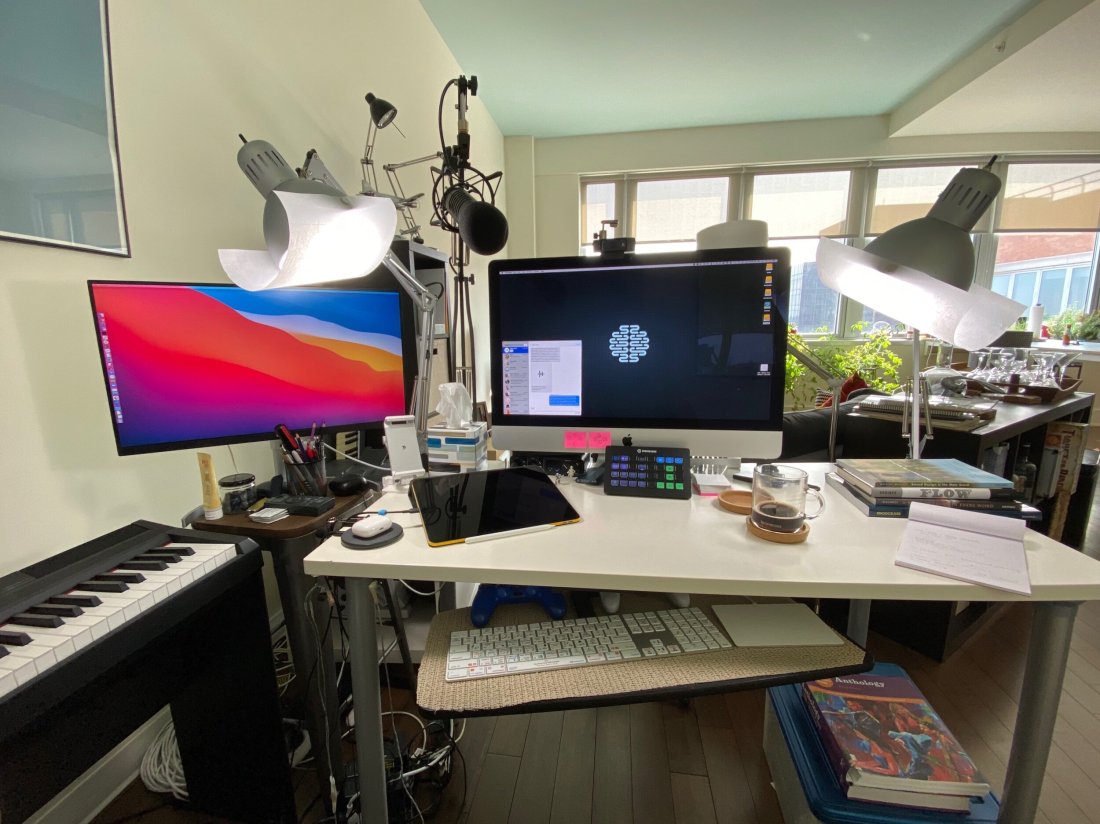
David MacDonald returns to the show to talk about the hardware and software in our virtual teaching setups. Then we speculate about touchscreen Macs and consider how Apple’s recent App Store policies might impact the future of creative professional software on iOS.
Topics include:
Where to Find Us:
Robby – Twitter | Blog | Book
David MacDonald – Twitter | Website | Blog
Please don’t forget to rate the show and share it with others!
Subscribe to the Podcast in…
Apple Podcasts | Overcast | Castro | Spotify | RSS
Today’s episode is sponsored by MusicFirst:
MusicFirst offers music educators and their students easy-to-use, affordable, cloud-based software that enables music learning, creation, assessment, sharing, and exploration on any device, anywhere, at any time.
MusicFirst Classroom is the only learning management system designed specifically for K-12 music education. It combines the flexibility of an LMS with engaging content and powerful software integrations to help manage your students’ progress, make lesson plans, and create assignments.
And for younger students, MusicFirst Junior is the perfect online system for teaching elementary general music. It includes a comprehensive K-5 curriculum, hundreds of lessons & songs, and kid-friendly graphics to making learning and creating music fun!
Whether you’re teaching remotely, in-person, or in a blended learning environment, MusicFirst will work with you to find a solution that fits your program’s unique needs. Try it free for 30 days at musicfirst.com.
<div class="
      image-block-outer-wrapper
      layout-caption-below
      design-layout-inline
      combination-animation-none
      individual-animation-none
      individual-text-animation-none
    ">


    <figure class="
          sqs-block-image-figure
          intrinsic
        " style="max-width:2500px">


      <div class="image-block-wrapper">
        <div class="sqs-image-shape-container-element


          has-aspect-ratio
        " style="position: relative;padding-bottom:74.95999908447266%;overflow: hidden">


            <img src="https://images.squarespace-cdn.com/content/v1/5595df9ce4b0ce9ff9ecd1a8/1600038818677-9KFU4NAEUS7MPSAS5S61/IMG_3003.jpeg" alt="David’s teaching setup." width="2500" height="1874" style="display:block;object-fit: cover;width: 100%;height: 100%;object-position: 50% 50%" loading="lazy">

        </div>
      </div>


      <figcaption class="image-caption-wrapper">
        <div class="image-caption"><p class="">David’s teaching setup.</p></div>
      </figcaption>


    </figure>


</div>


<div class="
      image-block-outer-wrapper
      layout-caption-below
      design-layout-inline
      combination-animation-none
      individual-animation-none
      individual-text-animation-none
    ">


    <figure class="
          sqs-block-image-figure
          intrinsic
        " style="max-width:2500px">


      <div class="image-block-wrapper">
        <div class="sqs-image-shape-container-element


          has-aspect-ratio
        " style="position: relative;padding-bottom:75%;overflow: hidden">


            <img src="https://images.squarespace-cdn.com/content/v1/5595df9ce4b0ce9ff9ecd1a8/1600038852982-OD6Y5XFUFRAL1TR2PPJD/A7067C72-D117-473F-A9FA-D3938A9C1A5E.jpeg" alt="My teaching setup." width="2500" height="1875" style="display:block;object-fit: cover;width: 100%;height: 100%;object-position: 50% 50%" loading="lazy">

        </div>
      </div>


      <figcaption class="image-caption-wrapper">
        <div class="image-caption"><p class="">My teaching setup.</p></div>
      </figcaption>


    </figure>


</div>


<div class="
      image-block-outer-wrapper
      layout-caption-below
      design-layout-inline
      combination-animation-none
      individual-animation-none
      individual-text-animation-none
    ">


    <figure class="
          sqs-block-image-figure
          intrinsic
        " style="max-width:2500px">


      <div class="image-block-wrapper">
        <div class="sqs-image-shape-container-element


          has-aspect-ratio
        " style="position: relative;padding-bottom:75%;overflow: hidden">


            <img src="https://images.squarespace-cdn.com/content/v1/5595df9ce4b0ce9ff9ecd1a8/1600038981679-Y8MXKP63LULXCLM4Y5I3/IMG_2823.jpeg" alt="…From far away." width="2500" height="1875" style="display:block;object-fit: cover;width: 100%;height: 100%;object-position: 50% 50%" loading="lazy">

        </div>
      </div>


      <figcaption class="image-caption-wrapper">
        <div class="image-caption"><p class="">…From far away. </p></div>
      </figcaption>


    </figure>


</div>
I am thrilled that Music Ed Tech Talk is sponsored by MusicFirst this month. What is MusicFirst? In their own words:
MusicFirst offers music educators and their students easy-to-use, affordable, cloud-based software that enables music learning, creation, assessment, sharing, and exploration on any device, anywhere, at any time.
MusicFirst Classroom is the only learning management system designed specifically for K-12 music education. It combines the flexibility of an LMS with engaging content and powerful software integrations to help manage your students’ progress, make lesson plans, and create assignments.
And for younger students, MusicFirst Junior is the perfect online system for teaching elementary general music. It includes a comprehensive K-5 curriculum, hundreds of lessons & songs, and kid-friendly graphics to making learning and creating music fun!
Whether you’re teaching remotely, in-person, or in a blended learning environment, MusicFirst will work with you to find a solution that fits your program’s unique needs. Try it free for 30 days at musicfirst.com.
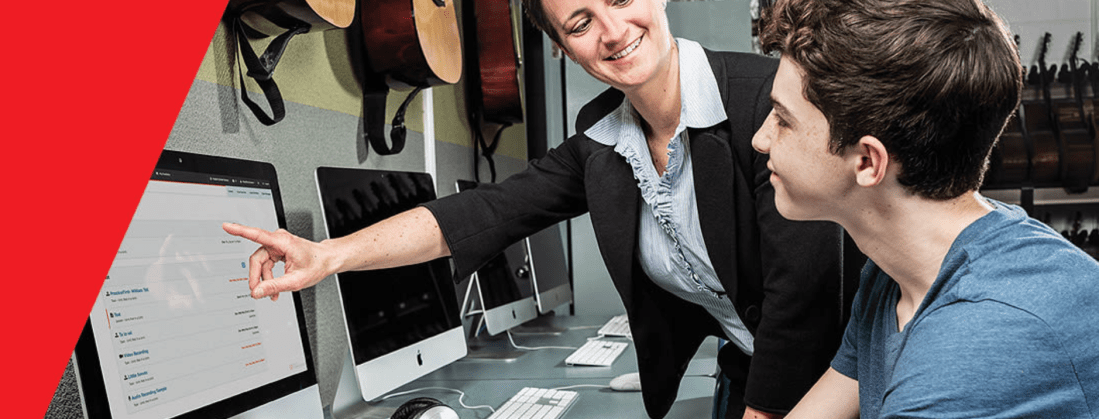
This past school year, I piloted our district’s General Music II class. It marks the first time in our school system where a middle school level music class has built off of a prior year of skill development. Along with this development, our school’s Mac lab began to get phased out and replaced with Chromebooks.
I decided to invest in MusicFirst, a holistic, all-in-one, solution for teaching music with computers.
A small grant covered the cost of some low-end MIDI controllers, and my 8th graders were off! MusicFirst, and the integrated third party apps, blew open the doors. Suddenly we could compose notation with the clarity and creativity that Noteflight offers. Soundtrap, one of the digital audio workstations that you can bundle with a MusicFirst subscription, stores its content in the cloud, meaning students were never limited to the instruments or loops that happened to be installed on the Mac they sat down at that day.
To top it off, we were able to apply our piano skill from earlier in the semester to record our original parts into the computers. The fact that this software runs on the web means students can work on projects at home. It’s fantastic!
In March, when schools shifted to an online model, MusicFirst suddenly increased in value. I honestly don’t know how I would have taught my music class without it. Soundtrap kept students engaged in creating music once every week and collaborating on projects.
MusicFirst’s content library is massive. You can download an entire course-worth of units and lesson plans from dozens of pre-built classes.
In my early curiosity, I downloaded MusicFirst’s “Middle School Music Technology” class to my account and invited all of my students to it. I was able to easily drag and drop lessons and units from this course into dates on a calendar and have them appear as tasks to students. These lesson plans include clear instructions, engaging media, and assignments that link directly out to whatever software is required to get the task done.
For example, we spent some time learning the blues last spring. There is a unit in the pre-made music tech course that teaches students some blues basics. It starts with a lesson plan that has a pre-made playlist featuring artists like B. B. King. After listening to some recorded examples, it links students to a discussion task, where they can comment about the stylistic features of the music. Next, students move on to a lesson that explains the blues scale and links directly to a Soundtrap project, where the are tasked to record an improvisation using the notes of the blues scale. Saving their work in Soundtrap automatically saves it to the assignment in MusicFirst, where I can review and grade them all in the same place.
The pre-made content is a life saver if are teaching out of your content area and are feeling overwhelmed. Even if you are not, the content will speed things up for you. (Aggregating Spotify playlists, images, and instructions into a meaningfully structured lesson takes time, even if the ideas are already in your head!).
The course content is also fully customizable. In the blues example above, I wanted the improvisation assignment in Soundtrap to have a 12 bar bass line and shuffle beat pre-recorded, so that students felt like they were playing along to something. I was able to accomplish this, and saved a lot of time due to the instructions and embedded media having already been curated.
Give MusicFirst a try. It is such a comprehensive offering, that I am sure it can enhance your teaching! Click herefor more details.
<div class="
      image-block-outer-wrapper
      layout-caption-below
      design-layout-inline
      combination-animation-none
      individual-animation-none
      individual-text-animation-none
    ">


    <figure class="
          sqs-block-image-figure
          intrinsic
        " style="max-width:925px">


      <div class="image-block-wrapper">
        <div class="sqs-image-shape-container-element


          has-aspect-ratio
        " style="position: relative;padding-bottom:15.243242263793945%;overflow: hidden">


            <img src="https://images.squarespace-cdn.com/content/v1/5595df9ce4b0ce9ff9ecd1a8/1599398242244-DSIL1YW9YVE14T0RSKEX/MusicFirst+Logo+black+for+blog+post.png" alt="MusicFirst Logo black for blog post.png" width="925" height="141" style="display:block;object-fit: cover;width: 100%;height: 100%;object-position: 50% 50%" loading="lazy">

        </div>
      </div>


    </figure>


</div>
Elementary music educator, Amy Burns, joins the show! We talk about Seesaw, using tech in the elementary general music classroom, and her new book: Using Technology with Elementary Music Approaches!!!
Stuff Amy is doing:
App of the Week:
Robby – SoundSource by Rogue Amoeba
Amy – Tripple Feature! – Timestamp Camera | MixCam app | Focos
Album of the Week:
Robby – Clear Line | Jacob Garchik
Amy – In the Heights | Lin-Manuel Miranda
Where to Find Us:
Robby – Twitter | Blog | Book
Amy – Twitter | Website
Please don’t forget to rate the show and share it with others!
Subscribe to the Podcast in…
Apple Podcasts | Overcast | Castro | Spotify | RSS
Theresa Hoover Ducassoux joins the show to talk about technology for teaching band at a distance, productivity methodologies, Google apps for personal and school use, Flipgrid, empowering students, and more…
App of the Week:
Robby – Loopback by Rogue Ameoba (They have educator discounts)
Theresa – Flat for Docs
Album of the Week:
Robby – Jennifer Higdon Harp Concerto
Theresa – Dustin O’Halloran, piano solos
Where to Find Us:
Robby – Twitter | Blog | Book
Theresa – Twitter | Website – MusicalTheresa.com | Book – Pass the Baton: Empowering All Music Students | Blog – Off the Beaten Path
Please don’t forget to rate the show and share it with others!
Subscribe to the Podcast in…
Apple Podcasts | Overcast | Castro | Spotify | RSS
Subscribe to the Podcast in…
Apple Podcasts | Overcast | Castro | Spotify | RSS
Meredith Allen, Sales Enablement Manager at Soundtrap, joins the show to talk about using Soundtrap in the music classroom to create music and podcasts, getting acquired by Spotify, and wearing hard pants.
App of the Week:
Robby – Permute
Meredith – Innovators Compass
Album of the Week:
Robby – Dreams Come True | Love Goes On
Meredith – Rocketman Soundtrack
Where to Find Us:
Robby – Twitter | Blog | Book
Meredith – Twitter | Website
 Music Ed Tech Talk