Are you a music teacher upgrading your Mac this season? Buy one with an M1 Chip!!!

Apple’s new Macs with M1 processors are out and so are reviews. Hear me talk about these with Will Kuhn on my podcast this week.

I have had a few music teachers reach out to me in the past week who are reconsidering their next Mac because they want to edit virtual ensemble videos this coming concert season. From these conversations I am learning that most music teachers have no idea these new Macs are even out.

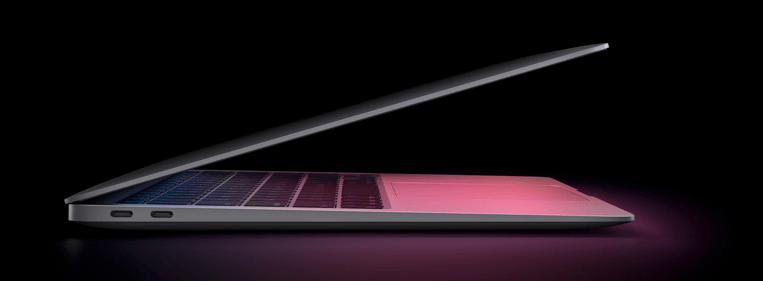
I strongly recommed you read the reviews I have linked below. The message is clear. If you are about to buy a Mac, you must buy one of the three new M1 Macs. However much money you think you are saving by getting last year’s model for a few hundred dollars cheaper does not make up for the performance you will loose out on by even buying the entry level MacBook Air for $999 (which is even cheaper on Apple’s education store).

From everything I have read, it sounds like even the new Air smokes my maxed-out 16 inch MacBook Pro from 2016. I can’t wait to see what Apple does with the pro laptop models in the coming years.

Apple’s M1 MacBook Air and MacBook Pro Review: The Laptop’s Biggest Leap in Years – WSJ:

I finally got the new MacBook Pro’s fan to kick on, with a temperature of 98 degrees, when playing “Rise of Tomb Raider” while simultaneously exporting a 4K video in Adobe Premiere and running some Chrome tabs in the background.

Apple’s M1 MacBook Air and MacBook Pro Review: The Laptop’s Biggest Leap in Years – WSJ:

Apple’s M1 chip, however, is far more power efficient. Less power = less heat = no fan. The new MacBook Air has a completely fanless design, while the MacBook Pro still has a fan to allow for sustained high speeds.

So of course I deemed it my mission to get these laptops to slow down, heat up or—in the case of the MacBook Pro—fire up the fan.

As you’ll see in the video, I tried it all, beginning with Google Chrome, the most resource-intensive browser of them all. Fifty browsing tabs? Not at a peep or a degree above 80 Fahrenheit on either M1-powered system. The Intel-powered Air? Thirty-five tabs got its fans revving, and it hit 93 degrees.

How about 65 tabs? The M1-powered Air was still cool and quiet, though it began showing signs of sluggish scrolling and tab switching. The Intel-powered 13-inch MacBook Pro powered up its fan at around 75 tabs. At a whopping 100 tabs—which no sane human could ever navigate—the M1-powered Pro was quiet as a mouse and scrolling pages smoothly. Even when I threw in a Zoom call, it kept silent. I finally got the new MacBook Pro’s fan to kick on, with a temperature of 98 degrees, when playing “Rise of Tomb Raider” while simultaneously exporting a 4K video in Adobe Premiere and running some Chrome tabs in the background.

Apple MacBook Air with M1 review: new chip, no problem – The Verge:

Apple has built a new system for every iOS app that is available in the Mac menu called “Touch Alternatives.” It is a series of buttons, gestures, and other eldritch incantations to make apps that need a touchscreen work on a Mac.

It’s frankly ridiculous and the clearest sign yet that Apple is bending itself into knots to avoid doing what obviously needs to be done: put a touchscreen on the Mac.

Luckily, you can ignore all of these iOS apps until developers optimize them or Apple figures out a better way to clean up the weird stuff.

M1 Macs review: The Next Generation – Six Colors:

But there are a bunch of limitations. App developers can opt their iOS apps out of being visible on the Mac, and many have done just that. Want to watch videos in the Netflix app rather than a browser tab? Too bad—Netflix isn’t available, nor are most other video streaming services. Many productivity apps are missing, too. In fact, over the days that I was working on this review, I found more iOS apps disappearing from the store.

I’m not entirely sure for the reason for developers opting out of letting their iOS apps run on the Mac, but I’d wager they’re some combination of quality control, wanting their users to use an existing Mac app or web interface, and (for video providers) fears over security or piracy.

Having used a bunch of these apps, I can understand some of these concerns. The real question is, will they be addressed in due time or will the Mac version of the iOS App Store remain a bit scattershot?

#20 – Electronic Music School, with Will Kuhn

Will Kuhn joins the show to talk about Apple’s new Macs, teaching electronic music, home automation, and his forthcoming book, Electronic Music School.

Show Notes:

We recorded this episode right after last weeks Apple event! People have now used and reviewed these machines! I recommend this one, this one, and this one.

Other topics include:

  • Apple in education
  • M1 chip implications for audio software
  • Other Apple Fall announcements and products
  • Ableton Live 11

Do you have a product or service you would like to promote to music educators? Sponsor Music Ed Tech Talk!

Stuff mentioned:

App of the Week:
Robby – Neural Mix Pro
Will – Ableton Live 11

Album of the Week:
Robby – Vulfpeck | The Joy of Music The Job of Real Estate
Will – Machinedrum – A View of U | beabadoobee

Where to Find Us:
Robby – Twitter | Blog | Book
Will – Twitter | Website

Please don’t forget to rate the show and share it with others!

Subscribe to Music Ed Tech Talk:

Subscribe to the Blog

Subscribe to the Podcast in…
Apple Podcasts | Overcast | Castro | Spotify | RSS

Sponsor Music Ed Tech Talk!

New Macs announced yesterday, new Mac operating system shipping tomorrow

Apple’s “One More “Thing Event

Apple announced three new Macs yesterday that will use their new M1 chip. This will allow unprecedented increases in power, speed, and battery life. It will also allow iOS apps to run on them natively.

I have shared some real quick impressions below. If you want to hear more about this transition, Will Kuhn is on the upcoming episode of the podcast to talk about his impressions, amongst other topics in technology and music education. That episode should drop over the weekend.

Quick thoughts

  • Apple announced a new MacBook Air, MacBook Pro 13″, and Mac mini. Of these three, the Air and Mac mini are particularly tempting to me. They maintain similar prices (way cheaper in the case of the mini), and dramatically improve performance, battery life, speed, and allow for using iOS apps. If you need a Mac, and you don’t need the most powerful one on the market, I couldn’t recommend either of these more. Of course, it is always safe to wait for reviews, but I anticipate that there won’t be any significant deal breakers outside of potential software compatibility.
  • There are a lot of things Apple could do with the M1 chip down the road. Add FaceID, a cellular chip, a touchscreen, and maybe even a new design. Apple decided not to do these things yet and keep the designs pretty much like the last generation. I think this sends the message to the general public that this is not some new, experimental thing, but instead, the same old Mac you know and love. Just way better.
  • I was surprised not to see more iOS apps demonstrated. Apple showed a few iOS apps (like the game Among Us and HBO Max) running on one of the new Macs. Before the event, I have noted that it is weird that the TV app will show my recently watched HBO shows, but I can’t play them on an intel Mac like I can on iOS or tvOS, which have the HBO app. This will be an obvious improvement. But where is Hulu? Netflix? Surely Apple chooses who they feature on stage strategically. Still, I would have expected them to do more bragging if they were anticipating a ton of extremely popular apps to launch on day one. Fingers crossed for a lot of new options in the Mac App Store early on.
  • No AirTags, over the ear headphones, or Apple TV. I was personally curious about these devices, particularly the rumored studio headphones, but maybe they will come later.

macOS 11 – Big Sur

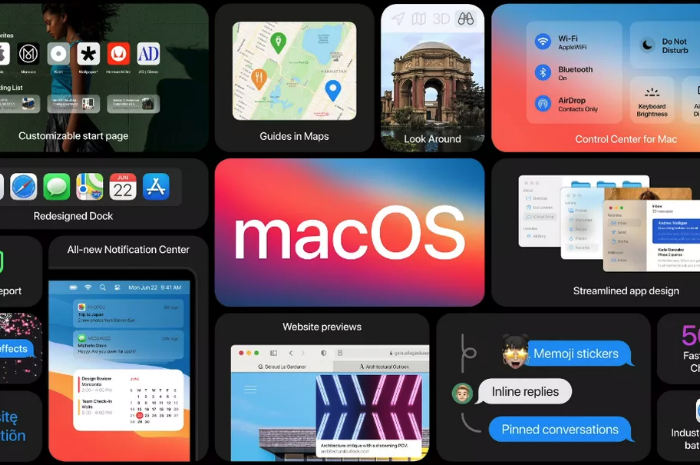
The new Mac operating system, Big Sur, is coming out tomorrow. This update is dramatic in numerous respects. You will immediately notice a fresh coat of paint. The user interface and app icons will feel a lot more like they do on iOS.

iPad Apps on the Mac

I am excited because iOS app developers I care about are finally starting to announce Catalyst apps in volume. Catalyst is Apple’s technology that allows developers to easily turn their iPad apps into Mac apps. There have been relatively few good examples of this over the past year. GoodNotes 5, Streaks, Twitter, and Home, are a few of the ones I use regularly, but the list isn’t long.

Instapaper has a Mac app as of today (yay), and forScore is launching one tomorrow. I expect to see a lot more in the coming weeks. It seems like changes to this new OS have finally provided developers the tools they need to make their iPad apps “good enough” to ship on the Mac.

Will I Install It On Day One?

While I usually wait to install releases like this, forScore will be enough of a productivity boost for my Mac workflow that I will be reckless and install it tomorrow, most likely. This will put my online teaching software setup at risk, but I think it is worth it. I am tired of having a beautifully curated music library on the iPad and not on my most powerful machine. Until forScore ships iCloud syncing, I plan to move my “true” sheet music library to the Mac version.

https://platform.twitter.com/widgets.js

Music Software Compatability

If you depend on any creative professional music software, audio interfaces, or other apps you aren’t sure will be compatible with Big Sur, don’t be like me. Wait! I have a fallback Mac mini I can use if things get ugly.

If you are wondering what score editing software is compatible with, fortunately, Scoring Notes has already got the scoop. Read their article below.

Music notation software, macOS Big Sur, and Apple Silicon M1 Macs:

As far as Sibelius, Finale, Dorico, MuseScore, and Notion, are concerned: Broadly speaking, Big Sur does not appear to affect these applications much one way or the other. We don’t expect users already working on macOS Catalina to be negatively or positively affected by Big Sur when working with these applications — and whenever a new OS is involved, status quo is very welcome news indeed.