Presentations I Am Giving At TMEA 2021 Next Week

Are you going to be at the Texas Music Educators Association conference next week? If so, I hope to see you there! I am presenting a session and appearing on a panel.

Develop Performance Skills Remotely with Cloud Software – Saturday, February 13, 2021 at 3 pm

Session description: If you are teaching in person, remotely, or hybrid, learn about great software you can use to reinforce the growth of perfor- mance skills among your students! Explore how students can use Noteflight Learn, Soundtrap, Flipgrid, and Google Docs to demonstrate technical skills, compose music, respond to music, multitrack-record themselves playing ensemble literature, col- laborate in chamber ensembles synchronously, and more.

Music Technology Tips You Can Use Today – Wednesday, February 10, 2021 at 7 pm

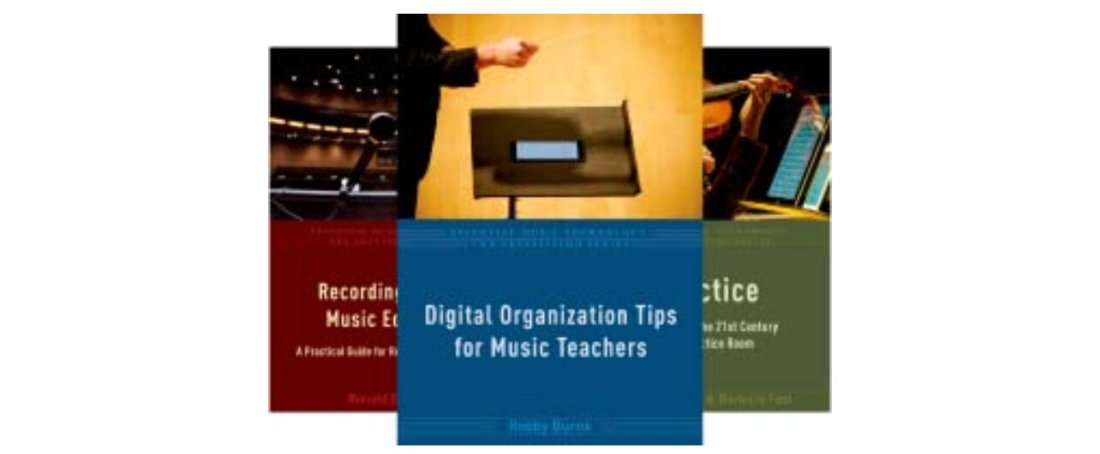
My book, Digital Organization Tips for Music Teachers is part of the Prestissimo Series by Oxford University Press. Richard McCready, series editor, will be hosting a session featuring all of the authors in the series and the editors at OUP responsible for making it happen.

Each author will talk for a few minutes about their book and give one tip that a teacher could take immediately into the classroom the following day. I will be talking about organizing digital score libraries and managing your email inbox.

Session description:
The Prestissimo “Essential Music Technology” series, published by Oxford University Press, is a collection of handy books containing tips and advice on how to incorporate technology into your music teaching situation easily. In this session, authors who have written books in the series will share their best tips from the books with you. This round-table style discussion will be led by series editor Richard McCready (TIME Mike Kovins Teacher of the Year 2013). There will also be a prize drawing at the session for free copies of some of the Prestissimo series books.

List of Panelists:
Robby Burns is a band director and general music teacher at Ellicott Mills Middle School in Maryland, where he is also an active performing percussionist and private instructor. He is the author of “Digital Organization Tips for Music Teachers” and hosts the blog and podcast Music Ed Tech Talk.

Michelle Chen is Senior Editor of Music Education and Performance at Oxford University Press. She joined OUP in 2020 and previously held positions at Palgrave Macmillan and Bloomsbury Publishing.

Dr. Rick Dammers is the Dean of the College of Performing Arts and Professor of Music Education at Rowan University. He is the co-author of the book “Practical Music Education Technology”, is the author of the technology chapter in the “Oxford Handbook of Preservice Music Teacher Education in the United States” and is the recipient of the 2010 TI:ME Mike Kovins Teacher of the Year Award.

Catherine Dwinal is the educational technology specialist working for QuaverEd and TI:ME’s 2014 Mike Kovins Teacher of the Year. Catherine is the author of “Interactive Visual Ideas for Musical Classroom Activities” and has the pleasure of working with thousands of educators from all over the country helping them to integrate technology into the classroom.

Norm Hirschy is Executive Editor for Books on Music at Oxford University Press. Prior to joining OUP in 2004, he studied at The College of Wooster and at The Ohio State University.

Ronald E. Kearns is a retired instrumental music teacher. He is the author of “Recording Tips for Music Educators”, as well as Quick Reference for Band Directors” and “Quick Reference for Band Directors Who Teach Orchestra” (NAfME/RLE Publishing).

Marjorie LoPresti is the US Digital Content Manager for MusicFirst, Adjunct Professor of Music Education Technology at Rutgers University, and co-author of “Practical Music Education Technology”. She was the recipient of the 2016 TI:ME Mike Kovins Teacher of the Year Award.

Peter Perry is the author of “Technology Tips for Ensemble Teachers.” He received the Brent Cannon Music Education Alumni Achievement Award from Kappa Kappa Psi, recognizing outstanding contributions to secondary music education; the Presidential Scholar Teacher Award; and a Japan Fulbright fellowship. He is in his 25th year as Instrumental Music Director at Richard Montgomery High School in Rockville, Maryland and is on the music education faculty of the Catholic University of America in Washington D.C.

METT Episode #22 – Teaching Hybrid, Composing Music, and Finding Balance, with Tyler S. Grant

Tyler S. Grant joins the show to talk about teaching band in a hybrid learning model, composing music, and the tools and habits that help him find balance between the two.

Show Notes:

App of the Week:
Robby – Christmas Time Shortcut
Tyler – UCLA Music Theory App

Album of the Week:
Robby – NPR The 50 Best Albums of 2020 – An Apple Music Playlist
Tyler – West Side Story – 1984 Recording (Documentary)

Where to Find Us:
Robby – Twitter | Blog | Book
Tyler – Instagram | Website

Please don’t forget to rate the show and share it with others!

Subscribe to Music Ed Tech Talk:

Subscribe to the Blog

Subscribe to the Podcast in…
Apple Podcasts | Overcast | Castro | Spotify | RSS

New Macs announced yesterday, new Mac operating system shipping tomorrow

Apple’s “One More “Thing Event

Apple announced three new Macs yesterday that will use their new M1 chip. This will allow unprecedented increases in power, speed, and battery life. It will also allow iOS apps to run on them natively.

I have shared some real quick impressions below. If you want to hear more about this transition, Will Kuhn is on the upcoming episode of the podcast to talk about his impressions, amongst other topics in technology and music education. That episode should drop over the weekend.

Quick thoughts

  • Apple announced a new MacBook Air, MacBook Pro 13″, and Mac mini. Of these three, the Air and Mac mini are particularly tempting to me. They maintain similar prices (way cheaper in the case of the mini), and dramatically improve performance, battery life, speed, and allow for using iOS apps. If you need a Mac, and you don’t need the most powerful one on the market, I couldn’t recommend either of these more. Of course, it is always safe to wait for reviews, but I anticipate that there won’t be any significant deal breakers outside of potential software compatibility.
  • There are a lot of things Apple could do with the M1 chip down the road. Add FaceID, a cellular chip, a touchscreen, and maybe even a new design. Apple decided not to do these things yet and keep the designs pretty much like the last generation. I think this sends the message to the general public that this is not some new, experimental thing, but instead, the same old Mac you know and love. Just way better.
  • I was surprised not to see more iOS apps demonstrated. Apple showed a few iOS apps (like the game Among Us and HBO Max) running on one of the new Macs. Before the event, I have noted that it is weird that the TV app will show my recently watched HBO shows, but I can’t play them on an intel Mac like I can on iOS or tvOS, which have the HBO app. This will be an obvious improvement. But where is Hulu? Netflix? Surely Apple chooses who they feature on stage strategically. Still, I would have expected them to do more bragging if they were anticipating a ton of extremely popular apps to launch on day one. Fingers crossed for a lot of new options in the Mac App Store early on.
  • No AirTags, over the ear headphones, or Apple TV. I was personally curious about these devices, particularly the rumored studio headphones, but maybe they will come later.

macOS 11 – Big Sur

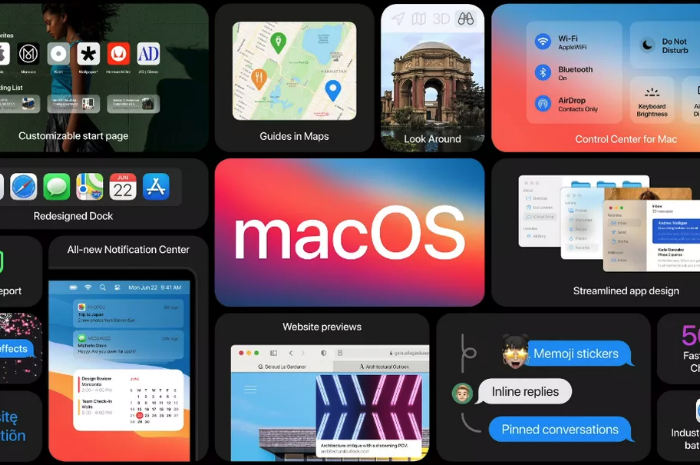
The new Mac operating system, Big Sur, is coming out tomorrow. This update is dramatic in numerous respects. You will immediately notice a fresh coat of paint. The user interface and app icons will feel a lot more like they do on iOS.

iPad Apps on the Mac

I am excited because iOS app developers I care about are finally starting to announce Catalyst apps in volume. Catalyst is Apple’s technology that allows developers to easily turn their iPad apps into Mac apps. There have been relatively few good examples of this over the past year. GoodNotes 5, Streaks, Twitter, and Home, are a few of the ones I use regularly, but the list isn’t long.

Instapaper has a Mac app as of today (yay), and forScore is launching one tomorrow. I expect to see a lot more in the coming weeks. It seems like changes to this new OS have finally provided developers the tools they need to make their iPad apps “good enough” to ship on the Mac.

Will I Install It On Day One?

While I usually wait to install releases like this, forScore will be enough of a productivity boost for my Mac workflow that I will be reckless and install it tomorrow, most likely. This will put my online teaching software setup at risk, but I think it is worth it. I am tired of having a beautifully curated music library on the iPad and not on my most powerful machine. Until forScore ships iCloud syncing, I plan to move my “true” sheet music library to the Mac version.

https://platform.twitter.com/widgets.js

Music Software Compatability

If you depend on any creative professional music software, audio interfaces, or other apps you aren’t sure will be compatible with Big Sur, don’t be like me. Wait! I have a fallback Mac mini I can use if things get ugly.

If you are wondering what score editing software is compatible with, fortunately, Scoring Notes has already got the scoop. Read their article below.

Music notation software, macOS Big Sur, and Apple Silicon M1 Macs:

As far as Sibelius, Finale, Dorico, MuseScore, and Notion, are concerned: Broadly speaking, Big Sur does not appear to affect these applications much one way or the other. We don’t expect users already working on macOS Catalina to be negatively or positively affected by Big Sur when working with these applications — and whenever a new OS is involved, status quo is very welcome news indeed.

Apple Silicon, Macs in Education, and App-Centric Learning

Apple Silicon Macs are likely going to be announced at their upcoming event this Tuesday, November 10th.

Bradley Chambers is incredibly knowledgeable about Apple’s relationship with education and he makes some great points in the post below about how this transition could influence the Mac in education.

Making the Grade: What will Apple Silicon mean for Apple’s education strategy? – 9to5Mac:

I believe that Apple will have untold flexibility in what kind of laptops they can produce for schools now. Is it possible to build an 11″ MacBook based on Apple Silicon that is $799 when purchased in bulk but still runs extremely fast? I believe so. It might not be in the first year or two of Apple Silicon’s lifespan that we see it, but in a few years, it’s certainly possible that Apple will have reduced the cost on the A14 to put it in a K–12 focused laptop in the future.

I could be way off base on my predictions. Still, I believe that Apple Silicon will unlock a lot of potential in K–12 to produce lower-cost laptops that will run circles around much higher priced laptops running Intel chips. I’d love to see an 11″ Apple Silicon laptop aimed directly at students that could be used for many years.

I really do hope that Apple tries to be creative with the Mac in education again. Still, I fear that anything they do is too little, too late. Apple has has not been aggressive in education. They tend to make huge leaps in certain areas of their business and then let them settle for a long time, sometimes years. This approach works for developing consumer software like note-taking apps, but it is not aggressive enough to compete with Chromebooks and cloud-based education software. I think back to Apple’s education event a few years back where they positioned the iPad as their future in schools and released a bunch of APIs that iOS app developers could use to link into their Classroom app. Years later, what has come of any of that? If you are using iPads in education, and you use Apple Classroom in combination with third party apps, I would love to hear from you!

Chromebooks and web apps have taken off. And a lot of these web apps can talk to each other. For example, third parties like Flipgrid and Noteflight can integrate with LMS software like Blackboard and Canvas. But these connections are often full of frustrating bugs. On top of this, the quality of a lot of this software in ed tech is already so poor. I wouldn’t exactly call it a race to the bottom, because most developers are doing their best with the resources they have, but I like to dream about an alternate reality where Apple’s vision for an “app-centric” model were the norm instead of the “web-centric” model we have now.

Of course, web software is cheaper and cross-platform. So it makes sense that it has caught on for being most equitable. But in a world where Apple had kept their prices more competitive, maybe school districts would have been more willing to buy students 1:1 Apple products, especially when schools jumped online in March.

Adobe Illustrator Comes to the iPad

From MacStories…

Adobe MAX Kicks Off with Illustrator for iPad, Photoshop, Lightroom, and Fresco Updates for iPad, Plus the Addition of Fresco for iPhone – MacStories

This year the announcements at MAX are no different. I’ve tried all of the apps discussed below that Adobe is releasing or updating for the iPad and iPhone this year to one degree or another, including spending the past few weeks using the beta version of Adobe’s latest pro iPad app, Illustrator. My artistic skills don’t do Illustrator justice, but from what I’ve seen from my testing the past few weeks and demos by Adobe, Illustrator is a remarkably powerful vector drawing app that takes a truly innovative approach to the app that should still be familiar to desktop users, but is designed first and foremost around touch interactions. Adobe has also released Fresco for the iPhone and some substantial new features to both Photoshop and Lightroom.

One more “pro” app from the creative industry finally comes to the iPad. I am enthusiastic about this though I have not used Illustrator in years. I am tempted to say that Adobe’s efforts on iPad (Photoshop came out last year) are too little too late, but the reality is, these apps are just not for people like me in most cases. If you are a professional using this software to get your work done, it is worth Adobe’s subscription. If you work for a large company doing design, I imagine the cost is even covered for you.

Unless you are really comfortable with Illustrator, I don’t feel like I can recommend this app for designing things. I started learning Affinity Designer this past summer which is an amazing competitor to both the Mac and iOS versions of Illustrator. It is easier to use and more “Apple-like” in many ways. If you need the power of an app like this, I recommend checking out Affinity Designer. It is very frequently on sale for prices as low as 30 dollars.

Another program I use for a lot of my design is OmniGraffle which is by the OmniGroup, the same people who create OmniFocus. It feels as close to using one of the iWork apps as I have seen for a vector-based design app. Its simplicity has vastly sped up my work making graphics for my website/podcast, school music program, seating charts, and more.

Post Sticky Notes to Your Home Screen

IMG_3380.PNG

Speaking of widgets on the iPhone home screen, this is one that I have a feeling a lot of people will appreciate. 

Sticky Widgets allows you to post sticky notes straight to the home screen that come in different colors and say anything you want. The experience is as simple as you can imagine.

Sure, I advocate for using proper note-taking and task management software, but there are times where you just want to write something directly and trust that it will be plastered in front of your eyes indefinitely.

Check out a full review from MacStories…

Sticky Widgets Brings Simple Sticky Notes to Your Home Screen:

Sticky Widgets enables placing sticky note-style widgets on your iPhone or iPad Home Screen which can be modified simply by tapping on the widget. It’s utility that’s such an obvious fit for widgets, I’m surprised I haven’t seen a hundred other apps doing the same thing.

New Software Updates from Apple: Exploring Widgets!

iOS 14, iPadOS 14, watchOS 7, and tvOS 14 came out a few weeks ago. I have a lot to say about these updates, but today I wanted to write about widgets for a moment.

Widgets are catching on as a significant feature amongst the masses. As someone who plays around with the way apps are organized on the home screen at least twice a week, I can tell that widgets are going to add a lot of excitement (and anxiety) into my life. I have been toying with them since July when this software entered the public beta, and I am far from resolved.

Here is where I have landed for now…

<div class="
      image-block-outer-wrapper
      layout-caption-below
      design-layout-inline
      combination-animation-none
      individual-animation-none
      individual-text-animation-none
    ">


    <figure class="
          sqs-block-image-figure
          intrinsic
        " style="max-width:1242px">


      <div class="image-block-wrapper">
        <div class="sqs-image-shape-container-element


          has-aspect-ratio
        " style="position: relative;padding-bottom:216.42510986328125%;overflow: hidden">


            <img src="https://images.squarespace-cdn.com/content/v1/5595df9ce4b0ce9ff9ecd1a8/1601639710190-ABPAAFXGJTAJD31YXCJT/IMG_3278.png" alt="IMG_3278.png" width="1242" height="2688" style="display:block;object-fit: cover;width: 100%;height: 100%;object-position: 50% 50%" loading="lazy">

        </div>
      </div>


    </figure>


</div>


<div class="
      image-block-outer-wrapper
      layout-caption-below
      design-layout-inline
      combination-animation-none
      individual-animation-none
      individual-text-animation-none
    ">


    <figure class="
          sqs-block-image-figure
          intrinsic
        " style="max-width:1242px">


      <div class="image-block-wrapper">
        <div class="sqs-image-shape-container-element


          has-aspect-ratio
        " style="position: relative;padding-bottom:216.42510986328125%;overflow: hidden">


            <img src="https://images.squarespace-cdn.com/content/v1/5595df9ce4b0ce9ff9ecd1a8/1601639467546-YND9UWSG7ETKEX4NUTYC/IMG_3261.png" alt="IMG_3261.png" width="1242" height="2688" style="display:block;object-fit: cover;width: 100%;height: 100%;object-position: 50% 50%" loading="lazy">

        </div>
      </div>


    </figure>


</div>


<div class="
      image-block-outer-wrapper
      layout-caption-below
      design-layout-inline
      combination-animation-none
      individual-animation-none
      individual-text-animation-none
    ">


    <figure class="
          sqs-block-image-figure
          intrinsic
        " style="max-width:1242px">


      <div class="image-block-wrapper">
        <div class="sqs-image-shape-container-element


          has-aspect-ratio
        " style="position: relative;padding-bottom:216.42510986328125%;overflow: hidden">


            <img src="https://images.squarespace-cdn.com/content/v1/5595df9ce4b0ce9ff9ecd1a8/1601639792660-8H84SLDTYQEJOPM9UWV0/IMG_3257.png" alt="IMG_3257.png" width="1242" height="2688" style="display:block;object-fit: cover;width: 100%;height: 100%;object-position: 50% 50%" loading="lazy">

        </div>
      </div>


    </figure>


</div>

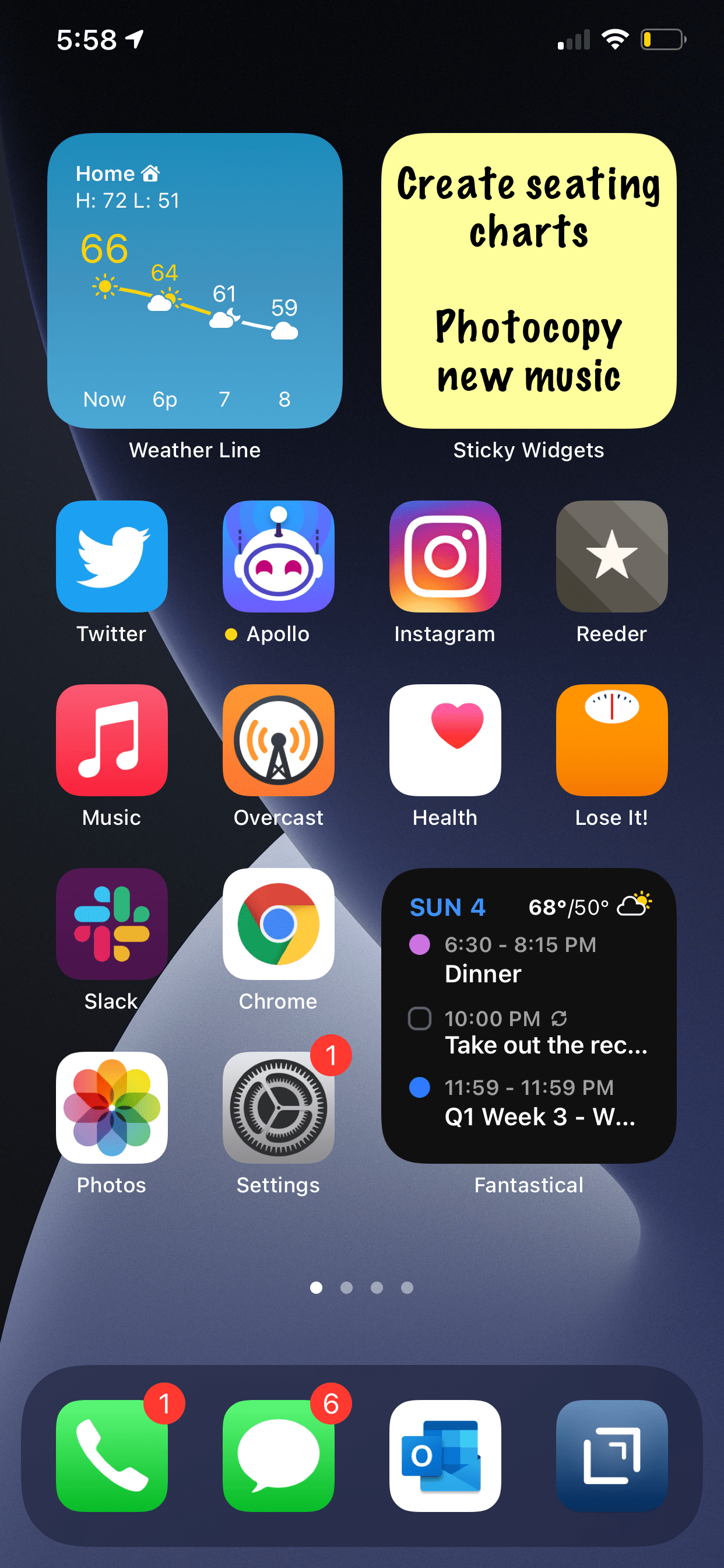
Page one (middle image) contains my most tapped app icons. This will be a hard habit to break, but I find lots of value in having upcoming calendar tasks and weather permanently on my most visited screen. Weather Line and Fantastical have the best small-sized widgets, in my opinion. Even this smallest widget size takes up four app icons, so they need to be beautiful and information-dense for it to be worth me sacrificing four apps.

I didn’t think I would want weather on this first screen, but now that it is always visible to me, I don’t see how I could live without it. The Weather Line widget is awesome because its user interface depicts the weather on a line, almost like a chart. It even manages to fit an hourly rain graph into its small space when it is raining out. Not even my second favorite weather widget, Carrot Weather, does that.

The Today View (left image) is where I keep Siri Shortcuts and the older, legacy style widgets from iOS 13. As much as I like the newer widgets’ look, the older style widgets are interactive. I keep OmniFocus, Timery (for time tracking), Streaks (for tracking daily habits), and Waterminder (for quickly logging water) all on this screen because I can tap right on the buttons to act on these apps without the widget needing to launch into the app.

I am continually playing with page 2 (right picture). I like it to be mostly another grid of tappable apps, but I am experimenting with various widgets here. I think what I have settled on is to have the Maps and Notes app widgets stacked on top of each other at the top, and then to use the Siri Suggestion widget, which shows me two rows of apps that swap in and out throughout the day based on my phone’s predictions of which apps I want to use in which contexts. The image above shows some other widgets I am experimenting with, but I think I prefer having more app icons there.

<div class="
      image-block-outer-wrapper
      layout-caption-below
      design-layout-inline
      combination-animation-none
      individual-animation-none
      individual-text-animation-none
    ">


    <figure class="
          sqs-block-image-figure
          intrinsic
        " style="max-width:2500px">


      <div class="image-block-wrapper">
        <div class="sqs-image-shape-container-element


          has-aspect-ratio
        " style="position: relative;padding-bottom:74.95999908447266%;overflow: hidden">


            <img src="https://images.squarespace-cdn.com/content/v1/5595df9ce4b0ce9ff9ecd1a8/1601639863519-8AJDPFRCBGYSMH2BRCXI/IMG_3071.png" alt="IMG_3071.png" width="2500" height="1874" style="display:block;object-fit: cover;width: 100%;height: 100%;object-position: 50% 50%" loading="lazy">

        </div>
      </div>


    </figure>


</div>

On the iPad, I keep: calendar, weather, notes, Apollo (a Reddit app I use to keep up on the latest news about my interests), Siri Shortcuts, and the Files app for launching into recently modified files. 

On both my phone and iPad, I am waiting for an OmniFocus widget to track my tasks. Even though I like the one in the Today view where you can mark the tasks as done right from the widget, I think I might want to have my next few upcoming tasks permanently visible on page one.

9to5Mac.com and MacStories.net have been two great websites to follow if you want to stay up on which apps offer widgets.

Apple’s Apple Watch and iPad Event

Apple had an event yesterday where they announced some new stuff. Here are some very quick thoughts I have on the announcements…

  • The new blood oxygen sensor in the Apple Watch Series 6 looks great. I love my Apple Watch for health tracking. The more health sensors, the better.

  • Apple Fitness+ looks awesome. I am a dedicated Peloton subscriber, but it will still be interesting to see Apple’s take on this. One issue with Peloton (and other third party app workout class content) is that watching on Apple TV or iPad doesn’t track any data from the Apple Watch. This seems to be a big benefit of Apple Fitness+. But as with most services, whether people like it or not will be determined largely by the quality of the content. Apple can engineer great tech features into their products to give them an edge, but fitness content is also very dependent on the engagement of the instructor.

  • Apple One seems like a great way to save money if you subscribe to a bunch of Apple’s services. It’s kind of like their version of Amazon Prime. It’s looking like I will be able to keep paying what I already pay for Apple Music, iCloud Drive, and Apple Arcade, and get the Fitness+ and News+ services bundled in for a similar cost.

  • New iPad Air: this is a really nice update. If I didn’t depend on the larger size iPad for reading sheet music, I would strongly consider this device over the iPad Pro now that they share the same design, Apple Pencil, and Magic Keyboard Case.

Here are some links to great posts about the event:

Click the headline to read more.

Apple Watch Series 6 and Apple Watch SE – The MacsStories Overview

The New iPad Air and 8th Generation iPad – The MacStories Overview

Apple One The Long-Awaited Services Bundle Is Coming Soon in Three Tiers

Brief Thoughts and Observations on Today’s ‘Time Flies’ Apple Event | Daring Fireball.net

What was new at the Apple Sept. 15 event | Sixcolors.com

Is Apple Making Touchscreen Macs?

Speaking of forScore coming to the Mac, I continue to hear chatter in the technology community about touchscreen Macs. The design of Apple's forthcoming macOS update, Big Sur, has larger, more spread apart, user interface elements, indicating that it might be getting prepared for touch input. This would align well with Apple's transition to putting their own silicone chips in their devices this year.

I have no idea if Apple is making Macs with touchscreens, but I find it hard to believe they would take their existing Mac laptop and desktop designs and simply make the current screens touchable.

At Apple's developer conference this past June, there were obvious signs that Apple wants developers to adopt design elements from macOS in their iPad apps and vice versa.

Silicone enabled Macs will run touch-first, iOS apps natively, and Apple has been working hard to make their technologies consistent across all platforms. I wouldn't be surprised if touch screen Macs came out of the box with Apple Pencil support. And if Macs have Pencil support, no one wants to awkwardly hold a pencil up in the air in front of them and draw on a horizontal screen.

Here is where I am going with this. With sheet music apps like forScore finally coming to the Mac, and Apple technologies being shared across devices, I am starting to think that I would love a Mac with a display that folded back on its keyboard. Something that I could plug into my audio interface and large screen monitor to edit audio on at home, and then flip onto my podium and read scores off of during band rehearsal. They could charge nearly anything for a 14 inch MacBook Pro in this format and I would buy it.

Who knows if it would be an optimal experience? Who knows if it's what Apple is planning? Who knows if it is anywhere near ready? Not me. It will be very curious to see what happens over the next few months as Apple has announced that some Macs will make this transition by the end of the year.

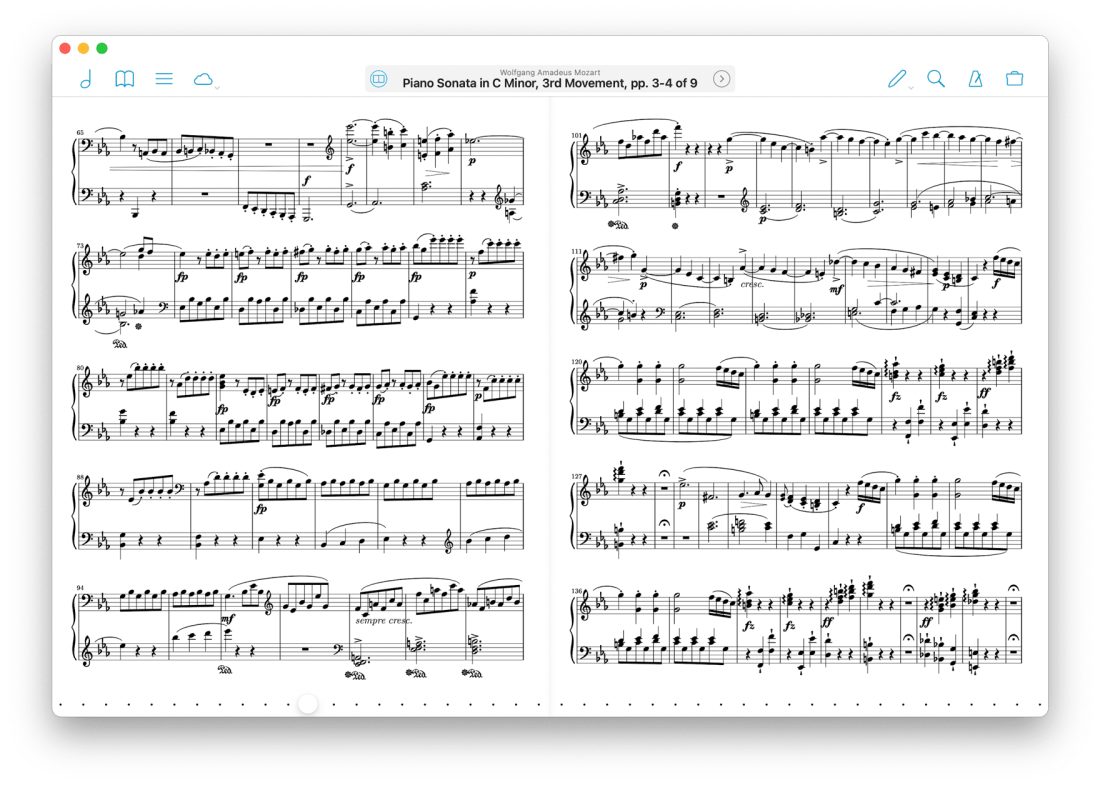
forScore is coming to the Mac

In the hustle of our school semester starting, I forgot to post about possibly the most exciting app news I have heard this summer.

After writing about it and talking about it on the podcast for well over a year, I am pleased to say that forScore has announced they are making a native Mac app. It will be coming this fall, alongside their version 12 update. Read all about version 12 here…

forScore | forScore 12:

forScore comes to the Mac in a big way with a brand new, fully native experience built for some of the most advanced and powerful devices out there. forScore runs on macOS Big Sur, both on Intel and Apple Silicon-powered Macs, and it’s included with forScore for iOS and iPadOS as a universal purchase.
That’s right—it’s absolutely free for everyone who has ever bought forScore.

<div class="
      image-block-outer-wrapper
      layout-caption-below
      design-layout-inline
      combination-animation-none
      individual-animation-none
      individual-text-animation-none
    ">


    <figure class="
          sqs-block-image-figure
          intrinsic
        " style="max-width:1760px">


      <div class="image-block-wrapper">
        <div class="sqs-image-shape-container-element


          has-aspect-ratio
        " style="position: relative;padding-bottom:59.54545593261719%;overflow: hidden">


            <img src="https://images.squarespace-cdn.com/content/v1/5595df9ce4b0ce9ff9ecd1a8/1599483132675-17OBMJF9APC1WAC8NDWT/IMG_2981.png" alt="IMG_2981.png" width="1760" height="1048" style="display:block;object-fit: cover;width: 100%;height: 100%;object-position: 50% 50%" loading="lazy">

        </div>
      </div>


    </figure>


</div>

From the looks of it, forScore is using Apple's Catalyst technology, which allows iPad apps to be ported to the Mac.

While I have not seen the Mac version of forScore, I have been testing the iOS version of forScore 12. It's great! My favorite small (but significant) feature is that you can now annotate while viewing two pages at a time without the app jolting into annotation mode. You just write directly on the screen with the Apple Pencil and your markings appear immediately.

I store my score backups on my hard drive's file system, which is how I access them on the Mac. But I store my most frequently read scores in forScore on the iPad. I am glad the experience of interacting with my sheet music will now be consistent across both devices.

Something I have felt would need to happen for this to be useful is iCloud syncing. forScore says that is coming too…

Bringing forScore to the Mac is just the beginning—a whole new platform means a whole new set of opportunities. From subtle refinements to major new features already in development like iCloud Syncing, we’re building the future one step at a time.

We’re just getting started. Again.

Using a Mac version of the app with the need to maintain two separate score libraries would have been a nonstarter for me. As an added side benefit, I can see this getting me to use forScore on the iPhone. Its not the best screen size for sheet music, but every now and then, I'd like to be able to take it out of my pocket and reference a score real quick. The problem is that it is never real quick because none of my scores are there!

I could not be more excited about this announcement!