I’m glad to have joined the iPad Pros podcast again to talk about how I use the iPad in my gigging life, both as a performer and conductor.
Anyone looking to level up their iPad skill should listen to the episode below and subscribe to Tim Chaten’s show. He even has a new podcast all about the Apple Vision Pro.
This week on Music Ed Tech Talk I am joined by Joe Plazak, Principal Software Engineer and Designer of Sibelius, to talk all about their summer iPad release.
Listen below or in the podcast app of your choice! I look forward to writing more about Sibelius for iPad down the road.
Episode Description: Joe Plazak (Principal Software Engineer and Designer) joins the show to talk about Sibelius for Mobile and their new iPad app.
This episode is sponsored by Blink Session Music: Because Virtual Lessons Are More Than a Video Chat.
Backstage Access Patreon Subscribers can listen to extended discussion including Joe Plazak’s Book of the Week and some of my reflections on writing Digital Organization Tips for Music Teachers.
I’ve already been getting texts from colleagues asking about yesterday’s iPhone event so I thought I would put some thoughts down here.
I get why this event has everyone’s curiosity levels at 100 every year. Everyone needs a phone. And they want to know which one will be their next. The truth is, iPhones are at a point where they are going to continue to slowly iterate year over year. Major changes are rare.
Every year Apple makes better iPhones than the previous year. In the case of this year, the most notable improvements are to the camera. If you have been holding on to your phone for 2-3 years, this will be a worthy upgrade.
There are four options: iPhone 13, iPhone 13 mini, iPhone 13 Pro, iPhone Pro Max.
Respectively, those could be explained as New Phone (Medium), New Phone (Small), Better New Phone (Medium), Better New Phone (Big).
I can’t tell you which phone to buy but chances are the New Phone is probably good enough for your needs, and what it will really come down to is size and how ready you are to upgrade. The camera is always better on the Pro models, and I have a toddler, so I am getting that model. While some years there is a better camera in the largest sized model, this is not the case this year, so iPhone Pro 13 (non-Max) it is for me. My wife will be getting a mini, which is a really lovely phone if you can stomach the low battery life.
The most attractive thing announced yesterday was probably the new iPad mini that has the new design of the iPad Pros (with flat edges and support for the second-generation Apple Pencil). If you have room for an iPad mini in your life, there is no question, you should get it. This device looks really slick. I am still riding out my iPad Pro 12.9 inch from 2018 and plan to do so for a while, though I am curious about going to the 11-inch pro model sometime down the road. I realize I might miss the larger size for sheet music reading, but I was doing it before there was ever a 12.9-inch size, and I really miss the feeling of holding the smaller size for things like reading and watching video content on the couch. The 12.9 has very much a laptop feeling in my experience. Owning a 12.9 and a mini is tempting but it seems cumbersome to charge and keep up with two iPadOS devices.
There is also a new Apple Watch and it looks like the most boring update ever unless you have a 2+-year-old Apple Watch in which case it will be a really strong update.
I also may consider the new MagSafe wallet attachment that has Find My app integration considering I just lost my wallet at school over as recently as this past weekend.
Musical ideas come when you least expect them and are often gone in a flash. With Cubasis, you always have your mobile DAW with you, because Cubasis is available for all your mobile devices. iPad? Check. iPhone? Of course! Android smartphone and tablet? Sure thing! And now we bring one of the fastest, most intuitive and complete mobile DAWs to the world of Chromebooks, too. Welcome Google (again)! Welcome Chrome OS! Cubasis is ready to capture your ideas whenever and wherever you are.
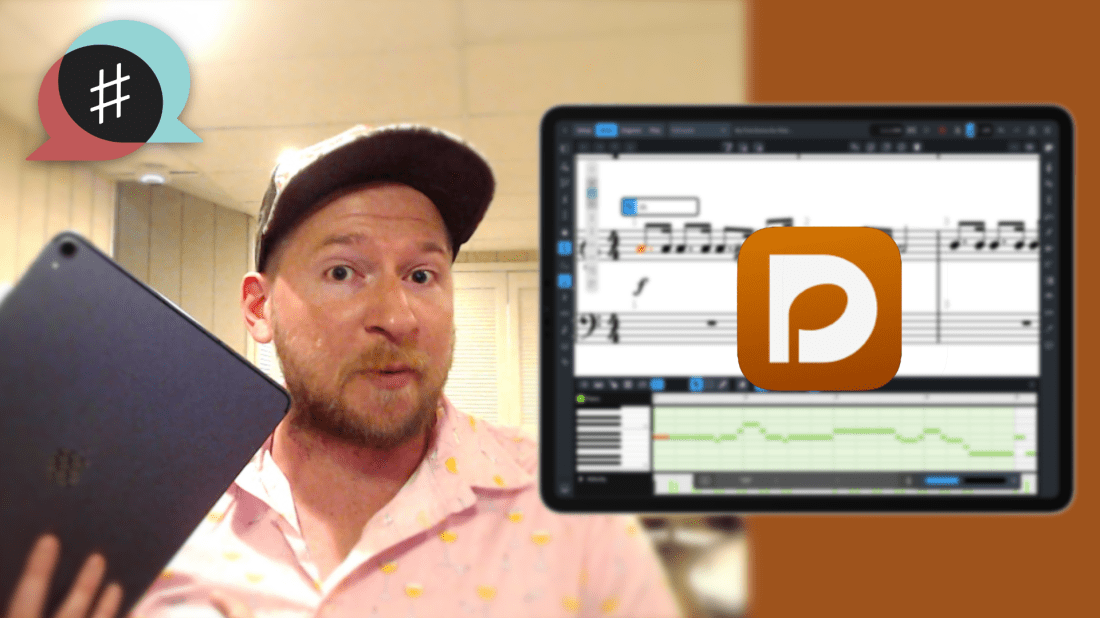
And just like that, Sibelius has their own iPad app. This comes after yesterday’s news that Dorico has released a desktop-class iPad app. If you want to learn more about that, click that link. I have some early first impressions, a video, and a podcast interview with Product Marketing Manager Daniel Spreadbury.
I don’t have much to say about Sibelius coming to iPad because I didn’t have any access to it before today, and because it hasn’t been my primary notation editor for years. But from 30 minutes of playing with it, it is pretty powerful and will certainly offer competition in this space, which is good! I want pro iPad apps to get better. The thing that is most impressive about it is how well adapted to the iPad it appears. It has multitasking, Files app integration, and some really intuitive touch/Apple Pencil touch gestures for note input that offer a new kind of ease and accuracy I wasn’t quite expecting.
You can watch a First Look video from Scoring Notes below and read their review here. You can download Sibelius for iPad here.
Dorico for iPad is out today! You can read their announcement here. It’s a desktop-class adaptation, which includes most of the features I need for my everyday work as a music teacher. I am beyond excited that a major professional scoring app has come to the iPad for two reasons:
I depend on iOS for getting much of my work done. There are still apps and workflows that require me to take out my Mac, and I am delighted whenever the release of a professional iPad app lessons these occurrences.
Our niche professional corner of the world is receiving legitimate, pro-featured, software for iPadOS, a market that is still light on “pro” software, even from Apple themselves (like, for real… where is Logic Pro on iPad?). While many “pro” iPad apps are companion experiences to bigger desktop versions, Dorico brings a whole lot of the power from its desktop app to its mobile version, proving that the iPad can be every bit as “pro” as its name suggests.
Dorico for iPad’s free tier is similar to their free desktop offering Dorico SE, and an in-app subscription adds features comparable to their Dorico Elements version. The iPad app has new features, many of which are optimizations for touch, including several new input methods (piano, fretboard, drum pads, and a new Key Editor). Dorico for iPad doesn’t do everything. Serious composers and power users might need the desktop for some things. For me, a middle school band director, it will fill most of my iOS composing needs.
There are some quirks due to Dorico not supporting features that make iPad apps feel like iPad apps: full Apple Pencil support, responsive touch gestures, file system integration, Magic Keyboard/trackpad support, and multitasking are examples of this. While there is room for improvement, it’s bold for the Dorico team to pack a desktop-class experience into the first version. I am thankful for their hard work and wish the Dorico team future success on this project.
Video
Watch Dorico for iPad in action.
Some Musings on Professional iPad Apps
When my long-time favorite iPad app (forScore) came to the Mac earlier this year, I wrote about it.
While forScore was one of the few remaining iPad apps I wanted on Mac, there are, similarly, plenty of Mac apps I would still love to see on iPad.
One could argue that with the latest iPad hardware (featuring M1 chips), there is no excuse for professional apps not to run on the platform. I agree! The iPad has more than enough processing power, all of the necessary input devices (if you have a keyboard and mouse), and even some things that the Mac doesn’t have (like touch support and the Apple Pencil).
The issue of why the iPad lacks pro apps is too broad to cover here, but it has much to do with how Apple has positioned iPadOS and the App Store model over the past 10 years. It is becoming easier than ever to make a cross-platform app, but this doesn’t change the fact that there are still some fundamentally dissimilar aspects of developing for iOS and macOS. The arguably bigger problem is that the App Store (even with fewer sandboxing limitations in recent years) is hostile towards the exact kind of developers who cater to niche professionals like composers and music teachers.
For example, companies who make digital audio workstations and notation editors have traditionally charged prices in the multiple hundreds of dollars, costs which the mobile market has decided is not acceptable. Such developers also offer things like crossgrade/upgrade/educational pricing, group licenses, and more. These are not feasible in the current-day App Store, and I think Apple is oblivious to keep calling the iPad Pro the iPad Pro while not providing more flexible App Store rules. This is not to mention that Apple hasn’t even brought their professional apps (Logic Pro, Final Cut Pro, and Xcode), to the iPad.
I am dependent on my iPad and prefer to work on it whenever possible. Its light form factor and simple operating system make me feel more nimble moving in and out of apps. Dorico has always been one of the reasons I have to take my Mac out of my bag when I am sitting on the couch wrapping up some school work late at night. Even though there are good score apps on iPad, the convenience of leaning back on the couch to get work done has been counterbalanced by needing to import and export XML files back and forth, just to get these apps to talk to Dorico on desktop.
It is within that context that I am pleased to say Dorico is available for iPad today. It’s the first of the major professional desktop scoring apps to be released on a mobile platform, and after just a few weeks of use, I can tell that it will become my primary notation editor on iOS.
I’m a Music Teacher
Because I am a music teacher, my opinions about scoring software are viewed through the lens of someone who does not depend on the entire feature set of Dorico, particularly engraving and playback. This means I usually need to get in and out of the program fast and that I am often performing tasks like writing scale exercises, reconstructing missing bass clarinet parts from my library, or adding percussion instruments to the score of a piece on our next concert. That said, I admire tools that empower me to work efficiently, and for notation, Dorico is that tool.
If you are looking for a professional composing perspective, and a more comprehensive feature overview, I recommend the Scoring Notes review of Dorico for iPad.
Dorico for iPad and Its Features
Dorico for iPad is an ambitious and stellar 1.0 that should make every developer of pro software take note and get to work.
The Dorico team has brought many of the core functions that make Dorico so powerful on Mac and Windows to the iPad version. All of the features I depend on are all there. It has keyboard input, powerful pop-overs, MIDI controller input, and all of the custom Notation and Layout Options that are available on desktop. It even has the same custom keyboard shortcut editor.
Dorico is available for free with a set of features very similar to their desktop offering Dorico SE. If you subscribe to the app through In-App Purchase, features are added which bring in line with the experience of using Dorico Elements.
Dorico for iPad has all of the modes you would expect: Setup, Write, Engrave, and Play. There is no Print mode and I don’t miss it. All of the export options I use regularly are conveniently accessed through a share button in the upper right corner of the application. Play mode supports third-party iOS plugins. This is certainly more limiting than desktop, because iOS doesn’t support traditional VSTs, but this is also not a feature I take advantage of anyway.
Dorico for iPad is so much Dorico that it is hard to write about it without reviewing the existing desktop versions, which is not something I have set out to do here. That said, it is worth noting some of the things that are added for touch, and some of the quirks that result from a desktop app being so faithfully reproduced on a touch-based tablet.
One of the things that makes Dorico on iPad feel so faithful to the desktop version is that computer keyboard input is nearly identical with a Magic Keyboard attached. Once I got acclimated to the small differences in the user interface, I comfortably began recalling all the same shortcuts and workflows I am used to.
Because this version is designed to be used without the keyboard attached, there are some added on-screen buttons for touch control. Extra toolbar buttons for things like delete, repeat, undo, redo, and moving the arrow keys, are all included.
A floating toolbar, which can be moved around on the screen, allows common note adjustments to be made by finger. This toolbar includes things like moving a selected note up/down, shifting a selection of notes right or left by a 16th note, etc…
Holding on the score with one finger and then dragging displays a rectangle on-screen that can select multiple elements of the score at once. And there are also some new methods of touch input:
An on-screen piano, which you can pan across and resize by dragging and pinching.
A fretboard for instruments like guitar.
Drum pads for percussion instruments (much more intuitive for writing drum set parts in my opinion.)
An integrated mixer which you can see right inside of Write mode.
A new Key Editor. I can best describe the Key Editor as a piano roll editing tool for the notes of your score. Users who are familiar with MIDI note editing in a digital audio workstation will love visualizing the notes of the staff as colorful rectangles. They can be dragged vertically to change pitch, horizontally to change the rhythm, and can be resized to adjust the duration. It is an intuitive way to work, particularly for touch.
Native Software
There will always be room for growth. What I want most from future iterations of Dorico on iPad can be best explained in the context of the forScore article I linked at the top of this post. forScore is a beloved app amongst musicians that is iPad-first but has recently been ported to the Mac through Apple’s Catalyst technology. My TL;DR in my forScore Mac review was basically to say that it’s amazing to have such an indispensable music app on Mac, even though it has some quirks relating to the fact that some iPad paradigms don’t translate to the Mac.
My Dorico first impressions are more or less the inverse of that statement. Dorico for iPad is desktop-class. What I’d like to see from it down the road is to become more iPad-native through taking advantage of common features on the platform. Dorico is written using Qt, a development platform that makes it easy to write one code base for Windows and Mac. This same development platform is what made it easier to bring Dorico to the iPad now, but for this same reason, I can understand that the team had their hands full prioritizing the features for the first version.
Now that the iPad Pro has excellent trackpad, keyboard, and mouse support, I don’t feel that different using it than I do my Mac in many instances. While Dorico’s “desktop-ness” is its greatest strength, its fluency makes the missing iPad-isms more apparent. Here are a few:
Dorico doesn’t have Apple Pencil support (with the exception of it imitating a touch in some circumstances).
Dorico does not work with the native File picker, which is to say that you can’t open a Dorico project from your Dropbox or iCloud Drive within the Files app, edit it, and then save it back to the original location. You must instead import it from within the Dorico app, which then makes a copy inside of the app. You can export it back to the original location you pulled it from, but don’t forget to delete the old copy! See an image below of OmniOutliner, a popular outlining app for iPad. When launched, it shows the same interface as the Files app. A document can be selected, edited, and saved back to the same location. I would love to see Dorico add this feature down the road.
Trackpad support isn’t native. Magic Keyboard users will note that two-finger swiping (which moves around the score in the Mac version) does nothing on iPad. Because the Magic Trackpad can simulate a finger, clicking and dragging with one finger will simulate the gesture of dragging the score around.
Dorico does not support multitasking features like Split View. This means that another app cannot share the screen at the same time unless it is in Slide Over mode which means it is a tiny, iPhone-sized, app that floats above Dorico and covers part of the information on the screen. One of my favorite workflows with notation software is to open it on half of the screen while referencing another score in forScore on the other half. The image below depicts forScore on screen at the same time as Dorico in Slide Over.
Elephants, Pencils, and Software Instruments
The obvious elephant in the room is StaffPad. StaffPad is not always included in conversations about major pro notation software (Sibelius, Finale, Dorico), but relative to the power of most iPad software in the App Store, it deserves to be a part of the conversation. I covered StaffPad here.
StaffPad feels very iPad-native and supports a premium design experience and numerous pro-features, like, for example, a store of top-of-the-line audio plugins within the app.
While the comparison to Dorico is fair, I also feel like StaffPad is aiming for a different experience. Sure, they will compete to some extent, but StaffPad is aiming at new innovative methods of input, and high-end audio output that is all intuitively integrated into the same package. For example, StaffPad features Apple Pencil gestures for note input, exclusively, and a forthcoming feature will listen to you play an instrument in the microphone and transcribe you in real-time. StaffPad’s third-party software instruments sound great and require little fuss to set up. It’s all a very iPad-first experience. But it’s an iPad-only experience (unless you are also using it on Windows).
The strength of Dorico on iPad is that you are getting much of the power of the desktop version, on iOS. This means that there are some quirks, but that you are ultimately less inhibited by what you can produce. Dorico’s Engrave mode allows you to get more customizable, better looking, scores and note input in the Write mode is just as easy to do with a computer keyboard or MIDI controller as it is on a desktop.
I do appreciate the novelty of writing scores with the Apple Pencil. It feels nice. In fairness to Dorico, I wanted to see if I am more efficient using this method. I took about 10 excerpts from my music teaching resource library (music I would use a notation editor for in real life) and timed myself recreating these excerpts into both StaffPad and Dorico.
Much like using the self-checkout lane of a grocery store, I “felt” faster in StaffPad, but I was about twice as fast at note entry using Dorico in every instance. I was also 100 percent sure that the note I input would be the note that appeared on the screen.
I appreciate that there is competition in this space, and I think that stylus input has a place in the future of mobile score software. But I have shifted most of my score work on iOS to Dorico, and will probably continue to do so in the future. It sure is great having another professional Mac app on iPad. Here’s to hoping that my other tools like Logic, Final Cut, and Descript are next in line.
Thanks Dorico team for an ambitious and excellent release. I am looking forward to years of updates.
A number of teachers have asked me about the new iPad Air that Apple announced last month. It has been updated to look and function a lot more like the iPad Pro line and many are wondering if they need to go Pro or if the Air will satisfy their needs.
iPad Air and iPhone 12 (announced last week) reviews are out, and I have been reading through them this morning. Here are a few that stood out to me:
Based on everything I have learned so far, there has never been a better time to buy Apple’s entry level products. The regular iPhone 12 and iPad Air are spectacular products, and I am guessing that a very large majority of users, even tech nerds, and professionals, are going to feel totally satisfied with them.
I have not tested pro apps like StaffPad, Ferrite, or LumaFusion on the iPad Air because I am still using the 2018 model iPad Pro. My educated guess is that you would not feel limited by the iPad Air, even if you use these apps. You would especially not feel limited using music apps like Tonal Energy and forScore.
When it comes to the iPhone, I am more compelled by the new Mini size and the Pro Max size (which comes with a much better camera system than the regular 12 Pro). Reviews for these are not out yet.
I will probably upgrade my phone, and it will probably be the Pro Max, just because I have a 9-month-old and want to take the best pictures possible of him. That said, I really miss the iPhone 5 days of the tiny phone and might consider a Mini in a future year if I read good things about it later this season.
I am going to keep my iPad Pro around for a bit, but if the Mac were ever to come equipped with a touch screen and Apple Pencil support, I would have to re-evaluate needing the larger-sized iPad Pro and whether or not I need an iPad altogether. I do miss the comfort of the smaller iPad size, particularly for reading, and my gut says that this iPad Air might satisfy my needs down the road.
Conclusion – You probably won’t regret not going Pro on Apple’s fall lineup of products, but the differences are definitely in the details so make sure you read up on them first.









 Music Ed Tech Talk
You must be logged in to post a comment.