DaVinci Resolve 20 for iPad: Features & AI Enhancements

On the recent episode of Music Ed Tech Talk, Will and I were discussing how rare it is that iPad apps function similarly to their desktop counterparts. DaVinci Resolve is an exception to this standard, and it only seems to get more powerful with every new release.

DaVinci Resolve 20 for iPad: Features & AI Enhancements:

Alongside the release of DaVinci Resolve 20 for Windows and macOS, version 20 of DaVinci Resolve has now been released for iPadOS as well. Similar to the desktop release, this update adds a number of new AI features across the application.
Keep reading here…

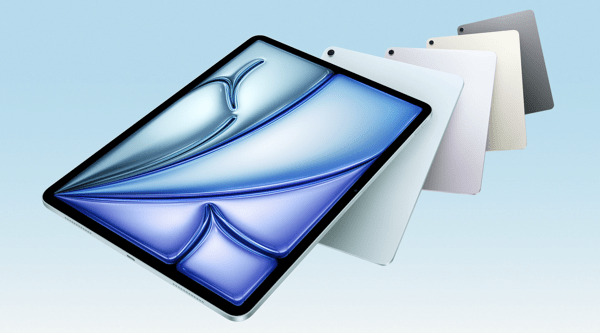
Apple introduces iPad Air with powerful M3 chip and new Magic Keyboard – Apple

CleanShot 2025-03-25 at 13.01.18@2x.

I’m a little late in blogging about this, but I wanted to share in case any musicians or educators are planning an iPad upgrade soon. If you use your iPad primarily for reading music with forScore, now is a fantastic time to consider the new, larger iPad Air.

I’m still using my 12.9-inch iPad Pro from 2018, and it’s definitely starting to show its age. I’ll probably wait for the next round of Pro updates—mainly because I’m curious to try the new Apple Pencil, and the updated screen I saw in the Apple Store looks fantastic.

That said, for most people—just like with the MacBook Air—the iPad Air is the right choice.

Apple introduces iPad Air with powerful M3 chip and new Magic Keyboard – Apple:

Apple today introduced the faster, more powerful iPad Air with the M3 chip and built for Apple Intelligence. iPad Air with M3 brings Apple’s advanced graphics architecture to iPad Air for the first time — taking its incredible combination of power-efficient performance and portability to a new level. iPad Air with M3 is nearly 2x faster compared to iPad Air with M1,1 and up to 3.5x faster than iPad Air with A14 Bionic.2
Keep reading here…

forScore 14.4

Check out the list of features in forScore 14.4. As usual, I am exited about the automation.

Automation is becoming increasingly popular, and forScore lets you do a lot using the Shortcuts app. With forScore 14.4, we’ve added dozens of new actions for working with metadata, setlist entries, duplicating items and setlists, cropping, and more.

Between this and family sharing, forScore 14.4 is looking to be a great update.

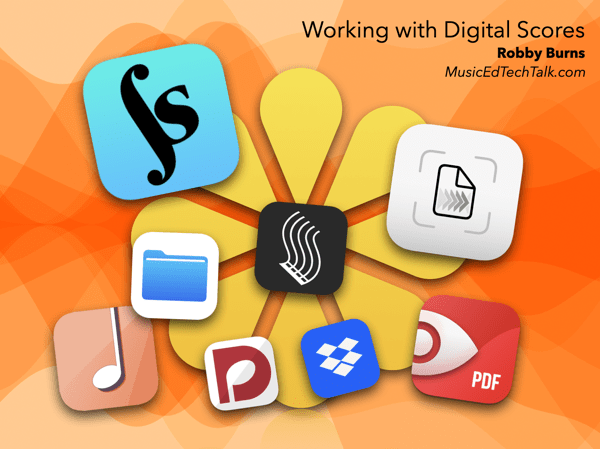
Working with Digital Scores – OMEA 2025

CleanShot 2025-02-06 at 10.33.12@2x.

I am thrilled to be presenting four sessions at the Ohio Music Educators Association Professional Development Conference this weekend! My second session focuses on working with digital scores.

If you’d like to attend, the session is on February 7 at 5 PM. If you’re already here or have attended, thank you for coming!

This post serves as a resource for session notes, including links to the primary tools I mention in the session.

Apps for Scanning:
Simple Scan
Scanner Pro
– Apple Notes/Files

Apps for Scanning Notation
– Scoring Notes Article: Scanning the Current OMR Landscape
Sheet Music Scanner
Newzik
Soundslice
PlayScore 2
SmartScore 64
ScanScore 3

Apps for Managing Files
– Files App
Dropbox
Google Drive
Documents
Evernote

Apps for Working with Scores:
forScore
unReal Book
Newzik

Notes on forScore:
forScore Mac App Review
Creating indexes with forScore
The fastest way to get music into forScore
forScore Automation Links

My Book:

Digital Organization Tips for Music Teachers

Buy on Amazon | Buy on Oxford University Press

View the video trailer

Apple in 2024: The Six Colors report card

CleanShot 2025-02-04 at 14.48.06@2x.

As someone who uses and thinks about Apple computers quite a lot, this read from Six Colors is always interesting.

Apple in 2024: The Six Colors report card – Six Colors:

It’s time for our annual look back on Apple’s performance during the past year, as seen through the eyes of writers, editors, developers, podcasters, and other people who spend an awful lot of time thinking about Apple. The whole idea here is to get a broad sense of sentiment—the “vibe in the room”—regarding the past year. (And by looking at previous survey results, we can even see how that sentiment has drifted over the course of an entire decade.)

This is the tenth year that I’ve presented this survey to my hand-selected group. They were prompted with 14 different Apple-related subjects, and asked to rate them on a scale from 1 (worst) to 5 (best) and optionally provide text commentary per category.
Keep reading here…

If you ask me, here’s how I’d rate Apple right now:

  • Mac: B – Mac hardware is better than ever, but macOS is cluttered with intrusive privacy popups. I’ve never found the operating system more distracting or off-putting.

  • iPhone: B – Battery life on my iPhone 16 Pro Max isn’t as good as my last phone, but I’m loving the new camera button for quick shots of my kid.

  • iPad: C – The latest iPads are great refinements of the 2018 iPad Pro design, but the software remains ok at lots of things, and not a great computer. Just put macOS on it.

  • Wearables: C – AirPods 4 and the new health features in AirPods Pro 2 are highlights, but the Vision Pro is a miss. It’s the first new Apple product category I haven’t felt tempted to buy… ever?

  • Watch: C – I love the Apple Watch, but OS updates and widgets feel half-considered. I never know whether I’ll see my watch face or the widget screen when I glance at my wrist. The Siri watch face and developer API seem abandoned, and Apple needs to figure out how to bring back the blood oxygen sensor in the U.S. before I consider upgrading.

  • Home: E – No meaningful updates. The Apple Home ecosystem remains unreliable, and the smart home industry still feels as chaotic as it did in 2019.

  • Apple TV: D – It’s odd to rate this so low because it’s still the best streaming box by very far, but Apple rarely updates the OS or expands its potential. There’s so much more I’d love them to do.

  • Services: C – Apple TV+ is decent, the news and game subscriptions are forgettable, and iCloud is passable but still not rock-solid.

  • Hardware Reliability: A – If there’s one thing Apple still nails, it’s hardware reliability.

  • Developer Relationship: E – Watching Apple handle EU regulations this past year has made it clear: their business practices hurt developers and users alike. It appears that any real improvement will require regulation.

  • World Impact: E – Given how much Apple prioritizes profit over progress in personal computing, it’s hard not to see them as more of a force for harm than good these days.

Holiday Gift Guide 2023, with David MacDonald

Robby and David discuss their current computing devices, favorite gift ideas, and lament the use of Microsoft Teams.  

Subscribe to the Blog…

RSS | Email Newsletter

Subscribe to the Podcast in…

Apple Podcasts | Overcast | Castro | Spotify | RSS

Support Music Ed Tech Talk

Become a Patron!

Buy me a coffee

Thanks to my sponsors this month, Scale Exercise Play-Along Tracks.

Show Notes:

Books

Grading for Growth

Critique is Creative

unGrading

On Music Theory

Software/Services

Audio Hijack

1Password

Things

Farrago

Affinity Apps – Designer / Photo / Publisher

Musio

Chat GPT Plus

Gadgets

Anker 3-in-1 Cube with MagSafe

Anker PowerCore MagGo

Material Dock

AirTags

Hidrate smart water bottle and Ember smart mugs

Games

Hori Split Pad Pro

Super Mario Bros Wonder

Elden Ring

Baldur’s Gate 3

Dave the Diver

Steam Deck

Pens, Notebooks, Misc.

Mark One

Mark Two

Mark Three

SideKick Notepad

Studio Neat Pen Tray

LightDims

App of the Week:

Robby – Narwal 2

David – Sports Alerts / Fotmob

Music of the Week:

Robby – Braxton Cook: Somewhere In Between

David – Darcy James Argue: Dynamic Maximum Tension

Tech Tip of the Week:

Robby – Use things as they are designed to be used

David – LightDims  

Where to Find Us:

Robby – Blog | Book

David – Website

Please don’t forget to rate the show and share it with others!

StaffPad Autumn 2023 Update

A new update is out for StaffPad. I have been testing the app and have more to say about it on a future episode of the podcast. For now, read about the update from the StaffPad team, themselves…

Autumn 2023 Update:

It’s been a while since our last update and, in the interim, we’ve been working hard on a lot of very interesting challenges and technologies – all designed to make writing music in StaffPad more productive and more flexible than ever.

This has resulted in some major changes under the hood, and a huge amount of R&D. I’m extremely proud of the work the team has done on this release, bringing features out of the research phase and into production use.

As always, this update is free and available in the App Store and Windows Store now. The video below gives a general overview of the update, covering composing using Piano Capture, MIDI Capture, Video Staffs, and more. Let’s dive into it!
Keep reading here…

The new piano capture and MIDI capture are paradigm-shifting additions to this update that offer entire new input methods. StaffPad is not my only notation tool, but what I appreciate about it is that the features the team chooses to focus on are all features that lift the burden off of me. For example, writing directly on the staff with an Apple Pencil eliminates the abstractions of menus and buttons. Recording my upright piano straight into the staff is, similarly, a concept that let’s me more directly get my thoughts our of my head and into the app, and without fussing with interfaces, USB connections, and MIDI controllers.

This update is very much worth a look and I am excited to discuss it more down the road.

Music Ed Tech Talk Episode #70 – Robby Is In The Phantom Zone, with Will Kuhn and Dr. David MacDonald

Will Kuhn and David MacDonald return to discuss Logic and Final Cut for iPad, the Ableton Push 3, Apple’s World Wide Developer Conference, and the Apple Vision Pro. Robby struggles with his internet connection.

In the Patreon feed: Zelda Talk.

Subscribe to the Blog… RSS | Email Newsletter

Subscribe to the Podcast in… Apple Podcasts | Overcast | Castro | Spotify | RSS

Support Music Ed Tech Talk

Become a Patron!

Buy me a coffee

Thanks to my sponsors this month, Scale Exercise Play-Along Tracks.

Show Notes:

App of the Week:
Robby –
Sequel

Will – Whisky
David –
Newzik

Album of the Week:
Robby –
KNOWER FOREVER

Will – [1000 Gecs](https://music.youtube.com/playlist?list=OLAK5uy_kmoCFzuKniN8yTiL701Ardjwq7oMkvnz8

David – WDR Big Band on YouTube

Where to Find Us:
Robby –
Blog | Book
Will 
David 

Art by Ryan Bailey.

Please don’t forget to rate the show and share it with others!

Final Cut Pro and Logic Pro released for iPad

On May 23, Final Cut Pro and Logic Pro were released for iPad. My 2018 iPad Pro is not capable of running Final Cut, but I have been testing Logic Pro in order to better cover it on an upcoming podcast episode.

Both The Verge and Macstories have great overviews of Logic if you want to get into the details.

The general consensus from the tech press is that Final Cut has some catchup to do and that Logic has feature parity with the Mac version, for the most part. This has really not been true in my experience. For making music, Logic does an ok job. But I use Logic for a huge variety of other projects and workflows. Podcast editing, cleaning up concert recordings, etc. Logic on iPad has a lot of the great musical instruments, effects, loops, and tools that are familiar to the Mac, in an excellent touch-first redesign.

For me though, what makes Logic great is that it is flexible enough to be used for nearly all of my audio editing needs. Logic on iPad is currently unable to edit projects that are time-based rather than measure-based. It is unable to work with spatial audio projects. And it is terribly slow at syncing projects from Mac to iPad over iCloud. In fact, the first three of my recent audio projects I tried to open on the iPad (all of which started on the Mac), would not open for one compatibility reason or another. And these were not projects that used third-party plugins (which are currently not all accessible on iPad unless the developer has released an iOS version). What would make Logic useful to me on iPad isn’t so much that it is a great stand alone app (which it very much is), but the ability to more seamlessly move between my Mac and iPad files with ease. iPadOS and Logic for iPad simply lack this ease.

These new pro apps represent my general feelings towards iPad software the past few years. On the one hand, it is incredible to have them, and I am grateful they exist. At the same time, I wonder what took Apple so long to get them out the door if they aren’t more feature-complete. The touch-first redesigns are great, but they do seem to symbolize that Apple believes in iPadOS as a distinct operating system. There is still so much the iPad can’t do that the Mac can. And with an iPad Pro attached to a Magic Keyboard, it is ever increasingly more frustrating that it can’t do things my Mac can, when the form factor and technology is just as capable. As much as iPadOS inches closer and closer to the Mac each year, it doesn’t seem like it will ever catch up unless Apple makes a much bigger change to their vision for the product.

I will keep pushing Logic to the limits and continue to write about it here.

<div class="
      image-block-outer-wrapper
      layout-caption-below
      design-layout-inline
      combination-animation-none
      individual-animation-none
      individual-text-animation-none
    ">


    <figure class="
          sqs-block-image-figure
          intrinsic
        " style="max-width:2973px">


      <div class="image-block-wrapper">
        <div class="sqs-image-shape-container-element


          has-aspect-ratio
        " style="position: relative;padding-bottom:76.95929718017578%;overflow: hidden">


            <img src="https://images.squarespace-cdn.com/content/v1/5595df9ce4b0ce9ff9ecd1a8/ddbe1ea9-80f4-4a17-8798-26cb6ad60d87/Sunday%2C+11+Jun+2023+11%3A38%3A46.png" alt="" width="2973" height="2288" style="display:block;object-fit: cover;width: 100%;height: 100%;object-position: 50% 50%" loading="lazy">

        </div>
      </div>


      <figcaption class="image-caption-wrapper">
        <div class="image-caption"><p class="">The first three projects I attempted to open on iPad were incompatible. </p></div>
      </figcaption>


    </figure>


</div>


<div class="
      image-block-outer-wrapper
      layout-caption-below
      design-layout-inline
      combination-animation-none
      individual-animation-none
      individual-text-animation-none
    ">


    <figure class="
          sqs-block-image-figure
          intrinsic
        " style="max-width:2973px">


      <div class="image-block-wrapper">
        <div class="sqs-image-shape-container-element


          has-aspect-ratio
        " style="position: relative;padding-bottom:76.95929718017578%;overflow: hidden">


            <img src="https://images.squarespace-cdn.com/content/v1/5595df9ce4b0ce9ff9ecd1a8/b278ac86-9f67-4ea7-9770-6f71b83798c1/Sunday%2C+11+Jun+2023+11%3A39%3A43.png" alt="" width="2973" height="2288" style="display:block;object-fit: cover;width: 100%;height: 100%;object-position: 50% 50%" loading="lazy">

        </div>
      </div>


      <figcaption class="image-caption-wrapper">
        <div class="image-caption"><p class="">I do enjoy that pro iPad apps tend to have appropriately simplified export screens compared to their macOS counterparts.</p></div>
      </figcaption>


    </figure>


</div>


<div class="
      image-block-outer-wrapper
      layout-caption-below
      design-layout-inline
      combination-animation-none
      individual-animation-none
      individual-text-animation-none
    ">


    <figure class="
          sqs-block-image-figure
          intrinsic
        " style="max-width:2973px">


      <div class="image-block-wrapper">
        <div class="sqs-image-shape-container-element


          has-aspect-ratio
        " style="position: relative;padding-bottom:76.95929718017578%;overflow: hidden">


            <img src="https://images.squarespace-cdn.com/content/v1/5595df9ce4b0ce9ff9ecd1a8/f5009c5a-28cf-499b-b8be-b077acdd7c05/Sunday%2C+11+Jun+2023+11%3A39%3A12.png" alt="" width="2973" height="2288" style="display:block;object-fit: cover;width: 100%;height: 100%;object-position: 50% 50%" loading="lazy">

        </div>
      </div>


      <figcaption class="image-caption-wrapper">
        <div class="image-caption"><p class="">Screen telling me that some of my third party plugins will not work.</p></div>
      </figcaption>


    </figure>


</div>


<div class="
      image-block-outer-wrapper
      layout-caption-below
      design-layout-inline
      combination-animation-none
      individual-animation-none
      individual-text-animation-none
    ">


    <figure class="
          sqs-block-image-figure
          intrinsic
        " style="max-width:2973px">


      <div class="image-block-wrapper">
        <div class="sqs-image-shape-container-element


          has-aspect-ratio
        " style="position: relative;padding-bottom:76.95929718017578%;overflow: hidden">


            <img src="https://images.squarespace-cdn.com/content/v1/5595df9ce4b0ce9ff9ecd1a8/fccc1811-3fc2-432c-817c-dae86eae7f70/Sunday%2C+11+Jun+2023+11%3A39%3A33.png" alt="" width="2973" height="2288" style="display:block;object-fit: cover;width: 100%;height: 100%;object-position: 50% 50%" loading="lazy">

        </div>
      </div>


      <figcaption class="image-caption-wrapper">
        <div class="image-caption"><p class="">For all of my difficulty, Logic <em>did</em> open this very large file from 2020 where I edited a “virtual ensemble.” It contained a three minute audio file for all 60+ members of my Wind Ensemble and did not hesitate at all when navigating the project on iPad.</p></div>
      </figcaption>


    </figure>


</div>

Music Ed Tech Talk #68 – Sponge Cousin, with Dr. David MacDonald

David returns to discuss Apple Music Classical, new updates to Farrago and forScore, and other music tech news.

Subscribe to the Blog…
RSS | Email Newsletter

Subscribe to the Podcast in…
Apple Podcasts | Overcast | Castro | Spotify | RSS

Support Music Ed Tech Talk

Become a Patron!

.bmc-button img{height: 34px !important;width: 35px !important;margin-bottom: 1px !important;box-shadow: none !important;border: none !important;vertical-align: middle !important;}.bmc-button{padding: 7px 15px 7px 10px !important;line-height: 35px !important;height:51px !important;text-decoration: none !important;display:inline-flex !important;color:#ffffff !important;background-color:#000000 !important;border-radius: 5px !important;border: 1px solid transparent !important;padding: 7px 15px 7px 10px !important;font-size: 20px !important;letter-spacing:0.6px !important;box-shadow: 0px 1px 2px rgba(190, 190, 190, 0.5) !important;-webkit-box-shadow: 0px 1px 2px 2px rgba(190, 190, 190, 0.5) !important;margin: 0 auto !important;font-family:'Arial', cursive !important;-webkit-box-sizing: border-box !important;box-sizing: border-box !important;}.bmc-button:hover, .bmc-button:active, .bmc-button:focus {-webkit-box-shadow: 0px 1px 2px 2px rgba(190, 190, 190, 0.5) !important;text-decoration: none !important;box-shadow: 0px 1px 2px 2px rgba(190, 190, 190, 0.5) !important;opacity: 0.85 !important;color:#ffffff !important;}Buy me a coffeeBuy me a coffee

Thanks to my sponsors this month, Scale Exercise Play-Along Tracks.

Show Notes:

App of the Week:
Robby – DayOne
David – Airalo

Album of the Week:
Robby – Makaya McCraven – In These Times
David – Caroline Shaw and Sō Percussion – Let the Soil Play

Tech Tip of the Week:
Robby – Streamdeck StageManager iOS App Workflow with Farrago during class
David – Shazam in Control Center

Where to Find Us:
Robby – Blog | Book
David – Website

Please don’t forget to rate the show and share it with others!