Dr. Frank Buck returns to the show for the kick-off of my mini-series, Productivity Boot Camp! Dr. Frank Buck is a productivity master with a background in band directing and administration. I share my knowledge of Apple products and native third-party apps, and he shares his experience with web-based, cross-platform apps. We bounce back and forth about good digital task and note management and share our favorite apps!
Thanks to this week’s sponsor, Flat for Education:
Flat for Education offers music educators and their students the most affordable cloud-based music notation software on the market. Empowering teachers to create playful and engaging music activities, creations, assessments on any device at any time.
The platform integrates with every well-known learning management system available: Google Classroom, Microsoft 365, Canvas, Schoology, and MusicFirst to name a few. Everything will be synchronized with your existing setup to avoid any time loss.
Flat for Education offers an advanced system of assignments allowing you to create playful and stunning music activities with your students.
Create a template for all your students to start working from, or simplify the toolbar to have them only working with eighth and quarter notes. The only limit is your imagination.
Save a lot of time by generating worksheets and quizzes in just a few clicks for your students to practice music theory.
Finally, Bands directors and choirs conductors can have their students directly recording their performance from home for review.
Whether you are teaching remotely or in-person, Flat for Education will support you in creating playful and engaging music activities in no time. Try it free for 90 days on flat.io/edu
My school district purchased us some music tech services for use in our online classes this fall. I have been meaning to write at more length about Noteflight Learn and Soundtrap, but I am still getting my heels into the ground with them. Both services take time to learn how they are effective in practice, not to mention there are a lot of quirks with how they integrate with our learning management software, Canvas.
I did want to highlight some upcoming features to Noteflight Learn, specifically regarding their new SoundCheck integration which launched this past summer. My district purchased the SoundCheck integration which means that I can give Noteflight scores as assessments where my band students play the notes into the computer and get a score. Some of these forthcoming features are going to save me a lot of headaches and I am glad to see them coming.
Check out the full list in the blog post below from John Mlynczak. I have quoted some of my favorites.
We are working on several new features to be made available ASAP. In the coming weeks, here is what you will see:
– The SoundCheck assessment rating will be automatically added to grade book of your own LMS, including Google Classroom, Canvas, Schoology, Powerschool, Brightspace, Blackboard, Moodle, and more.
– Students just need to complete their assignment and use the same “Turn In” button already available in Noteflight Learn.
– All Content Library scores will include a SoundCheck version that can be used right away. You can always edit a Content Library score and create your own SoundCheck version as well.
And the cherry on top for this iPad-loving, late-night, couch worker:
– iOS functionality. SoundCheck currently does not work in the browser on iOS.
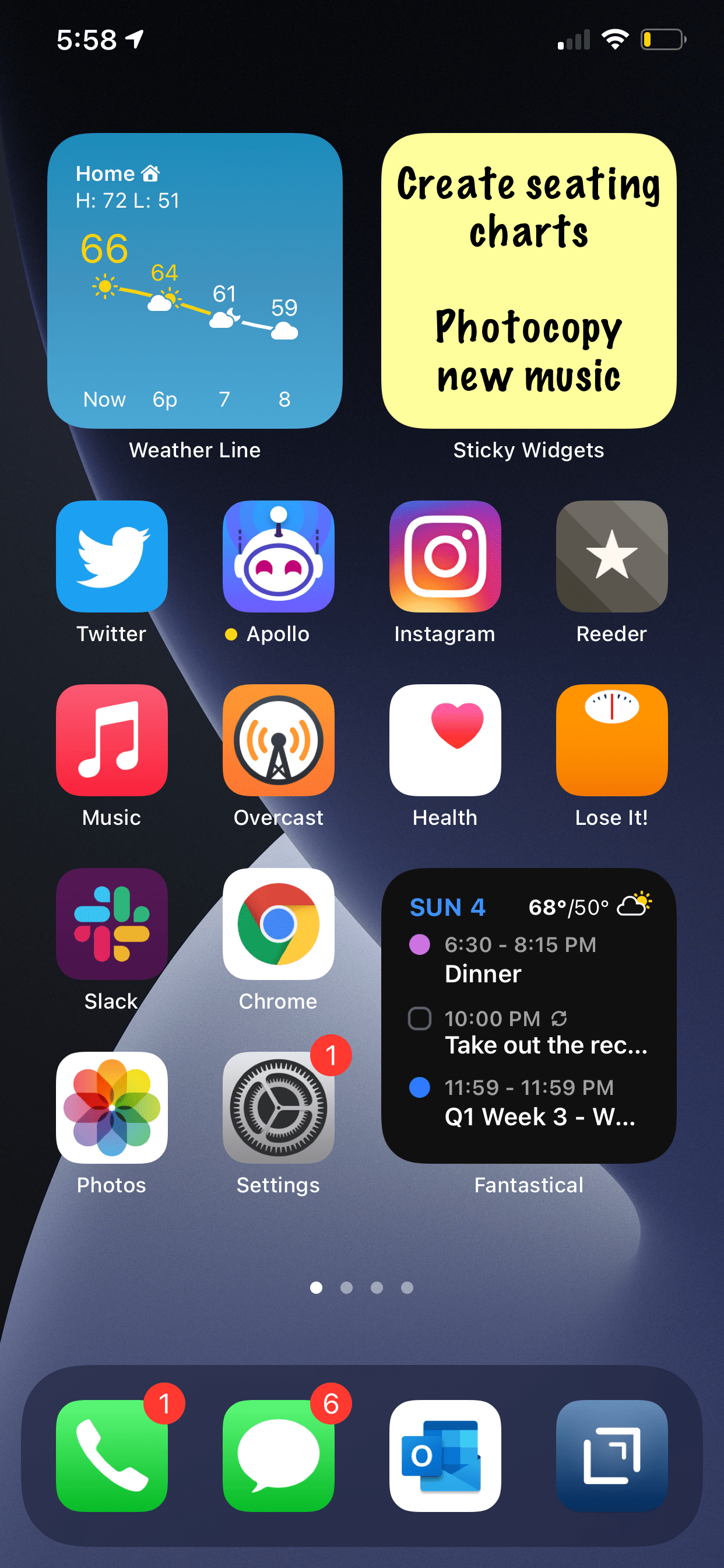
Speaking of widgets on the iPhone home screen, this is one that I have a feeling a lot of people will appreciate.
Sticky Widgets allows you to post sticky notes straight to the home screen that come in different colors and say anything you want. The experience is as simple as you can imagine.
Sure, I advocate for using proper note-taking and task management software, but there are times where you just want to write something directly and trust that it will be plastered in front of your eyes indefinitely.
Sticky Widgets enables placing sticky note-style widgets on your iPhone or iPad Home Screen which can be modified simply by tapping on the widget. It’s utility that’s such an obvious fit for widgets, I’m surprised I haven’t seen a hundred other apps doing the same thing.
I am announcing a new section of this website. A STORE! Starting today, I will be selling digital products and services I have created for musicians and music teachers. Check it out here!
Here is the product description from the sale page:
This collection contains over 70 major scale play-along tracks for your ensemble.
Each track includes a tuning drone playing the tonic with a scale overtop in just intonation so that you can reinforce flawless intonation, tone production, and blend amongst your students. Every exercise includes a count-off and a trap beat underneath to engage your students while reinforcing slower playing and subdividing!
The audio-only version of this package includes mp3 files of the following recordings in all twelve major keys, at 70bpm.
Whole note scale
Half note scale
Quarter note scale
Eighth note scale
Scale Exercise in Thirds
Mini-Scale with Arpeggio
Also included:
Remington at three different speeds! Perfect for playing underneath many of the exercises that come from popular band methods.
The premium version of this product includes the audio tracks above in addition to the Logic Pro and GarageBand stems so you can edit every element of the tracks, including speed, pitch, and instrumentation.
These are perfect for running through your Zoom/Google Meet/Virtual Classroom to keep kids playing as much as possible.
I have been using tracks like these with my band students for years now and they LOVE them. The trap beat resonates with them. Its popularity in hip hop music aside, there is something compelling about them, musically. The backbeat on three, combined with the busy hi-hat activity, helps kids subdivide slower tempos and keeps them motivated to practice stuff like long tones and scales. The strong 808 baseline asserts the beat while adding fun syncopation.
It was essential to me that the drones were in just intonation because I teach my students to hear and adjust to the beats that result when unison pitches and diatonic intervals are in/out of tune. The Yamaha Harmony Director was definitely the tool for the job. Here’s a really brief blog post I shared earlier this month about the process if you want to take a stab at making something like this.
You can alternatively do this process using the (excellent) Tonal Energy Tuner App, a MIDI keyboard, and GarageBand on iOS. I wrote about that here. I prefer the Tonal Energy experience, but the Yamaha’s hardware keys made it easier to “perform” the drones and allowed me to create in Logic Pro, which I am more proficient in.
The original concept for this was very ambitious initially, and I simplified the vision a ton to help myself “ship it.” I have seen music teachers asking for something like this on social media a lot lately, and it seemed like time to do the work. I am happy with how they turned out and I hope to create more of these down the road in varying style, tempo, and exercise patterns.
A few notes:
Due to file upload limitations on Squarespace, buying the stems directs you to download a text file instead of the audio files. The text file contains a link to a third-party hosting source. A little inelegant, I know, but setting up a Squarespace store was otherwise the most comfortable choice.
These are incredibly effective for engaging synchronous ensemble rehearsals. No, we still can’t play at once, but running rehearsal tracks through your Google Meet or Zoom call while students are muted is a great way to keep them playing. These tracks are slow enough that I have had success having groups of 3-6 unmute while playing along, and it is not total chaos. Between these, my Solfege Bingo tracks, and The Breathing Gym DVD, we can be synchronously active for more than 80 percent of each class. I get the audio to route directly through to the call using Loopback.
Many of these tracks, particularly the scale exercise in thirds, mini-scale, and Remington tracks, pair perfectly with a multitude of examples in the Foundation for Superior Performance band method books series. I did not title them as such because the book and my project are in no way connected. I bring it up here because I know those exercises are ubiquitous in band rehearsals, and it’s for this reason, many directors have their students purchase those books.
I made the arrangements of these tracks simple to keep the appeal as wide-reaching and flexible as possible. My hope is that people who really want to change the style, edit the beat, change the speed, or any other kind of alternation, will buy the version that comes with the GarageBand and Logic stems. Tip: If you want to use software instruments to create your own accompaniment, and want them to be justly in tune with my tracks, Logic Pro has support for tuning systems. That means that if you mute my trap beat and add your own samba tracks, you can have the instruments play in the key area you select instead of their usual equal tempered tuning.
Apple had an event yesterday where they announced some new stuff. Here are some very quick thoughts I have on the announcements…
The new blood oxygen sensor in the Apple Watch Series 6 looks great. I love my Apple Watch for health tracking. The more health sensors, the better.
Apple Fitness+ looks awesome. I am a dedicated Peloton subscriber, but it will still be interesting to see Apple’s take on this. One issue with Peloton (and other third party app workout class content) is that watching on Apple TV or iPad doesn’t track any data from the Apple Watch. This seems to be a big benefit of Apple Fitness+. But as with most services, whether people like it or not will be determined largely by the quality of the content. Apple can engineer great tech features into their products to give them an edge, but fitness content is also very dependent on the engagement of the instructor.
Apple One seems like a great way to save money if you subscribe to a bunch of Apple’s services. It’s kind of like their version of Amazon Prime. It’s looking like I will be able to keep paying what I already pay for Apple Music, iCloud Drive, and Apple Arcade, and get the Fitness+ and News+ services bundled in for a similar cost.
New iPad Air: this is a really nice update. If I didn’t depend on the larger size iPad for reading sheet music, I would strongly consider this device over the iPad Pro now that they share the same design, Apple Pencil, and Magic Keyboard Case.
Here are some links to great posts about the event:
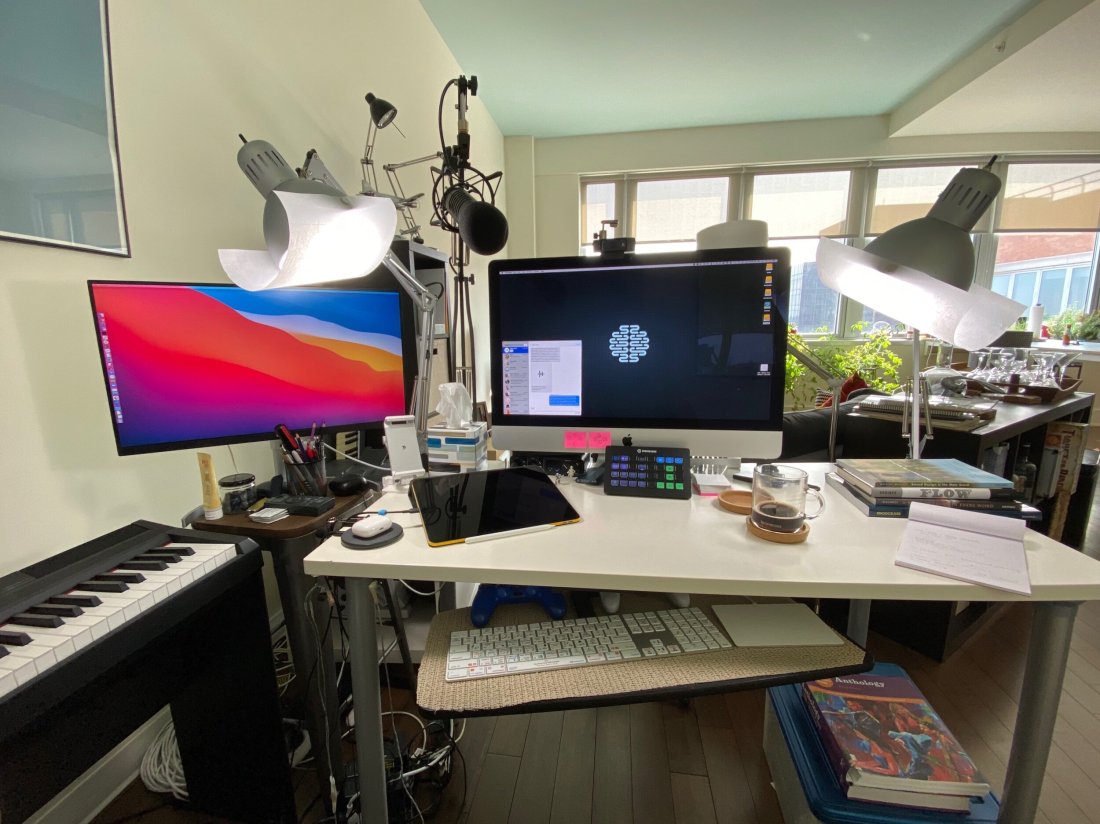
David MacDonald returns to the show to talk about the hardware and software in our virtual teaching setups. Then we speculate about touchscreen Macs and consider how Apple’s recent App Store policies might impact the future of creative professional software on iOS.
MusicFirst offers music educators and their students easy-to-use, affordable, cloud-based software that enables music learning, creation, assessment, sharing, and exploration on any device, anywhere, at any time.
MusicFirst Classroom is the only learning management system designed specifically for K-12 music education. It combines the flexibility of an LMS with engaging content and powerful software integrations to help manage your students’ progress, make lesson plans, and create assignments.
And for younger students, MusicFirst Junior is the perfect online system for teaching elementary general music. It includes a comprehensive K-5 curriculum, hundreds of lessons & songs, and kid-friendly graphics to making learning and creating music fun!
Whether you’re teaching remotely, in-person, or in a blended learning environment, MusicFirst will work with you to find a solution that fits your program’s unique needs. Try it free for 30 days at musicfirst.com.
Speaking of forScore coming to the Mac, I continue to hear chatter in the technology community about touchscreen Macs. The design of Apple's forthcoming macOS update, Big Sur, has larger, more spread apart, user interface elements, indicating that it might be getting prepared for touch input. This would align well with Apple's transition to putting their own silicone chips in their devices this year.
I have no idea if Apple is making Macs with touchscreens, but I find it hard to believe they would take their existing Mac laptop and desktop designs and simply make the current screens touchable.
At Apple's developer conference this past June, there were obvious signs that Apple wants developers to adopt design elements from macOS in their iPad apps and vice versa.
Silicone enabled Macs will run touch-first, iOS apps natively, and Apple has been working hard to make their technologies consistent across all platforms. I wouldn't be surprised if touch screen Macs came out of the box with Apple Pencil support. And if Macs have Pencil support, no one wants to awkwardly hold a pencil up in the air in front of them and draw on a horizontal screen.
Here is where I am going with this. With sheet music apps like forScore finally coming to the Mac, and Apple technologies being shared across devices, I am starting to think that I would love a Mac with a display that folded back on its keyboard. Something that I could plug into my audio interface and large screen monitor to edit audio on at home, and then flip onto my podium and read scores off of during band rehearsal. They could charge nearly anything for a 14 inch MacBook Pro in this format and I would buy it.
Who knows if it would be an optimal experience? Who knows if it's what Apple is planning? Who knows if it is anywhere near ready? Not me. It will be very curious to see what happens over the next few months as Apple has announced that some Macs will make this transition by the end of the year.
In the hustle of our school semester starting, I forgot to post about possibly the most exciting app news I have heard this summer.
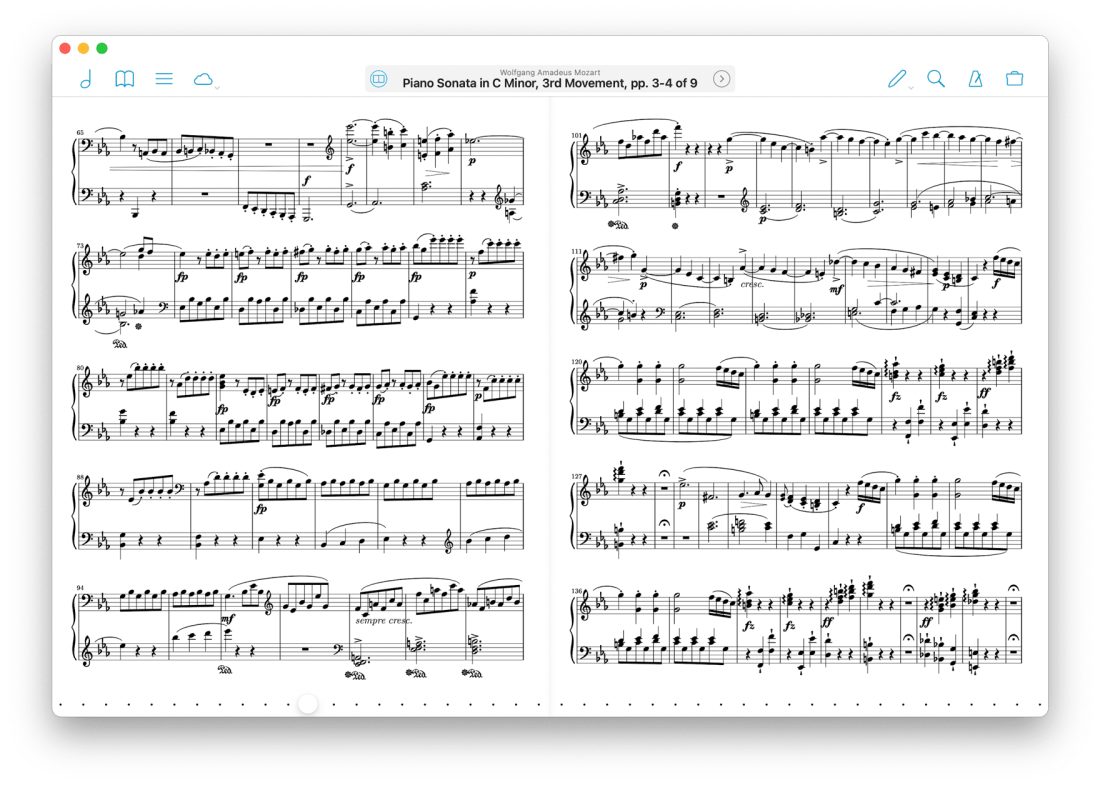
After writing about it and talking about it on the podcast for well over a year, I am pleased to say that forScore has announced they are making a native Mac app. It will be coming this fall, alongside their version 12 update. Read all about version 12 here…
forScore comes to the Mac in a big way with a brand new, fully native experience built for some of the most advanced and powerful devices out there. forScore runs on macOS Big Sur, both on Intel and Apple Silicon-powered Macs, and it’s included with forScore for iOS and iPadOS as a universal purchase.
That’s right—it’s absolutely free for everyone who has ever bought forScore.
From the looks of it, forScore is using Apple's Catalyst technology, which allows iPad apps to be ported to the Mac.
While I have not seen the Mac version of forScore, I have been testing the iOS version of forScore 12. It's great! My favorite small (but significant) feature is that you can now annotate while viewing two pages at a time without the app jolting into annotation mode. You just write directly on the screen with the Apple Pencil and your markings appear immediately.
I store my score backups on my hard drive's file system, which is how I access them on the Mac. But I store my most frequently read scores in forScore on the iPad. I am glad the experience of interacting with my sheet music will now be consistent across both devices.
Something I have felt would need to happen for this to be useful is iCloud syncing. forScore says that is coming too…
Bringing forScore to the Mac is just the beginning—a whole new platform means a whole new set of opportunities. From subtle refinements to major new features already in development like iCloud Syncing, we’re building the future one step at a time.
We’re just getting started. Again.
Using a Mac version of the app with the need to maintain two separate score libraries would have been a nonstarter for me. As an added side benefit, I can see this getting me to use forScore on the iPhone. Its not the best screen size for sheet music, but every now and then, I'd like to be able to take it out of my pocket and reference a score real quick. The problem is that it is never real quick because none of my scores are there!
I could not be more excited about this announcement!
With GoodNotes, it’s easy to mix drawing and writing. It’s also easy to write in a magnified view while the words simultaneously appear in a normal size on the page behind it.
And with yesterday’s version 5.5 update, GoodNotes is now also able to collaborate.
I use Apple Notes for most mixed media note taking (text, checklists, images, web links) and DEVONthink for my archiving needs (long term file, email, web archiving). But most notes I write by hand go in GoodNotes. It is nice to see any app add collaboration as a feature. I am not sure if I would use this in GoodNotes but it will be fun to try.
The other thing I use GoodNotes for every day (when school is meeting in person) is for annotating my custom-made seating charts to keep track of student data. You can read about that on this article I wrote for SBO Magazine. What makes GoodNotes so convenient for annotating PDFs like this is that it treats them as a paper style instead of fillable PDF, so you don’t need to go into any kind of annotation ‘mode’ to begin marking it up with the Apple Pencil.
“Intuition, I realized, was the certainty with which a skill instantly worked on the basis of rational experience. Without training, intuition does not develop. People only think that intuition is inborn. If intuition unexpectedly reveals itself, however, it is because unconscious training has been amassed somewhere along the way. ”
— Shinichi Suzuki , Nutured by Love
What is Solfege Bingo
Solfege Bingo is a game for young music students. You can play in class to help develop audiation, pitch recognition, and solfege.
The book comes with a series of bingo cards, each of which with three-note Solfege patterns in each square. “Do re mi, fa sol do, etc…” With the book comes a CD that has many different recorded examples of a singer singing these patterns, with space in between each pattern. Students match the three-note patterns they hear with the ones on their card until they get bingo.
The CD features a second set of recorded examples in which a clarinet plays the patterns so that the students must recognize the patterns by ear, not by syllable.
I first learned about this series as a student teacher, where the choir teacher would use them as warm-ups. She would use them as ear training examples to familiarize her ensembles with solfege. On the recorded examples, the space between each pattern is equal to the length of the patterns themselves, so you can use them as a call and response. The recording models the pattern, the choir sings it back.
Transposing the Tracks for Bands and Adding a Drone
A few years ago, I got the idea to transpose these recordings into band keys using GarageBand. I added a clarinet drone on the key center (using one of the software MIDI instruments) to help students hear the relationships of the pitches not only to each other but also to the tonic.
In band, I start the year by implementing these play-along tracks during warm-ups, starting in concert Bb. I first use the vocalist track and have students sing back. Then they play it back, with brass buzzing on mouthpieces. Then with brass on instruments. (The repetition of this has the side effect of reinforcing fingerings.) Eventually, once I feel like they have begun to internalize the pitches, I play them the clarinet version of the recording. The clarinet drone rings through my entire track, which takes the place of my usual Tonal Energy Tuner drone.
It sounds like this when it’s done…
<div class="
      image-block-outer-wrapper
      layout-caption-below
      design-layout-inline
      combination-animation-none
      individual-animation-none
      individual-text-animation-none
    ">


    <figure class="
          sqs-block-image-figure
          intrinsic
        " style="max-width:2500px">


      <div class="image-block-wrapper">
        <div class="sqs-image-shape-container-element


          has-aspect-ratio
        " style="position: relative;padding-bottom:63.55999755859375%;overflow: hidden">


            <img src="https://images.squarespace-cdn.com/content/v1/5595df9ce4b0ce9ff9ecd1a8/1598794636657-ZIEPEZK131RK9SSQFK6W/0cleanshotblog.png" alt="In GarageBand, I dragged in the audio file I wanted to edit, creating an audio track. Then, I created a second software instrument track, selected clarinet as the instrument, and held out the note Bb on my MIDI keyboard for the drone. Double-clickin…" width="2500" height="1589" style="display:block;object-fit: cover;width: 100%;height: 100%;object-position: 50% 50%" loading="lazy">

        </div>
      </div>


      <figcaption class="image-caption-wrapper">
        <div class="image-caption"><p class="">In GarageBand, I dragged in the audio file I wanted to edit, creating an audio track. Then, I created a second software instrument track, selected clarinet as the instrument, and held out the note Bb on my MIDI keyboard for the drone. Double-clicking an audio region reveals a transpose option on the left. Dragging the slider moves the pitch up of the selected region up or down by a semitone.</p></div>
      </figcaption>


    </figure>


</div>
Classroom Management (Making Two of Me)
I recall a year where I was struggling with engaging one of my band classes during the warm-ups. I needed a way to create some structure and reinforce expectations for the first 10 minutes of class, while making sure that the winds got the tone and ear development I wanted them to have. It is always easy to assume that students are against you when they are talking amongst themselves, wandering the back of the room, and slouching in their seats. I have come to find that, more often than not, my students aren’t against me, they just flat out didn’t understand my expectations for participation, posture, and technique and that they needed my support (even when it seems my expectations should be obvious).
My solution was to duplicate myself. I needed there to be one of me on the podium guiding the rehearsal sequence, and another of me walking the room to adjust students’ expectations of themselves.
I added the Solfege Bingo play-along tracks to slides in my daily agenda presentation, which is always on display at the front of the room through a projector. I make all of my slides in Apple’s Keynote. I found that I could embed an mp3 of one of my tracks into a slide and set the presentation to automatically skip to the next slide after a certain length of time had passed. So I created a sequence of these Solfege Bingo tracks, and a couple of other typical warm-ups I do, and embedded them all in Keynote slides so that the warm-up would happen automatically.
<div class="
      image-block-outer-wrapper
      layout-caption-below
      design-layout-inline
      combination-animation-none
      individual-animation-none
      individual-text-animation-none
    ">


    <figure class="
          sqs-block-image-figure
          intrinsic
        " style="max-width:2500px">


      <div class="image-block-wrapper">
        <div class="sqs-image-shape-container-element


          has-aspect-ratio
        " style="position: relative;padding-bottom:64.16000366210938%;overflow: hidden">


            <img src="https://images.squarespace-cdn.com/content/v1/5595df9ce4b0ce9ff9ecd1a8/1598793117355-3KSJN6YFIHRAZJLXBIF4/CleanShot+2020-08-30+at+09.06.33%402x.png" alt="In the upper right corner, click the Transitions button to reveal transitions. From the Start Transition dropdown menu, you can choose to have a slide start automatically after a certain amount of time, using the Delay timer. You might have to tweak…" width="2500" height="1604" style="display:block;object-fit: cover;width: 100%;height: 100%;object-position: 50% 50%" loading="lazy">

        </div>
      </div>


      <figcaption class="image-caption-wrapper">
        <div class="image-caption"><p class="">In the upper right corner, click the Transitions button to reveal transitions. From the Start Transition dropdown menu, you can choose to have a slide start automatically after a certain amount of time, using the Delay timer. You might have to tweak this a little bit to get it right, but the result is that these couple of Keynote slides play in a row, automatically, while I walk around the band room and give feedback to students.</p></div>
      </figcaption>


    </figure>


</div>
This allows me to work the room. While warm-ups were taking place, I can walk in the percussion section and remind them what instrument they play for warm-ups that day (it’s on the chart in the back of the room 🤷♂️). I can give postural feedback to my trombones. I can high five the tuba player. I can fit someone for a concert shirt. I can do nearly anything. And this is all while reinforcing audiation, tone development, and proper intonation.
I recommend the Solfege Bingo book. It’s effortless to modulate tracks with software. You can use the pitch-flex feature in GarageBand, as I mentioned above. But you can also use apps like Transcribe!, The Amazing Slow Downer, or Anytune.
Adding a clarinet drone is easy. I added a software instrument track in GarageBand, set it to a clarinet, and played the tonic along to the recording. But you could also use Tonal Energy as a GarageBand instrument.
Conclusion
Given the time I am posting this, it is worth mentioning that I totally intend to use these warmup play-along tracks in my online band classes this fall, which will be taking place in Google Meet. I am using the Loopback app to route the audio of Keynote through to the call, and a soundboard app called Farrago to trigger them. I can run the tracks through Google Meet and everyone plays along while on mute. I am hoping to blog about Farrago soon.
I am also planning to blog about another version of this workflow I have tried in especially needy classrooms, where I go as far as to record myself giving instructions to the band in between transitions, and even program the tracks to rehearse concert music for me while the real ‘me’ works the room. I have run up to 40 minutes of a band rehearsal through pre-recorded instructions and play along tracks before!



 Music Ed Tech Talk
You must be logged in to post a comment.