The Music Ed Tech Talk Holiday Gift Guide, featuring Dr. David MacDonald

David MacDonald joins Robby to share their favorite books, hardware, apps, services, and musical gift ideas.

Subscribe to the Blog…

RSS | Email Newsletter

Subscribe to the Podcast in…

Apple Podcasts | Overcast | Castro | Spotify | RSS

Support Music Ed Tech Talk

Become a Patron!

Buy me a coffee

Show Notes:

Books

Hardware

More Hardware

Software

Services

Misc

Music of the Week

Robby – Sarah Jarosz

David – Sister Rosetta Tharpe

Tech Tip of the Week

Robby – Focus Modes

David – CopyChar.cc

Where to Find Us:

Robby – Twitter | Blog | Book

David – Twitter | Website | Blog

Please don’t forget to rate the show and share it with others!

METT Episode 44 – Rehearsal Tech

Check out the latest episode of Music Ed Tech Talk!

Dr. Peter Perry joins the show to talk about the software and hardware we use in rehearsals, his book Technology Tips for Ensemble Directors, and our recent favorite music, apps, and tech tips.

Subscribe to the Blog…

RSS | Email Newsletter

Subscribe to the Podcast in…

Apple Podcasts | Overcast | Castro | Spotify | RSS

Support Music Ed Tech Talk

Become a Patron!

Buy me a coffee

Show Notes:

Music of the Week

Robby – Astor Piazzolla and Gary Burton – The New Tango

Peter – Tony Benett and Lady Gaga – Love for Sale)

App of the Week:

Robby – Craft

Peter – Izotope RX9

Where to Find Us:

Robby – Twitter | Blog | Book

Peter – Twitter | Website

Please don’t forget to rate the show and share it with others!

#43 – iOS 15 and macOS Monterey, with Paul Shimmons

Paul Shimmons returns to the show to talk about the features in Apple’s new operating system updates, and how we plan to use them.

Patreon subscribers get a bootleg version of the recording, without the ads, and including bonus conversation about notation apps on iPad.

Subscribe to the Blog…

RSS | Email Newsletter

Subscribe to the Podcast in…

Apple Podcasts | Overcast | Castro | Spotify | RSS

Support Music Ed Tech Talk

Become a Patron!

Buy me a coffee

Show Notes:

Tuesday, 26 Oct 2021 14:10:49.jpeg

App of the Week

Paul – Ultimate Drill Book

Robby – Sofa

Music of the Week

Paul – Powerhouse – White Heart

Robby – Cory Henry – Best of Me

Where to Find Us:

Robby – Twitter | Blog | Book

Paul – Twitter | Website

Please don’t forget to rate the show and share it with others!
iOS 15 and Safari Extensions

iOS 15 came out recently. I am working on an episode of Music Ed Tech Talk that will cover this in more detail, along with the thoughts on the forthcoming version of macOS.

iOS 15 comes with a lot of new features that are worth checking out, one of which is Safari extensions.

Safari extensions allow for a variety of customizations typically popular on desktop browsing experiences, and particularly, Chrome.

Here are some of my favorite iOS 15 browser extensions so far:

  • 1Password – this extension allows 1Password to fill in your passwords for you, using a similar user interface to the desktop version of the app
  • Achoo HTML – displays the HTML of the web page you are currently on
  • Amplosion – redirects AMP links to their normal counterparts
  • Grammarly – identifies silly grammatical errors in fields on websites
  • Noir – adds dark mode to websites that don’t otherwise have it
  • Apollo – opens Reddit URLs in the (superior) app Apollo instead of Safari

Of course, there are a lot of good content blocking extensions too like StopTheMadness, 1Blocker, and Super Agent for Safari.

For other kinds of hacks, utilities, and tweaks, check out Reload All Tabs, Vidimote, xSearch, and PiPifier.

forScore | Piano with Friends

Cool new app from the makers of forScore. The app is designed to work with the forthcoming SharePlay feature coming to iOS 15, which allows users to run an app in sync together while on a FaceTime call. It is designed for streaming Apple Music songs and Apple TV+ shows between two different users in sync, even if they are across the world.

Apple has announced that SharePlay will not whip with iOS 15.0 this fall and that it will come in a later update. Piano with Friends will be ready.

forScore | Piano with Friends–>

Over the past few months we’ve been working on a brand new app based on forScore’s on-screen piano keyboard, called Piano with Friends. This standalone version includes the same great features like a high quality sound bank, fine tuning, note labels, and MIDI support, but it also includes some new features that really make it deserving of its own app.

Creating Rehearsal Automations and Workflows with iPadOS 15

Apple’s forthcoming fall operating system updates became available in a public beta on Wednesday. I like to stay up to date on what I will do with my computers each fall and these new updates feature a ton of productivity boosts. Naturally, I chose to dive in.

For now, I have installed just the iOS 15 beta on my iPad. It is a low-stakes device for me, and I am most dependent on it for using forScore in rehearsal and concerts (the official releases will have shipped by my next concerts). I have also read that these betas are relatively stable, but anything is possible, so if you do this (which I don’t recommend), make sure you backup your data!

There are a few productivity features I immediately began experimenting with.

Widgets on the Home Screen

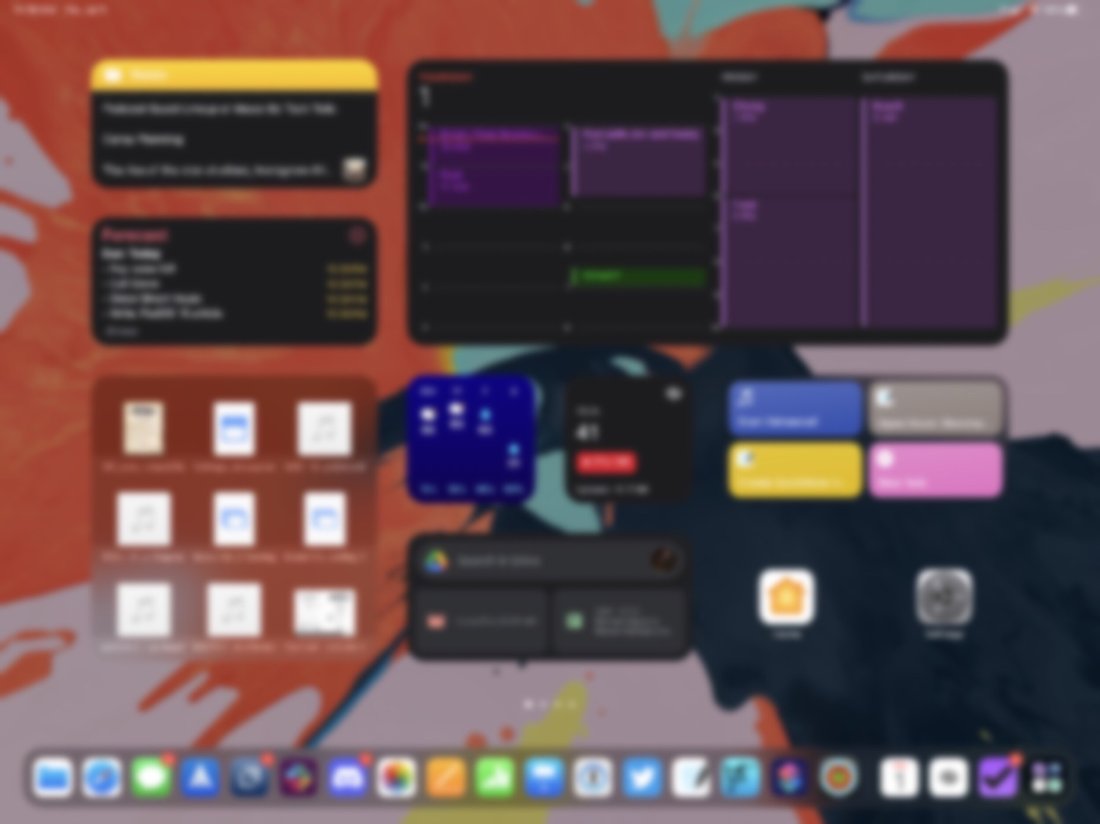
The iPad now allows you to put widgets anywhere on the home screen. I am trying an experiment that strips most of the apps off the main page and instead makes a productivity dashboard. It’s pretty nice!

<div class="
      image-block-outer-wrapper
      layout-caption-below
      design-layout-inline
      combination-animation-none
      individual-animation-none
      individual-text-animation-none
    ">


    <figure class="
          sqs-block-image-figure
          intrinsic
        " style="max-width:2500px">


      <div class="image-block-wrapper">
        <div class="sqs-image-shape-container-element


          has-aspect-ratio
        " style="position: relative;padding-bottom:74.95999908447266%;overflow: hidden">


            <img src="https://images.squarespace-cdn.com/content/v1/5595df9ce4b0ce9ff9ecd1a8/1625151920936-VH8FOKESDN1C33SDNQLC/public.png" alt="" width="2500" height="1874" style="display:block;object-fit: cover;width: 100%;height: 100%;object-position: 50% 50%" loading="lazy">

        </div>
      </div>


    </figure>


</div>

Focus Modes

You can design your own contextual Do Not Disturb modes on iOS 15. Each focus allows you to decide…

  1. Which apps can be used

  2. Which contacts can notify you

  3. What your home screen looks like

  4. And more

I set up the default Personal and Work focus modes that come built into the OS. My thinking for these is that Personal focus will be similar to regular Do Not Disturb but will only allow close family to text me. Work focus I set up to only allow notifications from email and Slack and limited it to only apps I use for doing logistic desk work and advancing projects.

Here is where things get fun. I created a Rehearsal Focus mode that shuts off access to all apps except the ones I use in rehearsal. It only allows members of my music team to reach me. It is designed to help me stay focused while teaching.

I haven’t done much with customizing the home screen in these various modes of focus yet, but I imagine the automation potential to be huge.

<div class="
      image-block-outer-wrapper
      layout-caption-below
      design-layout-inline
      combination-animation-none
      individual-animation-none
      individual-text-animation-none
    ">


    <figure class="
          sqs-block-image-figure
          intrinsic
        " style="max-width:2500px">


      <div class="image-block-wrapper">
        <div class="sqs-image-shape-container-element


          has-aspect-ratio
        " style="position: relative;padding-bottom:74.95999908447266%;overflow: hidden">


            <img src="https://images.squarespace-cdn.com/content/v1/5595df9ce4b0ce9ff9ecd1a8/1625149539972-0GT4O7BPTECVE89J67ED/IMG_3229.png" alt="" width="2500" height="1874" style="display:block;object-fit: cover;width: 100%;height: 100%;object-position: 50% 50%" loading="lazy">

        </div>
      </div>


    </figure>


</div>

New Shortcuts Actions

A TON of new Shortcuts actions are available to all operating systems (and the Mac is getting the Shortcuts app in this update!)

Shortcuts isn’t as powerful in my work life as it is in my personal life because most of my music and education apps have insufficient (or no) Shortcuts support. But that doesn’t mean I can’t trim tons of time eliminating the friction of iPad multitasking.

In most rehearsals, I open the same apps and files on screen. Now, with a one-tap Shortcut, I can have my iPad go into the new Rehearsal Focus mode, open forScore on the left, GoodNotes on the right (with a blank new note I can use as a digital white board), and a Tonal Energy Tuner app in Slide-Over. Now, if only forScore would add Shortcuts support so I can program it to open a specific score!

See it in action below. Then imagine how long it would take you to set up manually while you have 60-100 band kids entering the room and demanding your attention.

<div class="sqs-video-wrapper" data-provider-name="YouTube" data-html="

“>

Here is a link to a copy of this Shortcut that you can tweak to your own liking.