

This blog post originally appeared on the blog for the National Association for Music Educators (nafme.org) on April 6, 2021.
In “Digital Organization Tools for Music Educators,” I detailed apps that can help you plan large goals, turn them into actionable projects, and reflect on your progress.
Next, I’d like to talk about apps to help you manage your time and save your ideas digitally.
Put Only Hard Commitments in Your Calendar
Managing your time is a key part of being a music educator. Sometimes it feels like we have more responsibilities than there is actually time in the day to complete.
In “Digital Organization Tools for Music Educators,” I recommend apps to help you wrangle your to-do list. Now I would like to recommend some apps and tips for managing the events on your calendar.
If your calendar needs are simple, I recommend you go no further than Google. It runs entirely in a web browser but can also be used in combination with your calendar app of choice. My music team uses a Google Calendar to publish all of our classes, sectionals, concerts, and events. This allows us to edit this data right from our calendar apps on our phones and computers, while also publishing them to a website for parents to view.
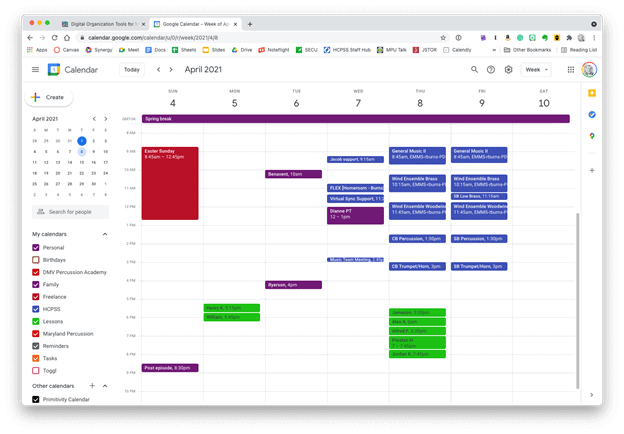 Google Calendar works perfectly fine for most needs. It is available to anyone for free on the web and has a functional mobile app on most smartphone platforms.
Microsoft Outlook and the Apple Calendars, despite being created by big tech companies, are actually capable of showing you a calendar from any service (Google included). My personal calendars are in iCloud, and our school uses Exchange. I can log into my iCloud, Google, and Exchange calendars all from within the same app to see everything I am committed to.
 Apple Calendar and Microsoft Outlook are two of the most widely used calendar apps on desktop and mobile operating systems. Either of them can handle calendars from Google, iCloud, or Exchange accounts and show them all alongside one another.
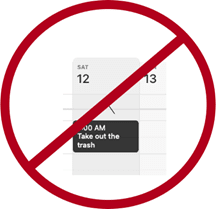
Tip!—Avoid putting tasks in your calendar. Tasks have due dates, but they rarely need to be worked on at a specific time. I find that putting tasks in my calendar adds lots of noise and I eventually just end up ignoring all of it. If you want to stay sane, put only time-based appointments on your calendar. You can make an appointment with yourself to tackle a big task, but try to avoid putting things like “print concert programs” and “design seating chart” alongside events with concrete start and end times.
If you want more power out of your calendars, I recommend you check out Fantastical. (Currently iOS and Mac only. Android users can check out SolCalendar). Here are my favorite features:
 Natural language input is not only fast, but you can set a keyboard shortcut on your computer to invoke a mini-calendar for quickly adding events.
- Natural language input: Typing “Choir Rehearsal tomorrow at 7 pm @2032 Beaverton Road /Work” will add an event called Choir Rehearsal to your calendar at the designated time and location. The “/Work” will put on the “Work” calendar.
- Calendar Sets: I subscribe to my school and school district’s master calendar to better plan after-school rehearsals, concerts, and space use. I subscribe to these calendars in Fantastical, but I have them toggled off by default. I created a Calendar Set called “All” that turns on the chaos and shows me every single calendar I have at once. Many things overlap, but it enables me to be informed as I plan without needing to visit my district’s website.
- Conference Call Detection: Fantastical also has built-in Zoom and Google Meet integration. If it detects a meeting URL in the calendar event, it adds a one-touch button to the event which will launch you right into the meeting.
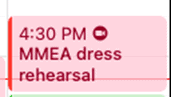 This event was shared with me and has a Zoom call URL associated with it. Fantastical automatically added the Zoom icon so that I can click on it to immediately enter the call.
 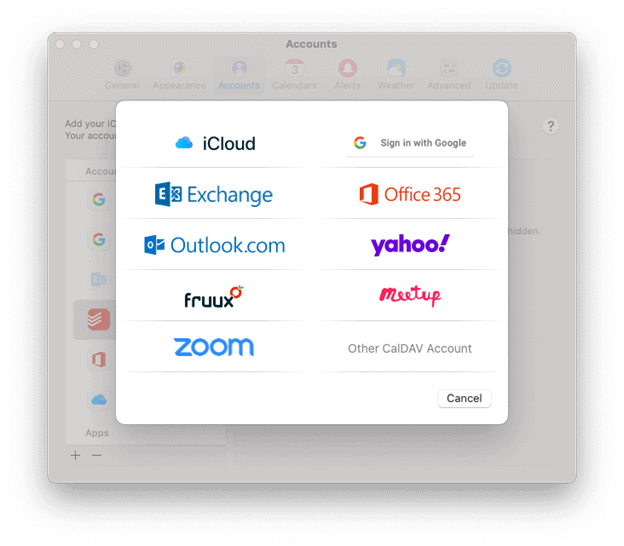 Fantastical integrates with all of these services.
A handful of Fantastical’s features are free, and some of the more advanced features are paid.
Other great calendar apps:
Quickly Clip Ideas from Everywhere
There is much to say about note apps. The one feature I see least utilized by busy teachers is the clipper. A clipper is a tool that runs in the Share Sheet of your phone or as a web extension. Clippers are perfect for “saving it for later.” A good one can handle mixed media including photos, websites, emails, text notes, files, and more. Here are my favorite apps that have easy ways to capture data for later:
- Evernote: Known for being cross-platform and having a free tier. Its web extension can grab almost anything from the web and clip it to your notebook in a neatly formatted article view that is text searchable.
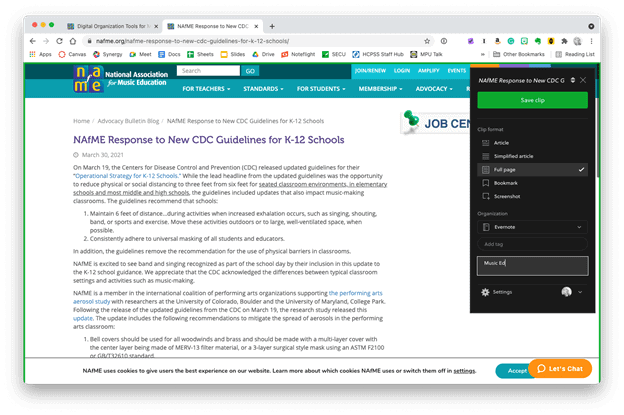 The Evernote web clipper can be installed as an extension or from the share-sheet on mobile devices. You can choose how it will save the content, and even categorize it with tags and a memo before clipping.
- Microsoft OneNote: Similar features to Evernote. It’s free if your district has Office 365. Plays nice with the rest of the Office Suite.
- Apple Notes: Apple Notes has caught up with most of the major features of competing note apps. From almost anywhere on an iOS or Mac device, press the Share button to save something to Apple Notes. Almost any type of media can be clipped.
- Drafts: Drafts is text-only, but I prefer it for my note-taking because I can capture quickly and then easily send the text out to other apps once I have decided where it belongs.
- Google Keep: Leverages all smart AI features and integration with Google Services that you would expect.
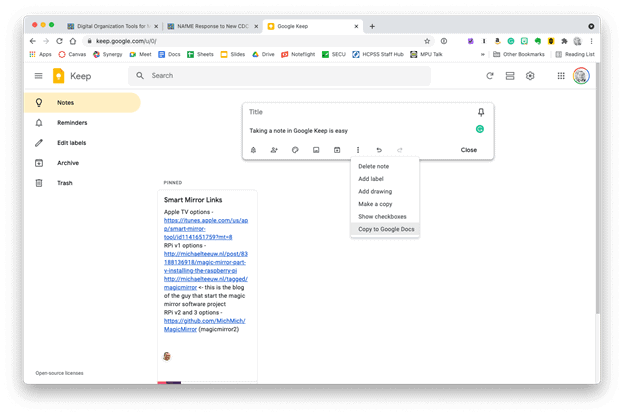 Google Keep is simple, but it provides plenty of features. Notes can be turned into reminders, Google Docs, or shared with others.
- Instapaper: Primarily for saving web content like news articles. It strips out the ads, buttons, and other chrome, so you get an experience less like reading a website and more like reading a newspaper.
Of these apps, Evernote is most able to handle whatever kind of data you throw at it. Because it’s available on the web, it’s easy to share your data with others and even get your data out and into another app, if you choose to.


Before and after a website has been parsed by Instapaper’s clipper.
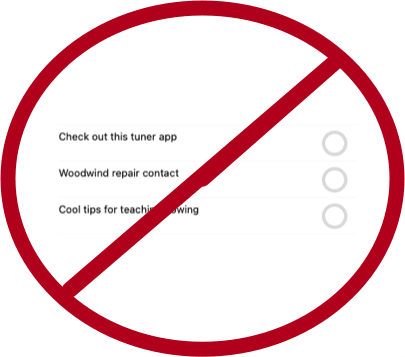
Tip!—In the same way I try to avoid putting tasks on my calendar, I also try to avoid clipping things I want to check out later to my to-do list. It clutters things up. I put only actionable tasks on my task list. If it doesn’t have a verb (“email Jacklyn choir rosters for 2021–22,” “tune the bass drum,” “draft grant proposal”), save it to a note instead.
 Music Ed Tech Talk