My smart speaker setup

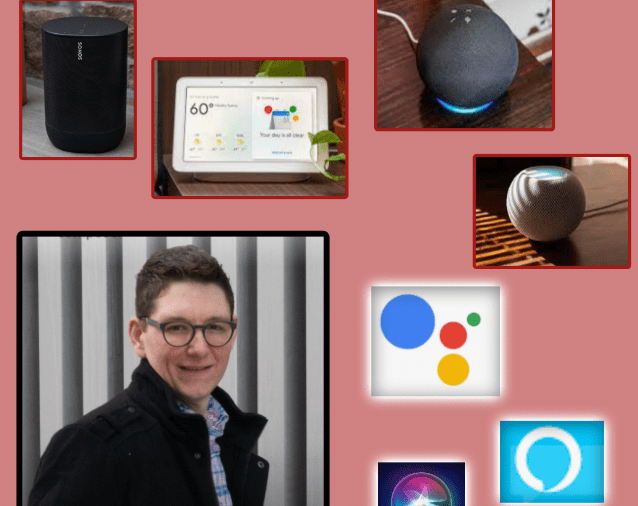
I aspire to write more about my smart home setup here but doing so requires a style of writing that doesn’t always come easily for me. So I decided to podcast about it. Scroll below to hear my recent conversation with David MacDonald about how I set up my smart speakers. Click here to learn about my favorite smart home devices.

Episode Description:

Robby and David (music composition, theory, and technology teacher at the Wichita State University) compare smart speakers, their assistants, and their smart home ecosystems. This episode covers the HomePod, Google Nest, Amazon Echo, Siri, Alexa, Google Assistant, Sonos speakers, and the various quirks that result from trying to use them in combination.

Backstage Access Patreon supporters get extended conversation about Apple Notes, DEVONthink, Standard Music Font Layout compatibility, FileMaker databases, student motivation, grading (and ungrading), and sticker charts.

Subscribe to the Blog…
RSS | Email Newsletter

Subscribe to the Podcast in…
Apple Podcasts | Overcast | Castro | Spotify | RSS

Support Music Ed Tech Talk

Become a Patron!

.bmc-button img{height: 34px !important;width: 35px !important;margin-bottom: 1px !important;box-shadow: none !important;border: none !important;vertical-align: middle !important;}.bmc-button{padding: 7px 15px 7px 10px !important;line-height: 35px !important;height:51px !important;text-decoration: none !important;display:inline-flex !important;color:#ffffff !important;background-color:#000000 !important;border-radius: 5px !important;border: 1px solid transparent !important;padding: 7px 15px 7px 10px !important;font-size: 20px !important;letter-spacing:0.6px !important;box-shadow: 0px 1px 2px rgba(190, 190, 190, 0.5) !important;-webkit-box-shadow: 0px 1px 2px 2px rgba(190, 190, 190, 0.5) !important;margin: 0 auto !important;font-family:'Arial', cursive !important;-webkit-box-sizing: border-box !important;box-sizing: border-box !important;}.bmc-button:hover, .bmc-button:active, .bmc-button:focus {-webkit-box-shadow: 0px 1px 2px 2px rgba(190, 190, 190, 0.5) !important;text-decoration: none !important;box-shadow: 0px 1px 2px 2px rgba(190, 190, 190, 0.5) !important;opacity: 0.85 !important;color:#ffffff !important;}Buy me a coffeeBuy me a coffee

Show Notes:

App of the Week:
Robby – HomeRun 2
David MacDonald – Letterpress

Album of the Week:
Robby – Hiatus Kaiyote – Mood Valiant
David MacDonald – Frederic Rzewski: The People United Will Never Be Defeated – Ursula Oppens | The People United Will Never Be Defeated – Kaj Schumacher | Winnsboro Cotton Mill Blues

Tech Tip of the Week:
Robby – Use a clipboard manager
David MacDonald – New stream deck store!

Where to Find Us:
Robby – Twitter | Blog | Book
David MacDonald – Twitter | Website

Please don’t forget to rate the show and share it with others!

METT Episode #21 – Music and Technology We’re Thankful For, with Craig McClellan

Robby's cohost from The Class Nerd podcast, Craig McClellan, returns to talk about recent smart home and Apple purchases, speakers with digital assistants, technology and music we are thankful for.

Sponsor Music Ed Tech Talk! Do you have a product or service related to music or technology that you would love to get in front of music educators? Reach out to me on my Contact page to learn more about advertising on my site and this podcast.

Use code THANKFUL at checkout to buy anything on my Store for $10 off! This puts my Scale Exercise Play-Along Tracks at only $5!

Show Notes:

The Class Nerd Podcast – Listen to Craig and I talk about using technology in the classroom
Philips Hue Bulbs
Lutron Caseta Light Switches
MyQ Garage Door Opener
Netatmo HomeKit Doorbell
Nest Hello Doorbell
Starling.io
Eero
Sonos One
Craig's Guitar:

Cory Wong
Vulfpeck
Robby's Viral TikTok:

@_robbyburns #duet with @_robbyburns I added the percussion. #sleighride #concertband #bandmusic #fyp #foryou #christmasmusic #percussion #babiesoftiktok

♬ original sound – Flute Dude Music

Robby's Way More Viral (But Less Good) TikTok:

@_robbyburns #duet with @_robbyburns

♬ original sound – Flute Dude Music

Leroy Anderson's Sleigh Ride Arrangement
@flutedudemusic on TikTok
Star Wars Themes on Guitar During Worship Songs – TikTok

Robby's We Wish You A Merry Christmas Meme TikTok:

@_robbyburns #duet with @simplyaleah_ #christmasmusic #musictheory #musicnotation #vibraphone #percussion #fyp #foryou #accidentaljazz

♬ original sound – Aleah Vassell

Tech We're Thankful For

HomeRun App
Kemper Amp
TikTok
TextExpander
forScore for Mac
Apple Pay

Music We're Thankful For

Brahms Symphonies – George Szell/Cleveland Orchestra

Ruston Kelly – Shape & Destroy

Painted – Lucky Daye

NEEDTOBREATHE – Out of Body

Boston Brass – Rewired

Thad Cockrell – If In Case You Feel The Same

Where to Find Us:
Robby – Twitter | Blog | Book
Craig McClellan – Twitter | Website

Please don't forget to rate the show and share it with others!

Subscribe to Music Ed Tech Talk:

Subscribe to the Blog

Subscribe to the Podcast in…
Apple Podcasts | Overcast | Castro | Spotify | RSS

#20 – Electronic Music School, with Will Kuhn

Will Kuhn joins the show to talk about Apple’s new Macs, teaching electronic music, home automation, and his forthcoming book, Electronic Music School.

Show Notes:

We recorded this episode right after last weeks Apple event! People have now used and reviewed these machines! I recommend this one, this one, and this one.

Other topics include:

  • Apple in education
  • M1 chip implications for audio software
  • Other Apple Fall announcements and products
  • Ableton Live 11

Do you have a product or service you would like to promote to music educators? Sponsor Music Ed Tech Talk!

Stuff mentioned:

App of the Week:
Robby – Neural Mix Pro
Will – Ableton Live 11

Album of the Week:
Robby – Vulfpeck | The Joy of Music The Job of Real Estate
Will – Machinedrum – A View of U | beabadoobee

Where to Find Us:
Robby – Twitter | Blog | Book
Will – Twitter | Website

Please don’t forget to rate the show and share it with others!
Subscribe to Music Ed Tech Talk:

Subscribe to the Blog

Subscribe to the Podcast in…
Apple Podcasts | Overcast | Castro | Spotify | RSS

Sponsor Music Ed Tech Talk!

Creating a Focused Home Lesson Planning Environment with Dark Noise and a Siri Shortcut

There’s a new update to my favorite noise app, Dark Noise. I learned about this app from Craig McClellan during the App of the Week segment on episode 9 of the Music Ed Tech Talk Podcast.

Now that many teachers are working from home, I have found that managing my environment is key to my sanity. Dark Noise elevates the idea of a noise machine to a premium level, offering a superior user experience and all sorts of power user tools like Siri Shortcuts integrations.

One of my favorite Shortcuts is called Lesson Planning. The shortcut puts my phone in Do Not Disturb mode, starts a time tracker, takes a predetermined sound in Dark Noise, and plays it in a particular AirPlay 2 speaker in my house. For me, that’s a Sonos Move speaker in the sun room.

You can download that Shortcut here: Lesson Planning

That version of the Shortcut is intended for public use. My personal version of it adds a step to set the hue of the lights in that same room.

The shortcut can be set to go off when I ask Siri, by launching it from a widget, or by even installing it as an app icon on the homescreen. Its never beyond a tap away. My custom phrase is “Hey Siri, I’m working in the sun room.”

The new update includes some nice new features. Read this MacStories article for the details:

Dark Noise 2 Review: Sound Mixing, New Noises, iPad Cursor Support, and More – MacStories:

In Dark Noise 2 not only can you mix different sounds to create custom noises, but there are also eight new sound options to choose from, iCloud sync has been added for syncing your favorite sounds and custom mixes, and there’s optimized support for the iPadOS cursor. It’s a big release that retains the design elegance Dark Noise has had from day one, but expands the app’s usefulness in key ways.

A Blogging Experiment

Yesterday I posted The 7 Best Apple Home Devices on this blog. In part this was an effort to condense some of my intense study on the subject of home automation over the past four or five years so that someone could benefit from a broad-stroke overview of how I set everything up.

But this post was also 50 percent an experiment. Two summers ago, I posted The 6 Best Automation Apps for iOS. Strangely, this has become the most popular blog on my entire website, by far. This is despite it not really being about music or education, and despite the fact that blogs like MacStories pump out articles 100 times better on the subject, regularly.

My second most popular post is a video about indexing large PDFs using the musical score app forScore on iPad. It is far less popular from the post on automation, but still far more popular than anything I have ever posted. I feel like it represents my niche pretty accurately.

I did some thinking on what could have made my automation blog post so popular. Was it that the title is concise? Bold? Simple? Was it that it had a bite-sized, concrete, number of apps in that same title? Or was it that I successfully tagged the post so that it shows up in a lot of web searches? I tried to replicate a little bit of that format in yesterday’s home automation post, while still writing about something I am passionate about. We will see how well it does.

And please do tell me if the home automation post was helpful to you in any way.

The 7 Best Apple Homekit Devices

Learn about my smart speaker setup on this episode of my podcast:

Subscribe to the Podcast in…
Apple Podcasts | Overcast | Castro | Spotify | RSS

I keep promising myself that a larger dive into my home automation workflow is coming to this blog. And it is. But I thought that I would first take a moment to outline the top seven apps and devices that I am using in combination with the Apple Home app. These get special attention given that their HomeKit integration allows me to conveniently manipulate them all from within the Apple Home app and command them with Siri. 

All of the devices in this post are also compatible with the Amazon Echo. I only buy home devices that are equally compatible because I use Alexa in my house as well. Furthermore, the home automation space is still very young and fragmented. The more open a platform is, the more flexible it will be now and in the future. 

Philips Hue Lights

Be careful. These WiFi connected light bulbs are the gateway drug of home automation. With them, I can now turn on every light in my house with my phone or voice. For my small house, the bulbs work just fine, but I would recommend the light switches for larger homes for convenience and to save money. Check out the image below to see how these lights appear in the Home app. I can control them individually or group them together. I can automate them by time or location in the Apple Home app. It’s really nice to have the lights gently dim around bed time, and gradually wake me up with a gentle red hue an hour before work in the morning. Because my iCloud account also knows who and where my wife is, I can set up an automation that turns off all the lights once both of us have left the house, and another that turns them back on when one of us returns. 

Check out Philips Hue lights here

<div class="
      image-block-outer-wrapper
      layout-caption-below
      design-layout-inline
      combination-animation-none
      individual-animation-none
      individual-text-animation-none
    ">


    <figure class="
          sqs-block-image-figure
          intrinsic
        " style="max-width:1155px">


      <div class="image-block-wrapper">
        <div class="sqs-image-shape-container-element


          has-aspect-ratio
        " style="position: relative;padding-bottom:216.45021057128906%;overflow: hidden">


            <img src="https://images.squarespace-cdn.com/content/v1/5595df9ce4b0ce9ff9ecd1a8/1563223588757-ZFAEJMCLMC400SAZIJ5X/public.jpeg" alt="The Home app aggregates all of my various different home automation devices." width="1155" height="2500" style="display:block;object-fit: cover;width: 100%;height: 100%;object-position: 50% 50%" loading="lazy">

        </div>
      </div>


      <figcaption class="image-caption-wrapper">
        <div class="image-caption"><p class="">The Home app aggregates all of my various different home automation devices.</p></div>
      </figcaption>


    </figure>


</div>


<div class="
      image-block-outer-wrapper
      layout-caption-below
      design-layout-inline
      combination-animation-none
      individual-animation-none
      individual-text-animation-none
    ">


    <figure class="
          sqs-block-image-figure
          intrinsic
        " style="max-width:1155px">


      <div class="image-block-wrapper">
        <div class="sqs-image-shape-container-element


          has-aspect-ratio
        " style="position: relative;padding-bottom:216.45021057128906%;overflow: hidden">


            <img src="https://images.squarespace-cdn.com/content/v1/5595df9ce4b0ce9ff9ecd1a8/1563223614905-LPEQV1YSJFHR7RMI9K8I/public.jpeg" alt="The Good Morning scene is automatically set to run at 6:30 am on weekdays and at 9:30 am on weekends." width="1155" height="2500" style="display:block;object-fit: cover;width: 100%;height: 100%;object-position: 50% 50%" loading="lazy">

        </div>
      </div>


      <figcaption class="image-caption-wrapper">
        <div class="image-caption"><p class="">The Good Morning scene is automatically set to run at 6:30 am on weekdays and at 9:30 am on weekends.</p></div>
      </figcaption>


    </figure>


</div>


<div class="
      image-block-outer-wrapper
      layout-caption-below
      design-layout-inline
      combination-animation-none
      individual-animation-none
      individual-text-animation-none
    ">


    <figure class="
          sqs-block-image-figure
          intrinsic
        " style="max-width:1155px">


      <div class="image-block-wrapper">
        <div class="sqs-image-shape-container-element


          has-aspect-ratio
        " style="position: relative;padding-bottom:216.45021057128906%;overflow: hidden">


            <img src="https://images.squarespace-cdn.com/content/v1/5595df9ce4b0ce9ff9ecd1a8/1563223657653-97BXL0WKN3QEKELR8YFD/public.jpeg" alt="This is the set up screen for my Good Morning scene." width="1155" height="2500" style="display:block;object-fit: cover;width: 100%;height: 100%;object-position: 50% 50%" loading="lazy">

        </div>
      </div>


      <figcaption class="image-caption-wrapper">
        <div class="image-caption"><p class="">This is the set up screen for my Good Morning scene.</p></div>
      </figcaption>


    </figure>


</div>

Ecobee Thermostat 

The Nest thermostat was the first home automation device I ever bought. It doesn’t work with Apple HomeKit though. So when it unexpectedly died last year, I jumped at the opportunity to try something new. Ecobee thermostats are the best around. Speaking into the thin air “Hey Siri, I’m cold” to turn up the heat is a modern day dream. Of course, I can automate temperature in all of the same ways I can do lights. And I can even group these devices into “scenes” in the Apple home app to streamline frequent actions. For example, the “Arriving Home” scene turns on the air and the lights. This scene is not only triggered by button or voice, but automatically runs when my phone is within close proximity to my house. 

<div class="
      image-block-outer-wrapper
      layout-caption-below
      design-layout-inline
      combination-animation-none
      individual-animation-none
      individual-text-animation-none
    ">


    <figure class="
          sqs-block-image-figure
          intrinsic
        " style="max-width:1155px">


      <div class="image-block-wrapper">
        <div class="sqs-image-shape-container-element


          has-aspect-ratio
        " style="position: relative;padding-bottom:216.45021057128906%;overflow: hidden">


            <img src="https://images.squarespace-cdn.com/content/v1/5595df9ce4b0ce9ff9ecd1a8/1563223801419-ZBAJ0T8SU4JVD983XRR4/public.jpeg" alt="This is what you see when you open the ecobee app." width="1155" height="2500" style="display:block;object-fit: cover;width: 100%;height: 100%;object-position: 50% 50%" loading="lazy">

        </div>
      </div>


      <figcaption class="image-caption-wrapper">
        <div class="image-caption"><p class="">This is what you see when you open the ecobee app.</p></div>
      </figcaption>


    </figure>


</div>


<div class="
      image-block-outer-wrapper
      layout-caption-below
      design-layout-inline
      combination-animation-none
      individual-animation-none
      individual-text-animation-none
    ">


    <figure class="
          sqs-block-image-figure
          intrinsic
        " style="max-width:1155px">


      <div class="image-block-wrapper">
        <div class="sqs-image-shape-container-element


          has-aspect-ratio
        " style="position: relative;padding-bottom:216.45021057128906%;overflow: hidden">


            <img src="https://images.squarespace-cdn.com/content/v1/5595df9ce4b0ce9ff9ecd1a8/1563223766650-MAU3K7GDJD4XGCS5M3RN/public.jpeg" alt="Once you tap on a thermostat, you get more detailed controls." width="1155" height="2500" style="display:block;object-fit: cover;width: 100%;height: 100%;object-position: 50% 50%" loading="lazy">

        </div>
      </div>


      <figcaption class="image-caption-wrapper">
        <div class="image-caption"><p class="">Once you tap on a thermostat, you get more detailed controls.</p></div>
      </figcaption>


    </figure>


</div>


<div class="
      image-block-outer-wrapper
      layout-caption-below
      design-layout-inline
      combination-animation-none
      individual-animation-none
      individual-text-animation-none
    ">


    <figure class="
          sqs-block-image-figure
          intrinsic
        " style="max-width:1155px">


      <div class="image-block-wrapper">
        <div class="sqs-image-shape-container-element


          has-aspect-ratio
        " style="position: relative;padding-bottom:216.45021057128906%;overflow: hidden">


            <img src="https://images.squarespace-cdn.com/content/v1/5595df9ce4b0ce9ff9ecd1a8/1563223817202-2BWRRVIU0YJJQB7NZNF3/public.jpeg" alt="This is my Arrive Home scene. The door unlocks for me, the thermostat turns on a good temperature, and the lights on the main level of the house turn on." width="1155" height="2500" style="display:block;object-fit: cover;width: 100%;height: 100%;object-position: 50% 50%" loading="lazy">

        </div>
      </div>


      <figcaption class="image-caption-wrapper">
        <div class="image-caption"><p class="">This is my Arrive Home scene. The door unlocks for me, the thermostat turns on a good temperature, and the lights on the main level of the house turn on.</p></div>
      </figcaption>


    </figure>


</div>

Schlage Sense Door Lock

My Schlage Sense allows me to unlock my door with the tap of a button. My teaching studio is in the basement of my house and the door is upstairs. It is disruptive to a lesson to constantly be answering my door, so now I just tell my Apple Watch “Hey Siri, unlock the door.” It authenticates through contact with my wrist and completes the task. Of course my Arriving Home and Leave Home scenes also unlock and lock the door, in addition to all of the other actions I mentioned above. Having my front door unlock for me when I arrive home makes me feel like I am living in the future. Having it automatically lock when I leave gives me peace of mind that my house is safe. 

Logitech Circle Camera

Of all the HomeKit devices out there, cameras are the hardest to shop for. I have found the Logitech Circle to be the best out there. Nest makes some great cameras but their lack of HomeKit support has driven me away. I have the Logitech set up in our dining room, facing down the primary hallway in my home. It is plugged into an iHome smart plug which is also HomeKit enabled so that I can turn it off and on remotely. This plug is automated in the Home app to turn on when neither my wife and I are home and turn off when one of us arrives home, therefore working like a security camera. When it detects motion it turns on our dining room and kitchen lights. It has a two way microphone so you can chat with someone in your home if you need to. And what I love about it most is that the camera feed shows up right in line with my other smart home controls in the Apple Home app. 

<div class="
      image-block-outer-wrapper
      layout-caption-below
      design-layout-inline
      combination-animation-none
      individual-animation-none
      individual-text-animation-none
    ">


    <figure class="
          sqs-block-image-figure
          intrinsic
        " style="max-width:2306px">


      <div class="image-block-wrapper">
        <div class="sqs-image-shape-container-element


          has-aspect-ratio
        " style="position: relative;padding-bottom:47.96184158325195%;overflow: hidden">


            <img src="https://images.squarespace-cdn.com/content/v1/5595df9ce4b0ce9ff9ecd1a8/1563245323222-CD1381GVERK8SFKT4O1S/public.jpeg" alt="The interface for the Logi Circle 2 app." width="2306" height="1106" style="display:block;object-fit: cover;width: 100%;height: 100%;object-position: 50% 50%" loading="lazy">

        </div>
      </div>


      <figcaption class="image-caption-wrapper">
        <div class="image-caption"><p class="">The interface for the Logi Circle 2 app.</p></div>
      </figcaption>


    </figure>


</div>

Eve Sensors

Sensors need no introduction. These things can trigger any other home device to act when they detect motion. Most of mine are set to turn on the lights in a given room when I walk into them. But they can also trigger thermostats and smart plugs. My favorite sensors on the market are made by eve. They are easy to set up and work reliably. Eve also makes a number of other interesting HomeKit products. 

<div class="
      image-block-outer-wrapper
      layout-caption-below
      design-layout-inline
      combination-animation-none
      individual-animation-none
      individual-text-animation-none
    ">


    <figure class="
          sqs-block-image-figure
          intrinsic
        " style="max-width:1155px">


      <div class="image-block-wrapper">
        <div class="sqs-image-shape-container-element


          has-aspect-ratio
        " style="position: relative;padding-bottom:216.45021057128906%;overflow: hidden">


            <img src="https://images.squarespace-cdn.com/content/v1/5595df9ce4b0ce9ff9ecd1a8/1563245112963-UKZSGRDR2JDRAJT4WIL7/public.jpeg" alt="Sensors appear as ‘Triggered’ in the Apple Home app when they have detected motion." width="1155" height="2500" style="display:block;object-fit: cover;width: 100%;height: 100%;object-position: 50% 50%" loading="lazy">

        </div>
      </div>


      <figcaption class="image-caption-wrapper">
        <div class="image-caption"><p class="">Sensors appear as ‘Triggered’ in the Apple Home app when they have detected motion.</p></div>
      </figcaption>


    </figure>


</div>


<div class="
      image-block-outer-wrapper
      layout-caption-below
      design-layout-inline
      combination-animation-none
      individual-animation-none
      individual-text-animation-none
    ">


    <figure class="
          sqs-block-image-figure
          intrinsic
        " style="max-width:1155px">


      <div class="image-block-wrapper">
        <div class="sqs-image-shape-container-element


          has-aspect-ratio
        " style="position: relative;padding-bottom:216.45021057128906%;overflow: hidden">


            <img src="https://images.squarespace-cdn.com/content/v1/5595df9ce4b0ce9ff9ecd1a8/1563244980281-22GVCDXUXZV1HNSEWDL8/public.jpeg" alt="In Apple Home, I can make an automation that turns on the upstairs light whenever my eve sensor is triggered upstairs." width="1155" height="2500" style="display:block;object-fit: cover;width: 100%;height: 100%;object-position: 50% 50%" loading="lazy">

        </div>
      </div>


      <figcaption class="image-caption-wrapper">
        <div class="image-caption"><p class="">In Apple Home, I can make an automation that turns on the upstairs light whenever my eve sensor is triggered upstairs.</p></div>
      </figcaption>


    </figure>


</div>


<div class="
      image-block-outer-wrapper
      layout-caption-below
      design-layout-inline
      combination-animation-none
      individual-animation-none
      individual-text-animation-none
    ">


    <figure class="
          sqs-block-image-figure
          intrinsic
        " style="max-width:1155px">


      <div class="image-block-wrapper">
        <div class="sqs-image-shape-container-element


          has-aspect-ratio
        " style="position: relative;padding-bottom:216.45021057128906%;overflow: hidden">


            <img src="https://images.squarespace-cdn.com/content/v1/5595df9ce4b0ce9ff9ecd1a8/1563245022462-IQ70RH25Z1S5LNU4J5FL/public.jpeg" alt="The eve app makes a great alternative to the Apple Home app for controlling all your devices." width="1155" height="2500" style="display:block;object-fit: cover;width: 100%;height: 100%;object-position: 50% 50%" loading="lazy">

        </div>
      </div>


      <figcaption class="image-caption-wrapper">
        <div class="image-caption"><p class="">The eve app makes a great alternative to the Apple Home app for controlling all your devices.</p></div>
      </figcaption>


    </figure>


</div>

iHome Smart Plugs

I like using smart plugs as an all purpose way of turning on and off the things in my house that are otherwise not “smart.” In addition to the camera workflow I mentioned above, I also have these plugged into other devices throughout the house. For example, my bedroom fan is plugged into one. I can now turn it on and off in the middle of the night without getting up. “Hey Siri, turn on the fan.” A lot of brands make smart plugs but the iHome is the easiest to set up and use in my experience. 

Apple HomePod

I was hesitant about the HomePod at first given that it shipped with incomplete software and relies entirely on Siri for voice commands. Still, the device offered some compelling features. When iOS 11.4 brought the features that were missing from release (AirPlay 2 and multi room audio), I scooped one up while Best Buy was running a 100 dollar off deal on them, refurbished. 

The HomePod fulfills a lot of the same purposes as the Amazon Echo. It is distinguished by linking into the Apple ecosystem, allowing me to command Apple Music, Apple Podcasts, and all of the home automation devices mentioned above. 

Control of the HomePod exists inside the Apple Home app where it appears as a speaker device. The recent addition of AirPlay 2 allows my two Sonos One speakers to show up in the Apple Home app as well. 

The HomePod is first and foremost a good speaker. But it can also command your other speakers in the house and even the audio output of your Apple TVs. Simply command “Hey Siri, move this music to the living room,” and listen as your music is magically transported from one speaker to the next. You can output your Apple TV audio through to this handy speaker and speak playback commands to your tv and movies with statements like “pause,” “stop,” and “skip ahead 50 seconds.”

The HomePod is the core of the Apple Home experience. Of course, you could just as easily control every device in this post from an Echo. However, as an Apple Music subscriber, and frequent listener to podcasts in the kitchen, having a HomePod makes sense for me to own.

It looks like the investment is going to pay off. This fall, iOS 13 will be adding even more features to the HomePod and Home app. For example, the HomePod will be able to distinguish between my voice and my wife’s. This way, when she asks it what is going on today, it will read from her calendar instead of mine. iOS 13 is also introducing speaker automations for scenes. So my Good Morning scene in the Home app will now play my favorite breakfast playlist in addition to turning on select lights and changing the temperature.

And finally, HomeKit automations and Siri Shortcut automations are going to be better tied together, and will be able to be triggered automatically. For example, doing something like stopping my wake-up alarm will both run the Good Morning scene and automatically run this Siri Shortcut that tells me how I slept, delivers a weather report, and opens a meditation in the Headspace app.

<div class="
      image-block-outer-wrapper
      layout-caption-below
      design-layout-inline
      combination-animation-none
      individual-animation-none
      individual-text-animation-none
    ">


    <figure class="
          sqs-block-image-figure
          intrinsic
        " style="max-width:2500px">


      <div class="image-block-wrapper">
        <div class="sqs-image-shape-container-element


          has-aspect-ratio
        " style="position: relative;padding-bottom:74.95999908447266%;overflow: hidden">


            <img src="https://images.squarespace-cdn.com/content/v1/5595df9ce4b0ce9ff9ecd1a8/1563374060420-0S1M2P30U5A2C0VT2PGB/public.jpeg" alt="In iOS 13, HomePod play controls show up right in the Home app." width="2500" height="1874" style="display:block;object-fit: cover;width: 100%;height: 100%;object-position: 50% 50%" loading="lazy">

        </div>
      </div>


      <figcaption class="image-caption-wrapper">
        <div class="image-caption"><p class="">In iOS 13, HomePod play controls show up right in the Home app.</p></div>
      </figcaption>


    </figure>


</div>


<div class="
      image-block-outer-wrapper
      layout-caption-below
      design-layout-inline
      combination-animation-none
      individual-animation-none
      individual-text-animation-none
    ">


    <figure class="
          sqs-block-image-figure
          intrinsic
        " style="max-width:2500px">


      <div class="image-block-wrapper">
        <div class="sqs-image-shape-container-element


          has-aspect-ratio
        " style="position: relative;padding-bottom:74.95999908447266%;overflow: hidden">


            <img src="https://images.squarespace-cdn.com/content/v1/5595df9ce4b0ce9ff9ecd1a8/1563374085979-VN06CS7BNMZMSQLQJKUG/public.jpeg" alt="In iOS 13, music playback can become part of your scenes." width="2500" height="1874" style="display:block;object-fit: cover;width: 100%;height: 100%;object-position: 50% 50%" loading="lazy">

        </div>
      </div>


      <figcaption class="image-caption-wrapper">
        <div class="image-caption"><p class="">In iOS 13, music playback can become part of your scenes.</p></div>
      </figcaption>


    </figure>


</div>


<div class="
      image-block-outer-wrapper
      layout-caption-below
      design-layout-inline
      combination-animation-none
      individual-animation-none
      individual-text-animation-none
    ">


    <figure class="
          sqs-block-image-figure
          intrinsic
        " style="max-width:2500px">


      <div class="image-block-wrapper">
        <div class="sqs-image-shape-container-element


          has-aspect-ratio
        " style="position: relative;padding-bottom:74.95999908447266%;overflow: hidden">


            <img src="https://images.squarespace-cdn.com/content/v1/5595df9ce4b0ce9ff9ecd1a8/1563374125562-1MSNIN8LTM4OWU1EUM8M/public.jpeg" alt="The new Siri Shortcuts app on iOS 13 integrates home automations and personal automations. It also allows them to be automatically triggered by time, location, opening a particular app, and more! In this example, stopping my wake-up alarm triggers m…" width="2500" height="1874" style="display:block;object-fit: cover;width: 100%;height: 100%;object-position: 50% 50%" loading="lazy">

        </div>
      </div>


      <figcaption class="image-caption-wrapper">
        <div class="image-caption"><p class="">The new Siri Shortcuts app on iOS 13 integrates home automations and personal automations. It also allows them to be automatically triggered by time, location, opening a particular app, and more! In this example, stopping my wake-up alarm triggers my I’m Awake Siri Shortcut, which sets the Good Morning scene, reads me the weather, tells me how I slept, and starts a meditation.</p></div>
      </figcaption>


    </figure>


</div>

Brief experiment with Apple Music on the Amazon Echo

Read Apple Music is Now Available on the Amazon Echo for the (week old) scoop.

I have played around with this a little and there are still some major hang ups with using Apple Music on Amazon Echos.

In my limited testing, Echo did not always play requested music from my Apple Music account, even though Apple Music was set as the defaul music service to stream through when not otherwise specified.

Problem two: Amazon Echos can not stream to a group of Sonos speakers. This is pretty much a deal breaker as I can ask my HomePod to play music and have it send the output to a group of Sonos speakers via AirPlay 2. Echos can only stream from themselves.

Even the HomePod is early days enough that there are tons of hang ups with grouping speakers. It often forgets which speakers I like to AirPlay to and I have to readjust my groups in the AirPlay settings. This is a pain, but at least I have the option to do it.

I would love to see an update to the Home app and or Shortcuts app that allows me to create an automation that triggers music from pre-specified speaker groups at a specific time or based on my location. This is something that the Echo can do. Fingers crossed.

Last minute holiday gift guide

Looking for some last minute holiday gift ideas? Here are some things I have had positive experiences with in 2017.


Echo Dot:

These are so cheap and useful that we have one in almost every room of the house. In the kitchen it sets timers and does measurements. In the living room it turns lights on and off, plays music, turns on the tv, and changes the HDMI input for us (in combination with other home automated tools). In my music studio, it sets timers for student practice. They are just all around useful.


Apple Music, Spotify, YouTube Red Subscription:

These days I am using Apple Music because of its rich integration with Siri and my iTunes library. But I sure do yearn for some of the features of Spotify that I lost in the switch. Things like the weekly music discovery playlists, native integration with my Sonos speakers, and all of the social features. YouTube Red ain’t bad either. It takes away YouTube ads, allows you to play YouTube while the app isn’t in the foreground on mobile devices (which it should do for free IMO), and comes with access to Google Play Music (which is an offering similar to Spotify and Apple Music).


Spire Stone: Stress Management and Activity Tracker for iOS and Android:

You likely own or have heard of a smart watch. These devices are great for tracking workouts, steps, and heart rates. But I have found that more often than not my breathing is more immediately relatable to my health. Spire is a wearable device that tracks your respiratory rate. It comes with a companion app that shows you your breathing trends. Calm is for streaks of slow consistent breathing, Focus is for consistent but elevated breathing, Sedate for moments of inactivity, Active for movement, and Stress for moments of inconsistent breathing. The app displays when during the day you are encountering these streaks and even tells you which events in your calendar are happening during those times. A lot of interesting insight can be gained by this. For example, my stress often occurs during moments of transition, like getting into the car. Spire has helped me to be more more mindful of that. The companion app even comes with guided breathing and meditation exercises. Your active minutes meditating, and respiratory rate, can sync to the Apple Health app so you can see it alongside your steps, heart rate, etc…


Dominion:

If you like games, and a little bit of strategy, this is one of my all time favorites. Dominion is easily a party favorite for us, even amongst our friends who do not care for strategy-rich games. Dominion is a deck building game. Over the course of a game, you try to balance a hand of victory point cards (that win you the game but do nothing when you have them in your hand), money (which can buy you things but is otherwise useless in your hand) and action cards (which can be strategically purchased to allow advantageous chain reactions.) The game is fast paced once you learn it. And by omitting offensive cards it is almost a game you feel like you are playing against yourself, but with others at the table also doing the same.


Anker Quick Charge 3.0 63W 5-Port Wall Charger:

When I pause to think about it, this might be my most used device on the list. This thing provides charge to my watch, phone, and tablet each night. When I travel, gone are the days of packing every charging brick in my surge protector. Just one brick, and I am ready to charge all of my devices in one outlet.


Aeropress:

Looking to up your coffee game? The Aeropress is my favorite method of brewing. It consistently makes the most flavorful, balanced, cup of coffee I am capable of making. Of course, your coffee is only as good as your beans and the rest of your process, but as for the brewing, I have not found a better way. The Aeropress is also fast and easy to clean. The only downside is that it produces a small amount. If you are looking to solve that problem, you could try the Chemex, my second favorite coffee brewing method (and also a great gift.)


Philips Hue Light Bulbs:

I love controlling my house with these. I can operate them in the Home app on my phone, command them with Alexa and Siri, and create powerful automations. My favorite one includes waking me up in the morning by raising a subtle red toned light on my night stand lightbulb. It is a natural color to wake up to, and doesn’t bother my wife.


Intelliroll Terxtured High Density Foam Roller for Muscler Trigger Point Massage, Physical Therapy and Exercise:

The past few years have marked a more health conscious version of myself. Rolling out troubling muscles every day has gone a long way to help me battle some problems I am having with inflammation. Everyone has their favorite roller. This one is becoming mine. The shape conforms to the spine for easy back rolling. The shape also allows for infinite options for getting to all of the difficult spots. The one I linked here is not for the faint of heart. It is VERY hard. But the blue version is much more accessible.


Tile Mate Key Finder:

This thing has saved me so many times. Tile goes in your wallet, bag, keys, whatever, and connects to your phone over Bluetooth. While on a WiFi network, Tile remembers its geolocation. When you misplace something of yours, you can open the app, and Tile will tell you where it was last connected to the internet on a map.

🔗 Bringing Apple HomeKit Support to Ring

As someone who has invested hundreds of dollars in home automation devices over the past two years, this news was exciting to me.

Bringing Apple HomeKit Support to Ring:

Some of you may have recognized a familiar name onstage at Apple’s Worldwide Developers Conference (WWDC) earlier this week.

We’re excited to officially announce that HomeKit support is coming to Ring later this year, which means Ring neighbors will have an easy, secure and private way to monitor their home via the new Home app in iOS 10. We’re also adding Siri support, which gives you another great way to interact with your home and Ring products.

Unfortunately, it is one year later and the app is still not updated with HomeKit support. I am still looking forward to it though. The demo at WWDC last year depicted the Ring doorbell app sending “rich” notifications to the iPhone. Rather than launching the Ring app to see the video feed of who is at your door, the live video feed was embedded right into the notification. Pretty neat stuff.


My favorite apps of 2015

I feel the need to defend these apps in a way that I didn’t for my favorite albums of 2015 list I posted yesterday. In part, this is because music’s role in my life has a certain type of inevitability that makes it difficult for me to immediately understand its value myself. Secondly, the music I experienced this past year is worth so many more words than I could possibly type. Finally, apps, especially paid ones, tend to require a defense; a “why do I need to buy this?” Their value is also often technical and practical, and can be condensed down into a few sentences.

Productivity

Documents by Readdle

I can’t remember what getting work done on an iPad or iPhone felt like before discovering this app. Think of this as the missing Finder on iOS.

Due

My new favorite for setting timers and reminders. I like how persistently it bugs me until I actually complete the task.

Workflow

Unbelievable automator for creating multi step workflows on iOS.

Scannable

For getting all physical paper into the cloud as beautifully formatted, text searchable, PDFs. Syncs effortlessly to Evernote, lightning fast, and zero step scanning.

Apple Notes

Stellar update this year to the notes app that comes bundled with Apple devices. I love the rich text formatting, web clipping, and list support.

OmniGraffle

A great app by the makers of two of my favorites: OmniFocus and OmniOutliner. OmniGraffle has come to replace Adobe Illustrator for me. It is my go-to for designing graphics. Specifically, I use it to design seating charts for my classes.

IFTTT

Amazing service for linking different internet connected services and devices. You can create if-then statements to automate them. Example: If I am tagged in a Facebook post, save that photo to my Dropbox. Another example: When I arrive at home, then turn on the lights in my house.

Paprika

Cooking game changer! My wife and I clip recipes from the web into this app and it formats them beautifully so we can isolate ingredients, directions, and set timers. It has a built in grocery list and meal planning feature that can send data to Apple Reminders and Calendar apps, respectively.

Overcast

I have been listening to a lot of podcasts this year. Overcast offers the best experience of all the podcast apps I have tried.

Music

forScore

Not a new app to me but I have really taken to organizing my scores on the iPad with this app over the last year. It has truly revolutionized my musical workflow throughout my band directing, private teaching, gigging, and church music directing jobs.

Tempo

Still my favorite metronome app on iOS.

Tunable

My favorite tuning app. Features gamified tuning, polyphonic tuning drones, just intonation, and simultaneous metronome and tuner playback.

Health

Using these apps (and more) in combination with the Apple Health app and Apple Watch, I have lost about 30 pounds since late August. Ok, really, I worked out and changed my diet some, but the apps helped.

Waterminder

Helps me set goals for water consumption and see my progress each day. Logging water is easy with the Apple Watch app and all data syncs to the Apple Health app.

Lark

This app is fun for tracking work outs and food, but I use it primarily to track the hours I sleep each night. It accomplishes this through the motion of my iPhone.

myfitnesspal

I have been using this app to track calorie and nutrition data for almost a year now. Really easy and addictive to use once you get into a routine.

Spire

This app, in combination with the wearable tracker by the same name, has allowed me to track trends in my breathing for the last few months. The app categorizes my breathing patterns into “focus,” “tense,” “calm,” and “activity.” When it senses a streak of tension, it sends my watch a message to breathe slower. It also allows me to set goals for minutes of focus per day, offers guided meditation, and syncs respiratory rate data to Apple Health.

Home

All of these require home automated hardware to be useful. By recommending them, I am recommending the devices themselves as well.

Harmony

Automated TV remote. No more fuss over HDMI inputs and multiple remotes. This app controls all of the things plugged into my TV and allows me to trigger different things on and off with simple one tap button presses.

Philips Hue

Lights that connect to wifi. These can be controlled from a phone app, automated with services like IFTTT, and commanded with Siri.

Sonos

High quality speakers that connect to one another over a home wifi network.

Games

Crossy Road

Shooty Skies

PAC-MAN 265