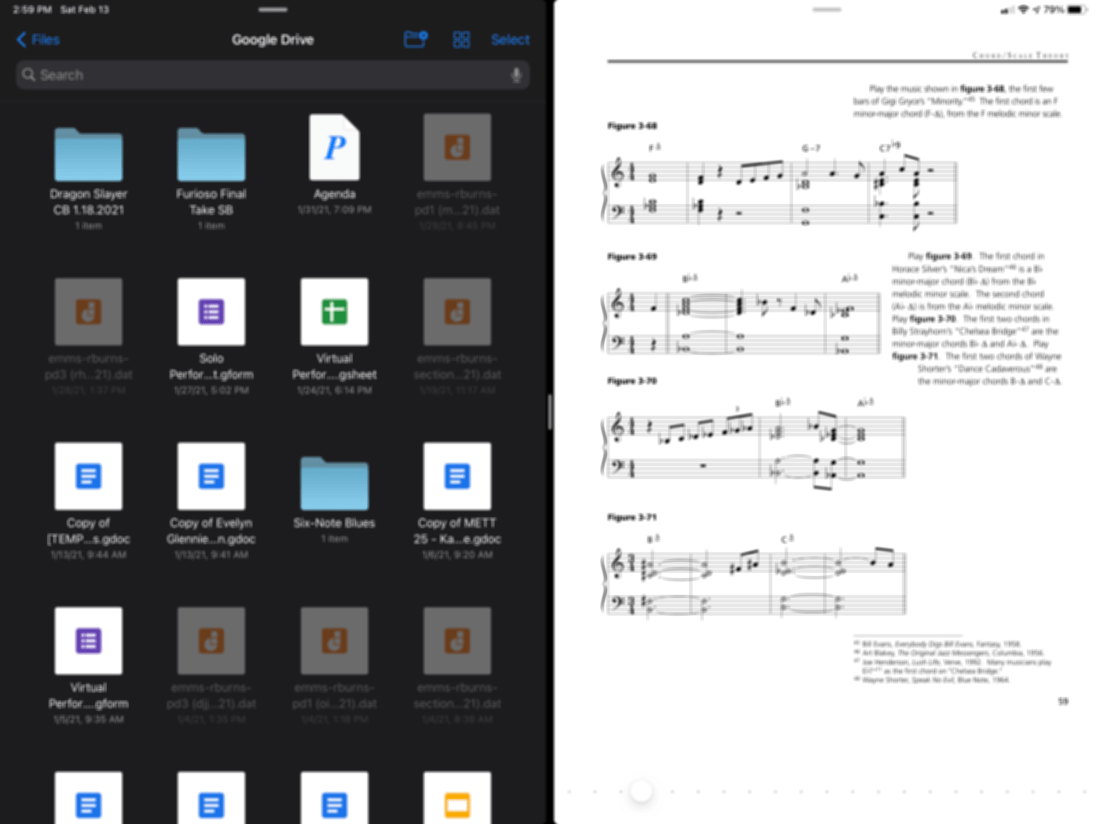
Sometimes I get asked the fastest way to import music into forScore on iPad. Most of my colleagues store their music in Dropbox or Google Drive so I made a video showing off how you can drag PDFs directly from one of these services into forScore by using the Files app and forScore in split-view.
Take Advantage of IFTTT Discounted Price Until October 31
In an upcoming episode of my podcast, Frank Buck and I talk a bit about automation. In that episode we reference a great service called If This Than That. I have been using it for years and though the service is free, they recently announced a Pro Version with a âchoose your own priceâ subscription model.
You can choose a price as low as $1.99 a month until October 31. Since the podcast episode isnât dropping until later in the week, I thought I would get this news out there now.
This is an extremely useful service that has been a part of my productivity workflow for years. IFTTT allows you to string together different apps and services to create automations, or, âApplets.â Some examples might include:
-
If I save a YouTube video to watch later, add a task to remind me to watch it
-
If I like a Tweet, save the attached article to a read it later list
-
If I am tagged in an Instagram photo, save it to my Dropbox
-
If I do an item on my to do list, log it in a row of a Google Sheet
-
If I pin something on Pinterest, share it to Facebook
The possibilities are limitless. The pro version adds a ton of features, for example:
-
Multi-step Applets
-
Queries and conditional logic
-
Multiple actions
-
Faster Applet execution
… and beyond.
IFTTT is a great tool and I strongly recommend you check our the new pro features before the end of this month!
Should You Keep Dropbox?
One of the reasons I continue using Apple products is that they work well together. The better the features work across devices, the less often users need third party software to get things done.
Now that iCloud Drive supports the sharing of files and folders, a lot of vocal Mac and iOS users have debated if they can finally let go of Dropbox.
Productivity master, David Sparks, had some things to say about it on his blog this week:
Iâm Keeping Dropbox â MacSparky
All that said, Dropbox still has many features that sure would be nice in iCloud, like a much better implementation of version history and deletion recovery. I was hoping we would get some more functionality for iCloud Drive this year at WWDC, but we didnât. I was hoping I could throw Dropbox overboard. One less service and one less thing to pay for sure sounded nice.
For me, the major hole in iCloud Drive is that I cannot control what lives on my hard drive and what stays in the cloud. Both Dropbox and iCloud have a feature where they will smartly try to make this decision for you, uploading files you haven’t touched in months to the cloud so that they don’t take up hard drive space.
Sometimes I need the control to be able to tell a service to keep a folder or a file permanently downloaded, no matter what. And iCloud Drive still can’t do this task.
iCloud folder and file sharing are reliable in my use, but setting up the share is far less intuitive than Dropbox, which presents its options to you with clear iconography when you right-click on a folder or file in the Finder.
Why Apple can’t get right what Dropbox figured out over ten years ago still confuses me. Hopefully they will tweak it and make it better.
I am fortunate that my free Dropbox account is large enough that I don’t need to pay. iCloud remains my primary storage solution but I keep Dropbox around for miscellaneous purposes, including sharing with others who don’t use iCloud.
If you want to use Dropbox on a Mac, but avoid installing it, I recommend the app Transmit. While the app is marketed as an FTP client, it can also act as a Google Drive or Dropbox client, allowing you to upload, download, copy, and share files, using a native macOS experience, and without allowing Dropbox to run in the background.
<div class="
image-block-outer-wrapper
layout-caption-below
design-layout-inline
combination-animation-none
individual-animation-none
individual-text-animation-none
">
<figure class="
sqs-block-image-figure
intrinsic
" style="max-width:473px">
<div class="image-block-wrapper">
<div class="sqs-image-shape-container-element
has-aspect-ratio
" style="position: relative;padding-bottom:56.448204040527344%;overflow: hidden">
<img src="https://images.squarespace-cdn.com/content/v1/5595df9ce4b0ce9ff9ecd1a8/1595768986115-FCA3C7CFPFFJGKZ1T7J5/iCloud+Dropbox+Question+Mark+image+for+blog+post+july+2020.jpg" alt="iCloud Dropbox Question Mark image for blog post july 2020.jpg" width="473" height="267" style="display:block;object-fit: cover;width: 100%;height: 100%;object-position: 50% 50%" loading="lazy">
</div>
</div>
</figure>
</div>
App of the Week: PDF Expert 7
Readdle Launches PDF Expert 7, Free Update for iPhone & iPad
Today we are incredibly excited to launch PDF Expert 7 â our vision of what the ultimate PDF experience for every iPhone and iPad should be.
<div class="
image-block-outer-wrapper
layout-caption-below
design-layout-inline
combination-animation-none
individual-animation-none
individual-text-animation-none
">
<figure class="
sqs-block-image-figure
intrinsic
" style="max-width:1575px">
<div class="image-block-wrapper">
<div class="sqs-image-shape-container-element
has-aspect-ratio
" style="position: relative;padding-bottom:56.253971099853516%;overflow: hidden">
<img src="https://images.squarespace-cdn.com/content/v1/5595df9ce4b0ce9ff9ecd1a8/1565197371903-RMAAEU28XEF7U13H2AUX/public.jpeg" alt="public.jpeg" width="1575" height="886" style="display:block;object-fit: cover;width: 100%;height: 100%;object-position: 50% 50%" loading="lazy">
</div>
</div>
</figure>
</div>
This weekâs update to PDF Expert secures it as my favorite PDF app on iOS. The one and only problem I have been having with it for the past year or two was its lack of integration with the iOS document browser, which shows you the same interface as the Files app when selecting which PDF you want to work with. I wrote about this last week with reference to the OmniGroupâs apps getting support for the native file browser this fall.
Accessing the the document browser is a tap away at all times. A ârecent documentsâ option is also one tap away. This is helpful because PDF Expert does a great job of integrating different options for managing your PDFs. It has Dropbox and Google Drive support. It also allows you to store PDFs locally within the app. This is useful for me when I am creating new PDFs or temporarily making copies of them for the purpose of editing the order of pages, the text of my documents, etc…
<div class="
image-block-outer-wrapper
layout-caption-below
design-layout-inline
combination-animation-none
individual-animation-none
individual-text-animation-none
">
<figure class="
sqs-block-image-figure
intrinsic
" style="max-width:2500px">
<div class="image-block-wrapper">
<div class="sqs-image-shape-container-element
has-aspect-ratio
" style="position: relative;padding-bottom:74.95999908447266%;overflow: hidden">
<img src="https://images.squarespace-cdn.com/content/v1/5595df9ce4b0ce9ff9ecd1a8/1565197870642-3I1XF3DAXW0R50JY4D3S/public.jpeg" alt="The PDF Expert 7 interface. âMy Filesâ are locally stored documents which do not sync to iCloud. They can be viewed in the Files app through the PDF Expert file provider." width="2500" height="1874" style="display:block;object-fit: cover;width: 100%;height: 100%;object-position: 50% 50%" loading="lazy">
</div>
</div>
<figcaption class="image-caption-wrapper">
<div class="image-caption"><p class="">The PDF Expert 7 interface. âMy Filesâ are locally stored documents which do not sync to iCloud. They can be viewed in the Files app through the PDF Expert file provider.</p></div>
</figcaption>
</figure>
</div>
I like my âone trueâ copies of my documents to live in iCloud. I will often take a scan of a stack of concert band parts, drag it into PDF Expert, extract the individual pages into separate parts (Flute 1, Flute 2, etc.), and then save these parts back to iCloud. I donât want any of the extra files generated during this process cluttering up my documents folder, so its nice to have a quarantined area of PDF Expert where they can live.
<div class="
image-block-outer-wrapper
layout-caption-below
design-layout-inline
combination-animation-none
individual-animation-none
individual-text-animation-none
">
<figure class="
sqs-block-image-figure
intrinsic
" style="max-width:2500px">
<div class="image-block-wrapper">
<div class="sqs-image-shape-container-element
has-aspect-ratio
" style="position: relative;padding-bottom:74.95999908447266%;overflow: hidden">
<img src="https://images.squarespace-cdn.com/content/v1/5595df9ce4b0ce9ff9ecd1a8/1565196841770-0MU2SBDZSCDOR98S0JL2/public.jpeg" alt="The old PDF Expert interface." width="2500" height="1874" style="display:block;object-fit: cover;width: 100%;height: 100%;object-position: 50% 50%" loading="lazy">
</div>
</div>
<figcaption class="image-caption-wrapper">
<div class="image-caption"><p class="">The old PDF Expert interface.</p></div>
</figcaption>
</figure>
</div>
<div class="
image-block-outer-wrapper
layout-caption-below
design-layout-inline
combination-animation-none
individual-animation-none
individual-text-animation-none
">
<figure class="
sqs-block-image-figure
intrinsic
" style="max-width:2500px">
<div class="image-block-wrapper">
<div class="sqs-image-shape-container-element
has-aspect-ratio
" style="position: relative;padding-bottom:74.95999908447266%;overflow: hidden">
<img src="https://images.squarespace-cdn.com/content/v1/5595df9ce4b0ce9ff9ecd1a8/1565197154757-K5WVCVD617V3L386DA1H/public.jpeg" alt="The PDF Expert file provider, accessed through the Files app." width="2500" height="1874" style="display:block;object-fit: cover;width: 100%;height: 100%;object-position: 50% 50%" loading="lazy">
</div>
</div>
<figcaption class="image-caption-wrapper">
<div class="image-caption"><p class="">The PDF Expert file provider, accessed through the Files app.</p></div>
</figcaption>
</figure>
</div>
These local files can also be accessed from the native Files app as PDF Expert is a file provider.
Furthermore, PDF Expert gets its own iCloud folder where you can store documents by default. This is becoming less necessary because of how easy it is to access the Files interface, regardless of where your PDFs are stored.
As mentioned above, the ârecentsâ option makes it more streamlined to find what you want, no matter which of these methods you have used to store documents.
I am focusing a lot on the file workflow here because PDF Expert 6 already had the best feature set of any PDF app I have used on iOS. A clean interface, great editing tools, the ability to edit the text and images of a PDF (for real!) and more. These features are now all free. PDF Expert 7 introduces some pro features that come at the cost of 50 dollars a year. Some of these features include converting to PDF from Word or Excel files, and the option to customize the look and feel of the editing tools at the top of the screen. I am glad PDF Expert chose these features to put in the paid tier. It is just enough that it will be worth it for some users, but all of the good stuff is still in the free version.
I will probably try the one week free trial but will most likely stick with the free version.
<div class="
image-block-outer-wrapper
layout-caption-below
design-layout-inline
combination-animation-none
individual-animation-none
individual-text-animation-none
">
<figure class="
sqs-block-image-figure
intrinsic
" style="max-width:2500px">
<div class="image-block-wrapper">
<div class="sqs-image-shape-container-element
has-aspect-ratio
" style="position: relative;padding-bottom:74.95999908447266%;overflow: hidden">
<img src="https://images.squarespace-cdn.com/content/v1/5595df9ce4b0ce9ff9ecd1a8/1565197421568-RWR1QG0QYYYU9ISZXNV1/public.jpeg" alt="These PDFs are stored inside of iCloud Drive, inside a folder called PDF Expert. Though this is becoming less necessary now that the Files app is integrated more directly into the app." width="2500" height="1874" style="display:block;object-fit: cover;width: 100%;height: 100%;object-position: 50% 50%" loading="lazy">
</div>
</div>
<figcaption class="image-caption-wrapper">
<div class="image-caption"><p class="">These PDFs are stored inside of iCloud Drive, inside a folder called PDF Expert. Though this is becoming less necessary now that the Files app is integrated more directly into the app.</p></div>
</figcaption>
</figure>
</div>
<div class="
image-block-outer-wrapper
layout-caption-below
design-layout-inline
combination-animation-none
individual-animation-none
individual-text-animation-none
">
<figure class="
sqs-block-image-figure
intrinsic
" style="max-width:2500px">
<div class="image-block-wrapper">
<div class="sqs-image-shape-container-element
has-aspect-ratio
" style="position: relative;padding-bottom:74.95999908447266%;overflow: hidden">
<img src="https://images.squarespace-cdn.com/content/v1/5595df9ce4b0ce9ff9ecd1a8/1565196892083-LCBDJJS30HZWFVKZ6EGZ/public.jpeg" alt="The new PDF Expert interface puts the iOS document browser. In this screenshot, I can directly access PDFs that are stored in my musical Scores folder, which is in my iCloud Drive." width="2500" height="1874" style="display:block;object-fit: cover;width: 100%;height: 100%;object-position: 50% 50%" loading="lazy">
</div>
</div>
<figcaption class="image-caption-wrapper">
<div class="image-caption"><p class="">The new PDF Expert interface puts the iOS document browser. In this screenshot, I can directly access PDFs that are stored in my musical Scores folder, which is in my iCloud Drive.</p></div>
</figcaption>
</figure>
</div>
Skepticism about Evernoteâs new announcement
As you probably know, I have been a huge advocate for Evernote in my book, clinics, and numerous podcasts. If you know that, you might also know that I have been looking for a replacement for it for years now.
Evernoteâs future has been unclear to me for a number of years now. While they have managed to keep their apps up to date with the latest iOS features, no major new features have been added to the platform in recent memory. Yet the company has raised prices, removed features from the free tier, and had some other small missteps.
Yesterday, Evernote unveiled this post on their site. Its a followup to this post from earlier in the year. I thought the post from earlier in the year was a load of meaningless corporate and marketing speak, but todayâs really takes the cake. And donât even get me started on the post within todayâs post that goes on and on for paragraphs about redesigning the appâs Elephant mascot, amongst other things. Dropbox tried this exact kind of thing earlier in the year where they make a huge rebrand announcement that is all graphic design and marketing fluff without any meat about how it will impact the user experience. And it hasnât changed anything about how Dropbox is actually used other than making the user interface more difficult to understand in some places.
<div class="
image-block-outer-wrapper
layout-caption-below
design-layout-inline
combination-animation-none
individual-animation-none
individual-text-animation-none
">
<figure class="
sqs-block-image-figure
intrinsic
" style="max-width:1774px">
<div class="image-block-wrapper">
<div class="sqs-image-shape-container-element
has-aspect-ratio
" style="position: relative;padding-bottom:75.08455657958984%;overflow: hidden">
<img src="https://images.squarespace-cdn.com/content/v1/5595df9ce4b0ce9ff9ecd1a8/1534339871462-LV5PKU0SHGJBH1AJP6VG/Screen+Shot+2018-08-15+at+9.29.43+AM.png" alt="Like, really, Dropbox. In this limited space, could you seriously not think of any more information I might want to see while playing back an audio file other than this dude dancing next to a disco ball? This particular page is even worse on the smaâŚ" width="1774" height="1332" style="display:block;object-fit: cover;width: 100%;height: 100%;object-position: 50% 50%" loading="lazy">
</div>
</div>
<figcaption class="image-caption-wrapper">
<div class="image-caption"><p class="">Like, really, Dropbox. In this limited space, could you seriously not think of any more information I might want to see while playing back an audio file other than this dude dancing next to a disco ball? This particular page is even worse on the small screen of an iPhone.</p></div>
</figcaption>
</figure>
</div>
To me, yesterdayâs blog posts are further proof that Evernote does not have a clear vision for how to make their products better for users. The community has been very clear about what they want from the company. A better redesigned Mac app, markdown support, and code blocks, to name a few. But rather than disclose a roadmap of user facing product improvements, Evernote seems only committed to blowing steam through the use of fancy graphic design, photography, and web design. If only they put all of that time and money into actual features that would make users lives better.
So I think this is the final straw. I am going to let my Evernote subscription lapse this fall when it comes to a close. The real challenge about this situation for me, and other Evernote users, is that it is the most fully featured note app on the market. Of all the things one might want from a note app, Evernote covers more of them than any of the competition. But unfortunately for Evernote, stock software like Apple Notes is good enough to do most of the things people need. And for those who want more, there is an emerging bunch of independent developers making note apps who show way more hustle, adding major features to their apps, annually (Bear, for example).
Apple Notes does such a nice job with simple text scraps, web clippings, and check lists, that the only primary use of Evernote I need to replace once my subscription lapses is the âeverything bucketâ use case. âEverything bucketâ is the phrase I use to describe the dumping of PDFs, images, emails, and websites into a digital âdrawerâ so to speak, where I can later search these documents by the text within them.
This summer I have been giving DEVONthink a try. It is a Mac and iOS app that is a one time paid purchase on each device. It is a document management app that has all of the âeverything bucket” features of Evernote and more. I hope to write more on it soon. For now, I am pretty happy that I have an easy way to clip receipts, websites for later review, and emails, and have them made automatically text searchable. The DEVONthink app on Mac is hideous, and setting up iCloud sync took me a minute, but the utility of the app is worth it so far. I prefer something like this rather than to continue to support companies who string their customers along while they spend time and money on making their elephant mascot look more 2018.
I may be wrong. Evernote could come out with a killer set of new features in the next 12 months, convincing me and the rest of the world to return to it. Iâll believe it when I see it.
App of the Week: Scanbot (and Scanner Pro)
This weekâs App of the Week is Scanbot!
As years pass, I solidify my mainstay productivity apps. I might try 100 todo or scanner apps, but many of the ones I depend on have been on my home screen for years. For a very long time, Readdleâs Scanner Pro was my scanner app of choice for getting documents and sheet music from the real world into my digital database. Scanbot has recently come to challenge it.
Rather than explain all of the features, I have simply embedded a quick screencast below that shows it off. Both Scanner Pro and Scanbot allow the user to very quickly get paper into their phone, make the text searchable, neaten up the edges, and prepare the document for sharing. Both apps make it easy to customize ways to send finished documents to specific locations in your file system. Scanner Pro does this through custom workflows and Scanbot does it by remembering my most commonly saved locations in my iCloud and Google Drive (you can see this on the last screen of the screencast). But Scanbot has a few nice touches that ultimately push me over the edge, especially considering how tedious scanning documents with a phone can be…
Getting the final scan into a particular location is smoother for me in Scanbot because it always has my most recently saved locations one tap away. I also really like the way that when selecting the edges of the paper, Scanbot has handles that drag an entire edge, whereas Scanner Pro only has handles in the four corners. Notice in the video how Scanbot even detects the edge when I get close and automatically snaps to the edge of the page. Note that both of these apps have an automatic mode that detects the edges for you and bypasses this step. I just wanted to demo the neat snapping feature in the video.
Both apps also create a folder in iCloud Drive that will automatically save all snapped documents so that you can instantly run over to another device like your Mac and get to your new files.
Scanner Pro does have a few unique features. First, its custom workflows are very powerful and can do multiple things with your finished PDF (for example: save a document to Evernote with specific tags, add it to a specific folder in Dropbox, and email it to a coworker all in one tap). Second, it can scan your camera roll for things that look like documents (maybe a business card or a page you shot on your camera in a hurry) and transform them into PDFs on the spot. Third, it integrates with Readdle’s other great productivity apps, like PDF Expert.
Check out these awesome scanning apps and level up your digital organization!


You must be logged in to post a comment.