METT Episode #23 – Rogue Amoeba Audio Apps, with Paul Kafasis

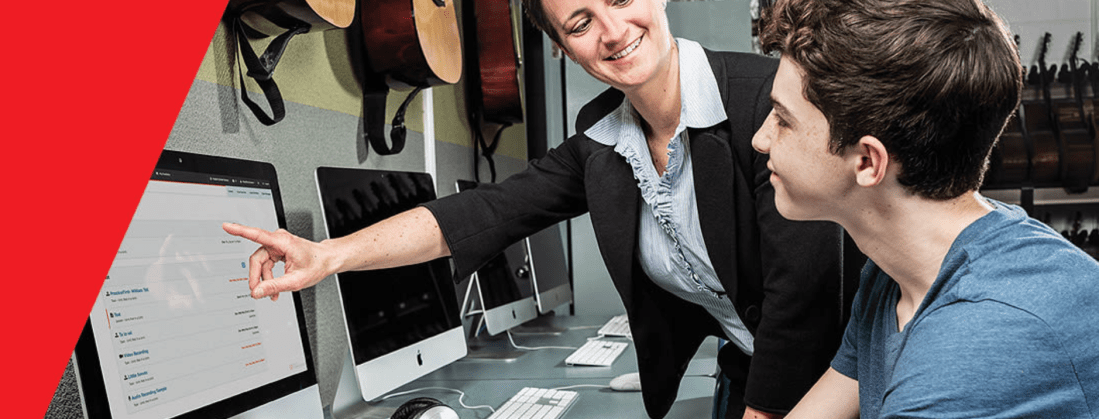
Paul Kafasis, CEO of Rogue Amoeba, joins Robby to talk about the stellar audio apps they make and how Robby is using them in the music classroom both before and during COVID.

Show Notes:

Rogue Amoeba Website: Macaudio.com

Robby’s Scale Exercise Play-Along Tracks
Stream Deck

Rogue Amoeba Apps:

Audio Hijack
Loopback
Sound Source
Piezo
Farrago
Fission
Airfoil
Ultimate Podcast Bundle
Educator Discount and Volume Pricing

My blog post on Audio Hijack
My blog post on Loopback

Mimeo Photos Extension for the Mac | Make premium printed photo projects right on your Mac

Acorn | Full Featured Photo Editor for the Mac

App of the Week:
Robby – Pixelmator Pro
Paul – Tot

Album of the Week:
Robby – Charlie XCX | How I’m Feeling Now
Paul – The Colour and the Shape | Foo Fighters

Where to Find Us:
Robby – Twitter | Blog | Book
Paul – Twitter | Website

Please don’t forget to rate the show and share it with others!

Subscribe to Music Ed Tech Talk:

Subscribe to the Blog

Subscribe to the Podcast in…
Apple Podcasts | Overcast | Castro | Spotify | RSS

App of the Week: Reeder 5

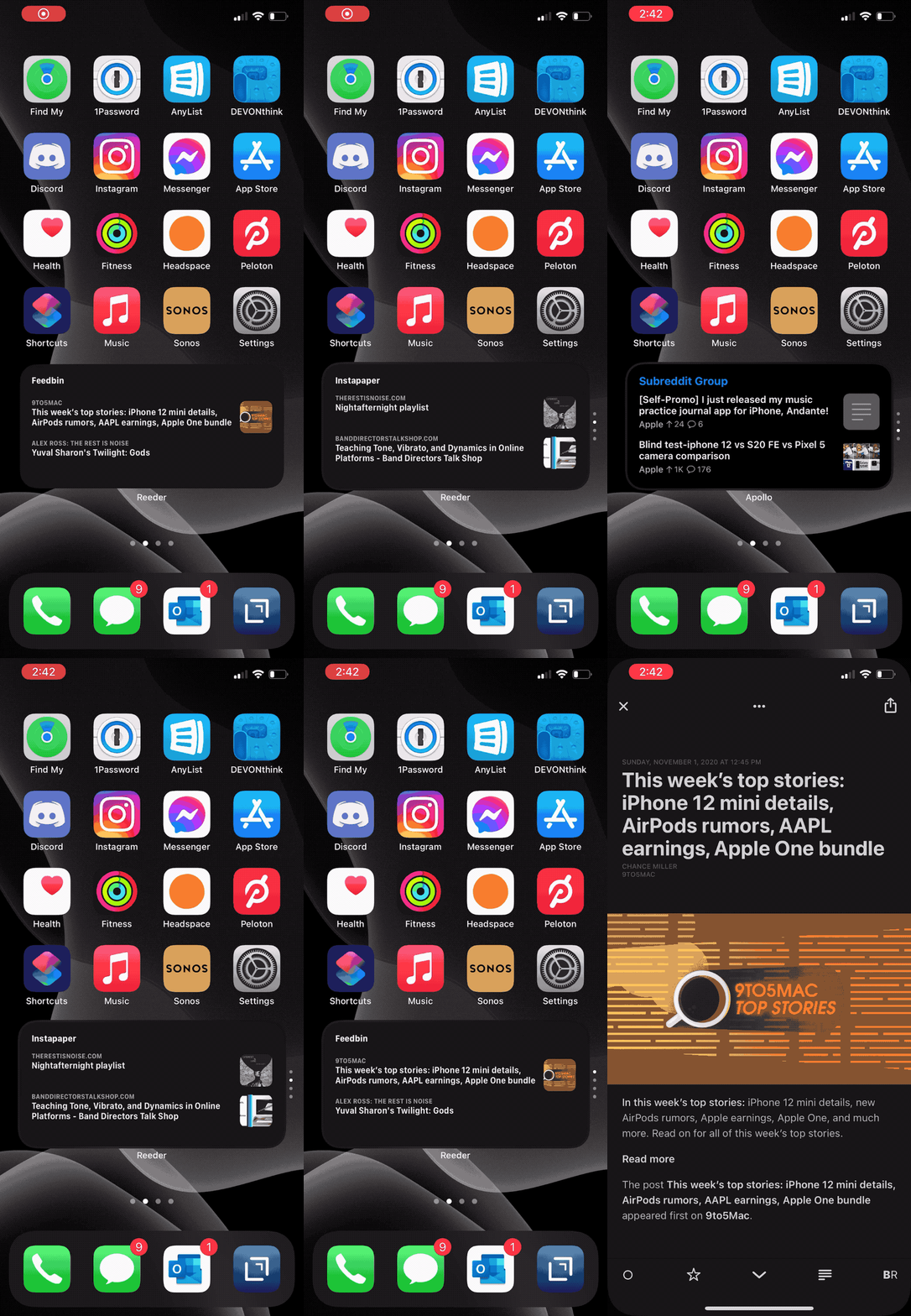
The Reeder widget can serve up articles from blogs I subscribe to or that I have set aside to read later (or both using a stack of widgets).

The Reeder widget can serve up articles from blogs I subscribe to or that I have set aside to read later (or both using a stack of widgets).

On episode 18 of Music Ed Tech Talk, Reeder 5 was my App of the Week.

It’s a really good app and I thought it was worth linking to the review from MacStories if you want to learn more.

Reeder 5 Review: Read Later Tagging, iCloud Sync, and Design Refinements – MacStories:

Last year we named RSS client Reeder 4 the Best App Update as part of the MacStories Selects awards for a good reason. Reeder has been one of the best-designed RSS apps available for a very long time. With the release of version 4, developer Silvio Rizzi rebuilt the app on a modern foundation from the ground up. Roughly one year later, version 5 is out as a brand new app that takes what Rizzi began last year and extends it further with a host of excellent new features and design refinements.

I don’t trust social media to show me what I want. If I like a blog, a Twitter account, or an email newsletter, I subscribe to it through Feedbin, and then read my Feedbin articles through Reeder 5. I also log into my Instapaper account through Reeder 5 and clip articles I want to read later to it with a speedy swipe-left.

On page two of my home screen, I have this medium sized widget at the bottom that rotates between different news sources: Apple News, Apollo, Feedbin, and Instapaper, the later of the two using the Reeder 5 widget. It’s a great way to stay on top of the news that’s important to me.

Sponsor Music Ed Talk Talk!

Do you have a product, app, or service that you would like to promote?

I am now offering sponsorships for the blog and podcast! A sponsorship includes…

  • An ad pinned to the sidebar of this blog (my thanks to this month’s sponsor, Flat for Education!)

  • A blog post about your product in my feed. You can provide the copy. If you wish, I can test your product and add some of my own experiences to the post.

  • An ad read on one episode of my podcast. Again, you provide the copy, but it is read conversationally in the middle of my show, not like a commercial. I speak to my own experiences if I have them.

I am open to all kinds of sponsorships. The audience of the blog and podcast are musicians and educators, often active music teachers, who are generally tech-savvy. Many of them use multiple computing devices, aren’t afraid to try new tech, and are looking for practical ways to engage their students musically.

Naturally, software that enhances the creative and productive lives of musicians and teachers is a good fit but I am open to sponsorships of a much wider variety than just that. Music stores, colleges, fundraisers, books, you name it!

If you want to be a sponsor, or if you want more details, choose Contact in the navigation bar of this site and leave me a message!

And if you don’t have a reason to sponsor the site in this way, but you want to support my continued hosting costs and motivation to keep producing content, check out my Buy Me a Coffee page. I appreciate any and all support!

🔗 New Features Coming to Noteflight Learn’s SoundCheck Integration

My school district purchased us some music tech services for use in our online classes this fall. I have been meaning to write at more length about Noteflight Learn and Soundtrap, but I am still getting my heels into the ground with them. Both services take time to learn how they are effective in practice, not to mention there are a lot of quirks with how they integrate with our learning management software, Canvas.

I did want to highlight some upcoming features to Noteflight Learn, specifically regarding their new SoundCheck integration which launched this past summer. My district purchased the SoundCheck integration which means that I can give Noteflight scores as assessments where my band students play the notes into the computer and get a score. Some of these forthcoming features are going to save me a lot of headaches and I am glad to see them coming.

Check out the full list in the blog post below from John Mlynczak. I have quoted some of my favorites.

SoundCheck Check One Two:

New Features Coming Soon

We are working on several new features to be made available ASAP. In the coming weeks, here is what you will see:

– The SoundCheck assessment rating will be automatically added to grade book of your own LMS, including Google Classroom, Canvas, Schoology, Powerschool, Brightspace, Blackboard, Moodle, and more.

– Students just need to complete their assignment and use the same “Turn In” button already available in Noteflight Learn.

– All Content Library scores will include a SoundCheck version that can be used right away. You can always edit a Content Library score and create your own SoundCheck version as well.

And the cherry on top for this iPad-loving, late-night, couch worker:

– iOS functionality. SoundCheck currently does not work in the browser on iOS.

METT Podcast #16 – Master Your Virtual Teaching Tech, with David MacDonald

Thanks to my sponsor this month, MusicFirst

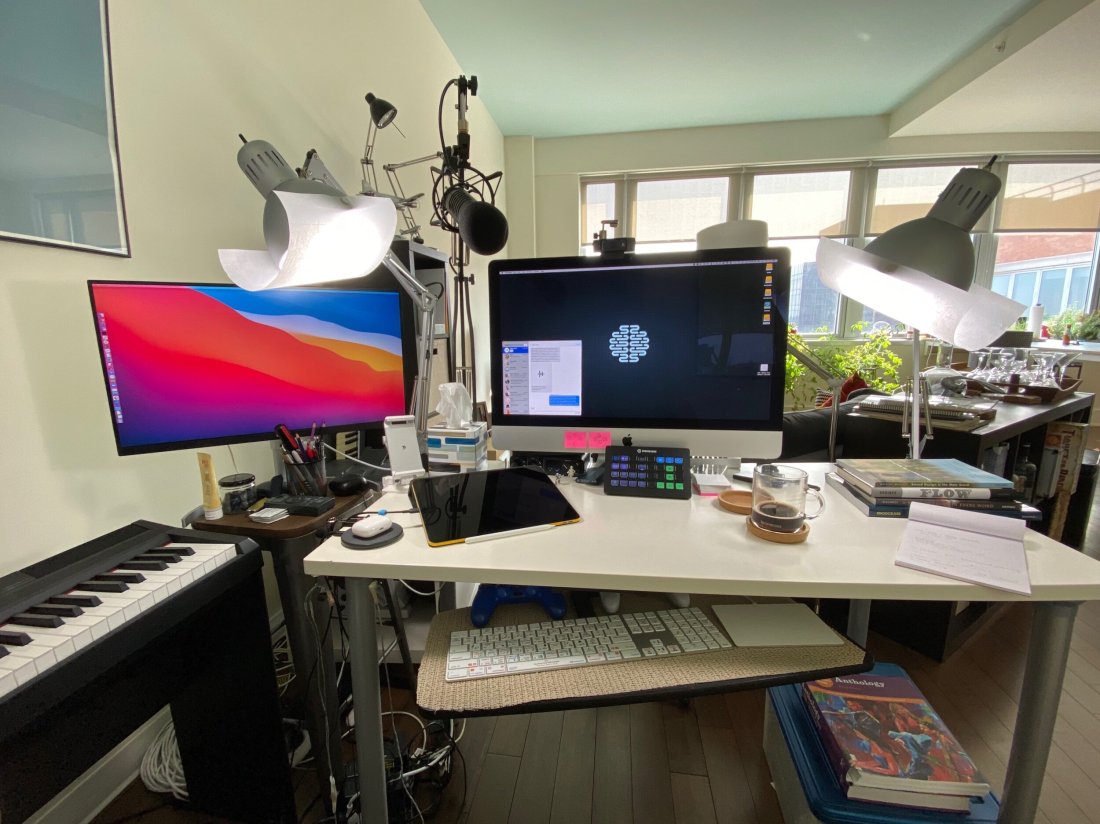
David MacDonald returns to the show to talk about the hardware and software in our virtual teaching setups. Then we speculate about touchscreen Macs and consider how Apple’s recent App Store policies might impact the future of creative professional software on iOS.

Topics include:

  • New Zoom features for musicians and teachers
  • David and Philip Rothman‘s new podcast, Scoring Notes
  • Using Open Broadcaster Software to level up your virtual teaching
  • Routing audio from your apps into Zoom and Google Meet calls
  • Teaching with Auralia
  • LMS integration with third-party music education apps
  • Using MainStage and Logic for performing instruments into virtual classrooms
  • Touchscreen Macs
  • Apple’s App Store Policy

Show Notes:

Where to Find Us:
Robby – Twitter | Blog | Book
David MacDonald – Twitter | Website | Blog

Please don’t forget to rate the show and share it with others!

Subscribe to Music Ed Tech Talk:

Subscribe to the Blog

Subscribe to the Podcast in…
Apple Podcasts | Overcast | Castro | Spotify | RSS

Today’s episode is sponsored by MusicFirst:

MusicFirst offers music educators and their students easy-to-use, affordable, cloud-based software that enables music learning, creation, assessment, sharing, and exploration on any device, anywhere, at any time.

MusicFirst Classroom is the only learning management system designed specifically for K-12 music education. It combines the flexibility of an LMS with engaging content and powerful software integrations to help manage your students’ progress, make lesson plans, and create assignments.

And for younger students, MusicFirst Junior is the perfect online system for teaching elementary general music. It includes a comprehensive K-5 curriculum, hundreds of lessons & songs, and kid-friendly graphics to making learning and creating music fun!

Whether you’re teaching remotely, in-person, or in a blended learning environment, MusicFirst will work with you to find a solution that fits your program’s unique needs. Try it free for 30 days at musicfirst.com.

<div class="
      image-block-outer-wrapper
      layout-caption-below
      design-layout-inline
      combination-animation-none
      individual-animation-none
      individual-text-animation-none
    ">


    <figure class="
          sqs-block-image-figure
          intrinsic
        " style="max-width:2500px">


      <div class="image-block-wrapper">
        <div class="sqs-image-shape-container-element


          has-aspect-ratio
        " style="position: relative;padding-bottom:74.95999908447266%;overflow: hidden">


            <img src="https://images.squarespace-cdn.com/content/v1/5595df9ce4b0ce9ff9ecd1a8/1600038818677-9KFU4NAEUS7MPSAS5S61/IMG_3003.jpeg" alt="David’s teaching setup." width="2500" height="1874" style="display:block;object-fit: cover;width: 100%;height: 100%;object-position: 50% 50%" loading="lazy">

        </div>
      </div>


      <figcaption class="image-caption-wrapper">
        <div class="image-caption"><p class="">David’s teaching setup.</p></div>
      </figcaption>


    </figure>


</div>


<div class="
      image-block-outer-wrapper
      layout-caption-below
      design-layout-inline
      combination-animation-none
      individual-animation-none
      individual-text-animation-none
    ">


    <figure class="
          sqs-block-image-figure
          intrinsic
        " style="max-width:2500px">


      <div class="image-block-wrapper">
        <div class="sqs-image-shape-container-element


          has-aspect-ratio
        " style="position: relative;padding-bottom:75%;overflow: hidden">


            <img src="https://images.squarespace-cdn.com/content/v1/5595df9ce4b0ce9ff9ecd1a8/1600038852982-OD6Y5XFUFRAL1TR2PPJD/A7067C72-D117-473F-A9FA-D3938A9C1A5E.jpeg" alt="My teaching setup." width="2500" height="1875" style="display:block;object-fit: cover;width: 100%;height: 100%;object-position: 50% 50%" loading="lazy">

        </div>
      </div>


      <figcaption class="image-caption-wrapper">
        <div class="image-caption"><p class="">My teaching setup.</p></div>
      </figcaption>


    </figure>


</div>


<div class="
      image-block-outer-wrapper
      layout-caption-below
      design-layout-inline
      combination-animation-none
      individual-animation-none
      individual-text-animation-none
    ">


    <figure class="
          sqs-block-image-figure
          intrinsic
        " style="max-width:2500px">


      <div class="image-block-wrapper">
        <div class="sqs-image-shape-container-element


          has-aspect-ratio
        " style="position: relative;padding-bottom:75%;overflow: hidden">


            <img src="https://images.squarespace-cdn.com/content/v1/5595df9ce4b0ce9ff9ecd1a8/1600038981679-Y8MXKP63LULXCLM4Y5I3/IMG_2823.jpeg" alt="…From far away." width="2500" height="1875" style="display:block;object-fit: cover;width: 100%;height: 100%;object-position: 50% 50%" loading="lazy">

        </div>
      </div>


      <figcaption class="image-caption-wrapper">
        <div class="image-caption"><p class="">…From far away. </p></div>
      </figcaption>


    </figure>


</div>

MusicFirst (Sponsor)

I am thrilled that Music Ed Tech Talk is sponsored by MusicFirst this month. What is MusicFirst? In their own words:

MusicFirst offers music educators and their students easy-to-use, affordable, cloud-based software that enables music learning, creation, assessment, sharing, and exploration on any device, anywhere, at any time.

MusicFirst Classroom is the only learning management system designed specifically for K-12 music education. It combines the flexibility of an LMS with engaging content and powerful software integrations to help manage your students’ progress, make lesson plans, and create assignments.

And for younger students, MusicFirst Junior is the perfect online system for teaching elementary general music. It includes a comprehensive K-5 curriculum, hundreds of lessons & songs, and kid-friendly graphics to making learning and creating music fun!

Whether you’re teaching remotely, in-person, or in a blended learning environment, MusicFirst will work with you to find a solution that fits your program’s unique needs. Try it free for 30 days at musicfirst.com.

This past school year, I piloted our district’s General Music II class. It marks the first time in our school system where a middle school level music class has built off of a prior year of skill development. Along with this development, our school’s Mac lab began to get phased out and replaced with Chromebooks.

I decided to invest in MusicFirst, a holistic, all-in-one, solution for teaching music with computers.

A small grant covered the cost of some low-end MIDI controllers, and my 8th graders were off! MusicFirst, and the integrated third party apps, blew open the doors. Suddenly we could compose notation with the clarity and creativity that Noteflight offers. Soundtrap, one of the digital audio workstations that you can bundle with a MusicFirst subscription, stores its content in the cloud, meaning students were never limited to the instruments or loops that happened to be installed on the Mac they sat down at that day.

To top it off, we were able to apply our piano skill from earlier in the semester to record our original parts into the computers. The fact that this software runs on the web means students can work on projects at home. It’s fantastic!

In March, when schools shifted to an online model, MusicFirst suddenly increased in value. I honestly don’t know how I would have taught my music class without it. Soundtrap kept students engaged in creating music once every week and collaborating on projects.

MusicFirst’s content library is massive. You can download an entire course-worth of units and lesson plans from dozens of pre-built classes.

In my early curiosity, I downloaded MusicFirst’s “Middle School Music Technology” class to my account and invited all of my students to it. I was able to easily drag and drop lessons and units from this course into dates on a calendar and have them appear as tasks to students. These lesson plans include clear instructions, engaging media, and assignments that link directly out to whatever software is required to get the task done.

For example, we spent some time learning the blues last spring. There is a unit in the pre-made music tech course that teaches students some blues basics. It starts with a lesson plan that has a pre-made playlist featuring artists like B. B. King. After listening to some recorded examples, it links students to a discussion task, where they can comment about the stylistic features of the music. Next, students move on to a lesson that explains the blues scale and links directly to a Soundtrap project, where the are tasked to record an improvisation using the notes of the blues scale. Saving their work in Soundtrap automatically saves it to the assignment in MusicFirst, where I can review and grade them all in the same place.

The pre-made content is a life saver if are teaching out of your content area and are feeling overwhelmed. Even if you are not, the content will speed things up for you. (Aggregating Spotify playlists, images, and instructions into a meaningfully structured lesson takes time, even if the ideas are already in your head!).

The course content is also fully customizable. In the blues example above, I wanted the improvisation assignment in Soundtrap to have a 12 bar bass line and shuffle beat pre-recorded, so that students felt like they were playing along to something. I was able to accomplish this, and saved a lot of time due to the instructions and embedded media having already been curated.

Give MusicFirst a try. It is such a comprehensive offering, that I am sure it can enhance your teaching! Click herefor more details.

<div class="
      image-block-outer-wrapper
      layout-caption-below
      design-layout-inline
      combination-animation-none
      individual-animation-none
      individual-text-animation-none
    ">


    <figure class="
          sqs-block-image-figure
          intrinsic
        " style="max-width:925px">


      <div class="image-block-wrapper">
        <div class="sqs-image-shape-container-element


          has-aspect-ratio
        " style="position: relative;padding-bottom:15.243242263793945%;overflow: hidden">


            <img src="https://images.squarespace-cdn.com/content/v1/5595df9ce4b0ce9ff9ecd1a8/1599398242244-DSIL1YW9YVE14T0RSKEX/MusicFirst+Logo+black+for+blog+post.png" alt="MusicFirst Logo black for blog post.png" width="925" height="141" style="display:block;object-fit: cover;width: 100%;height: 100%;object-position: 50% 50%" loading="lazy">

        </div>
      </div>


    </figure>


</div>

🎙 #13 – Exploring Noteflight Learn, with John Mlynczak

John Mlynczak returns to the show to discuss Noteflight’s new integration with Sound Check and offers advice to educators about teaching online this fall, and what we can learn from it.

Show Notes:

App of the Week:
Robby – Kindle/Audible |
John – TikTok

Album of the Week:
Robby – Igor Levit – Beethoven Piano Sonatas |
John – Hamilton on Disney+

Where to Find Us:
Robby – Twitter | Blog | Book |
John – Twitter

Subscribe to Music Ed Tech Talk:

Subscribe to the Blog

Subscribe to the Podcast in…
Apple Podcasts | Overcast | Castro | Spotify | RSS

🎙 Introducing Music Ed Tech Talk, My New(ish) Podcast!

Today I am excited to announce that my podcast, Robby Burns + Friends, is getting a long overdue re-brand. I am renaming the show Music Ed Tech Talk. It will continue to follow the candid guest/host conversation style and will focus on music, education, technology, and other mutual interests.

Given my investment in the fields of music and education, and my intense interest in technology, most episodes of Robby Burns + Friends were already centered on these topics. I felt it was time to rebrand the show to better indicate to new listeners what they should expect when they press play.

That being said, I see this show, in combination with my blog, to be my digital megaphone, so don’t be surprised to hear me venture into the unknown. This is not a show about music technology education. It is a show about music, education, and technology. Three separate interests, sometimes discussed in isolation, sometimes in combination, and sometimes not at all. What I am saying is — don’t be surprised to hear occasional digressions on Star Wars and pickling. 

I am hosting this show in the same place so you should expect to keep getting episodes in your feed if you were subscribed to Robby Burns + Friends. If not, please let me know. I am keeping the first three seasons of RB+F in the Apple Podcasts Directory under the new title because I feel that they are, spiritually speaking, the same show. I will be tightening up the format a little bit, and am planning to speak with new and exciting guests.

That about sums it up. Ushering in this new season of Music Ed Tech Talk is my very first guest ever, Jon Tippens. You can listen to the new episode and read the show notes here or click play right below.

Show Notes:

@ryebot on Twitter, designer of my new artwork

Drawing on the Right Side of the Brain, Betty Edwards

The Natural Rider, Mary Wanless

The Inner Game of Tennis, Timothy Galloway

Lynda.com – Online software tutorials

Teaching Musical Performance, Daniel Kohut

OmniFocus – Accomplish More Every Day

Things by Cultured Code

Reid Stefan – Audio tutorials with puppets

Be Focused Pro – Pomodoro App for Mac and iOS

App of the Week: 

Robby – Safari on iPad OS

Jon – Time by bluecocoa

Album of the Week:

Robby – Snarky Puppy Live in Stockholm, 2015

Jon – Dawn of MIDI – Dysnominia

Where to Find Us:

Jon Tippens: Twitter 

Robby Burns: Twitter | Blog

Subscribe to Music Ed Tech Talk:

Apple Podcasts | Overcast | Castro | Spotify | RSS

A Blogging Experiment

Yesterday I posted The 7 Best Apple Home Devices on this blog. In part this was an effort to condense some of my intense study on the subject of home automation over the past four or five years so that someone could benefit from a broad-stroke overview of how I set everything up.

But this post was also 50 percent an experiment. Two summers ago, I posted The 6 Best Automation Apps for iOS. Strangely, this has become the most popular blog on my entire website, by far. This is despite it not really being about music or education, and despite the fact that blogs like MacStories pump out articles 100 times better on the subject, regularly.

My second most popular post is a video about indexing large PDFs using the musical score app forScore on iPad. It is far less popular from the post on automation, but still far more popular than anything I have ever posted. I feel like it represents my niche pretty accurately.

I did some thinking on what could have made my automation blog post so popular. Was it that the title is concise? Bold? Simple? Was it that it had a bite-sized, concrete, number of apps in that same title? Or was it that I successfully tagged the post so that it shows up in a lot of web searches? I tried to replicate a little bit of that format in yesterday’s home automation post, while still writing about something I am passionate about. We will see how well it does.

And please do tell me if the home automation post was helpful to you in any way.

My annual resume… and the things I learned from it

Holy blog-posts-I wish-I-had-posted-at-the-end-of-last-school-year-but-here-we-are-on-the-eve-of-my-new-school-year Batman! I guess its never too late to share some reflections on last school year as I look towards this one. I mention this just to caution you to read it as if I was posting it a month ago.

I am wishing my teacher friends (whether you have been back at school for days now, or are just starting) a wonderful new year!

TL;DR (Too Long; Didn’t Read):

It’s summer. I am reflecting on the school year. I had a very successful year professionally. It took a toll on me but I learned a lot. I will be saying no to some things this coming year. I also learned how to accomplish more in less time using tools like BusyCal and OmniFocus. Meal planning for the week was time efficient and healthier. Sneaking exercise into my day doubled as a teaching tool.

Prologue

I am nearing the end of a summer vacation that has included everything from cruising the coastline of Kauai with the top down, strolling through the city streets of San Jose with dear friends, to listening to incredible live music in the mountains of Telluride, Colorado. Summer is almost over. As I sit on the couch in Massanutten, VA with nothing in my schedule for the day other than maybe sitting here a little longer, I thought it would be worth finishing this blog post that has been sitting in my inbox for months.

It is time to take inventory of what was, by my measure, a professionally successful year. I have kept busy musically, while learning my limits and what it means to push them. This busy schedule forced me to examine stress (all stress is stress, even good stress), and manage energy and attention. I experimented with tackling tasks in short bursts of free time as well as saying “no.” Teacher burnout is a real thing, but it is possible to manage a thick workload when you really love what you do. Warning: this is an out of the ordinary post for me. The following section is a potentially braggy list of stuff I did with my time this year. The tone of this post is even more conversational than usual, but also very practical. If you want to get to the practical part and skip my self-congratulating list of accomplishments, scroll down to “Learnings.” 

Here was my year in “stuff”…

My Annual Resume

Teaching band: First and foremost, if all I did this year was teach music to middle schoolers, I would consider that a success. As a whole, my music department put on over 16 concerts this year. We directed 14 performing groups, which played entirely different music on every one of those concerts. 

Teaching private lessons: The second busiest domain of my life was my private percussion teaching studio, comprised of 25-30 students. Many of these students made local and state level GT and Honor bands, performed successfully at Solo and Ensemble Festivals, made their top ensembles, and demonstrated inspiring levels of musical growth. 

Conference presenting: This year I had the opportunity to present at seven state level music education conferences on subjects: managing time and tasks effectively, getting digitally organized, using an iPad to work with sheet music, and playing in tune with the support of tuning apps. I presented at the Ohio, Texas, Tennessee, Maryland, Pennsylvania, and New York Music Educators Associations, in addition to the NAfME Conference in Texas. I consider these trips to be a great way to promote my book and continue to make connections with music educators and technology specialists across the country.

Co Directing the Elementary School Honor Band: A first for me! I had the opportunity to co direct the Elementary School Honor Band in my district, the Howard County Public School System. This 85 piece ensemble rehearsed from January through May and then put on a concert in May. It represented students from every Elementary School in our very diverse school district. 

Taking the Symphony Orchestra to Perform at the MMEA Conference: My orchestra director colleague and I got to take our extra-curricular Symphony Orchestra to our state level music educators association conference to perform. It was nice to exercise my directing skills in a music conference, as they pertain to my career more directly than technology.

Church Music Directing: For the past three years, I directed a contemporary music ensemble at the church where I grew up. I ultimately had to step down from this back in January. More on that below. 

New Podcast: Launched a new podcast, The Class Nerd podcast, with Nashville based educator, Craig McClellan. Episodes 1-10 are already out. Listen here.

Podcasting and Blogging: I managed to update my blog and podcast with content that I feel passionate about, though not as regularly as I wished. I plan to be more regular here this coming school year.

Having Fun! Finally, I managed to have a life! My wife and I went on numerous trips, enjoyed drinks with friends, kept up with a few serial dramas, and more. And I managed to get seven hours of sleep most nights.

So here are some things I learned…

Learnings

Too much stuff!!!

Wouldn’t you be surprised to know that I learned this amount of commitment is not sustainable! This year was very busy, and while I said a moment ago that I managed to have a life, I still need to have a better family balance with work. Looking back on all of those conferences, that was seven weeks out of a 40 week school year that I could have been cooking dinner with my wife, listening to music in the dining room. I don’t regret any moment of those conferences, but I would like to achieve a better balance next year.

Transition time is key

I also continue to realize how important transition time is. The colorful blocks in my calendar app had to be touching to fit all of my commitments into my schedule this past year. Having an extra 20 minutes here and there between stuff in my calendar helps me to stay on top of the logistic things that are the glue that hold the rest of the ship together. It also gives me a greater sense of calm and peace which allows my brain to better process what I have just done and approach what I am about to do with better clarity.

Just say no

I have been practicing saying no over the years. But sometimes saying no to prospective commitments is easier than those that you have been engaged with for years. In the thick of the school year, I had to let go of a job I have held for the past three years running a contemporary music ensemble at the church I grew up in. It was as an engaging task on multiple fronts, but I was ultimately not giving it the time it needed and so I had to make a choice. 

I will be making numerous other choices like this next school year. For example, I don’t think presenting at seven conferences is going to work out for me every school year, so next year I am aiming for one. And if my proposals are not accepted at any of them, I will present at none. But I will most likely pick one that has been an engaging source of professional community for me, and attend that one simply to learn.

Time and energy management

One of the challenges that increased the intensity of all of the above commitments was that my work day frequently only included one period of planning a day. This was a choice I made to see more of my students in instrument sectionals. It is hard to appreciate my own decision while in the weeds, but I think time will prove that this was a good choice.

This left me with some options… Wake up earlier and get some extra work done. This requires me to go to bed earlier. Which I never did. So the cycle would continue onward and I would wake up late. This means that I only have lunch and a planning to do any prep work for my day. Which also means I need to catch up after the school day which is actually when my mind is most focused on what I need to do. The problem is that two nights of the week I am running straight home to teach private lessons. The other three I am teaching an after school Jazz Band or Percussion Ensemble, then I am running straight home to teach lessons. Some nights I was not able to catch up until as late as 8 or 9. But then I am too tired to do anything other than watch Netflix. Not to mention I am too removed from my school day to meaningfully reflect. So I sit on the couch. And then maybe after an episode of Westworld, I take care of some email and tasks. Then I go to sleep late. Not too late to get a solid 6-7 hours, but too late to wake up early and get a head start the next morning. 

Of course, this includes little time for cooking or exercise. 

So how did I manage this? Barely… but I made some progress…

Cooking and Exercise

Exercise ended up getting the shaft towards the middle of the year. As I mentioned earlier, I am too tired at 9 pm, so I have to do it at 5 in the morning or most nights it wouldn’t happen. 

I was motivated to do this only if I was working towards something. So for the first half of the year, my wife and I registered for what felt like every 5K offered in the state of Maryland. This got me running whenever I could, even during small 30 minute cracks of transition time in my schedule.

I am also very competitive with my orchestra teaching colleague. We both have the Nike+ Apple Watch and during the months of fall would constantly compete over who could run more miles by comparing the Nike+ leaderboards every day in class. Finding a friend or coworker to work out with can be very motivating, especially when you talk about it constantly throughout the day.

We also learned to “cheat” by turning things into workouts that might otherwise not be considered exercise. We have to tear down the entire cafeteria table layout and set up 85 chairs and stands every Tuesday and Thursday morning for our before-school Symphony Orchestra rehearsals. If you do this really fast and run an Apple Watch “Other” workout, you’d be surprised how many calories you can burn. We got that routine down to seven minutes by the middle of the year. And I can do it in 16 by myself. #proud

When it got cold outside, we decided to change it up. Our principal had a pull up bar sitting in his basement. We asked for it and decided that we would start doing pull-ups at the turn of every class period. Educators as we are, we decided that we would use this as a teaching tool. Much like playing an instrument, if you do something in small increments consistently, you get better. Who knew? Not our students… they continued to think our leaderboard of pull-ups was a competition until the last day of school. But some of them caught on. We were modeling how to develop skills with consistent work ethic. It is a good message to put on display. And my upper body got way stronger.

Alright, to my final work out hack. Fact: Young wind instrumentalists don’t know how to breathe properly. To make a good sound, you have to take a deep and relaxed breath in. Kids don’t know how to do this. But the body knows how to do it naturally… when it is out of breath. So for a sectional lesson or two a year, I try to put my students into this state by making them work out as a warm up. It started with jumping jacks, but I found that didn’t wear their energetic little bodies out enough so I took this 7 Minute Workout App (this is another great way to sneak workouts in to your work day, by the way), and projected it onto the big screen in my room. I did this for an entire rotation of sectionals this year (which is seven school days long). And I teach three sectionals a day. That is three high intensity workouts a day for a week and a half. Those kids have never made a fuller, fatter tone (that lacks any sense of control whatsoever… you kind of have to tell them that, and then express the need to breathe deeply but then have a consistent airflow out).

<div class="
      image-block-outer-wrapper
      layout-caption-below
      design-layout-inline
      combination-animation-none
      individual-animation-none
      individual-text-animation-none
    ">


    <figure class="
          sqs-block-image-figure
          intrinsic
        " style="max-width:200px">


      <div class="image-block-wrapper">
        <div class="sqs-image-shape-container-element


          has-aspect-ratio
        " style="position: relative;padding-bottom:205.66343688964844%;overflow: hidden">


            <img src="https://images.squarespace-cdn.com/content/v1/5595df9ce4b0ce9ff9ecd1a8/1536018807952-SYBEBE9CV2160CD3X68A/IMG_C2A9AB0B0251-1.jpeg" alt="The 7 Minute Workout app." width="200" height="432" style="display:block;object-fit: cover;width: 100%;height: 100%;object-position: 50% 50%" loading="lazy">

        </div>
      </div>


      <figcaption class="image-caption-wrapper">
        <div class="image-caption"><p class="">The 7 Minute Workout app.</p></div>
      </figcaption>


    </figure>


</div>

On to food. My wife is super generous about cooking dinners and picks up a huge weight there. But we don’t have any time to cook the other meals of the day. So what do we do?

Our grocery list starts with the following…eggs, onion, green pepper, salmon, chicken, sweet potatoes, avocados, and asparagus. Some weeks we stock up on yogurt and nuts. I am a creature of habit and can eat the same thing every day for a while before needing to change it up.

So every Sunday, we buy all of this stuff I just mentioned. Then 1-2 dozen eggs, an onion, and a green pepper go into a bowl with salt and pepper. Next, we pour this mixture into these silicon muffin tins and cook for 20-30 minutes at 425 degrees. I eat two of these with a half avocado every morning. I can make close to the best cup of coffee imaginable in under seven minutes with Blue Bottle coffee, an Aeropress, a Baratsa Virtuoso grinder, and this kettle

<div class="
      image-block-outer-wrapper
      layout-caption-below
      design-layout-inline
      combination-animation-none
      individual-animation-none
      individual-text-animation-none
    ">


    <figure class="
          sqs-block-image-figure
          intrinsic
        " style="max-width:200px">


      <div class="image-block-wrapper">
        <div class="sqs-image-shape-container-element


          has-aspect-ratio
        " style="position: relative;padding-bottom:216.5%;overflow: hidden">


            <img src="https://images.squarespace-cdn.com/content/v1/5595df9ce4b0ce9ff9ecd1a8/1536019003864-5E2TNEMJ9SANVAMVA2VO/IMG_81537A04A080-1.jpeg" alt="This is a slightly fancier recipe for the eggy things. By the way, Paprika is a killer app for recipe planning." width="200" height="433" style="display:block;object-fit: cover;width: 100%;height: 100%;object-position: 50% 50%" loading="lazy">

        </div>
      </div>


      <figcaption class="image-caption-wrapper">
        <div class="image-caption"><p class="">This is a slightly fancier recipe for the eggy things. By the way, <a href="https://itunes.apple.com/us/app/paprika-recipe-manager-3/id1303222868?mt=8" target="_blank">Paprika</a> is a killer app for recipe planning.</p></div>
      </figcaption>


    </figure>


</div>

Next is lunch. Easy. All of those other vegetables get roasted with coconut oil, salt, and pepper, until lightly browned. Then the chicken and or salmon goes in the oven until it is just barely safe from poisoning me. I pre-pack these into my Prepd lunch box modular containers and all of it fits in my backpack. No need to bring a lunch box. I supplement with nuts and RX Bars.

<div class="
      image-block-outer-wrapper
      layout-caption-below
      design-layout-inline
      combination-animation-none
      individual-animation-none
      individual-text-animation-none
    ">


    <figure class="
          sqs-block-image-figure
          intrinsic
        " style="max-width:265px">


      <div class="image-block-wrapper">
        <div class="sqs-image-shape-container-element


          has-aspect-ratio
        " style="position: relative;padding-bottom:71.69811248779297%;overflow: hidden">


            <img src="https://images.squarespace-cdn.com/content/v1/5595df9ce4b0ce9ff9ecd1a8/1536019132140-GUIYWKPGYQKLGAN1HSJQ/Unknown.jpeg" alt="Unknown.jpeg" width="265" height="190" style="display:block;object-fit: cover;width: 100%;height: 100%;object-position: 50% 50%" loading="lazy">

        </div>
      </div>


    </figure>


</div>


<div class="
      image-block-outer-wrapper
      layout-caption-below
      design-layout-inline
      combination-animation-none
      individual-animation-none
      individual-text-animation-none
    ">


    <figure class="
          sqs-block-image-figure
          intrinsic
        " style="max-width:226px">


      <div class="image-block-wrapper">
        <div class="sqs-image-shape-container-element


          has-aspect-ratio
        " style="position: relative;padding-bottom:98.67256927490234%;overflow: hidden">


            <img src="https://images.squarespace-cdn.com/content/v1/5595df9ce4b0ce9ff9ecd1a8/1536019154850-847OR2XVNQI7Z6AHW260/Unknown-1.jpeg" alt="Unknown-1.jpeg" width="226" height="223" style="display:block;object-fit: cover;width: 100%;height: 100%;object-position: 50% 50%" loading="lazy">

        </div>
      </div>


    </figure>


</div>

Tech Tools

Now on to time and energy management. Tools that help me manage the many events in my day and the tasks I squeeze in the cracks. BusyCal is my go to on the Mac. It looks and feels like the macOS Calendar app in nearly every way with a ton of great power features on top. It has weather integration, the ability to tag events with people, and more. My favorite is a persistently open “Info” panel on the right side of the screen. Instead of double clicking events to see the notes and location I have assigned them, I click once. And instead of a floating modal box, I can always see the contents of my events. This feature alone is worth the 50 dollars for me. Especially because I use the notes field to track what my private students are working on and I hate clicking so many times in the standard Calendar app to get this info to show up in those modular pop-over windows.

Each lesson, I type student’s assignment into the “notes” field of their block. My “Lessons” calendar is in Google Calendar, and I have published it to a password protected part of my website for private students only. This way, they can log in to see when their next lesson is, and also what I assigned them recently. Now there is no excuse for them to say they forgot what I assigned. And it cuts down tremendously on unneeded parent communication. 

<div class="
      image-block-outer-wrapper
      layout-caption-below
      design-layout-inline
      combination-animation-none
      individual-animation-none
      individual-text-animation-none
    ">


    <figure class="
          sqs-block-image-figure
          intrinsic
        " style="max-width:2320px">


      <div class="image-block-wrapper">
        <div class="sqs-image-shape-container-element


          has-aspect-ratio
        " style="position: relative;padding-bottom:78.2758560180664%;overflow: hidden">


            <img src="https://images.squarespace-cdn.com/content/v1/5595df9ce4b0ce9ff9ecd1a8/1536019405695-JP8UVSE646HL38WBJ0F2/Screen+Shot+2018-09-03+at+8.02.42+PM.png" alt="Check out the right side of the user interface of BusyCal. Reminders and an edit window can be persistently visible on the screen." width="2320" height="1816" style="display:block;object-fit: cover;width: 100%;height: 100%;object-position: 50% 50%" loading="lazy">

        </div>
      </div>


      <figcaption class="image-caption-wrapper">
        <div class="image-caption"><p class="">Check out the right side of the user interface of BusyCal. Reminders and an edit window can be persistently visible on the screen.</p></div>
      </figcaption>


    </figure>


</div>

OmniFocus has been my “todo” app for years. OmniFocus has a great feature called Review where you set your task lists to be reviewed every “x” days, weeks, or months. Every day, it rolls up projects that need to be reviewed. If I wake up up early, this is what I do the moment I sit down at my desk. But it is also possible to do in little spurts throughout the day. This ensures that things don’t slip through the cracks. 

<div class="
      image-block-outer-wrapper
      layout-caption-below
      design-layout-inline
      combination-animation-none
      individual-animation-none
      individual-text-animation-none
    ">


    <figure class="
          sqs-block-image-figure
          intrinsic
        " style="max-width:2314px">


      <div class="image-block-wrapper">
        <div class="sqs-image-shape-container-element


          has-aspect-ratio
        " style="position: relative;padding-bottom:64.21780395507812%;overflow: hidden">


            <img src="https://images.squarespace-cdn.com/content/v1/5595df9ce4b0ce9ff9ecd1a8/1536019634929-KZZ3LIX6U1310EC8TJG2/Screen+Shot+2018-09-03+at+8.06.48+PM.png" alt="Screen Shot 2018-09-03 at 8.06.48 PM.png" width="2314" height="1486" style="display:block;object-fit: cover;width: 100%;height: 100%;object-position: 50% 50%" loading="lazy">

        </div>
      </div>


    </figure>


</div>

OmniFocus just released their version 3.0 for iOS. This introduces some killer new features. First of all, the Forecast view now shows your tasks inline with your calendar so that you have better context for when you should be working on them.

Next, OmniFocus 3 supports a tag that will show something in the Forecast even if it is not due. While Reviewing, for example, I simply swipe left on the tasks that I want to be thinking about for the day, and it adds them to the list. 

<div class="
      image-block-outer-wrapper
      layout-caption-below
      design-layout-inline
      combination-animation-none
      individual-animation-none
      individual-text-animation-none
    ">


    <figure class="
          sqs-block-image-figure
          intrinsic
        " style="max-width:200px">


      <div class="image-block-wrapper">
        <div class="sqs-image-shape-container-element


          has-aspect-ratio
        " style="position: relative;padding-bottom:216.5%;overflow: hidden">


            <img src="https://images.squarespace-cdn.com/content/v1/5595df9ce4b0ce9ff9ecd1a8/1536019888935-VTO9B9XO9YFKFABX3VTK/IMG_4374.PNG" alt="Forecast view shows me my todos in context with my calendar events." width="200" height="433" style="display:block;object-fit: cover;width: 100%;height: 100%;object-position: 50% 50%" loading="lazy">

        </div>
      </div>


      <figcaption class="image-caption-wrapper">
        <div class="image-caption"><p class="">Forecast view shows me my todos in context with my calendar events.</p></div>
      </figcaption>


    </figure>


</div>

OmniFocus now allows you to assign multiple tags to the same task, so I have began including tags for energy level. “Low,” “Medium,” and “High” help me to filter items based on my current state. If I have five minutes, and haven’t eaten in a while, I can look at all the “Low” energy tags and get one or two done. 

Conclusion

I don’t have a grand way to conclude these 3000 words other than to say that I am very proud of my year. I am hoping that next year looks different. I’d like to be less busy, but more importantly, I want to be more focused. Chopping off “domains” of life should afford the opportunity to do fewer things better and with more peace of mind. For now, I think I am going to go for a run and try to enjoy this last week of summer. Please reach out to me if this post was helpful to you in any way shape or form. It took a lot of time to write. I thought about keeping it in a journal for only me, but was encouraged that it could benefit other teachers who are at similar risk for burnout or simply want to increase their productivity.

Expect more blogging next year! Until then, enjoy these final days of summer and have a wonderful school year!