Apple in 2024: The Six Colors report card

CleanShot 2025-02-04 at 14.48.06@2x.

As someone who uses and thinks about Apple computers quite a lot, this read from Six Colors is always interesting.

Apple in 2024: The Six Colors report card – Six Colors:

It’s time for our annual look back on Apple’s performance during the past year, as seen through the eyes of writers, editors, developers, podcasters, and other people who spend an awful lot of time thinking about Apple. The whole idea here is to get a broad sense of sentiment—the “vibe in the room”—regarding the past year. (And by looking at previous survey results, we can even see how that sentiment has drifted over the course of an entire decade.)

This is the tenth year that I’ve presented this survey to my hand-selected group. They were prompted with 14 different Apple-related subjects, and asked to rate them on a scale from 1 (worst) to 5 (best) and optionally provide text commentary per category.
Keep reading here…

If you ask me, here’s how I’d rate Apple right now:

  • Mac: B – Mac hardware is better than ever, but macOS is cluttered with intrusive privacy popups. I’ve never found the operating system more distracting or off-putting.

  • iPhone: B – Battery life on my iPhone 16 Pro Max isn’t as good as my last phone, but I’m loving the new camera button for quick shots of my kid.

  • iPad: C – The latest iPads are great refinements of the 2018 iPad Pro design, but the software remains ok at lots of things, and not a great computer. Just put macOS on it.

  • Wearables: C – AirPods 4 and the new health features in AirPods Pro 2 are highlights, but the Vision Pro is a miss. It’s the first new Apple product category I haven’t felt tempted to buy… ever?

  • Watch: C – I love the Apple Watch, but OS updates and widgets feel half-considered. I never know whether I’ll see my watch face or the widget screen when I glance at my wrist. The Siri watch face and developer API seem abandoned, and Apple needs to figure out how to bring back the blood oxygen sensor in the U.S. before I consider upgrading.

  • Home: E – No meaningful updates. The Apple Home ecosystem remains unreliable, and the smart home industry still feels as chaotic as it did in 2019.

  • Apple TV: D – It’s odd to rate this so low because it’s still the best streaming box by very far, but Apple rarely updates the OS or expands its potential. There’s so much more I’d love them to do.

  • Services: C – Apple TV+ is decent, the news and game subscriptions are forgettable, and iCloud is passable but still not rock-solid.

  • Hardware Reliability: A – If there’s one thing Apple still nails, it’s hardware reliability.

  • Developer Relationship: E – Watching Apple handle EU regulations this past year has made it clear: their business practices hurt developers and users alike. It appears that any real improvement will require regulation.

  • World Impact: E – Given how much Apple prioritizes profit over progress in personal computing, it’s hard not to see them as more of a force for harm than good these days.

New Software Coming from Apple

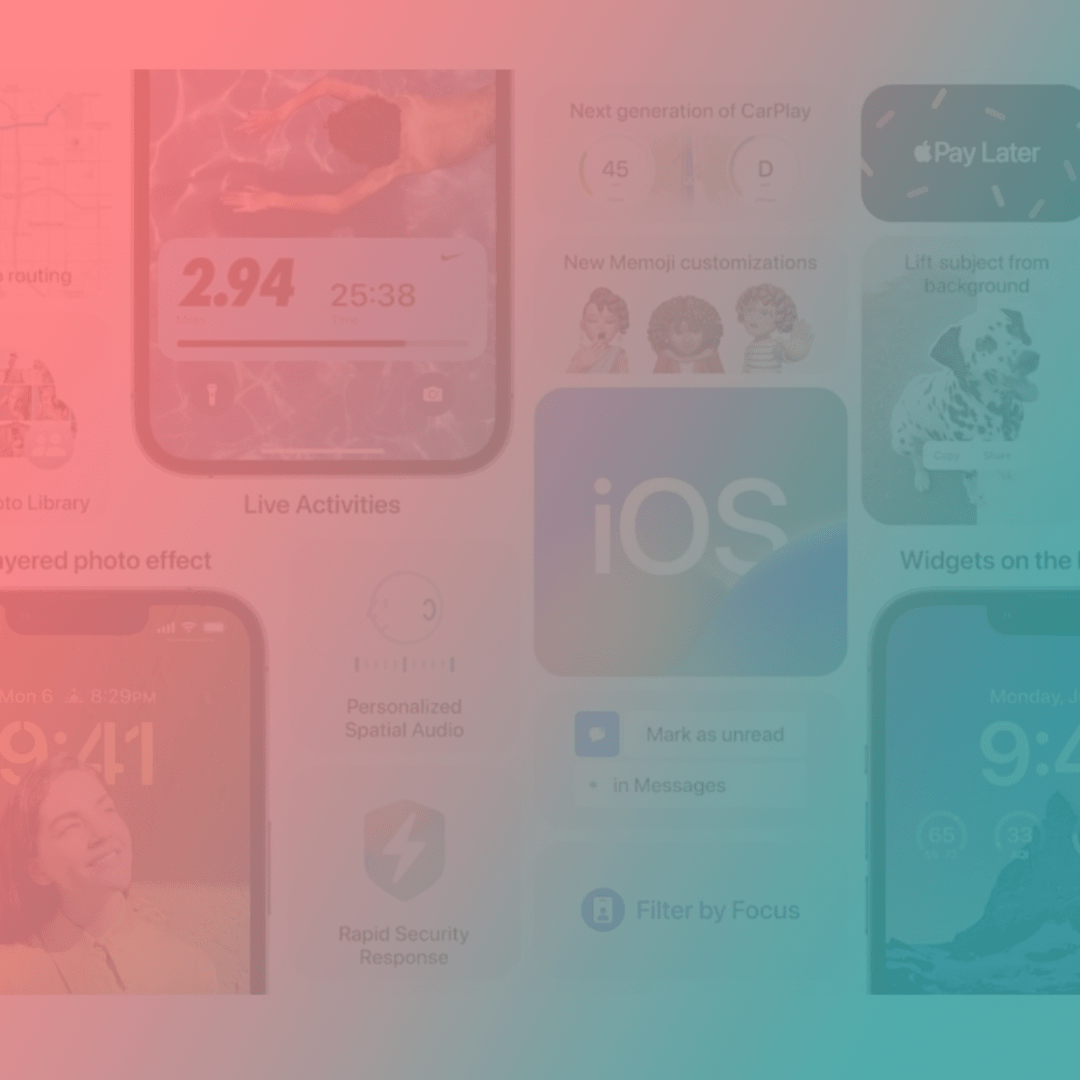
Tim Chaten, host of the iPad Pros podcast, joins the show to talk about Apple’s announcements at their WWDC Keynote this month.

Subscribe to the Blog…
RSS | Email Newsletter

Subscribe to the Podcast in…
Apple Podcasts | Overcast | Castro | Spotify | RSS

Support Music Ed Tech Talk

Become a Patron!

.bmc-button img{height: 34px !important;width: 35px !important;margin-bottom: 1px !important;box-shadow: none !important;border: none !important;vertical-align: middle !important;}.bmc-button{padding: 7px 15px 7px 10px !important;line-height: 35px !important;height:51px !important;text-decoration: none !important;display:inline-flex !important;color:#ffffff !important;background-color:#000000 !important;border-radius: 5px !important;border: 1px solid transparent !important;padding: 7px 15px 7px 10px !important;font-size: 20px !important;letter-spacing:0.6px !important;box-shadow: 0px 1px 2px rgba(190, 190, 190, 0.5) !important;-webkit-box-shadow: 0px 1px 2px 2px rgba(190, 190, 190, 0.5) !important;margin: 0 auto !important;font-family:'Arial', cursive !important;-webkit-box-sizing: border-box !important;box-sizing: border-box !important;}.bmc-button:hover, .bmc-button:active, .bmc-button:focus {-webkit-box-shadow: 0px 1px 2px 2px rgba(190, 190, 190, 0.5) !important;text-decoration: none !important;box-shadow: 0px 1px 2px 2px rgba(190, 190, 190, 0.5) !important;opacity: 0.85 !important;color:#ffffff !important;}Buy me a coffeeBuy me a coffee

Thanks to my sponsors this month, Scale Exercise Play-Along Tracks.

Show Notes:

Where to Find Us:
Robby – Twitter | Blog | Book
Tim Chaten – Twitter | Website

Please don’t forget to rate the show and share it with others!

Yesterday’s iPhone Event

I’ve already been getting texts from colleagues asking about yesterday’s iPhone event so I thought I would put some thoughts down here.

I get why this event has everyone’s curiosity levels at 100 every year. Everyone needs a phone. And they want to know which one will be their next. The truth is, iPhones are at a point where they are going to continue to slowly iterate year over year. Major changes are rare.

Every year Apple makes better iPhones than the previous year. In the case of this year, the most notable improvements are to the camera. If you have been holding on to your phone for 2-3 years, this will be a worthy upgrade.

There are four options: iPhone 13, iPhone 13 mini, iPhone 13 Pro, iPhone Pro Max.

Respectively, those could be explained as New Phone (Medium), New Phone (Small), Better New Phone (Medium), Better New Phone (Big).

I can’t tell you which phone to buy but chances are the New Phone is probably good enough for your needs, and what it will really come down to is size and how ready you are to upgrade. The camera is always better on the Pro models, and I have a toddler, so I am getting that model. While some years there is a better camera in the largest sized model, this is not the case this year, so iPhone Pro 13 (non-Max) it is for me. My wife will be getting a mini, which is a really lovely phone if you can stomach the low battery life.

The most attractive thing announced yesterday was probably the new iPad mini that has the new design of the iPad Pros (with flat edges and support for the second-generation Apple Pencil). If you have room for an iPad mini in your life, there is no question, you should get it. This device looks really slick. I am still riding out my iPad Pro 12.9 inch from 2018 and plan to do so for a while, though I am curious about going to the 11-inch pro model sometime down the road. I realize I might miss the larger size for sheet music reading, but I was doing it before there was ever a 12.9-inch size, and I really miss the feeling of holding the smaller size for things like reading and watching video content on the couch. The 12.9 has very much a laptop feeling in my experience. Owning a 12.9 and a mini is tempting but it seems cumbersome to charge and keep up with two iPadOS devices.

There is also a new Apple Watch and it looks like the most boring update ever unless you have a 2+-year-old Apple Watch in which case it will be a really strong update.

I also may consider the new MagSafe wallet attachment that has Find My app integration considering I just lost my wallet at school over as recently as this past weekend.

New Software Coming from Apple (And What You Can Do With It)

Its been a busy few weeks as I have been wrapping up the end of a tough school year. While I am late to getting this week’s podcast episode out, I have been working on this site and have a bunch of content to share in the coming week.

I managed to sneak in enough time during the last week of school to watch Apple’s WWDC Keynote and to talk about it on Music Ed Tech Talk with Craig McClellan (cohost of my other podcast, The Class Nerd).

It was an opportunity to take a nice break from the challenging end-of-year procedures, and to think about how Apple’s fall software updates will impact how I get work done in the classroom. Listen below.

Support Music Ed Tech Talk

Become a Patron!

.bmc-button img{height: 34px !important;width: 35px !important;margin-bottom: 1px !important;box-shadow: none !important;border: none !important;vertical-align: middle !important;}.bmc-button{padding: 7px 15px 7px 10px !important;line-height: 35px !important;height:51px !important;text-decoration: none !important;display:inline-flex !important;color:#ffffff !important;background-color:#000000 !important;border-radius: 5px !important;border: 1px solid transparent !important;padding: 7px 15px 7px 10px !important;font-size: 20px !important;letter-spacing:0.6px !important;box-shadow: 0px 1px 2px rgba(190, 190, 190, 0.5) !important;-webkit-box-shadow: 0px 1px 2px 2px rgba(190, 190, 190, 0.5) !important;margin: 0 auto !important;font-family:'Arial', cursive !important;-webkit-box-sizing: border-box !important;box-sizing: border-box !important;}.bmc-button:hover, .bmc-button:active, .bmc-button:focus {-webkit-box-shadow: 0px 1px 2px 2px rgba(190, 190, 190, 0.5) !important;text-decoration: none !important;box-shadow: 0px 1px 2px 2px rgba(190, 190, 190, 0.5) !important;opacity: 0.85 !important;color:#ffffff !important;}Buy me a coffeeBuy me a coffee

Subscribe to the Blog…
RSS | Email Newsletter

Subscribe to the Podcast in…
Apple Podcasts | Overcast | Castro | Spotify | RSS

Robby and Craig break down the announcements from Apple’s Word Wide Developer Conference and discuss how teachers might use the upcoming features to their latest software updates.

Show Notes:

Album of the Week:
Robby – Bones by Michael Mayo
Craig McClellan – Sour by Olivia Rodrigo

App of the Week:
Robby – Timery for the Mac
Craig McClellan – Music Harbor

Tech Tip of the Week:
Robby – Transpose Chrome Extension
Craig McClellan – Feedbin

Where to Find Us:
Robby – Twitter | Blog | Book
Craig McClellan – Twitter

Please don’t forget to rate the show and share it with others!

Syncing Peloton Bike Workouts to the Apple Watch Activity Rings

My wife and I started using the 12 dollar a month Peloton service, without the bike, early this year. It is full of engaging, thorough, and motivating classes that span everything from yoga to strength training. I recommend it. Even if you don’t have an interest in the bike, it is still a viable service for staying physically active at home. That said, we did become interested in the bike through this service and have been owners since around February.

<div class="
      image-block-outer-wrapper
      layout-caption-below
      design-layout-inline
      combination-animation-none
      individual-animation-none
      individual-text-animation-none
    ">


    <figure class="
          sqs-block-image-figure
          intrinsic
        " style="max-width:1242px">


      <div class="image-block-wrapper">
        <div class="sqs-image-shape-container-element


          has-aspect-ratio
        " style="position: relative;padding-bottom:216.42510986328125%;overflow: hidden">


            <img src="https://images.squarespace-cdn.com/content/v1/5595df9ce4b0ce9ff9ecd1a8/1602779879740-3ANA8T5APF1PGJECNPO4/IMG_3577.PNG" alt="Go to the Apple Health settings of the Peloton app to begin setup." width="1242" height="2688" style="display:block;object-fit: cover;width: 100%;height: 100%;object-position: 50% 50%" loading="lazy">

        </div>
      </div>


      <figcaption class="image-caption-wrapper">
        <div class="image-caption"><p class="">Go to the Apple Health settings of the Peloton app to begin setup.</p></div>
      </figcaption>


    </figure>


</div>


<div class="
      image-block-outer-wrapper
      layout-caption-below
      design-layout-inline
      combination-animation-none
      individual-animation-none
      individual-text-animation-none
    ">


    <figure class="
          sqs-block-image-figure
          intrinsic
        " style="max-width:1242px">


      <div class="image-block-wrapper">
        <div class="sqs-image-shape-container-element


          has-aspect-ratio
        " style="position: relative;padding-bottom:216.42510986328125%;overflow: hidden">


            <img src="https://images.squarespace-cdn.com/content/v1/5595df9ce4b0ce9ff9ecd1a8/1602779771852-K63S5UDUFECEG0RQLQ25/IMG_3574.PNG" alt="After my bike workout, I go to this screen of the Peloton app to review my workout." width="1242" height="2688" style="display:block;object-fit: cover;width: 100%;height: 100%;object-position: 50% 50%" loading="lazy">

        </div>
      </div>


      <figcaption class="image-caption-wrapper">
        <div class="image-caption"><p class="">After my bike workout, I go to this screen of the Peloton app to review my workout.</p></div>
      </figcaption>


    </figure>


</div>

One of my favorite features of the bike is that it syncs my activity to Apple’s health ecosystem, where I also track sleep, water, and numerous other fitness metrics.

The newer and fancier Peloton bike uses Apple’s GymKit technology to sync metrics only the bike knows (like distance) with metrics only the Apple Watch knows (like heart rate) and then immediately track it as an Apple Watch workout. 

I admit I am slightly jealous I don’t have this version but you can get the same results if you have a third-party heart rate monitor. All I do is wear this third party heart rate monitor on my arm when I do a bike ride, and then open up the Peloton app on my phone when I am done. The Peloton app syncs my ride metrics to the Apple Health app, which then syncs the fitness data to the Fitness app on the iPhone and Apple Watch, ensuring that I fill my rings. 

<div class="
      image-block-outer-wrapper
      layout-caption-below
      design-layout-inline
      combination-animation-none
      individual-animation-none
      individual-text-animation-none
    ">


    <figure class="
          sqs-block-image-figure
          intrinsic
        " style="max-width:1242px">


      <div class="image-block-wrapper">
        <div class="sqs-image-shape-container-element


          has-aspect-ratio
        " style="position: relative;padding-bottom:216.42510986328125%;overflow: hidden">


            <img src="https://images.squarespace-cdn.com/content/v1/5595df9ce4b0ce9ff9ecd1a8/1602779957090-3LDY9EJA0W3LXK7Y4BDE/IMG_3576.PNG" alt="Post workout, I review my workout in the Peloton app and then open Apple Health to see the data tracked in that workout alongside other thigns I am tracking like diet, water, meditation minutes, and blood oxygen." width="1242" height="2688" style="display:block;object-fit: cover;width: 100%;height: 100%;object-position: 50% 50%" loading="lazy">

        </div>
      </div>


      <figcaption class="image-caption-wrapper">
        <div class="image-caption"><p class="">Post workout, I review my workout in the Peloton app and then open Apple Health to see the data tracked in that workout alongside other thigns I am tracking like diet, water, meditation minutes, and blood oxygen.</p></div>
      </figcaption>


    </figure>


</div>


<div class="
      image-block-outer-wrapper
      layout-caption-below
      design-layout-inline
      combination-animation-none
      individual-animation-none
      individual-text-animation-none
    ">


    <figure class="
          sqs-block-image-figure
          intrinsic
        " style="max-width:1242px">


      <div class="image-block-wrapper">
        <div class="sqs-image-shape-container-element


          has-aspect-ratio
        " style="position: relative;padding-bottom:216.42510986328125%;overflow: hidden">


            <img src="https://images.squarespace-cdn.com/content/v1/5595df9ce4b0ce9ff9ecd1a8/1602779801724-D72VQBX8X1D0Y72ECXEW/IMG_3575.PNG" alt="Next, I open the Apple Fitness app. Sometimes it takes a few minutes for the rings to show up here, and then later on the watch, but they always do." width="1242" height="2688" style="display:block;object-fit: cover;width: 100%;height: 100%;object-position: 50% 50%" loading="lazy">

        </div>
      </div>


      <figcaption class="image-caption-wrapper">
        <div class="image-caption"><p class="">Next, I open the Apple Fitness app. Sometimes it takes a few minutes for the rings to show up here, and then later on the watch, but they always do.</p></div>
      </figcaption>


    </figure>


</div>

The best part is that I can charge my watch while I ride, which means I can wear it to track sleep throughout the night using AutoSleep.

Peloton also has an Apple TV and Amazon Fire Stick app now. Great for doing yoga in the living room. I track these workouts normally on my Apple Watch by running the appropriate workout type before I start.

Stay healthy out there.

Apple’s Apple Watch and iPad Event

Apple had an event yesterday where they announced some new stuff. Here are some very quick thoughts I have on the announcements…

  • The new blood oxygen sensor in the Apple Watch Series 6 looks great. I love my Apple Watch for health tracking. The more health sensors, the better.

  • Apple Fitness+ looks awesome. I am a dedicated Peloton subscriber, but it will still be interesting to see Apple’s take on this. One issue with Peloton (and other third party app workout class content) is that watching on Apple TV or iPad doesn’t track any data from the Apple Watch. This seems to be a big benefit of Apple Fitness+. But as with most services, whether people like it or not will be determined largely by the quality of the content. Apple can engineer great tech features into their products to give them an edge, but fitness content is also very dependent on the engagement of the instructor.

  • Apple One seems like a great way to save money if you subscribe to a bunch of Apple’s services. It’s kind of like their version of Amazon Prime. It’s looking like I will be able to keep paying what I already pay for Apple Music, iCloud Drive, and Apple Arcade, and get the Fitness+ and News+ services bundled in for a similar cost.

  • New iPad Air: this is a really nice update. If I didn’t depend on the larger size iPad for reading sheet music, I would strongly consider this device over the iPad Pro now that they share the same design, Apple Pencil, and Magic Keyboard Case.

Here are some links to great posts about the event:

Click the headline to read more.

Apple Watch Series 6 and Apple Watch SE – The MacsStories Overview

The New iPad Air and 8th Generation iPad – The MacStories Overview

Apple One The Long-Awaited Services Bundle Is Coming Soon in Three Tiers

Brief Thoughts and Observations on Today’s ‘Time Flies’ Apple Event | Daring Fireball.net

What was new at the Apple Sept. 15 event | Sixcolors.com

My Favorite Music and Apps of 2019

Things have been quiet on the blog lately. My wife and I bought a new house in late October and are expecting our first child any day now. Once I can find some time again, I have some very exciting work I am looking forward to here.

In the meantime I wanted to squeeze in a few annual posts I usually do around this time. I have had plenty of time to reflect this year, just not as much time to write. So my descriptions will be more brief, if not absent. I always find it easier to write about technology because of the matter of fact way I can describe what it does.

Favorite Albums of 2019

Johann Sebastian Bach – Víkingur Ólafsson

The Other Side of Air – Myra Melford’s Snowy Egret

Origami Harvest – Ambrose Akinmusire

Vibras – J Balvin

re:member – Ólafur Arnalds

Finding Gabriel – Brad Mehldau

BEAT MUSIC! BEAT MUSIC! BEAT MUSIC! – Mark Guilana

The Fearless Flyers II – EP

Motivational Music for the Syncopated Soul – Cory Wong

Favorite Live Shows

Ghost Note at Creative Alliance – When you take the percussionists from Snarky Puppy, Mono Neon on bass, and other members of the backup band for Prince, you get unbelievably funky.

Nickel Creek/Punch Brothers at Carnegie Hall – Beautiful hall to see two of my all time favorite bands performing together for the first time.

Louis Cole at U Street Music Hall – Just Louis Cole, a MIDI keyboard, drum set, and Logic Pro. It was fun in such an intimate venue to see how he uses Logic to handle all of his arrangement tracks. His keyboard playing was FUNKY and his drumming was technically impressive.

Favorite Apps

Home and home apps – I would consider my current favorite hobby to be automating my home. When we moved to the new house this year, I added some of the following stuff to my home automation setup: smart dimmers for the lights, baseboard thermostats, floodlight cameras, garage door openers, diffusers, smoke detectors, and more. The Apple Home app is my master control center for all of these devices, but I also really like Home+ 4 as it offers a superior and more customizable interface in some respects.

I also love HomeRun for customizing my Apple Watch watch face so that it always knows which scenes I want to run at my house based on time of day.

Peleton – I didn’t think this service could be worth the hype but I am really buying in. We have a little bit of space in the new house to lay out some yoga gear and do some body weight working out. We are undecided on the bike so far, but the Peloton app is full of classes for strength, meditation, yoga, functional training, running, biking, and more!

There are always new classes, many are live, and they are highly specific. I can filter 5, 10, 15, and 20 minute classes when I only have a little bit of time. There are restorative yoga classes and body weight strength classes that just need a mat. Best of all, the iPhone app can send to my Apple TV and Apple Watch simultaneously so I can watch the instructor on the big screen and track my heart rate on the watch.

FileMaker – I live by this app. I only know the scripting well enough to program my own keyboard shortcuts. But for tracking students, musical repertoire, assignments, and everything else, this is the power app solution for every problem.

AnyTune Pro+ – This iOS and Mac app has finally replaced Transcribe! for me in most cases. It has great Music app integration, native keyboard shortcuts, and a rich user interface. I love using Downie to take YouTube videos from the internet and then slow them down in AnyTune so that my band students and private percussion students can practice to a superior performance at a reasonable speed.

Timery – This is a super impressive and scriptable time tracking app for iOS that has a great widget and Siri Shortcuts support.

Reeder 4 – Reeder is still the app my thumb reaches for first when I have some free time. I love reading my RSS subscriptions in its clean user interface. Now that it has Instapaper support, I don’t need to leave the app to catch up on my read later list.

Cardhop for iOS – This is the contacts app replacement you NEED to install on your iOS devices. It takes the frustration out of adding to and updating your contacts. You must see it to believe it.

IDAGIO – This subscription app and service takes the metadata problem out of classical music by properly tagging composer, arranger, soloist, orchestra, and performer information and allowing it to be filtered. You can filter by year, ensemble, composer, conductor, and even soloist.

GoodNotes for Mac – One of my most used iPad apps is now on the Mac. The Mac version uses Apple’s Catalyst technology which allows developers to port iPad apps to the Mac. For this reason it exhibits some weird behaviors. But I don’t need to spend tons of time working in it as much as I just need to be able to view my synced documents from a Mac. I use the iPad version to annotate my band seating charts. I write down things about posture, behavior, participation, and then compare it against a weekly rehearsal rubric at the end of every week.

It is a lot easier to input grades into our district’s LMS, Canvas, on Mac, so it is helpful to now be able to see my annotated charts on macOS, rather than having my iPad and my Mac open side by side.

Which music and apps were most compelling to you in 2019?

Things might be quiet here for a while longer. In early 2020, I look forward to getting cozier in my new home, and learning what it feels like to be a father. I wish you a great year of music making, with all the best technology tools by your side. Happy New Year!

Favorites of 2018 – Things

These posts will never happen if I don’t make it fuss free. So here is it! With little introduction or fanfare, the ‘stuff’ that made up my year. My favorite albums, live shows, apps, and ‘things’ of 2018.

The final installment features the most tangible and miscellaneous. My favorite things! The stuff that didn’t fit into any other category but that brought me joy this year.

Things

Prepd Lunch Box

This modular lunchbox helps me to better plan my lunches throughout the week. After mass prepping on Sunday night, I slam all of my meals into a weeks worth of these containers and then easily swap them out at the end of each day. This lunchbox is slim enough to fit in my backpack. There is a companion app that has recipes for meals that easily fit into the containers.

Series 4 Apple Watch

Of all the Apple products I own, this is the one that I take the most delight in. My Series 4 watch has this new watch face that allows me to slam a ton of information onto it at a glance. My current version of it I call the ‘status circle’ watch face. It keeps track of my progress on activity, sleep, water intake, and tasks, while also helping me stay on top of alarms, timers, and calendar events.

Rx Bars

If you are what you eat, I am a coconut chocolate Rx Bar. These energy bars are delicious, and most importantly, they are substantial. I can sub one of these out for breakfast or have it as a late afternoon snack. It carries me through. And there are tons of delicious flavors, all made with a minimal list of natural ingredients.

<div class="
      image-block-outer-wrapper
      layout-caption-below
      design-layout-inline
      combination-animation-none
      individual-animation-none
      individual-text-animation-none
    ">


    <figure class="
          sqs-block-image-figure
          intrinsic
        " style="max-width:502px">


      <div class="image-block-wrapper">
        <div class="sqs-image-shape-container-element


          has-aspect-ratio
        " style="position: relative;padding-bottom:105.77689361572266%;overflow: hidden">


            <img src="https://images.squarespace-cdn.com/content/v1/5595df9ce4b0ce9ff9ecd1a8/1546367162532-S1O4I01KQDNQV6P44VJZ/Screen+Shot+2019-01-01+at+1.25.46+PM.png" alt="Rx Bars come in diverse flavors." width="502" height="531" style="display:block;object-fit: cover;width: 100%;height: 100%;object-position: 50% 50%" loading="lazy">

        </div>
      </div>


      <figcaption class="image-caption-wrapper">
        <div class="image-caption"><p class="">Rx Bars come in diverse flavors.</p></div>
      </figcaption>


    </figure>


</div>


<div class="
      image-block-outer-wrapper
      layout-caption-below
      design-layout-inline
      combination-animation-none
      individual-animation-none
      individual-text-animation-none
    ">


    <figure class="
          sqs-block-image-figure
          intrinsic
        " style="max-width:343px">


      <div class="image-block-wrapper">
        <div class="sqs-image-shape-container-element


          has-aspect-ratio
        " style="position: relative;padding-bottom:99.41690826416016%;overflow: hidden">


            <img src="https://images.squarespace-cdn.com/content/v1/5595df9ce4b0ce9ff9ecd1a8/1546366907909-QLW2SHXNWZ1WWNXBQZBR/Screen+Shot+2019-01-01+at+1.21.37+PM.png" alt="The Prepd lunchbox." width="343" height="341" style="display:block;object-fit: cover;width: 100%;height: 100%;object-position: 50% 50%" loading="lazy">

        </div>
      </div>


      <figcaption class="image-caption-wrapper">
        <div class="image-caption"><p class="">The Prepd lunchbox.</p></div>
      </figcaption>


    </figure>


</div>

Hidrate Spark Smart Water Bottle

This water bottle reminds me when to drink. It automatically senses how much I drink and displays my progress on my Apple Watch. It even remembers the last location it was connected to my phone in the event that I loose it (like yesterday…) This water bottle is a big motivation for me to drink more water. I love it.

<div class="
      image-block-outer-wrapper
      layout-caption-below
      design-layout-inline
      combination-animation-none
      individual-animation-none
      individual-text-animation-none
    ">


    <figure class="
          sqs-block-image-figure
          intrinsic
        " style="max-width:512px">


      <div class="image-block-wrapper">
        <div class="sqs-image-shape-container-element


          has-aspect-ratio
        " style="position: relative;padding-bottom:173.828125%;overflow: hidden">


            <img src="https://images.squarespace-cdn.com/content/v1/5595df9ce4b0ce9ff9ecd1a8/1546367098884-NPJZU9MSNYSFH93MX1IC/iVBORw0KGgoAAAANSUhEUgAAAgAAAAN6CAYAAAD4tvHpAAAACXBIWXMAAAsTAAALEwEAmpwYAAFW-2+2.PNG" alt="My Apple Watch Series 4, with my ‘status circle.’ watch face. When I am not taking screenshots at 2 am, the blue status ring on bottom represents the water I drink in the Hidrate Spark water bottle." width="512" height="890" style="display:block;object-fit: cover;width: 100%;height: 100%;object-position: 50% 50%" loading="lazy">

        </div>
      </div>


      <figcaption class="image-caption-wrapper">
        <div class="image-caption"><p class="">My Apple Watch Series 4, with my ‘status circle.’ watch face. When I am not taking screenshots at 2 am, the blue status ring on bottom represents the water I drink in the Hidrate Spark water bottle.</p></div>
      </figcaption>


    </figure>


</div>


<div class="
      image-block-outer-wrapper
      layout-caption-below
      design-layout-inline
      combination-animation-none
      individual-animation-none
      individual-text-animation-none
    ">


    <figure class="
          sqs-block-image-figure
          intrinsic
        " style="max-width:162px">


      <div class="image-block-wrapper">
        <div class="sqs-image-shape-container-element


          has-aspect-ratio
        " style="position: relative;padding-bottom:240.74075317382812%;overflow: hidden">


            <img src="https://images.squarespace-cdn.com/content/v1/5595df9ce4b0ce9ff9ecd1a8/1546367239664-X22VTWLO6FXWL33JSOQ2/Screen+Shot+2019-01-01+at+1.27.11+PM.png" alt="You read that last caption right! This water bottle automatically logs my water intake. And much much more." width="162" height="390" style="display:block;object-fit: cover;width: 100%;height: 100%;object-position: 50% 50%" loading="lazy">

        </div>
      </div>


      <figcaption class="image-caption-wrapper">
        <div class="image-caption"><p class="">You read that last caption right! This water bottle automatically logs my water intake. And much much more.</p></div>
      </figcaption>


    </figure>


</div>

Ableton Live Hoodie

My wife got me this last Christmas and I love it. Everyone loves it. I feel a little bit phony wearing it because Ableton is not an app I use much anymore. But it carries with it the general spirit of an audio editor. And some bright colors! I am down with that.

<div class="
      image-block-outer-wrapper
      layout-caption-below
      design-layout-inline
      combination-animation-none
      individual-animation-none
      individual-text-animation-none
    ">


    <figure class="
          sqs-block-image-figure
          intrinsic
        " style="max-width:532px">


      <div class="image-block-wrapper">
        <div class="sqs-image-shape-container-element


          has-aspect-ratio
        " style="position: relative;padding-bottom:120.67669677734375%;overflow: hidden">


            <img src="https://images.squarespace-cdn.com/content/v1/5595df9ce4b0ce9ff9ecd1a8/1546367294134-EBOOQC4H1KMNMKU31F45/Screen+Shot+2019-01-01+at+1.28.05+PM.png" alt="Screen Shot 2019-01-01 at 1.28.05 PM.png" width="532" height="642" style="display:block;object-fit: cover;width: 100%;height: 100%;object-position: 50% 50%" loading="lazy">

        </div>
      </div>


    </figure>


</div>

Nintendo Switch

Over a year into owning this thing and I am still amazed that I can play the latest Mario game the same way on an airplane that I can on my living room TV. Our latest craze is Overcooked 2. It’s the most addictive local multiplayer I have experienced in a long time.

Thrive Market

Thrive sells health food items in larger than normal quantities at discounted prices. As I continue to experiment with adjustments to my diet, this service is becoming my go to for essentials like nuts, cooking oils, fresh water fish, and more!

Territory

For busy teaching weeks (like a week where my music team puts on four concerts), it is hard to manage meal prep. For those weeks I turn to Territory. Territory makes healthy, delicious, meals that are pre-made and shipped straight to my front door. The amount of diet customization you can do with this service keeps me coming back for more. 

2018 iPad Pro

I also upgraded my iPad Pro this year and gave my old one to my wife. What is there to say? I really like this iPad. It makes the Apple Pencil feel like magic. I am still frustrated by the keyboard case, and iOS is still not an OS I can get all of my work done on. But somehow, the hardware improvements to this device (larger display, FaceID, inductive charging Apple Pencil) makes it a real delight to use.

<div class="
      image-block-outer-wrapper
      layout-caption-below
      design-layout-inline
      combination-animation-none
      individual-animation-none
      individual-text-animation-none
    ">


    <figure class="
          sqs-block-image-figure
          intrinsic
        " style="max-width:765px">


      <div class="image-block-wrapper">
        <div class="sqs-image-shape-container-element


          has-aspect-ratio
        " style="position: relative;padding-bottom:74.11764526367188%;overflow: hidden">


            <img src="https://images.squarespace-cdn.com/content/v1/5595df9ce4b0ce9ff9ecd1a8/1546367390181-RHGB0P6SDPOA0THOPVID/Screen+Shot+2019-01-01+at+1.29.39+PM.png" alt="It does not fundamentally change the way the iPad works. But it also does." width="765" height="567" style="display:block;object-fit: cover;width: 100%;height: 100%;object-position: 50% 50%" loading="lazy">

        </div>
      </div>


      <figcaption class="image-caption-wrapper">
        <div class="image-caption"><p class="">It does not fundamentally change the way the iPad works. But it also does.</p></div>
      </figcaption>


    </figure>


</div>

Favorites of 2018 – Apps!

These posts will never happen if I don’t make it fuss free. So here is it! With little introduction or fanfare, the ‘stuff’ that made up my year. My favorite albums, live shows, apps, and ‘things’ of 2018.

Next up, apps!

Apps

Things and OmniFocus

Task management software makes up about 50 percent my time on computing devices so it’s natural that I include what I consider to be the best two apps in this field. After seven years of using OmniFocus, I am experimenting with Things again. I plan to write about this switch in more detail but for now I leave you with this: if you are looking for a powerful way to stay on top of your tasks and don’t mind paying for a premium design, check these apps out.

<div class="
      image-block-outer-wrapper
      layout-caption-below
      design-layout-inline
      combination-animation-none
      individual-animation-none
      individual-text-animation-none
    ">


    <figure class="
          sqs-block-image-figure
          intrinsic
        " style="max-width:1443px">


      <div class="image-block-wrapper">
        <div class="sqs-image-shape-container-element


          has-aspect-ratio
        " style="position: relative;padding-bottom:198.6833038330078%;overflow: hidden">


            <img src="https://images.squarespace-cdn.com/content/v1/5595df9ce4b0ce9ff9ecd1a8/1546325791101-G0VU0OLQV62YPQSTYZRI/iVBORw0KGgoAAAANSUhEUgAABaMAAAszCAYAAACIWkB7AAABgmlDQ1BzUkdCIElFQzYxOTY2LTIu-2+3.png" alt="The Today view in Things displays all of my tasks for the day alongside my calendar." width="1443" height="2867" style="display:block;object-fit: cover;width: 100%;height: 100%;object-position: 50% 50%" loading="lazy">

        </div>
      </div>


      <figcaption class="image-caption-wrapper">
        <div class="image-caption"><p class="">The Today view in Things displays all of my tasks for the day alongside my calendar.</p></div>
      </figcaption>


    </figure>


</div>


<div class="
      image-block-outer-wrapper
      layout-caption-below
      design-layout-inline
      combination-animation-none
      individual-animation-none
      individual-text-animation-none
    ">


    <figure class="
          sqs-block-image-figure
          intrinsic
        " style="max-width:1443px">


      <div class="image-block-wrapper">
        <div class="sqs-image-shape-container-element


          has-aspect-ratio
        " style="position: relative;padding-bottom:198.6833038330078%;overflow: hidden">


            <img src="https://images.squarespace-cdn.com/content/v1/5595df9ce4b0ce9ff9ecd1a8/1546325817690-ETXWCFQ1IZ3BL0WFZSVS/iVBORw0KGgoAAAANSUhEUgAABaMAAAszCAYAAACIWkB7AAABgmlDQ1BzUkdCIElFQzYxOTY2LTIu-2+4.png" alt="The Forecast view in OmniFocus is similar to the Today view in Things. Though I have it turned off in this screenshot, it actually displays your tasks inline with your calendar events so you can see where ‘due’ tasks fit into your day." width="1443" height="2867" style="display:block;object-fit: cover;width: 100%;height: 100%;object-position: 50% 50%" loading="lazy">

        </div>
      </div>


      <figcaption class="image-caption-wrapper">
        <div class="image-caption"><p class="">The Forecast view in OmniFocus is similar to the Today view in Things. Though I have it turned off in this screenshot, it actually displays your tasks inline with your calendar events so you can see where ‘due’ tasks fit into your day.</p></div>
      </figcaption>


    </figure>


</div>

Health

The Health app by Apple is my hub for collecting all sorts of data about myself from various devices, apps and clinics. It houses data from devices like my Apple Watch, Spire respiratory monitor, Fitbit WiFi scale, and Spark Smart Water Bottle. It tracks data in third party apps like: work outs, active calories burned, steps, heart rate, sleep, water intake, nutrition, meditation minutes, caffeine intake, and blood pressure. It can now even aggregate health data from participating clinics and practices so I don’t have to log into a million web portals. My Quest and LabCorp results are a tap away. The beauty of the app is that it allows me to organize these data points and see them alongside one another so I can draw meaningful conclusions about them. Like for example, I eat better on days when I get more sleep.

Home

Apple’s Home app is the hub for controlling my smart home. I can control all of my smart things in the same user interface rather than by punching into lots of different apps. I can also use it to automate different actions. For example, my Good Morning scene automatically runs at 6:30 am every day which turns on my lights, changes the temperature, and lately, turns on the Christmas tree.

<div class="
      image-block-outer-wrapper
      layout-caption-below
      design-layout-inline
      combination-animation-none
      individual-animation-none
      individual-text-animation-none
    ">


    <figure class="
          sqs-block-image-figure
          intrinsic
        " style="max-width:1443px">


      <div class="image-block-wrapper">
        <div class="sqs-image-shape-container-element


          has-aspect-ratio
        " style="position: relative;padding-bottom:198.6833038330078%;overflow: hidden">


            <img src="https://images.squarespace-cdn.com/content/v1/5595df9ce4b0ce9ff9ecd1a8/1546325846052-5Q2DTTX2GCCY3CZUTPQK/iVBORw0KGgoAAAANSUhEUgAABaMAAAszCAYAAACIWkB7AAABgmlDQ1BzUkdCIElFQzYxOTY2LTIu-2.png" alt="My Today view in Apple Health aggregates all of my health data regardless of which app is responsible for tracking it." width="1443" height="2867" style="display:block;object-fit: cover;width: 100%;height: 100%;object-position: 50% 50%" loading="lazy">

        </div>
      </div>


      <figcaption class="image-caption-wrapper">
        <div class="image-caption"><p class="">My Today view in Apple Health aggregates all of my health data regardless of which app is responsible for tracking it.</p></div>
      </figcaption>


    </figure>


</div>


<div class="
      image-block-outer-wrapper
      layout-caption-below
      design-layout-inline
      combination-animation-none
      individual-animation-none
      individual-text-animation-none
    ">


    <figure class="
          sqs-block-image-figure
          intrinsic
        " style="max-width:1443px">


      <div class="image-block-wrapper">
        <div class="sqs-image-shape-container-element


          has-aspect-ratio
        " style="position: relative;padding-bottom:198.6833038330078%;overflow: hidden">


            <img src="https://images.squarespace-cdn.com/content/v1/5595df9ce4b0ce9ff9ecd1a8/1546325877667-MDIUB3QDECJSOWFJS52P/iVBORw0KGgoAAAANSUhEUgAABaMAAAszCAYAAACIWkB7AAABgmlDQ1BzUkdCIElFQzYxOTY2LTIu-2+2.png" alt="The My Home view in Apple Home shows my most used home automation devices and ‘scenes.’" width="1443" height="2867" style="display:block;object-fit: cover;width: 100%;height: 100%;object-position: 50% 50%" loading="lazy">

        </div>
      </div>


      <figcaption class="image-caption-wrapper">
        <div class="image-caption"><p class="">The My Home view in Apple Home shows my most used home automation devices and ‘scenes.’</p></div>
      </figcaption>


    </figure>


</div>

Tonal Energy Tuner

Absolute must for an instrumental music teacher. Using the new Screen Time feature on iOS reveals that I spend too much time on Reddit. But also that I spend more time than any other app in Tonal Energy. It’s literally running in the foreground all day long while I’m at school, helping students to match pitch, blend, and keep steady time.

Trello

This may be my productivity discovery of the year. Trello is the team project app you have been waiting for. It’s vibrant, Kanbab board style interface will have your team, family, or Dungeons and Dragons group enjoying every minute of collaboration. Bonus points for how well this app integrates with Slack which is my preferred team communication tool.

<div class="
      image-block-outer-wrapper
      layout-caption-below
      design-layout-inline
      combination-animation-none
      individual-animation-none
      individual-text-animation-none
    ">


    <figure class="
          sqs-block-image-figure
          intrinsic
        " style="max-width:2500px">


      <div class="image-block-wrapper">
        <div class="sqs-image-shape-container-element


          has-aspect-ratio
        " style="position: relative;padding-bottom:62.519996643066406%;overflow: hidden">


            <img src="https://images.squarespace-cdn.com/content/v1/5595df9ce4b0ce9ff9ecd1a8/1546325942838-JT2PBBXBAN5L3ZQLZY49/Screen+Shot+2019-01-01+at+1.48.51+AM.png" alt="Planning concerts in Trello allows my team to share todos, check lists, files, and more. We can give items due dates and even assign tasks to other members." width="2500" height="1563" style="display:block;object-fit: cover;width: 100%;height: 100%;object-position: 50% 50%" loading="lazy">

        </div>
      </div>


      <figcaption class="image-caption-wrapper">
        <div class="image-caption"><p class="">Planning concerts in Trello allows my team to share todos, check lists, files, and more. We can give items due dates and even assign tasks to other members.</p></div>
      </figcaption>


    </figure>


</div>

GoodNotes

GoodNotes has become my go-to handwritten note application. It acts like a bookshelf of notebooks so to speak. I take a lot of the work I create in iWork, Ulysses, and OmniGraffle, export them as PDFs, organize them into notebooks in GoodNotes, then annotate them on the go using my iPad. My favorite thing to do with it is keep a notebook of seating charts that have my rehearsal annotations on top of the names of my students. I love how you do not need to trigger an annotation mode to start scribbling on a document with the Apple Pencil. It just feels like paper.

Streaks

There are a lot of great habit building apps out there but Streaks has stuck with me because it encourages you to focus on just six habits at a time. When I am building too many habits at once, they start to feel like a todo list. The Streaks method of choosing six, along with its addictive user interface, keep me launching the app, which keeps me working towards my goals.

AutoSleep and AutoWake

Of the ten or so sleep trackers I have tried for the iPhone and Apple Watch, AutoSleep has stuck with me the most. There are numerous things I like about it, but most of all is how it figures out the most accurate number of hours I have been asleep whether I wear my watch to sleep or not. The companion app, AutoWake, wakes me up silently with haptic feedback on the watch. It does this when I am in my least deep sleep within a half hour before my alarm is set to go off. This eases me awake rather than jolting me awake. I plan to blog later this month about how I am automating some cool stuff in my house when I wake up using this app.

WaterMinder

WaterMinder is my favorite app for tracking water intake, mostly because of its well designed and space efficient widget.

Shortcuts

I did not get as much out of the Siri Shortcuts app this year as I wanted to. In fact, I had a lot of bad luck with it. But it is still an app that is working really well for me in a couple of small areas. In one tap, it generates a clean copy of my band’s seating chart in GoodNotes for annotations and opens my lesson plan for the day in OmniOutliner. 

<div class="
      image-block-outer-wrapper
      layout-caption-below
      design-layout-inline
      combination-animation-none
      individual-animation-none
      individual-text-animation-none
    ">


    <figure class="
          sqs-block-image-figure
          intrinsic
        " style="max-width:1443px">


      <div class="image-block-wrapper">
        <div class="sqs-image-shape-container-element


          has-aspect-ratio
        " style="position: relative;padding-bottom:198.6833038330078%;overflow: hidden">


            <img src="https://images.squarespace-cdn.com/content/v1/5595df9ce4b0ce9ff9ecd1a8/1546326245446-BIJJWM18I4F95JYOKGUJ/iVBORw0KGgoAAAANSUhEUgAABaMAAAszCAYAAACIWkB7AAABgmlDQ1BzUkdCIElFQzYxOTY2LTIu-2.PNG" alt="The Waterminder Widget." width="1443" height="2867" style="display:block;object-fit: cover;width: 100%;height: 100%;object-position: 50% 50%" loading="lazy">

        </div>
      </div>


      <figcaption class="image-caption-wrapper">
        <div class="image-caption"><p class="">The Waterminder Widget.</p></div>
      </figcaption>


    </figure>


</div>


<div class="
      image-block-outer-wrapper
      layout-caption-below
      design-layout-inline
      combination-animation-none
      individual-animation-none
      individual-text-animation-none
    ">


    <figure class="
          sqs-block-image-figure
          intrinsic
        " style="max-width:1443px">


      <div class="image-block-wrapper">
        <div class="sqs-image-shape-container-element


          has-aspect-ratio
        " style="position: relative;padding-bottom:198.6833038330078%;overflow: hidden">


            <img src="https://images.squarespace-cdn.com/content/v1/5595df9ce4b0ce9ff9ecd1a8/1546326306086-4HK0PD0TFJFJENZ0P7ZO/iVBORw0KGgoAAAANSUhEUgAABaMAAAszCAYAAACIWkB7AAABgmlDQ1BzUkdCIElFQzYxOTY2LTIu-2+2.PNG" alt="Some of my Shortcuts." width="1443" height="2867" style="display:block;object-fit: cover;width: 100%;height: 100%;object-position: 50% 50%" loading="lazy">

        </div>
      </div>


      <figcaption class="image-caption-wrapper">
        <div class="image-caption"><p class="">Some of my Shortcuts.</p></div>
      </figcaption>


    </figure>


</div>

CARROT⁵ Weather

This is my favorite weather app due to its clean and appealing design. It gets my pick this year because of how they continue to innovate the Apple Watch app. My favorite feature of the watch is the customizable complications. Carrot makes the best weather complication for the Apple Watch, maybe the best complication, period. Carrot allows infinite customization for how it looks on the watch, depending on which watch face you like to view it, and even in which corner of the watch face you prefer to keep it installed.

<div class="
      image-block-outer-wrapper
      layout-caption-below
      design-layout-inline
      combination-animation-none
      individual-animation-none
      individual-text-animation-none
    ">


    <figure class="
          sqs-block-image-figure
          intrinsic
        " style="max-width:512px">


      <div class="image-block-wrapper">
        <div class="sqs-image-shape-container-element


          has-aspect-ratio
        " style="position: relative;padding-bottom:173.828125%;overflow: hidden">


            <img src="https://images.squarespace-cdn.com/content/v1/5595df9ce4b0ce9ff9ecd1a8/1546326018563-7NY2GNRNETPMIRKVJ73M/iVBORw0KGgoAAAANSUhEUgAAAgAAAAN6CAYAAAD4tvHpAAAACXBIWXMAAAsTAAALEwEAmpwYAAFW-2.PNG" alt="The Carrot Weather app complication can be seen in the lower left corner." width="512" height="890" style="display:block;object-fit: cover;width: 100%;height: 100%;object-position: 50% 50%" loading="lazy">

        </div>
      </div>


      <figcaption class="image-caption-wrapper">
        <div class="image-caption"><p class="">The Carrot Weather app complication can be seen in the lower left corner.</p></div>
      </figcaption>


    </figure>


</div>


<div class="
      image-block-outer-wrapper
      layout-caption-below
      design-layout-inline
      combination-animation-none
      individual-animation-none
      individual-text-animation-none
    ">


    <figure class="
          sqs-block-image-figure
          intrinsic
        " style="max-width:1443px">


      <div class="image-block-wrapper">
        <div class="sqs-image-shape-container-element


          has-aspect-ratio
        " style="position: relative;padding-bottom:198.6833038330078%;overflow: hidden">


            <img src="https://images.squarespace-cdn.com/content/v1/5595df9ce4b0ce9ff9ecd1a8/1546327766945-JX862ENP6IXWG0A5WKRY/iVBORw0KGgoAAAANSUhEUgAABaMAAAszCAYAAACIWkB7AAABgmlDQ1BzUkdCIElFQzYxOTY2LTIu-2+5+2.png" alt="Streaks. Guess I can check off that one in the lower right corner now." width="1443" height="2867" style="display:block;object-fit: cover;width: 100%;height: 100%;object-position: 50% 50%" loading="lazy">

        </div>
      </div>


      <figcaption class="image-caption-wrapper">
        <div class="image-caption"><p class="">Streaks. Guess I can check off that one in the lower right corner now.</p></div>
      </figcaption>


    </figure>


</div>