Apple Music Classical is out! MacStories has a detailed overview here.
Why this app needs to exist and exactly what kind of problem it solves has been covered a little bit here on the blog and on the podcast over the years. I have been using and recomending IDAGIO for some time now.
I have been using Apple Music Classical a lot since last night, and while it leaves a lot to be desired (like an iPad, Mac, and car app!), it is good enough for me to replace IDAGIO.
The fact that it links to my existing Apple Music account and library means that I can continue using the standard Apple Music app in combination with it. One library for all of my music, but two app interfaces to interact with it, depending on which context makes the most sense.
I plan to cover this app on the podcast some time soon. You can download Apple Music Classical here.
Ever since NPR started putting these playlists on Apple Music and Spotify, I haven’t been compiling them. I guess there was some value in that process, because I almost forgot to check out the list this year!
A year like this one makes hand-wringing about the death of the album seem silly (if anything we should be concerned about the single). Musicians gave us experiences in 2022. Immersive, ambitious, focused, sprawling, explosive, swerving albums expressed their power in any number of ways: Vibes to make summer stretch on into the year’s cold months. Bottomless layers of invention. History lessons that sparkled like the best party you could imagine. There were too many great albums to count, let alone narrow down to a round number. But here are 50 that made us feel awe, ache or adoration, selected and ranked by the contributors, public radio partners and staff of NPR Music. (Oh, and we also ranked the 100 Best Songs of 2022.)
Last week, Apple aquired classical music streaming service Primephonic. This service is very similar to <a href="https://idagio.com“>IDAGIO which I use and have written about here before.
CUPERTINO, CALIFORNIA AND LONDON Apple today announced it has acquired Primephonic, the renowned classical music streaming service that offers an outstanding listening experience with search and browse functionality optimized for classical, premium-quality audio, handpicked expert recommendations, and extensive contextual details on repertoire and recordings.
With the addition of Primephonic, Apple Music subscribers will get a significantly improved classical music experience beginning with Primephonic playlists and exclusive audio content. In the coming months, Apple Music Classical fans will get a dedicated experience with the best features of Primephonic, including better browsing and search capabilities by composer and by repertoire, detailed displays of classical music metadata, plus new features and benefits.
Primephonic is no longer available for new subscribers and will be taken offline beginning September 7. Apple Music plans to launch a dedicated classical music app next year combining Primephonic’s classical user interface that fans have grown to love with more added features. In the meantime, current Primephonic subscribers will receive six months of Apple Music for free, providing access to hundreds of thousands of classical albums, all in Lossless and high-resolution audio, as well as hundreds of classical albums in Apple Music’s Spatial Audio, with new albums added regularly.
I would have never guessed that a company as big as Apple would dedicate resources to solving a problem like classical music metadata but I will take it. This will mean that I can use my same Apple Music account, library, and payment, and get a superior searching experience. Viewed simply as a utility, this seems like a win.
I wonder if this means that Apple is aware and working on the many other musical metadata problems in other styles. For example, in jazz, it would be great to search a recording by personnel, soloists, recording enegeniers, and more.
Technology trainer and speaker, Katie Wardrobe, joins the show to talk about producing technology training and resources for music teachers. (And way more)
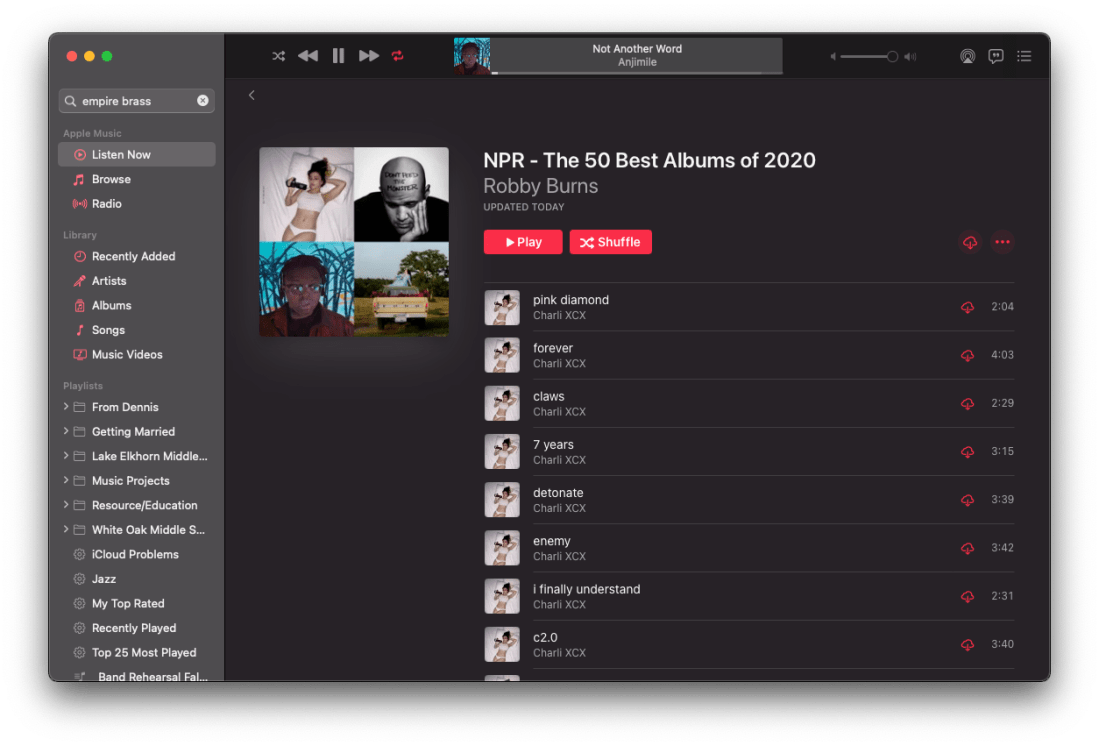
Happy Friday! It’s that time of year. Time for me to fulfill my annual tradition of making an Apple Music playlist out of NPR’s top 50 albums of the year.
Read about their picks in the linked article below:
At certain moments, 2020 felt like a year that might not ever come to an end. Now that it’s mostly in our rear view, can a retrospective give a shape to that swarm of weeks and months? Can we make sense of layer upon layer of fear, anger, frustration, confusion, exhilaration and exhaustion that piled up like soil falling over our heads? Sometimes art breaks through. Better to think of the best music of 2020 as an urgent cacophony of distinct voices rather than a chorus with a single melody. Many voices, with many stories to tell. Here are the 50 best albums of a year unlike any we can remember.
When school let out in March, I wrote My Very Straightforward and Very Successful Setup for Teaching Virtual Private Lessons. The impetus for this post, and its snarky title, was an overwhelming number of teachers I saw on Facebook fussing about what apps and hardware they should use to teach online when all you really need is a smartphone, FaceTime, and maybe a tripod.
I stand by that post. But there are also reasons to go high-tech. I have had a lot of time this summer to reflect on the coming fall teaching semester. I have been experimenting with software and hardware solutions that are going to make my classes way more engaging.
Zoom
I have been hesitant about Zoom. I still have reservations about their software. Yet, it is hard to resist how customizable their desktop version is. I will be using Google Meet for my public school classes in September, but for my private lessons, I have been taking advantage of Zoom’s detailed features and settings.
For example, it’s easier to manage audio ins and outs. Right from the chat window, I can change if my voice input is going through my Mac’s internal microphone or my studio microphone, or if video is coming from my laptop webcam or my external Logitech webcam. This will also be useful for routing audio from apps into the call (we will get to that in a moment).
<div class="
      image-block-outer-wrapper
      layout-caption-below
      design-layout-inline
      combination-animation-none
      individual-animation-none
      individual-text-animation-none
    ">


    <figure class="
          sqs-block-image-figure
          intrinsic
        " style="max-width:2500px">


      <div class="image-block-wrapper">
        <div class="sqs-image-shape-container-element


          has-aspect-ratio
        " style="position: relative;padding-bottom:42.20000076293945%;overflow: hidden">


            <img src="https://images.squarespace-cdn.com/content/v1/5595df9ce4b0ce9ff9ecd1a8/1597075201184-OOWEFIAO8PYDRTX1UOAT/CleanShot+2020-08-10+at+11.02.33.png" alt="Zoom allows you to choose the audio/video input from right within the call." width="2500" height="1055" style="display:block;object-fit: cover;width: 100%;height: 100%;object-position: 50% 50%" loading="lazy">

        </div>
      </div>


      <figcaption class="image-caption-wrapper">
        <div class="image-caption"><p class="">Zoom allows you to choose the audio/video input from right within the call.</p></div>
      </figcaption>


    </figure>


</div>
Zoom also allows you to AirPlay the screen of an iOS device to the student as a screen sharing option. This is the main reason I have been experimenting with Zoom. Providing musical feedback is challenging over an internet-connected video call. Speaking slowly helps to convey thoughts accurately, but it helps a lot more when I say “start at measure 32” and the student sees me circle the spot I want them to start in the music, right on their phone.
You can get really detailed by zooming in and out of scores and annotating as little as a single note. If you are wondering, I am doing all of this on a 12.9 inch iPad Pro with Apple Pencil, using the forScore app. A tight feedback loop of “student performance—>teacher feedback—>student adjustment” is so important to good teaching, and a lot of it is lost during online lessons. It helps to get some of it back through the clarity and engagement of annotated sheet music.
<div class="
      image-block-outer-wrapper
      layout-caption-below
      design-layout-inline
      combination-animation-none
      individual-animation-none
      individual-text-animation-none
    ">


    <figure class="
          sqs-block-image-figure
          intrinsic
        " style="max-width:2500px">


      <div class="image-block-wrapper">
        <div class="sqs-image-shape-container-element


          has-aspect-ratio
        " style="position: relative;padding-bottom:42.20000076293945%;overflow: hidden">


            <img src="https://images.squarespace-cdn.com/content/v1/5595df9ce4b0ce9ff9ecd1a8/1597075253336-3D35PXRK7I734NAHHIN8/CleanShot+2020-08-10+at+11.03.17.png" alt="Selecting AirPlay as a screen sharing option." width="2500" height="1055" style="display:block;object-fit: cover;width: 100%;height: 100%;object-position: 50% 50%" loading="lazy">

        </div>
      </div>


      <figcaption class="image-caption-wrapper">
        <div class="image-caption"><p class="">Selecting AirPlay as a screen sharing option.</p></div>
      </figcaption>


    </figure>


</div>


<div class="
      image-block-outer-wrapper
      layout-caption-below
      design-layout-inline
      combination-animation-none
      individual-animation-none
      individual-text-animation-none
    ">


    <figure class="
          sqs-block-image-figure
          intrinsic
        " style="max-width:2500px">


      <div class="image-block-wrapper">
        <div class="sqs-image-shape-container-element


          has-aspect-ratio
        " style="position: relative;padding-bottom:42.20000076293945%;overflow: hidden">


            <img src="https://images.squarespace-cdn.com/content/v1/5595df9ce4b0ce9ff9ecd1a8/1597075390118-QA7W16X26KDSA9LT8512/CleanShot+2020-08-10+at+11.05.43.png" alt="AirPlaying annotated sheet music to the Zoom call using the iPad Pro and forScore app." width="2500" height="1055" style="display:block;object-fit: cover;width: 100%;height: 100%;object-position: 50% 50%" loading="lazy">

        </div>
      </div>


      <figcaption class="image-caption-wrapper">
        <div class="image-caption"><p class="">AirPlaying annotated sheet music to the Zoom call using the iPad Pro and forScore app.</p></div>
      </figcaption>


    </figure>


</div>
As much as I love this, I still think Zoom is pretty student hostile, particularly with the audio settings. Computers already try to normalize audio by taking extreme louds and compressing them. Given that my private lessons are on percussion instruments, this is very bad. Zoom is the worst at it of all the video apps I have used. To make it better, you have to turn on an option in the audio settings called “Use Original Audio” so that the host hears the student’s raw sound, not Zoom’s attempt to even it out. Some of my students report that they have to re-choose this option in the “Meeting Settings” of each new Zoom call.
If this experiment turns out to be worth it for the sheet music streaming, I will deal with it. But this is one of the reasons why I have been using simple apps like FaceTime up until this point.
I have been experimenting with a few apps by Rogue Amoeba that give me more control over how audio is flowing throughout my hardware and software.
Last Spring, I would often play my public school students YouTube videos, concert band recordings from Apple Music, and warm-up play-alongs that were embedded in Keynote slides. I was achieving this by having the sound of these sources come out of my computer speakers and right back into the microphone of my laptop. It actually works. But not for everyone. And not well.
Loopback is an app by Rogue Amoeba that allows you to combine the audio input and output of your various microphones, speakers, and apps, into new single audio devices that can be recognized by the system. I wrote about it here. My current set up includes a new audio device I created with Loopback which combines my audio interface and a bunch of frequently used audio apps into one. The resulting device is called Interface+Apps. If I select it as the input in my computer’s sound settings, then my students hear those apps and any microphone plugged into my audio interface directly. The audio quality of my apps is therefore more pure and direct, and there is no risk of getting an echo or feedback effect from my microphone picking up my computer speaker’s sound.
<div class="
      image-block-outer-wrapper
      layout-caption-below
      design-layout-inline
      combination-animation-none
      individual-animation-none
      individual-text-animation-none
    ">


    <figure class="
          sqs-block-image-figure
          intrinsic
        " style="max-width:1112px">


      <div class="image-block-wrapper">
        <div class="sqs-image-shape-container-element


          has-aspect-ratio
        " style="position: relative;padding-bottom:90.28776550292969%;overflow: hidden">


            <img src="https://images.squarespace-cdn.com/content/v1/5595df9ce4b0ce9ff9ecd1a8/1597075481531-T3RND7H6QZK7U88DPYPF/CleanShot+2020-08-10+at+11.07.26.png" alt="A Loopback device I created which combines the audio output of many apps with my audio interface into a new, compound device called “Interface+Apps.”" width="1112" height="1004" style="display:block;object-fit: cover;width: 100%;height: 100%;object-position: 50% 50%" loading="lazy">

        </div>
      </div>


      <figcaption class="image-caption-wrapper">
        <div class="image-caption"><p class="">A Loopback device I created which combines the audio output of many apps with my audio interface into a new, compound device called “Interface+Apps.”</p></div>
      </figcaption>


    </figure>


</div>


<div class="
      image-block-outer-wrapper
      layout-caption-below
      design-layout-inline
      combination-animation-none
      individual-animation-none
      individual-text-animation-none
    ">


    <figure class="
          sqs-block-image-figure
          intrinsic
        " style="max-width:780px">


      <div class="image-block-wrapper">
        <div class="sqs-image-shape-container-element


          has-aspect-ratio
        " style="position: relative;padding-bottom:78.20512390136719%;overflow: hidden">


            <img src="https://images.squarespace-cdn.com/content/v1/5595df9ce4b0ce9ff9ecd1a8/1597075501814-75OMM2CT6NQU8BBM81BQ/CleanShot+2020-08-10+at+11.08.54.png" alt="I can select this compound device from my Mac’s Sound settings." width="780" height="610" style="display:block;object-fit: cover;width: 100%;height: 100%;object-position: 50% 50%" loading="lazy">

        </div>
      </div>


      <figcaption class="image-caption-wrapper">
        <div class="image-caption"><p class="">I can select this compound device from my Mac’s Sound settings.</p></div>
      </figcaption>


    </figure>


</div>
Now I can do the following with a much higher level of quality…
Run a play-along band track and have a private student drum along
Play examples of professional bands for my band class on YouTube
Run Keynote slides that contain beats, tuning drones, and other play-along/reference tracks
and…
Logic Pro X
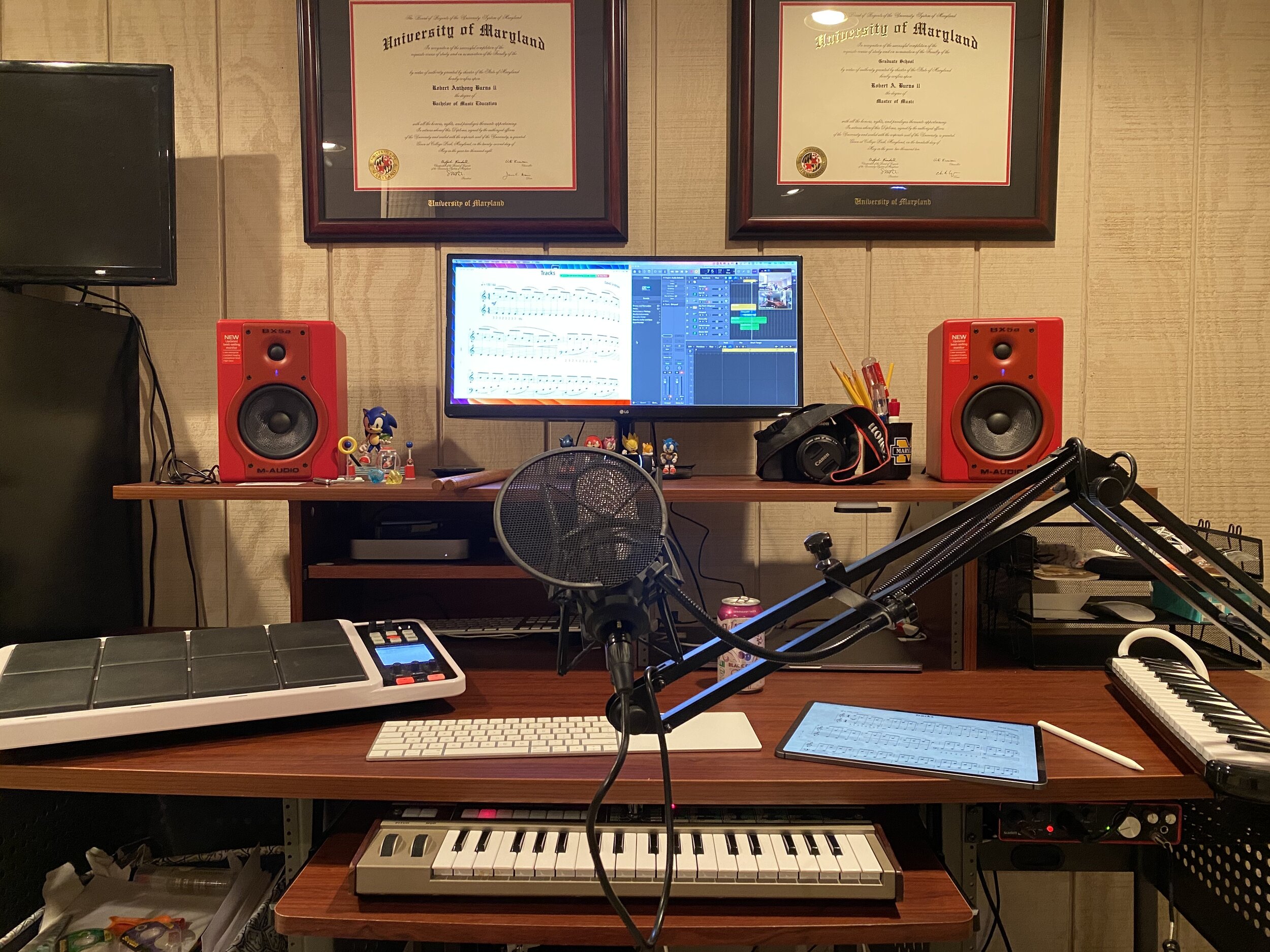
Logic Pro X is one of my apps routing through to the call via Loopback. I have a MIDI keyboard plugged into my audio interface and a Roland Octopad electronic drum pad that is plugged in as an audio source (though it can be used as a MIDI source too).
The sounds on the Roland Octopad are pretty authentic. I have hi-hat and bass drum foot pedal triggers so I can play it naturally. So in Logic, I start with an audio track that is monitoring the Octopad, and a software instrument track that is set to a piano (or marimba or xylophone, whatever is relevant). This way, I can model drum set or mallet parts for students quickly without leaving my desk. The audio I produce in Logic is routed through Loopback directly into the call. My students say the drum set, in particular, sounds way better in some instances than the quality of real instruments over internet-connected calls. Isn’t that something…
Obviously, there is a reason I have previously recommended a set up as simple as a smartphone and a tripod stand. Smartphones are very portable and convenient. And simple smartphone apps like FaceTime and Google Duo make a lot of good default choices about how to handle audio without the fiddly settings some of the more established “voice conference” platforms are known for.
Furthermore, I can’t pick up my desk and move it to my timpani or marimba if I need to model something. So I have begun experimenting with multiple camera angles. I bought a webcam back in March (it finally just shipped). I can use this as a secondary camera to my laptop’s camera (Command+Shift+N in Zoom to change cameras).
Alternatively, I can share my iPhone screen via AirPlay and turn on the camera app. Now I can get up from my desk and go wherever I need to. The student sees me wherever I go. This option is sometimes laggy.
Alternatively, I can log in to the call separately on the iPhone and Mac. This way, there are two instances of me, and if I need to, I can mute the studio desk microphone, and use the phone microphone so that students can hear me wherever I go. I like this option the best because it has the added benefit of showing me what meeting participants see in Zoom.
<div class="
      image-block-outer-wrapper
      layout-caption-below
      design-layout-inline
      combination-animation-none
      individual-animation-none
      individual-text-animation-none
    ">


    <figure class="
          sqs-block-image-figure
          intrinsic
        " style="max-width:1296px">


      <div class="image-block-wrapper">
        <div class="sqs-image-shape-container-element


          has-aspect-ratio
        " style="position: relative;padding-bottom:70.21604919433594%;overflow: hidden">


            <img src="https://images.squarespace-cdn.com/content/v1/5595df9ce4b0ce9ff9ecd1a8/1597075560578-KQFGYGMPES39PW5D9RUH/CleanShot+2020-08-10+at+11.52.56.png" alt="Logging in to the Zoom call on the Mac and iPhone gives me two different camera angles." width="1296" height="910" style="display:block;object-fit: cover;width: 100%;height: 100%;object-position: 50% 50%" loading="lazy">

        </div>
      </div>


      <figcaption class="image-caption-wrapper">
        <div class="image-caption"><p class="">Logging in to the Zoom call on the Mac and iPhone gives me two different camera angles.</p></div>
      </figcaption>


    </figure>


</div>
SoundSource
This process works well once it is set up. But it does take some fiddling around with audio ins and outs to get it right. SoundSource is another app by Rogue Amoeba that takes some of the fiddly-ness out of the equation. It replaces the sound options in your Mac’s menubar, offering your more control and more ease at the same time.
This app saved me from digging into the audio settings of my computer numerous times. In addition to putting audio device selection at a more surface level, it also lets you control the individual volume level of each app, apply audio effects to your apps, and more. One thing I do with it regularly is turn down the volume of just the Zoom app when my students play xylophone.
Rogue Amoeba’s apps will cost you, but they are worth it for those who want more audio control on the Mac. Make sure you take advantage of their educator discount.
EDIT: My teaching set up now includes the use of OBS and an Elago Stream Deck. Read more here.
Conclusion
I went a little overboard here. If this is overwhelming to you, don’t get the idea that you need to do it all. Anyone of these tweaks will advance your setup and teaching.
This post is not specific about the hardware I use. If you care about the brands and models of my gear, check out My Favorite Technology to read more about the specific audio equipment in my setup.
Things have been quiet on the blog lately. My wife and I bought a new house in late October and are expecting our first child any day now. Once I can find some time again, I have some very exciting work I am looking forward to here.
In the meantime I wanted to squeeze in a few annual posts I usually do around this time.
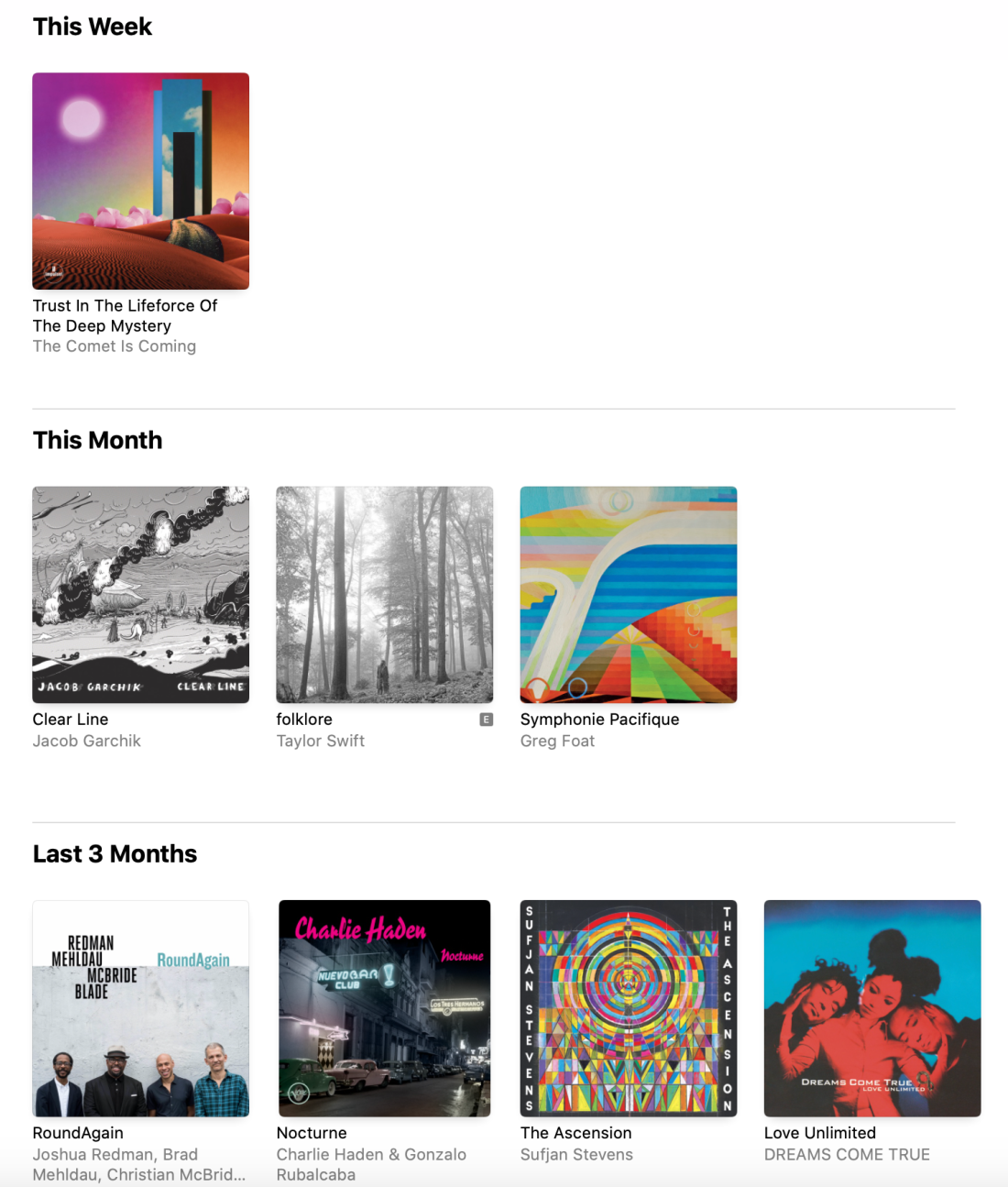
NPR Music Best Albums of 2019
I love compiling this list every year. I usually publish it earlier, and have a lot more to say about it. I will be shorter this year.
So far, my favorites off the list include IGOR, Diatom Ribbons, and Caroline Shaw: Orange (which I already knew).
Off last year’s list my favorites have turned out to be Johann Sebastian Bach, The Other Side of Air, Origami Harvest, Vibras, re:member, soli, Heaven and Earth, and Dirty Computer.
I hope these albums help your spring forward into the new year with some new tunes! Happy Holidays!
Piggybacking off of yesterday’s post, there was a rumor earlier in the month that the next wave of iOS apps to come to the Mac are Apple’s very own media apps.
Fellow developer Steve Troughton-Smith recently expressed confidence about some evidence found indicating that Apple is working on new Music, Podcasts, and perhaps Books apps for macOS, to join the new TV app.
I’ve been able to independently confirm that this is true. On top of that, I’ve been able to confirm with sources familiar with the development of the next major version of macOS – likely 10.15 – that the system will include standalone Music, Podcasts, and TV apps, but it will also include a major redesign of the Books app. We also got an exclusive look at the icons for the new Podcasts and TV apps on macOS.
I have been arguing that iTunes should be broken up into separate apps on the Mac for years. As a musician and teacher who is an absolute iTunes power user, and who depends on music library management tools, I thought it was worth digging into the implications of this a little bit.
If you are a podcast listener, and have room in your diet for some shows that discuss Apple technology, there was an astoundingly good conversation about this topic on last week’s episodes of Upgrade and ATP. Both shows discuss not only the implications for the future of iTunes, but for the very nature of the Mac itself.
I am so excited for the TV app and the Podcast app to get their own attention. They have been much needed for a long time. I imagine Podcasts will be solid out of the gate. I will kind of miss the current TV app icon on iOS and the Apple TV but I understand that Apple needs to brand it with their logo since it is going to be coming to third party TVs and Amazon Fire products this fall with the launch of their new TV service. I don’t know how a Books app based on the iOS version would work with my imported PDF book library, but it is already wildly inconsistent between iOS and macOS so I cannot imagine it could get any worse.
iTunes is a place that I have traditionally relied heavily upon to organize my music library, recordings of my ensemble, and video performances of my concerts. I detail my entire music and video workflows in my book, Digital Organization Tips for Music Teachers.
iTunes is the only app that allows me to store my personal library alongside a streaming music library, and sync it across multiple devices. This is what has set it apart from Spotify for me over the past few years. iTunes also has some great video organization tools. For years now, I have organized all video of my school ensemble’s live performance (amongst numerous other musical performances and home video) into the video section of iTunes, and then pointed a Plex server towards the folder of files so that I can stream them from my Apple TV and iOS devices on the go.
If the new Music and TV apps are just like their iOS counterparts, there are a whole lot of features I depend on that could potentially get ditched. Here are a few of them…
–Importing my own music. The iOS version of music can’t even import a song. That’s right! If I buy an album on Bandcamp, or take an audio file of a professional band performing a tune my ensemble is working on, I can drag them right into iTunes on my Mac, and they will sync to my mobile devices over Apple Music Library. I would imagine Apple has to have at least figured this one out for iOS if they are going to ship this app on the Mac in the fall.
–Metadata control. It would be a sad day if I could not press the info button on a song, add my own comments, rating, and adjustments to the title, album name, etc.
–Smart Playlists. Jazz and classical recordings are notoriously difficult to manage in iTunes because of how complex their metadata is. In addition to editing artist and album information in these recordings, I have spent some time adding extra info to the comments section of my songs and then creating smart playlists to filter them. If Miles Davis is tagged in every recording he sat in on, you can make playlists like ‘Songs Miles Soloed On Between 1961-75.’
–Adding video. QuickTime (much like Preview) is an app that exists only on the Mac, because it is natively built into iOS whenever you tap a media file (or PDF in the case of Preview). Apple never had a dedicated app for managing video (although there is the awkward iMovie Library feature which has an arbitrary file limit). That said, iTunes is a pretty great utility for this purpose. I would hate to loose its video management features, even though they were never on iOS to begin with. The TV app is looking more and more like it is built to fulfill Apple’s TV strategy, which is to aggregate as much TV and Movie content from as many providers as possible, into a unified entertainment service. Don’t get my wrong, I am excited, I just don’t see myself using it to organize recordings of my band concerts.
Presumably iTunes isn’t going anywhere any time soon. For these legacy features, and including the need to sync older iOS devices to a Mac, I imagine it will still come on the Mac, buried in the Utilities folder, for years to come. Hopefully, users will still be able to do actions like I listed above in iTunes, and enjoy the benefit of them in the new Music app.
In conclusion, I remain highly cynical about this transition because Apple does not seem interested in making good apps in recent years. Conversely, I am enthusiastic about the long term benefit. If Apple developers are writing code for just one version of their apps instead of two, it is more likely that iOS versions of software will get elevated. That is exciting, even if it means that the Mac apps cannot do all of the same stuff they could always do at first. Coupled with rumors that Apple is going to release an ARM based Mac in the near future, I would like to believe that years down the road, we will be getting closer to a shared app platform between all Apple devices, with feature parity, and less distinction between input devices and which hardware its running on.


 Buy me a coffee






 Music Ed Tech Talk
You must be logged in to post a comment.