A few weeks back, I wrote and podcasted about getting my general music classes to compose, make beats, write, and remix songs this past school year. Read and listen to that here.
I am thrilled to report that I also got my band students to compose for the first time this past year, with very good results. I used composer Alex Shapiro’s Putting the E in Ensemble curriculum (linked below). I am so inspired by her music, approach to composition, and general awesomeness that I invited her on my podcast. The conversation was an inspiration and a delight.
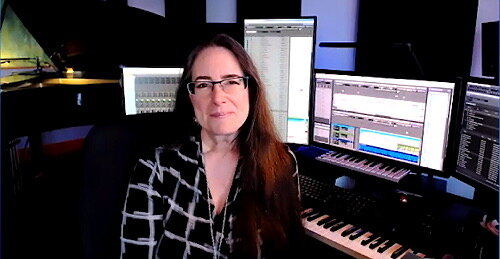
Listen to the episode and follow my podcast below. Keep scrolling through this post to see photos of Alex’s amazing recording space and to listen to some examples of my student’s compositions that resulted from using this curriculum.
Support Music Ed Tech Talk
Become a Patron!
.bmc-button img{height: 34px !important;width: 35px !important;margin-bottom: 1px !important;box-shadow: none !important;border: none !important;vertical-align: middle !important;}.bmc-button{padding: 7px 15px 7px 10px !important;line-height: 35px !important;height:51px !important;text-decoration: none !important;display:inline-flex !important;color:#ffffff !important;background-color:#000000 !important;border-radius: 5px !important;border: 1px solid transparent !important;padding: 7px 15px 7px 10px !important;font-size: 20px !important;letter-spacing:0.6px !important;box-shadow: 0px 1px 2px rgba(190, 190, 190, 0.5) !important;-webkit-box-shadow: 0px 1px 2px 2px rgba(190, 190, 190, 0.5) !important;margin: 0 auto !important;font-family:'Arial', cursive !important;-webkit-box-sizing: border-box !important;box-sizing: border-box !important;}.bmc-button:hover, .bmc-button:active, .bmc-button:focus {-webkit-box-shadow: 0px 1px 2px 2px rgba(190, 190, 190, 0.5) !important;text-decoration: none !important;box-shadow: 0px 1px 2px 2px rgba(190, 190, 190, 0.5) !important;opacity: 0.85 !important;color:#ffffff !important;} Buy me a coffee
Subscribe to the Blog…
RSS | Email Newsletter
Subscribe to the Podcast in…
Apple Podcasts | Overcast | Castro | Spotify | RSS
Episode Description: Composer Alex Shapiro joins the show to talk about getting young students to compose, the importance of composing repertoire for young musicians, writing electro-acoustic music, Putting the E in Ensemble, future tech, and her amazing studio space. Join Patreon for extended conversation about technology and overcoming blocks in the creative process.
Putting the E in Ensemble Links
Curriculum: – https://www.alexshapiro.org/Shapiro-E-ensemble_Syllabus.html
Wind Band music: – https://www.alexshapiro.org/ASWindBand.html
Show Notes:
The Great Hack – Netflix
The Social Dilemma
Christopher Cicconi appearance on Music Ed Tech Talk
Off the Edge – Alex Shapiro
Tight Squeeze – Alex Shapiro
Rock Music – Alex Shapiro
Count to Ten – Alex Shapiro
Toothpaste privacy Tweet thread
Apple WWDC 2021
My Scale Play-Along Tracks
App of the Week:
Robby – Magnet
Alex – Two Dots / SpellTower
Album of the Week:
Robby – Sarah Jarosz – Blue Heron Suite
Alex – O Seguinte é Esse / Howling, featuring RY X and Frank Wiedemann: Sacred Ground
Tech Tip of the Week:
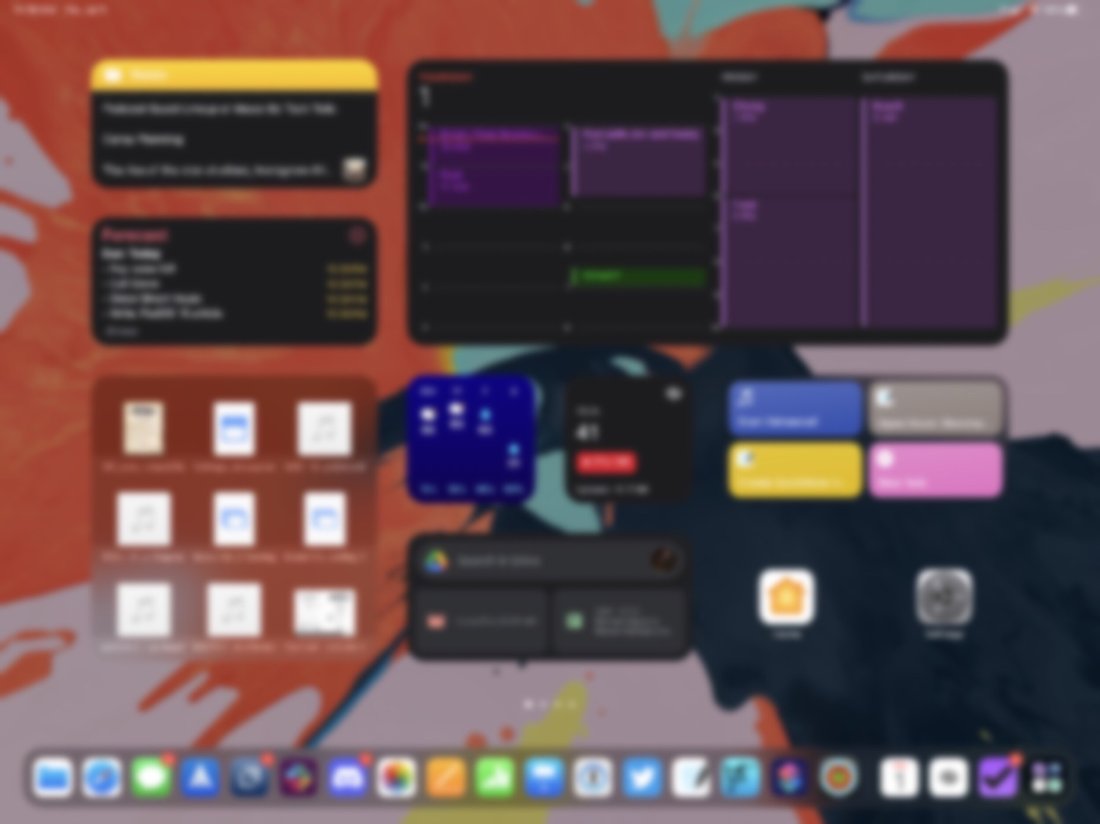
Robby – Try widgets!
Alex – Back up your stuff! / Don’t get the latest version only to have paid to get the latest bugs!
Where to Find Us:
Robby – Twitter | Blog | Book
Alex Shapiro – Twitter | Website
Please don’t forget to rate the show and share it with others!
Examples of student work
Alex’s studio space
<div class="
      image-block-outer-wrapper
      layout-caption-below
      design-layout-inline
      combination-animation-none
      individual-animation-none
      individual-text-animation-none
    ">


    <figure class="
          sqs-block-image-figure
          intrinsic
        " style="max-width:2976px">


      <div class="image-block-wrapper">
        <div class="sqs-image-shape-container-element


          has-aspect-ratio
        " style="position: relative;padding-bottom:95.0268783569336%;overflow: hidden">


            <img src="https://images.squarespace-cdn.com/content/v1/5595df9ce4b0ce9ff9ecd1a8/1624662652319-QV23ZT7Z668G0AYI7JHK/IMG_7359.JPG" alt="IMG_7359.JPG" width="2976" height="2828" style="display:block;object-fit: cover;width: 100%;height: 100%;object-position: 50% 50%" loading="lazy">

        </div>
      </div>


    </figure>


</div>


<div class="
      image-block-outer-wrapper
      layout-caption-below
      design-layout-inline
      combination-animation-none
      individual-animation-none
      individual-text-animation-none
    ">


    <figure class="
          sqs-block-image-figure
          intrinsic
        " style="max-width:1000px">


      <div class="image-block-wrapper">
        <div class="sqs-image-shape-container-element


          has-aspect-ratio
        " style="position: relative;padding-bottom:58.89999771118164%;overflow: hidden">


            <img src="https://images.squarespace-cdn.com/content/v1/5595df9ce4b0ce9ff9ecd1a8/1624662676530-WZS3XHN3JDW11W3N739R/IMG_7361.JPG" alt="IMG_7361.JPG" width="1000" height="589" style="display:block;object-fit: cover;width: 100%;height: 100%;object-position: 50% 50%" loading="lazy">

        </div>
      </div>


    </figure>


</div>


<div class="
      image-block-outer-wrapper
      layout-caption-below
      design-layout-inline
      combination-animation-none
      individual-animation-none
      individual-text-animation-none
    ">


    <figure class="
          sqs-block-image-figure
          intrinsic
        " style="max-width:1201px">


      <div class="image-block-wrapper">
        <div class="sqs-image-shape-container-element


          has-aspect-ratio
        " style="position: relative;padding-bottom:51.79017639160156%;overflow: hidden">


            <img src="https://images.squarespace-cdn.com/content/v1/5595df9ce4b0ce9ff9ecd1a8/1624662698868-T3ZRAHF7JW7NCMW8QQF5/IMG_7358.JPG" alt="IMG_7358.JPG" width="1201" height="622" style="display:block;object-fit: cover;width: 100%;height: 100%;object-position: 50% 50%" loading="lazy">

        </div>
      </div>


    </figure>


</div>


<div class="
      image-block-outer-wrapper
      layout-caption-below
      design-layout-inline
      combination-animation-none
      individual-animation-none
      individual-text-animation-none
    ">


    <figure class="
          sqs-block-image-figure
          intrinsic
        " style="max-width:12306px">


      <div class="image-block-wrapper">
        <div class="sqs-image-shape-container-element


          has-aspect-ratio
        " style="position: relative;padding-bottom:29.449838638305664%;overflow: hidden">


            <img src="https://images.squarespace-cdn.com/content/v1/5595df9ce4b0ce9ff9ecd1a8/1624662743115-WCROYV9U02YWH515D7IH/IMG_7362.JPG" alt="IMG_7362.JPG" width="12306" height="3628" style="display:block;object-fit: cover;width: 100%;height: 100%;object-position: 50% 50%" loading="lazy">

        </div>
      </div>


    </figure>


</div>


<div class="
      image-block-outer-wrapper
      layout-caption-below
      design-layout-inline
      combination-animation-none
      individual-animation-none
      individual-text-animation-none
    ">


    <figure class="
          sqs-block-image-figure
          intrinsic
        " style="max-width:2500px">


      <div class="image-block-wrapper">
        <div class="sqs-image-shape-container-element


          has-aspect-ratio
        " style="position: relative;padding-bottom:54.599998474121094%;overflow: hidden">


            <img src="https://images.squarespace-cdn.com/content/v1/5595df9ce4b0ce9ff9ecd1a8/1624662780409-57UAQERMLEXI7UL7IW85/IMG_7360.JPG" alt="IMG_7360.JPG" width="2500" height="1365" style="display:block;object-fit: cover;width: 100%;height: 100%;object-position: 50% 50%" loading="lazy">

        </div>
      </div>


    </figure>


</div>









You must be logged in to post a comment.