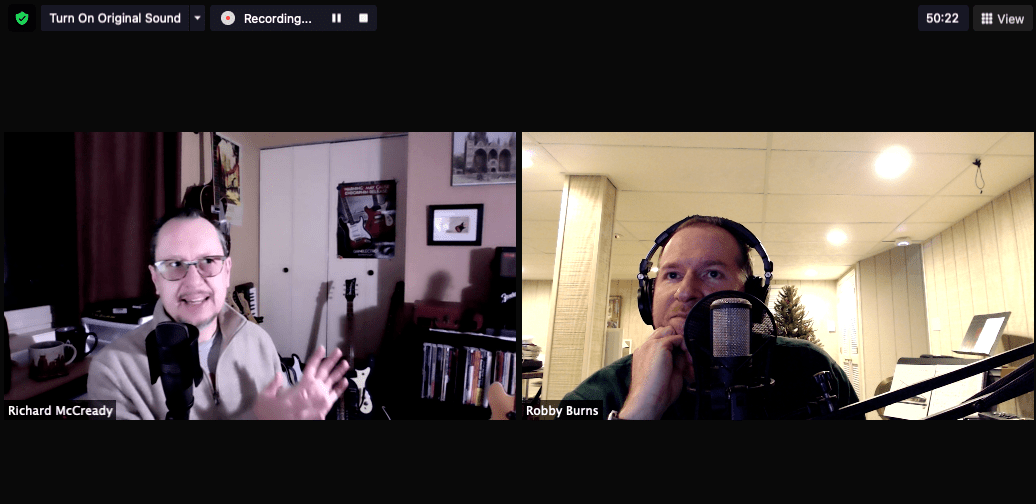
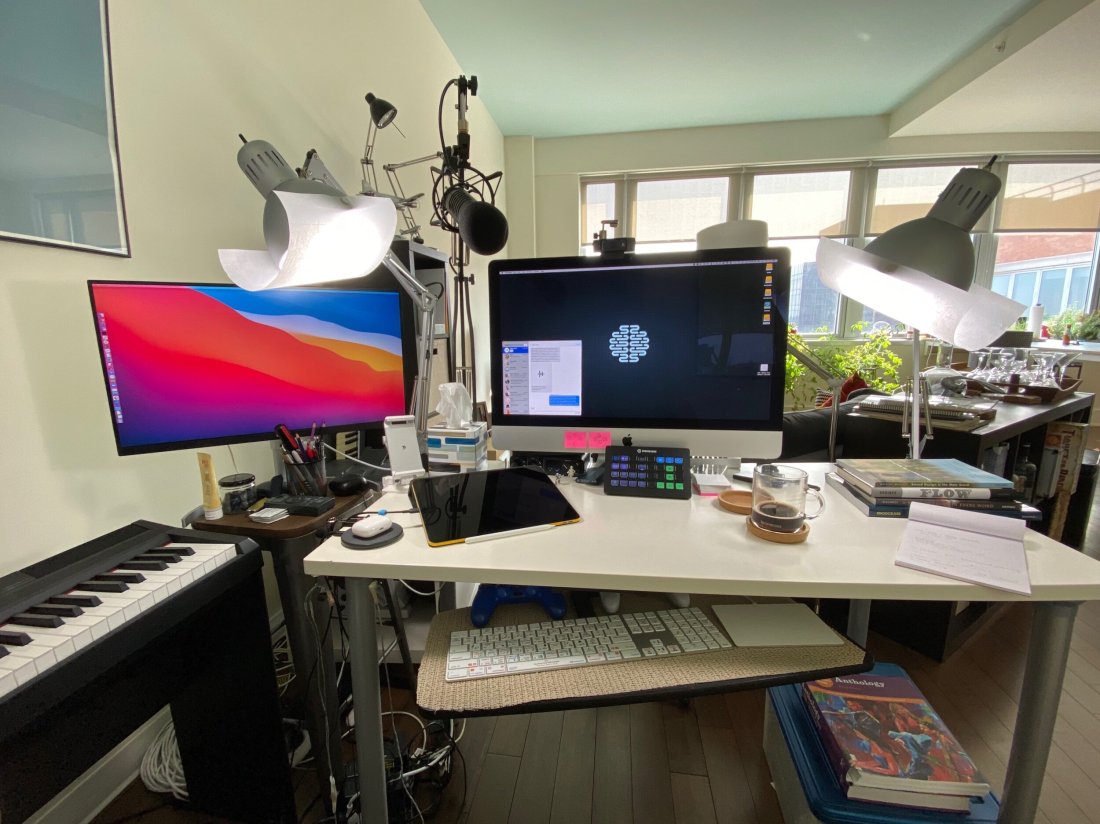
METT Episode #25 – Mastering the Practice Process, with Rob Knopper

Rob Knopper (Metropolitan Opera, auditionhacker, percussionhacker) joins the show to talk about mastering practice, improving the audition process, and using technology to support his multifaceted efforts as a performing percussionist, teacher, and creator of web resources for musicians.

Other topics include:

  • How to Practice With Technology
  • Technology for Making Content
  • Developing Diverse Skills/Remaining Teachable
  • Finding Generalized vs. Specialist Mentors
  • Comprehensively Studying Masterworks and Making Practice Resources for Them
  • Acquiring Phrasing Language
  • Teaching Students to Recognize Mastery
  • Embracing Failure/Auditions Are Process Not Product
  • Our album and app picks of the week

Show Notes:

App of the Week:
Robby – SoundSource
Rob Knopper – Anki

Album of the Week:
Robby – An Oscar Petersen Christmas
Rob Knopper – Pictures at an Exhibition | Emerson, Lake & Palmer

Where to Find Us:
Robby – Twitter | Blog | Book
Rob Knopper – Twitter | Website

Please don’t forget to rate the show and share it with others!

Subscribe to Music Ed Tech Talk:

Subscribe to the Blog

Subscribe to the Podcast in…
Apple Podcasts | Overcast | Castro | Spotify | RSS

METT Episode #24 – Bringing in the New Year, with Richard McCready

Richard McCready returns to the show to bring in the new year. We reflect on what we learned over the past year and discuss how music teachers can challenge their perception of tradition, creativity, and learning process, moving forward. Of course we also share our app and album picks of the week.

Show Notes:

METT Season 2, Episode 1 – Digital Organization Tips for Music Teachers with Guest Richard McCready (Richard’s last appearance on this show)

Maggie Shorb on Twitter

Essential Music Technology: The Prestissimo Series (Oxford University Press)

RiverHillMusicTech.com

Truckin’ My Blues Away – Blind Boy Fuller

App of the Week:
Robby – Apollo
Richard – Jamzone

Album of the Week:
Robby – Christmas with Travelin Light
Richard – Classic Delta and Deep South Blues from Smithsonian Folkways

Where to Find Us:
Robby – Twitter | Blog | Book
Richard – Twitter | Website

Please don’t forget to rate the show and share it with others!

Subscribe to Music Ed Tech Talk:

Subscribe to the Blog

Subscribe to the Podcast in…
Apple Podcasts | Overcast | Castro | Spotify | RSS

METT Episode #23 – Rogue Amoeba Audio Apps, with Paul Kafasis

Paul Kafasis, CEO of Rogue Amoeba, joins Robby to talk about the stellar audio apps they make and how Robby is using them in the music classroom both before and during COVID.

Show Notes:

Rogue Amoeba Website: Macaudio.com

Robby’s Scale Exercise Play-Along Tracks
Stream Deck

Rogue Amoeba Apps:

Audio Hijack
Loopback
Sound Source
Piezo
Farrago
Fission
Airfoil
Ultimate Podcast Bundle
Educator Discount and Volume Pricing

My blog post on Audio Hijack
My blog post on Loopback

Mimeo Photos Extension for the Mac | Make premium printed photo projects right on your Mac

Acorn | Full Featured Photo Editor for the Mac

App of the Week:
Robby – Pixelmator Pro
Paul – Tot

Album of the Week:
Robby – Charlie XCX | How I’m Feeling Now
Paul – The Colour and the Shape | Foo Fighters

Where to Find Us:
Robby – Twitter | Blog | Book
Paul – Twitter | Website

Please don’t forget to rate the show and share it with others!

Subscribe to Music Ed Tech Talk:

Subscribe to the Blog

Subscribe to the Podcast in…
Apple Podcasts | Overcast | Castro | Spotify | RSS

METT Episode #22 – Teaching Hybrid, Composing Music, and Finding Balance, with Tyler S. Grant

Tyler S. Grant joins the show to talk about teaching band in a hybrid learning model, composing music, and the tools and habits that help him find balance between the two.

Show Notes:

App of the Week:
Robby – Christmas Time Shortcut
Tyler – UCLA Music Theory App

Album of the Week:
Robby – NPR The 50 Best Albums of 2020 – An Apple Music Playlist
Tyler – West Side Story – 1984 Recording (Documentary)

Where to Find Us:
Robby – Twitter | Blog | Book
Tyler – Instagram | Website

Please don’t forget to rate the show and share it with others!

Subscribe to Music Ed Tech Talk:

Subscribe to the Blog

Subscribe to the Podcast in…
Apple Podcasts | Overcast | Castro | Spotify | RSS

METT Episode #21 – Music and Technology We’re Thankful For, with Craig McClellan

Robby's cohost from The Class Nerd podcast, Craig McClellan, returns to talk about recent smart home and Apple purchases, speakers with digital assistants, technology and music we are thankful for.

Sponsor Music Ed Tech Talk! Do you have a product or service related to music or technology that you would love to get in front of music educators? Reach out to me on my Contact page to learn more about advertising on my site and this podcast.

Use code THANKFUL at checkout to buy anything on my Store for $10 off! This puts my Scale Exercise Play-Along Tracks at only $5!

Show Notes:

The Class Nerd Podcast – Listen to Craig and I talk about using technology in the classroom
Philips Hue Bulbs
Lutron Caseta Light Switches
MyQ Garage Door Opener
Netatmo HomeKit Doorbell
Nest Hello Doorbell
Starling.io
Eero
Sonos One
Craig's Guitar:

Cory Wong
Vulfpeck
Robby's Viral TikTok:

@_robbyburns #duet with @_robbyburns I added the percussion. #sleighride #concertband #bandmusic #fyp #foryou #christmasmusic #percussion #babiesoftiktok

♬ original sound – Flute Dude Music

Robby's Way More Viral (But Less Good) TikTok:

@_robbyburns #duet with @_robbyburns

♬ original sound – Flute Dude Music

Leroy Anderson's Sleigh Ride Arrangement
@flutedudemusic on TikTok
Star Wars Themes on Guitar During Worship Songs – TikTok

Robby's We Wish You A Merry Christmas Meme TikTok:

@_robbyburns #duet with @simplyaleah_ #christmasmusic #musictheory #musicnotation #vibraphone #percussion #fyp #foryou #accidentaljazz

♬ original sound – Aleah Vassell

Tech We're Thankful For

HomeRun App
Kemper Amp
TikTok
TextExpander
forScore for Mac
Apple Pay

Music We're Thankful For

Brahms Symphonies – George Szell/Cleveland Orchestra

Ruston Kelly – Shape & Destroy

Painted – Lucky Daye

NEEDTOBREATHE – Out of Body

Boston Brass – Rewired

Thad Cockrell – If In Case You Feel The Same

Where to Find Us:
Robby – Twitter | Blog | Book
Craig McClellan – Twitter | Website

Please don't forget to rate the show and share it with others!

Subscribe to Music Ed Tech Talk:

Subscribe to the Blog

Subscribe to the Podcast in…
Apple Podcasts | Overcast | Castro | Spotify | RSS

#20 – Electronic Music School, with Will Kuhn

Will Kuhn joins the show to talk about Apple’s new Macs, teaching electronic music, home automation, and his forthcoming book, Electronic Music School.

Show Notes:

We recorded this episode right after last weeks Apple event! People have now used and reviewed these machines! I recommend this one, this one, and this one.

Other topics include:

  • Apple in education
  • M1 chip implications for audio software
  • Other Apple Fall announcements and products
  • Ableton Live 11

Do you have a product or service you would like to promote to music educators? Sponsor Music Ed Tech Talk!

Stuff mentioned:

App of the Week:
Robby – Neural Mix Pro
Will – Ableton Live 11

Album of the Week:
Robby – Vulfpeck | The Joy of Music The Job of Real Estate
Will – Machinedrum – A View of U | beabadoobee

Where to Find Us:
Robby – Twitter | Blog | Book
Will – Twitter | Website

Please don’t forget to rate the show and share it with others!

Subscribe to Music Ed Tech Talk:

Subscribe to the Blog

Subscribe to the Podcast in…
Apple Podcasts | Overcast | Castro | Spotify | RSS

Sponsor Music Ed Tech Talk!

METT Episode #19 – Productivity Boot Camp (Part 2): Email and Calendars, with Dr. Frank Buck

Thanks to my sponsor this month, Flat for Education.

Dr. Frank Buck returns to the show for Part 2 of the Productivity Boot Camp mini-series to talk all about managing calendars, handling email, time tracking, and automation!

Dr. Frank Buck is a productivity master with a background in band directing and administration. I share my knowledge of Apple products and native third-party apps, and he shares his experience with web-based, cross-platform apps.

Show Notes:

App of the Week:
Robby – Reeder 5
Frank Buck – Snipboard.io

Album of the Week:
Robby – Palo Alto | Thelonious Monk
Frank Buck – Christmas Portrait | The Carpenters

Where to Find Us:
Robby – Twitter | Blog | Book
Frank Buck – Twitter | Website

Please don’t forget to rate the show and share it with others!

Subscribe to Music Ed Tech Talk:

Subscribe to the Blog

Subscribe to the Podcast in…
Apple Podcasts | Overcast | Castro | Spotify | RSS

METT Episode #18 – Productivity Boot Camp (Part I): Notes and Tasks, with Dr. Frank Buck

Thanks to my sponsors this month, Flat for Education.

Dr. Frank Buck returns to the show for the kick-off of my mini-series, Productivity Boot Camp! Dr. Frank Buck is a productivity master with a background in band directing and administration. I share my knowledge of Apple products and native third-party apps, and he shares his experience with web-based, cross-platform apps. We bounce back and forth about good digital task and note management and share our favorite apps!

Show Notes:

App of the Week:
Robby – Sticky Widgets
Frank Buck – Feedly

Album of the Week:
Robby – The Lost Art of Longing | BT
Frank Buck – Handel Flute Sonata V – Recording of Dr. Frank Buck Performing

Where to Find Us:
Robby – Twitter | Blog | Book
Frank Buck – Twitter | Website

Please don’t forget to rate the show and share it with others!

Subscribe to Music Ed Tech Talk:

Subscribe to the Blog

Subscribe to the Podcast in…
Apple Podcasts | Overcast | Castro | Spotify | RSS

Thanks to this week’s sponsor, Flat for Education:

Flat for Education offers music educators and their students the most affordable cloud-based music notation software on the market. Empowering teachers to create playful and engaging music activities, creations, assessments on any device at any time.

The platform integrates with every well-known learning management system available: Google Classroom, Microsoft 365, Canvas, Schoology, and MusicFirst to name a few. Everything will be synchronized with your existing setup to avoid any time loss.

Flat for Education offers an advanced system of assignments allowing you to create playful and stunning music activities with your students.

Create a template for all your students to start working from, or simplify the toolbar to have them only working with eighth and quarter notes. The only limit is your imagination.

Save a lot of time by generating worksheets and quizzes in just a few clicks for your students to practice music theory.

Finally, Bands directors and choirs conductors can have their students directly recording their performance from home for review.

Whether you are teaching remotely or in-person, Flat for Education will support you in creating playful and engaging music activities in no time. Try it free for 90 days on flat.io/edu

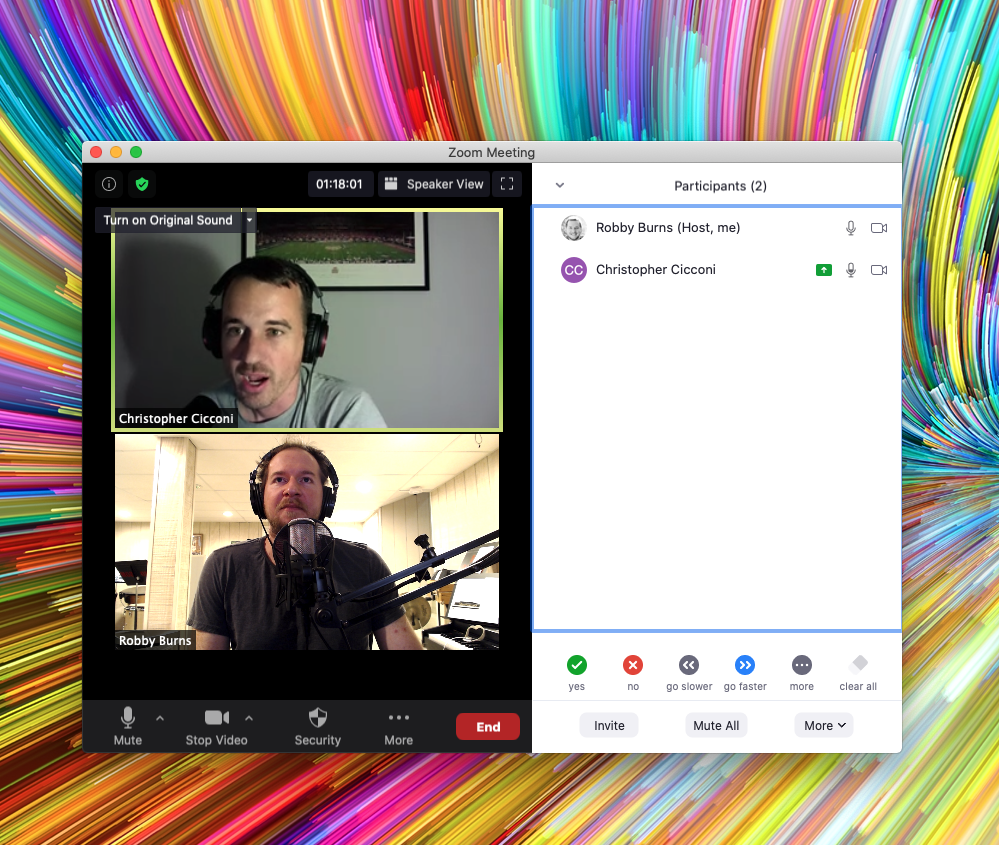
METT Episode #17 – Talking About the Weather, with Chris Cicconi

Dr. Christopher Cicconi, Assistant Professor of Music Education, and Director of Bands and Orchestra at Towson University, joins the show to talk about selecting meaningful repertoire for your ensemble. We also talk about score study with iPad Pro apps, involving yourself in your music teaching community, and yes, I go on a tangent about my favorite new weather app.

<div class="
      image-block-outer-wrapper
      layout-caption-below
      design-layout-inline
      combination-animation-none
      individual-animation-none
      individual-text-animation-none
    ">


    <figure class="
          sqs-block-image-figure
          intrinsic
        " style="max-width:999px">


      <div class="image-block-wrapper">
        <div class="sqs-image-shape-container-element


          has-aspect-ratio
        " style="position: relative;padding-bottom:84.58457946777344%;overflow: hidden">


            <img src="https://images.squarespace-cdn.com/content/v1/5595df9ce4b0ce9ff9ecd1a8/1601906714231-C88BQJMIWJW7ADRPTTOH/CleanShot+2020-09-23+at+20.27.54.png" alt="CleanShot 2020-09-23 at 20.27.54.png" width="999" height="845" style="display:block;object-fit: cover;width: 100%;height: 100%;object-position: 50% 50%" loading="lazy">

        </div>
      </div>


    </figure>


</div>

Show Notes:

App of the Week:
Robby – Weather Line and Carrot Weather
Chris – Fidelity

Album of the Week:
Robby – Trust in the Life-force of the Deep Mystery – The Comet Is Coming
Chris – Game of Thrones Highlights – Spotify Playlist | Mad Max: Fury Road Soundtrack

Where to Find Us:
Robby – Twitter | Blog | Book
Chris – Towson University Profile Page

Please don’t forget to rate the show and share it with others!

Subscribe to Music Ed Tech Talk:

Subscribe to the Blog

Subscribe to the Podcast in…
Apple Podcasts | Overcast | Castro | Spotify | RSS

Thanks to my sponsor this month, MusicFirst.

METT Podcast #16 – Master Your Virtual Teaching Tech, with David MacDonald

Thanks to my sponsor this month, MusicFirst

David MacDonald returns to the show to talk about the hardware and software in our virtual teaching setups. Then we speculate about touchscreen Macs and consider how Apple’s recent App Store policies might impact the future of creative professional software on iOS.

Topics include:

  • New Zoom features for musicians and teachers
  • David and Philip Rothman‘s new podcast, Scoring Notes
  • Using Open Broadcaster Software to level up your virtual teaching
  • Routing audio from your apps into Zoom and Google Meet calls
  • Teaching with Auralia
  • LMS integration with third-party music education apps
  • Using MainStage and Logic for performing instruments into virtual classrooms
  • Touchscreen Macs
  • Apple’s App Store Policy

Show Notes:

Where to Find Us:
Robby – Twitter | Blog | Book
David MacDonald – Twitter | Website | Blog

Please don’t forget to rate the show and share it with others!

Subscribe to Music Ed Tech Talk:

Subscribe to the Blog

Subscribe to the Podcast in…
Apple Podcasts | Overcast | Castro | Spotify | RSS

Today’s episode is sponsored by MusicFirst:

MusicFirst offers music educators and their students easy-to-use, affordable, cloud-based software that enables music learning, creation, assessment, sharing, and exploration on any device, anywhere, at any time.

MusicFirst Classroom is the only learning management system designed specifically for K-12 music education. It combines the flexibility of an LMS with engaging content and powerful software integrations to help manage your students’ progress, make lesson plans, and create assignments.

And for younger students, MusicFirst Junior is the perfect online system for teaching elementary general music. It includes a comprehensive K-5 curriculum, hundreds of lessons & songs, and kid-friendly graphics to making learning and creating music fun!

Whether you’re teaching remotely, in-person, or in a blended learning environment, MusicFirst will work with you to find a solution that fits your program’s unique needs. Try it free for 30 days at musicfirst.com.

<div class="
      image-block-outer-wrapper
      layout-caption-below
      design-layout-inline
      combination-animation-none
      individual-animation-none
      individual-text-animation-none
    ">


    <figure class="
          sqs-block-image-figure
          intrinsic
        " style="max-width:2500px">


      <div class="image-block-wrapper">
        <div class="sqs-image-shape-container-element


          has-aspect-ratio
        " style="position: relative;padding-bottom:74.95999908447266%;overflow: hidden">


            <img src="https://images.squarespace-cdn.com/content/v1/5595df9ce4b0ce9ff9ecd1a8/1600038818677-9KFU4NAEUS7MPSAS5S61/IMG_3003.jpeg" alt="David’s teaching setup." width="2500" height="1874" style="display:block;object-fit: cover;width: 100%;height: 100%;object-position: 50% 50%" loading="lazy">

        </div>
      </div>


      <figcaption class="image-caption-wrapper">
        <div class="image-caption"><p class="">David’s teaching setup.</p></div>
      </figcaption>


    </figure>


</div>


<div class="
      image-block-outer-wrapper
      layout-caption-below
      design-layout-inline
      combination-animation-none
      individual-animation-none
      individual-text-animation-none
    ">


    <figure class="
          sqs-block-image-figure
          intrinsic
        " style="max-width:2500px">


      <div class="image-block-wrapper">
        <div class="sqs-image-shape-container-element


          has-aspect-ratio
        " style="position: relative;padding-bottom:75%;overflow: hidden">


            <img src="https://images.squarespace-cdn.com/content/v1/5595df9ce4b0ce9ff9ecd1a8/1600038852982-OD6Y5XFUFRAL1TR2PPJD/A7067C72-D117-473F-A9FA-D3938A9C1A5E.jpeg" alt="My teaching setup." width="2500" height="1875" style="display:block;object-fit: cover;width: 100%;height: 100%;object-position: 50% 50%" loading="lazy">

        </div>
      </div>


      <figcaption class="image-caption-wrapper">
        <div class="image-caption"><p class="">My teaching setup.</p></div>
      </figcaption>


    </figure>


</div>


<div class="
      image-block-outer-wrapper
      layout-caption-below
      design-layout-inline
      combination-animation-none
      individual-animation-none
      individual-text-animation-none
    ">


    <figure class="
          sqs-block-image-figure
          intrinsic
        " style="max-width:2500px">


      <div class="image-block-wrapper">
        <div class="sqs-image-shape-container-element


          has-aspect-ratio
        " style="position: relative;padding-bottom:75%;overflow: hidden">


            <img src="https://images.squarespace-cdn.com/content/v1/5595df9ce4b0ce9ff9ecd1a8/1600038981679-Y8MXKP63LULXCLM4Y5I3/IMG_2823.jpeg" alt="…From far away." width="2500" height="1875" style="display:block;object-fit: cover;width: 100%;height: 100%;object-position: 50% 50%" loading="lazy">

        </div>
      </div>


      <figcaption class="image-caption-wrapper">
        <div class="image-caption"><p class="">…From far away. </p></div>
      </figcaption>


    </figure>


</div>