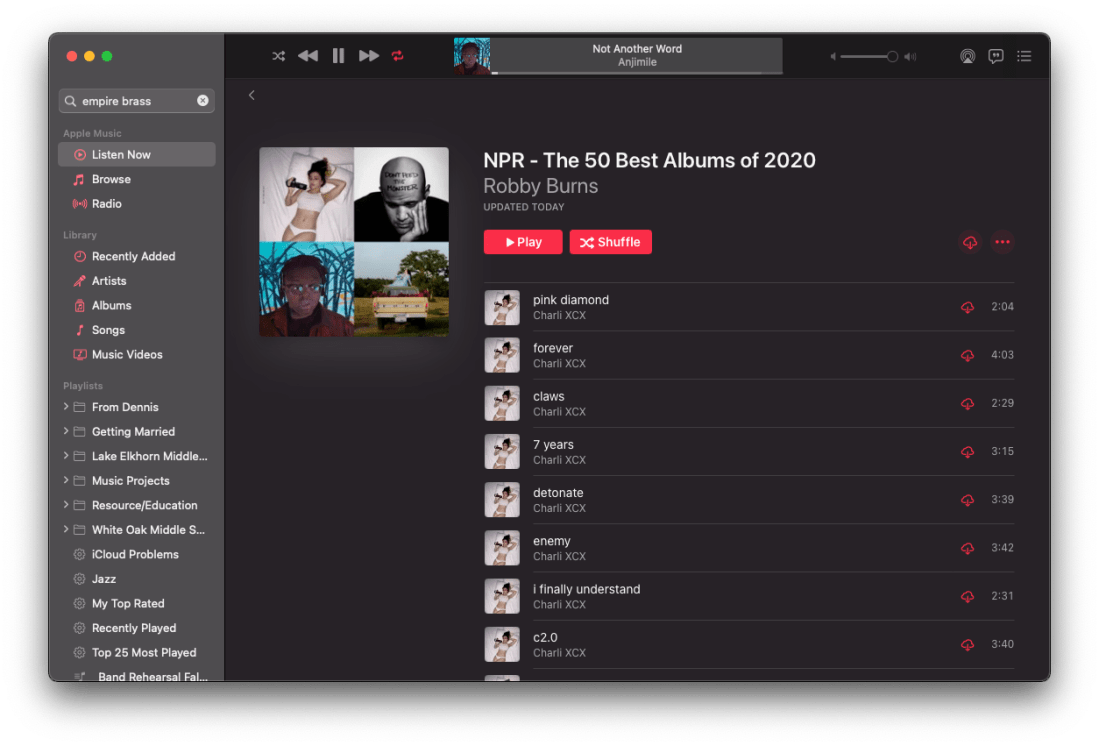
NPR’s The 50 Best Albums Of 2020 – an Apple Music Playlist

Happy Friday! It’s that time of year. Time for me to fulfill my annual tradition of making an Apple Music playlist out of NPR’s top 50 albums of the year.

Read about their picks in the linked article below:

The 50 Best Albums Of 2020, Ranked : NPR

At certain moments, 2020 felt like a year that might not ever come to an end. Now that it’s mostly in our rear view, can a retrospective give a shape to that swarm of weeks and months? Can we make sense of layer upon layer of fear, anger, frustration, confusion, exhilaration and exhaustion that piled up like soil falling over our heads? Sometimes art breaks through. Better to think of the best music of 2020 as an urgent cacophony of distinct voices rather than a chorus with a single melody. Many voices, with many stories to tell. Here are the 50 best albums of a year unlike any we can remember.

Click here to view my playlist.

Two records were not available on Apple Music but you can hear them and learn more here and here.

Lately NPR has been making a Spotify playlist of the albums. It isn’t out yet, but if they do it, I will edit it in to this post.

FREE: Remington Exercise Play-Along Tracks – Holiday Edition

If you have not already checked out my Scale Exercise Play-Along Tracks, do it now! Everything is currently 10 dollars off on my store if you use code THANKFUL at checkout. This puts them at only $5! Sale ends tomorrow.

And if you are itching to add some holiday cheer to your rehearsal warmups, you can download my Holiday Edition of the Remington play-alongs from that collection here. These are free of charge.

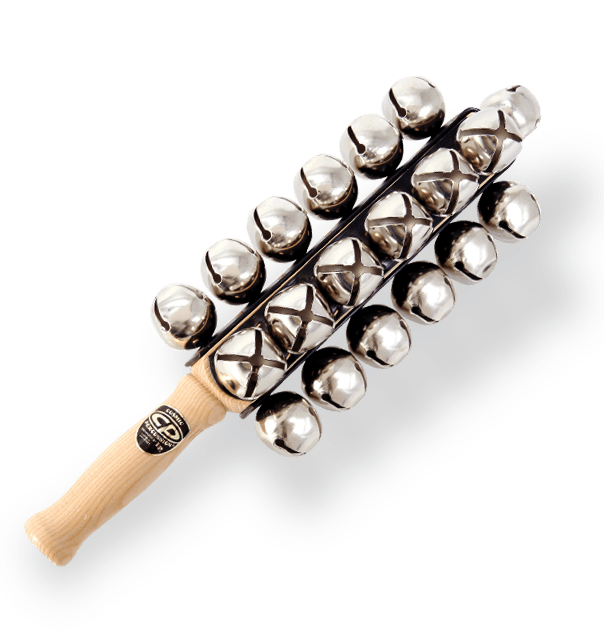
What makes them a “Holiday Edition?” Sleighbells, of course. And that half-diminished 7 chord everyone thinks sounds “Christmassy.” Sample below.

New Macs announced yesterday, new Mac operating system shipping tomorrow

Apple’s “One More “Thing Event

Apple announced three new Macs yesterday that will use their new M1 chip. This will allow unprecedented increases in power, speed, and battery life. It will also allow iOS apps to run on them natively.

I have shared some real quick impressions below. If you want to hear more about this transition, Will Kuhn is on the upcoming episode of the podcast to talk about his impressions, amongst other topics in technology and music education. That episode should drop over the weekend.

Quick thoughts

  • Apple announced a new MacBook Air, MacBook Pro 13″, and Mac mini. Of these three, the Air and Mac mini are particularly tempting to me. They maintain similar prices (way cheaper in the case of the mini), and dramatically improve performance, battery life, speed, and allow for using iOS apps. If you need a Mac, and you don’t need the most powerful one on the market, I couldn’t recommend either of these more. Of course, it is always safe to wait for reviews, but I anticipate that there won’t be any significant deal breakers outside of potential software compatibility.
  • There are a lot of things Apple could do with the M1 chip down the road. Add FaceID, a cellular chip, a touchscreen, and maybe even a new design. Apple decided not to do these things yet and keep the designs pretty much like the last generation. I think this sends the message to the general public that this is not some new, experimental thing, but instead, the same old Mac you know and love. Just way better.
  • I was surprised not to see more iOS apps demonstrated. Apple showed a few iOS apps (like the game Among Us and HBO Max) running on one of the new Macs. Before the event, I have noted that it is weird that the TV app will show my recently watched HBO shows, but I can’t play them on an intel Mac like I can on iOS or tvOS, which have the HBO app. This will be an obvious improvement. But where is Hulu? Netflix? Surely Apple chooses who they feature on stage strategically. Still, I would have expected them to do more bragging if they were anticipating a ton of extremely popular apps to launch on day one. Fingers crossed for a lot of new options in the Mac App Store early on.
  • No AirTags, over the ear headphones, or Apple TV. I was personally curious about these devices, particularly the rumored studio headphones, but maybe they will come later.

macOS 11 – Big Sur

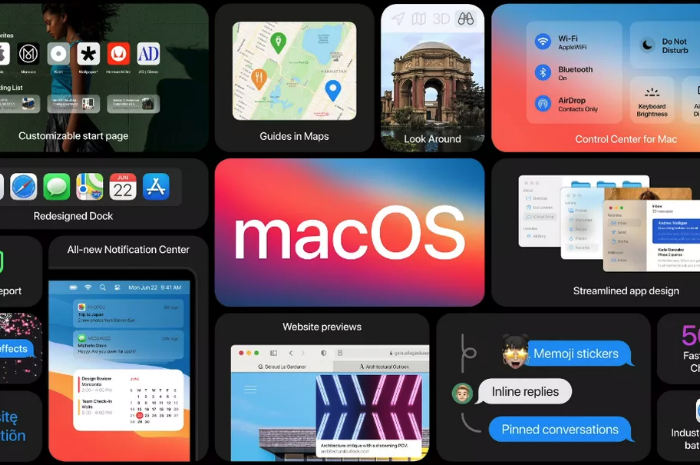
The new Mac operating system, Big Sur, is coming out tomorrow. This update is dramatic in numerous respects. You will immediately notice a fresh coat of paint. The user interface and app icons will feel a lot more like they do on iOS.

iPad Apps on the Mac

I am excited because iOS app developers I care about are finally starting to announce Catalyst apps in volume. Catalyst is Apple’s technology that allows developers to easily turn their iPad apps into Mac apps. There have been relatively few good examples of this over the past year. GoodNotes 5, Streaks, Twitter, and Home, are a few of the ones I use regularly, but the list isn’t long.

Instapaper has a Mac app as of today (yay), and forScore is launching one tomorrow. I expect to see a lot more in the coming weeks. It seems like changes to this new OS have finally provided developers the tools they need to make their iPad apps “good enough” to ship on the Mac.

Will I Install It On Day One?

While I usually wait to install releases like this, forScore will be enough of a productivity boost for my Mac workflow that I will be reckless and install it tomorrow, most likely. This will put my online teaching software setup at risk, but I think it is worth it. I am tired of having a beautifully curated music library on the iPad and not on my most powerful machine. Until forScore ships iCloud syncing, I plan to move my “true” sheet music library to the Mac version.

https://platform.twitter.com/widgets.js

Music Software Compatability

If you depend on any creative professional music software, audio interfaces, or other apps you aren’t sure will be compatible with Big Sur, don’t be like me. Wait! I have a fallback Mac mini I can use if things get ugly.

If you are wondering what score editing software is compatible with, fortunately, Scoring Notes has already got the scoop. Read their article below.

Music notation software, macOS Big Sur, and Apple Silicon M1 Macs:

As far as Sibelius, Finale, Dorico, MuseScore, and Notion, are concerned: Broadly speaking, Big Sur does not appear to affect these applications much one way or the other. We don’t expect users already working on macOS Catalina to be negatively or positively affected by Big Sur when working with these applications — and whenever a new OS is involved, status quo is very welcome news indeed.

App of the Week: Neural Mix Pro

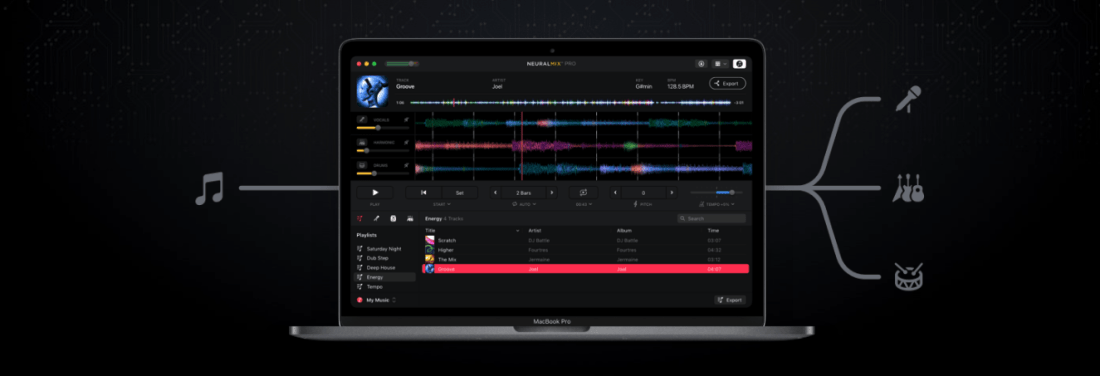
I have been testing out a Mac App called Neural Mix Pro, made by the people who make the popular DJay App for macOS and iOS.

It promises to take songs in your music library and hard drive and independently isolate vocals, drums, and other accompaniment so that they can be separated and mixed independently.

It works. I haven’t played with it enough to know the breadth of its capability, but I tested the following songs, and they worked enough that I think I would use this tool for future music projects and teaching resources.

  • Blues for Time: a fusion song in a drum set method book I assign often. I already had a drum-less version of the track, but the one I could make in Neural Mix Pro was satisfactory. There are some artifacts when you filter out instruments, but that was to be expected. No vocals on this track, but drums and other accompaniment separated correctly.
  • Material Girl, Madonna: The vocals and electronic drums are so heavy in this track that isolating just the accompaniment instruments resulted in the correct instruments but not with an EQ that I would use for anything professionally. The vocals and drums sounded ok when separated.
  • Jesus Walks, Kanye West: very satisfactory separation of drums, accompaniment, vocals. The backup vocals in the intro are tied to the vocal track, however. No way to separate that. With Neural Mix, you can export just one of the three tracks and apply a target key or tempo to change to it. I exported this tune to an even 80 bpm (it was around 78.x bpm, to begin with) into Logic Pro and has some fun toying around with adding my own improvisations using software instruments. I can see how this could be a useful tool for DJs, music producers, and music educators alike.

Here is a video of my quick demo. I made this on a computer with limited access to my music library and no real goal in mind other than to play around. Let me know if there is something you think I should test in the app.

<div class="sqs-video-wrapper" data-provider-name="YouTube" data-html="
“>

I can see this app being useful in the music classroom for a few reasons. In my general music class, where we use Soundtrap to produce music, I could giving students a vocal track for a pop song and having them remix it. The results in Neural Mix are, by far, good enough for student use, and I imagine my students having a blast with this.

I could also use this in private lessons by taking songs my students drum along to and making "Minus One" recordings out of them that don't any longer have the drums. Alternatively, I could make them a drum-only version of a song to study the details more closely.

This would be more useful you could separate other instruments than just drums. Taking an instrumentalist out of a jazz record to create a track to improvise over is one of a handful of possibilities that immediately popped into my head. Perhaps these features are in store for a future update. Or maybe this app will remain geared towards pop music, DJs, and music producers. Either way, I can see myself using it on my never-ending quest to make fun play-along tracks for the band to play along to.