Liz Lerman’s Critical Response Process

Frequent Music Ed Tech Talk guest and pal David MacDonald was recently on my Holiday Gift Guide episode of the show and mentioned the book Critique Is Creative, a book about Liz Lerman’s Critical Response Process.

From the book’s description page:

Devised by choreographer Liz Lerman in 1990, Critical Response Process® (CRP) is an internationally recognized method for giving and getting feedback on creative works in progress. In this first in-depth study of CRP, Lerman and her long-term collaborator John Borstel describe in detail the four-step process, its origins and principles. The book also includes essays on CRP from a wide range of contributors. With insight, ingenuity, and the occasional challenge, these practitioners shed light on the applications and variations of CRP in the contexts of art, education, and community life. Critique Is Creative examines the challenges we face in an era of reckoning and how CRP can aid in change-making of various kinds.

David and I got to talk about this process when he recently visited me while presenting on this very subject at the Teaching Composition Symposium at UMBC.

I really liked the idea of a methodical approach to providing more empathetic and consistent feedback to students, with detachment from emotion and ego. I picked up a copy and am eagerly reading for ideas I can integrate into my own teaching practices.

I encourage you to read David’s blog post about the book which includes the text of his presentation.

Better Feedback on Compositions Using Liz Lerman’s Critical Response Process – This Page Left Intentionally Useless.:

This is the text of a presentation I gave at the inaugural Teaching Composition Symposium at the University of Maryland, Baltimore County on 21 October 2022. I’m told presentations were video-recorded, so I’ll update this post later with that recording.

I’m sure you’ve had the experience of getting feedback on a composition that was well-meaning, but ultimately unhelpful. Even someone telling you how great your music was or how much they loved it is often frustrating because it’s hard to know what they heard that made them love it. Feedback that your music was mind-blowing and that your music was stomach-turning are equally unhelpful, because without more information, it’s impossible to learn something from this feedback.

In this presentation, I’ll talk about some of the common limitations of informal, unstructured feedback like this; and I’ll describe how I have used Liz Lerman’s Critical Response Process (CRP) to better support and motivate composers in my studio, and how you might implement it in yours.

In my previous experiences with critique sessions in studio classes, I found that the feedback offered usually said a lot more about the person offering it than it did about the music they were nominally responding to. Rather than suggesting how the composer might have written a work differently, this feedback often seems to answer the question “How would this piece have gone if I had written it, rather than you.” While I do think there should be space for composers to respectfully challenge one another’s creative intent, it is worth starting by identifying what that intent was to begin with. A better feedback system should assume that each composer in the room has a different set of musical goals and experiences.

MuseScore 4 is released

MuseScore 4 has been released. This is exciting news, particularly for many of my students who need more composing power than a web app but are limited by the expensive costs of the professional options.

You can download MuseScore 4 for free here. I also recommend you read David MacDonald’s Scoring Notes review by clicking the link below.

Long-awaited MuseScore 4 release brings major improvements to engraving and audio – Scoring Notes:

Today’s release of MuseScore 4 is a major update and quite possibly the most significant one in the open-source application’s history since the release of MuseScore 1.0 in 2011. It includes major improvements to the user interface, layout, engraving, and playback features.

MuseScore 4 is delivered via a hub which installs both the MuseScore scoring application and the orchestral plug-in Muse Sounds, The MuseScore application can be downloaded separately, as well.

Not coincidentally, this is also the first major version of of MuseScore to be released under the product leadership of Martin Keary (Tantacrul). Coming nearly two years after the last MuseScore update (3.6) and nearly four years after the release of MuseScore 3, Martin told Scoring Notes today that, “I’ve worked on a lot of complex creation software and this is the largest release I’ve ever put out,” including the launch of Paint 3D and a variety of PS3 games.

My guest appearance on The Omni Show Podcast

It is the best feeling to be invited on to a podcast that I already consider to be one of my favorites.

I was recently a guest on The Omni Show Podcast, a show dedicated to the OmniGroup’s award-winning products, many of which I have written about here (and also here).

I had so much fun talking with Andrew about using OmniFocus to manage my tasks, OmniGraffle to design ensemble seating charts, and OmniOutliner to outline everything (including lessons, curriculum, books, and presentations).

You can listen below and see a transcript of the entire conversation here:

If you like hearing me talk about OmniFocus, you can also catch me on Learn OmniFocus where I go into more detail about managing tasks:

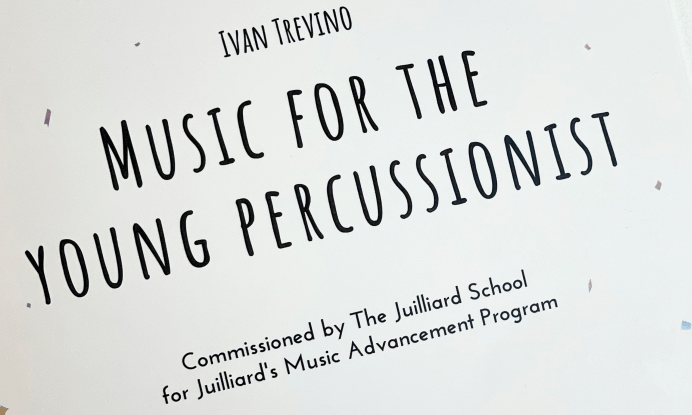
Cool Kids Play The Glockenspiel -> Ivan Trevino’s Music for the Young Percussionist

I have so much admiration for anyone throwing all of their composing creativity into writing music for young musicians.

Ivan Trevino is doing just that with his new collection of pieces for young percussionists. Read more below. My favorite title in the collection is Cool Kids Play The Glockenspiel.

MUSIC FOR THE YOUNG PERCUSSIONIST – Ivan Trevino

MUSIC FOR THE YOUNG PERCUSSIONIST (2022) was commissioned by The Juilliard School for Juilliard’s Music Advancement Program. The collection features 12 short pieces for snare, mallets, timpani, and multi-aux, and was written with the early – late high school percussionist in mind. In my experience, the music that young musicians experience and study can have a profound impact on their relationship with music. Rather than writing these pieces as a step towards conservatory, I wrote them as a step towards enrichment, with hooks and beats that might resonate with young musicians. While each piece focuses on specific musical and technical concepts, they were also written through the lens of a songwriter who enjoys writing tunes. I hope this spirit rings true for performers of this music.

Claris’s Plans for FileMaker Bode Well for Individual Users – TidBits

Some interesting changes coming to FileMaker, including a new name, and most notably, a freemium version!

I have talked at length about using FileMaker and relational databases to assess mastery-based learning in the band environment. Listen to the embedded podcast episode below for more.

I updated podcast listeners on how I am revamping this workflow and building it upon PKM software in another recent episode about building a second brain. I hope to go into more detail about this here later in the school year.

Read about the updates to FileMaker below.

Claris’s Plans for FileMaker Bode Well for Individual Users – TidBITS

The more important change for longtime individual FileMaker users is that there will be a freemium version of Claris Pro with free access to Claris Studio (and presumably Claris Go). Its only restriction is that databases created with the freemium version are restricted to a single user—but there are no size or time constraints. The apps are also free for professional developers, who will pay a single, as-yet-unspecified Claris Platform licensing fee only when they wish to deploy a solution to additional users. Since Claris is wholly owned by Apple, deployment could even mean putting an app on the Mac App Store. Those with existing licenses can continue to rely on them but won’t get access to Claris Studio without switching to a Claris Platform subscription.

Practicing Mindmap – Andy Bliss

Andy Bliss is a brilliant musician who knows how to use his tech tools to work through an idea. I loved this recent blog post of his. It is all about structuring practice methodically. Be sure to click the link and read the entire post. (He turned out a really neat MindNode mindmap in the process of thinking this idea through.)

Practicing Mindmap — Andy Bliss

Practicing is very much an iceberg-meme situation; much of the work is underwater and in preparation phases — before we are ever in the room with the instrument.

Fall always represents a return to this methodology for me. My primary goal with my first year university students is to establish practice habits – a healthy balance, great strategies, and supportive, compounding methods for growth.

David MacDonald unboxes the Odla music notation controller

David MacDonald reviews the Odla music notation controller at Scoring Notes.

Odla, an input device that “touches” the music | Scoring Notes:

Despite all the developments users have seen in music notation software and related technologies, the ways we actually get notes into the software hasn’t changed much in the last couple decades. Odla, an Italian music technology startup, is changing that with their new hardware controller for MuseScore and Dorico.

While other input devices rely on an instrument-style controller like a MIDI keyboard or “music alphabet” shortcuts on a computer keyboard, Odla directly models the five-line staff itself. The bright red staff-line buttons make Odla look pretty cool, and the connection between input and notation was obvious and intuitive from the moment the device hit my desk. As Odla’s tagline goes, it is “music you can touch”.

This device seems really interesting, and I like the idea of having MIDI input devices that embrace the visual nuances of staff notation.

David has an immeasurable amount of experience with notation software and gets straight to the point while testing this thing out. Check out the Odla here.

🔗 SoundSource 5.5 adds Shortcuts support for full Mac audio automation – Six Colors

From Jason Snell at Six Colors…

SoundSource 5.5 adds Shortcuts support for full Mac audio automation – Six Colors:

On Monday Rogue Amoeba released SoundSource 5.5, the latest version of its handy Mac sound-routing utility that—let’s be honest—is doing all the heavy lifting for a feature that should probably be a core part of macOS. (Apple doesn’t seem to really care about Mac audio, and that’s good for Rogue Amoeba’s array of products.)

The big feature of SoundSource 5.5 is support for Shortcuts. While Rogue Amoeba’s utility Audio Hijack decided to primarily support automation via JavaScript with some basic Shortcuts hooks, SoundSource is all in on Shortcuts. The app provides 17 different actions, and they affect not just SoundSource’s individual control over apps and audio inputs, but the system’s as well. So with SoundSource, you can now automate many of your Mac’s default audio settings, setting a new default input and output, for example.

SoundSource is one of my most depended-on Mac utilities. Shortcuts support is a natural extension to the app that I have been waiting for.

Most of my desks at school and at home have an audio interface set up that I plug into. While my computer usually defaults to it as the input and output when I plug it in, it doesn’t always.

It is great to be able to have Shortcuts automate the selection of my input and output, amongst the other actions SoundSource is capable of.

For example, when I plug in to the front of the band room, my “Rehearsal” automation automatically starts, and one of the steps of this automation is to ensure that the Mac is outputting to my Scarlet Solo audio interface and set the volume to 50%.

<div class="
      image-block-outer-wrapper
      layout-caption-below
      design-layout-inline
      combination-animation-none
      individual-animation-none
      individual-text-animation-none
    ">


    <figure class="
          sqs-block-image-figure
          intrinsic
        " style="max-width:2624px">


      <div class="image-block-wrapper">
        <div class="sqs-image-shape-container-element


          has-aspect-ratio
        " style="position: relative;padding-bottom:67.83536529541016%;overflow: hidden">


            <img src="https://images.squarespace-cdn.com/content/v1/5595df9ce4b0ce9ff9ecd1a8/0f936bd2-dcb6-459e-97f4-dc7c3aa7d911/CleanShot+2022-07-17+at+16.46.39%402x.png" alt="" width="2624" height="1780" style="display:block;object-fit: cover;width: 100%;height: 100%;object-position: 50% 50%" loading="lazy">

        </div>
      </div>


    </figure>


</div>

Steinberg Summer Sale

Summer Deals:

Save up to 50% on Groove Agent 5 and expansions, Iconica, Dorico, Cubasis and much more. Only from July 7 to July 28, 2022.

Steinberg is running a summer sale right now and some of the cuts are deep. A lifetime purchase of Dorico is 30% off and Cubasis (which is, in my opinion, the most fully-featured DAW available for iPad) is 50% off.

Check it out!

Ben Giroux – Violin Sonata No. 1 in G minor: Fuga, J.S. Bach

I love bragging about my past private students, so here is Ben Giroux (Peabody Conservatory – BM Percussion Performance ’21, BM Recording Arts and Sciences ’22) performing the fugue from Bach’s first violin sonata. Ben filmed and edited this video himself. Ben told me it ws ok to leave his email here in case you are in need of videography, live recording, audio, or video editing. Ben is available and can be reached here: GirouxBL99@gmail.com