Apple Updates iWork Apps With New iOS 18.4 and macOS 15.4 Features – MacRumors

These are solid updates. I am happy to see iWork apps continuing to get regular meaningful updates outside of the cycle of annual operating system updates.

Apple Updates iWork Apps With New iOS 18.4 and macOS 15.4 Features – MacRumors:

Each app also received a few other enhancements that are not tied to the latest software updates.
Keep reading here…

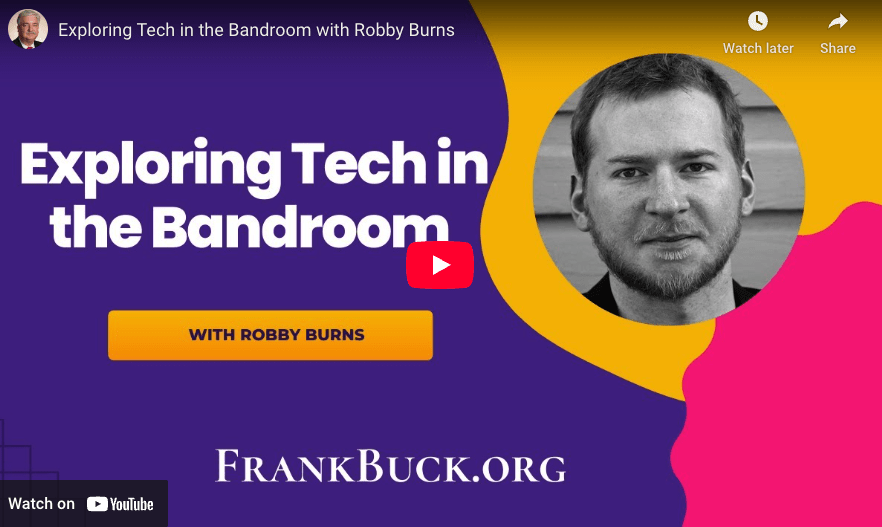
Exploring Tech in the Bandroom (Podcast appearance on Get Organized! by Dr. Frank Buck

I met Dr. Frank Buck at TMEA several years ago, and since then, I’ve had the pleasure of hosting him on Music Ed Tech Talk several times to discuss how technology can support productivity and organization.

This time, I had the chance to join him on his show! It was a real pleasure to share some of the core elements of my digital workflow, especially as they relate to teaching middle school band.

Watch below, or check out the complimentary blog post here.

Pixar Creative Chief Pete Docter Says AI Could Be A ‘Game Changer’

Yup.

Pixar Creative Chief Pete Docter Says AI Could Be A ‘Game Changer’:

My experience so far in a lot of different ways, AI takes something and sands the edges down, so it makes the blob average. And that could be very useful in a lot of ways. But if you really want to do something brand new and really insightful and speak from a personal angle, that’s not going to come from AI fully.
Keep reading here…

Raycast AI Extensions

This kind of feature is exactly why I’m so glad I started using Raycast a few years ago.

I do wish it supported natural language input without needing extra syntax, but even as it stands, it’s helped me cut down on the mental overhead of remembering the right keywords—something that’s often necessary with launcher apps, especially when you’ve integrated them with a lot of other tools.

Apple introduces iPad Air with powerful M3 chip and new Magic Keyboard – Apple

CleanShot 2025-03-25 at 13.01.18@2x.

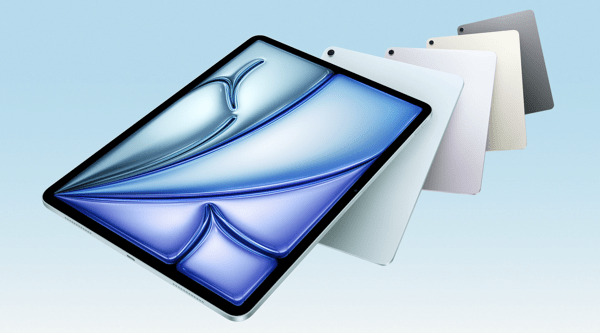
I’m a little late in blogging about this, but I wanted to share in case any musicians or educators are planning an iPad upgrade soon. If you use your iPad primarily for reading music with forScore, now is a fantastic time to consider the new, larger iPad Air.

I’m still using my 12.9-inch iPad Pro from 2018, and it’s definitely starting to show its age. I’ll probably wait for the next round of Pro updates—mainly because I’m curious to try the new Apple Pencil, and the updated screen I saw in the Apple Store looks fantastic.

That said, for most people—just like with the MacBook Air—the iPad Air is the right choice.

Apple introduces iPad Air with powerful M3 chip and new Magic Keyboard – Apple:

Apple today introduced the faster, more powerful iPad Air with the M3 chip and built for Apple Intelligence. iPad Air with M3 brings Apple’s advanced graphics architecture to iPad Air for the first time — taking its incredible combination of power-efficient performance and portability to a new level. iPad Air with M3 is nearly 2x faster compared to iPad Air with M1,1 and up to 3.5x faster than iPad Air with A14 Bionic.2
Keep reading here…

forScore 14.4

Check out the list of features in forScore 14.4. As usual, I am exited about the automation.

Automation is becoming increasingly popular, and forScore lets you do a lot using the Shortcuts app. With forScore 14.4, we’ve added dozens of new actions for working with metadata, setlist entries, duplicating items and setlists, cropping, and more.

Between this and family sharing, forScore 14.4 is looking to be a great update.

About migrating Apple Account purchases between accounts – Apple Support

Now THIS is a true “finally.”

For years, I’ve thought that if Apple were ever going to allow the merging of a media-only Apple ID with a primary one, it would have happened a decade ago. I had long since given up hope that they would ever dedicate resources to this.

Recently, I’ve been dealing with an awful macOS bug where the App Store won’t stay logged into my secondary “media” Apple ID. When I called Apple Support, several specialists were surprised that it’s even possible to use two different Apple IDs. That’s how far back this issue dates. The last time Apple even allowed the creation of an Apple ID dissociated from an @mac, @me, or @iCloud address was so long ago that most of their support team is too young to know it was ever possible. Wild.

I’m overjoyed that I can finally end my 15+ year nightmare of managing media purchases under a separate account. Maybe you’re in the same boat.

If so, be sure to read all of the fine print. There are several conditions, and I’ve seen multiple reports on Reddit about common bugs. I haven’t done the migration yet because you can’t if you’ve purchased anything with one of the IDs in the past 15 days, and I just bought an app a few days ago.

I’ll report back once I go through with it. This might be one of those things where it’s worth waiting a month or so to let the rest of the internet (and Apple) work out the bugs.

About migrating Apple Account purchases between accounts – Apple Support:

You can choose to migrate apps, music, and other content you’ve purchased from Apple on a secondary Apple Account to a primary Apple Account. The secondary Apple Account might be an account that’s used only for purchases. You’ll need access to the primary email address or phone number and password for both accounts, and neither account should be shared with anyone else. Learn more about how to migrate purchases.
Keep reading here…

Twenty Years on this Journey – Technology in Music Education

Chris Russel wrote some reflections on blogging for 20 years about music, education, and technology.

This part caught my attention…

Twenty Years on this Journey – Technology in Music Education:

What has also surprised me is how technology in our field, music education, has been in a holding pattern, even before COVID. The deep dive into the use of devices during COVID has resulted in a push against the use of technology by parents and teachers alike, but the technological slowdown started before that.
Keep reading here…

My gut reaction to reading this was to remember my own excitement for tech in 2005. So much hardware and software was on the verge of a breakthrough in democratizing the creative process–making things that used to be expensive, difficult, and professional more affordable, consumer-friendly, and personal. I was primarily excited by how easily I could make and share music.

When I think about what we’re being told are the breakthroughs of 2025, it’s all AI. The positioning of AI as some sort of “next big thing” still feels like an answer in search of a question. AI, and the developments of the early 2000’s, can both make things easier, but so much of what’s emerging today feels pro-capital and anti-curious.

Definitely follow Chris Russel’s awesome work. He has helped me level up my ukulele teaching chops in recent years, and this conversation might be a good starting point for some of that if you are interested.

What We’re Fighting For – Edward Zitron

This is a long but worthwhile read that touches on many key points about the declining quality of technology everywhere–and, as a result, my diminishing joy in using it. It also speaks to my hope that I can continue finding computers both fun and useful in the future.

What We’re Fighting For:

We do not “use” the computer — we negotiate with it to try and make it do the things we want it to do, because the incentives behind modern software development no longer align with the user.
Keep reading here…