

I am happy to join my buddy Tim Chaten on his podcast Vision Pros to talk about my experiences with the visionOS platform since purchasing one.
Vision Pros podcast appearance
I am happy to join my buddy Tim Chaten on his podcast Vision Pros to talk about my experiences with the visionOS platform since purchasing one.
This is so disappointing and all but confirms to me that, long term, Apple will be phasing out the stand-alone paid versions of these apps.
Apple Stops Selling $200 ‘Pro Apps’ Bundle With Final Cut Pro and More – MacRumors:
Following the launch of Apple Creator Studio this week, Apple has quietly stopped selling its valuable “Pro Apps Bundle for Education” (archived link).
I’ve been playing with Apple’s new Creator Studio bundle. I will have some early reactions to share on an upcoming episode of the podcast. I think Jason Snell over at Six Colors has some insightful takes.
There are also lots of good video first looks out there too.
Hands on with Apple Creator Studio: A bittersweet bundle – Six Colors:
I dislike Apple’s choice to roll its “iWork” suite of apps into this bundle, not just because it turns a set of free products into freemium products with upsell, but because there are plenty of users of Pages, Keynote, Numbers, and Freeform who do not need the powerful features of Final Cut, Logic, and Pixelmator.
Keep reading here…
Will and Jaye join the show to review 2025 and look forward.
00:00:00 Welcome, Intros, and a TI:ME Feature
00:10:25 Listener Question – what sources do you follow to stay afloat on tech tools and ongoings in and outside the field of music education?
00:16:55 Chart-Topping AI Country Song
Using Suno* to make demos
00:27:03 Automation Station
Craft – a PKM that’s hot
Drafts – working with Craft
Loop – Nice lookin’ Google Doc
00:33:20 Segue: Tahoe Issues, iOS 26 Issues, System Issues
00:35:47 Favorites of 2025
Music: Bon Iver, David Matthews, Fred Again…, Tame Impala + Justice
Computing Device: Apple Watch Ultra, Mac mini m4, JAYE’S BRAIN
Other Tools and Materials: Miyoo Mini Plus, Nintendo Switch, PAID StudioOne, Ableton Move
Books: Ideology of Competition in School Music, Nuclear War: A Scenario, Adam Curtis documentaries, fiction, broadly, War & Peace (via Footnotes & Tangents), Meditations
Other Media:
Robby:
Hard games such as Hollow Knight
Movies – Arrival
Show – Pluribus
Will:
Shows – Pluribus
Game – Balatro
Movie – Mulholland Drive
Jaye
Movies – Mission Impossible: Final Reckoning
Sports – Cricket
Museums – The MLB Hall of Fame
Misc!
@Robby
Presentations and Awards – TMEA
Life – Babys, Costco Executive
@Jaye
Finances – upgraded American Airlines credit card
Travel – Munich, Vienna, Prague by train; Seeing the Cardinals in St Louis
Will
Project: Funkhaus.music
01:14:15 Predictions! No show note spoilers…
01:20:48 Tired/Wired Lightening Round
Introducing Apple Creator Studio, an inspiring collection of creative apps – Apple:
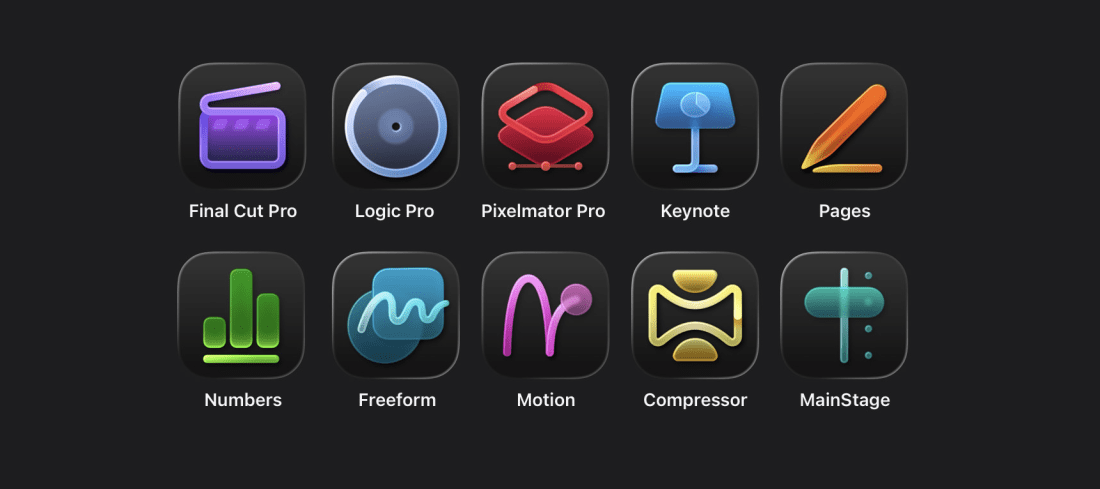
CUPERTINO, CALIFORNIA Apple today unveiled Apple Creator Studio, a groundbreaking collection of powerful creative apps designed to put studio-grade power into the hands of everyone, building on the essential role Mac, iPad, and iPhone play in the lives of millions of creators around the world. The apps included with Apple Creator Studio for video editing, music making, creative imaging, and visual productivity give modern creators the features and capabilities they need to experience the joy of editing and tailoring their content while realizing their artistic vision. Exciting new intelligent features and premium content build on familiar experiences of Final Cut Pro, Logic Pro, Pixelmator Pro, Keynote, Pages, Numbers, and later Freeform to make Apple Creator Studio an exciting subscription suite to empower creators of all disciplines while protecting their privacy.
Keep reading here…
Interesting and exciting news from Apple. I’ll have more to say about this in the next podcast episode, but for now I think it’s worth noting that…
It’s unclear whether the standalone purchases will continue to get the same updates as the subscription versions, at what pace, and for how long.
Pixelmator on the iPad is exciting. Logic and Final Cut on iPad haven’t proven too useful for me as they’re missing a lot of quality-of-life features the Mac versions have, like robust keyboard shortcuts, just to name one. I can see myself using Pixelmator, though, since editing photos with touch (or Apple Pencil) is already something I do.
Happy New Year!
In this episode of Music Ed Tech Talk, Robby sits down with Theresa Hoover to discuss AI guidance in music education, creativity in the classroom, task management for educators, and what’s new in their professional lives. Topics include NAfME guidance on AI, next-gen Siri, automation workflows, and listener questions about sustaining creativity in a distracted world.
Support Music Ed Tech Talk
Show Notes & Links
Intro & Community
News, Blogs, and AI Updates
AI Guidance in Music Education
Higher Ed & Classroom Practice
Automation Station
Ask METT
What’s Up With Theresa
What’s Up With Robby
Music Picks
Wrap-Up
Chapters
Where to Find Us
TI:ME Welcomes Three New Board Members:
TI:ME is pleased to announce the appointment of three outstanding educators to their Board of Directors: Robby Burns, Gillian Kellar, and Kevin Longwill. Each brings unique and complimentary musicianship, instructional experience, and technological leadership that strengthens TI:ME’s mission to support meaningful, forward-thinking integration of technology in music education.
Happy to be working with TI:ME in this capacity.
New podcast episode! Jaye Mateyko, editor of the show, joins to talk all about how we are utilizing our lockscreens and home creens for maximum productivity. Robby shares some recent ways he is using technology in the classroom.
Show Notes:
00:00:00 Cold Open Cold Open: Marvel Slop & Anniversary Release of TMNT
Holiday Curtain Lights https://twinkly.com/
A small diversion into…bars!
Aloha Bars https://aloha.com/
David Protein Bars https://davidprotein.com/
00:10:10 Brand (clap) New (clap) Apple (clap) Products
Robby: New AirPods, New iPhone, New Watch
Pro 17: Used as computer-away-from-desk, really good pictures
Apple Watch Ultra: Much more computery. Stacked with
information. Alarm for when to end classes, water, and more!
Working on myself using my watch!
Jaye: New iPhone
Sweet Baby Air – becoming computer-away-from-desk
Tech in Schools: Digital Cameras on the Rise
Check in and Track Places https://swarmapp.com/
Fantastical Calendar https://apps.apple.com/us/app/fantastical-calendar/id718043190
00:28:03 Lock Screens/Home Screens
Jaye wants to customize MORE!
Referenced Throughout: The Demon Dogs
Agile Tortoise https://agiletortoise.com/
Drafts
Simple Scan
Taking Notes with Draft, ft. Greg Pierce https://podcasts.apple.com/us/podcast/taking-notes-with-drafts-featuring-greg-pierce-season/id1078105776?i=1000411001646
Marco Polo https://www.marcopolo.me/
Focus Friend https://apps.apple.com/us/app/focus-friend-by-hank-green/id6742278016
One Sec https://one-sec.app/
00:47:20 Robby teachers Jaye how to use new buttons! First, Camera!
00:49:04 Action Button
00:51:08 Control Center
00:53:30 Liquid Glass
00:54.53 Three Quick Workflows (put him on the clock folks)
Notion https://www.notion.com/
01:08:33 Music Picks!
Robby: D’Angelo, rest in peace ❤
Dilla Time https://en.wikipedia.org/wiki/Dilla_Time
Jaye: IAM – L’école du micro d’argent https://open.spotify.com/album/3atPIVCVIIgak6KeB1ANnK?si=vpaAN3RmSkSHcw-V38zheA
Jaye’s Buddy: https://www.raminamirarjomand.com/
Craft’s Thanksgiving release is a substantial one. Posted to their subreddit on Thursday …
…
A few things that stand out:
• API/MCP integration. This is the big one. I’ve already linked my Craft workspace to ChatGPT via MCP, and it has really interesting potential. The chatbot inside Craft is also very powerful, and it’s fascinating to have it tell me things about my notes and act upon them. The API will allow it to talk to a ton of other apps in my lineup. I can’t wait to experiment with it more.
• Whiteboard improvements. I haven’t been using Whiteboards much, but these improvements make me want to give them a try.
• Improved tabs. Tabs have been a big pain for me on Mac, but having them appear vertically in the sidebar is a small change that dramatically improves usability.
My main issue with Craft is still the speed of the Mac app, which is sluggish. Putting more stuff in it is surely not the answer, but it’s going to be hard not to with this update.
Marcos Tanaka’s apps are currently on sale. They’re all clever, tightly focused, and each one uniquely solves a specific problem without unnecessary complexity.
Play is my favorite: a “watch later” app for web video. I use it kind of like how I use Readwise Reader as a “read later” tool for written content. I like to queue up videos throughout the day and then watch them on my Apple TV at night, when I am in a mode more appropriate for long term video.
Several of his apps are music-focused as well. MusicBox, MusicHarbor, and MusicSmart are all worthy additions to a music educator’s collection.
 Music Ed Tech Talk
You must be logged in to post a comment.