

UPDATE: Listen to Theresa’s appearance on my podcast and subscribe below…
Listen on Apple PodcastsListen on SpotifyRSS FeedTheresa Hoover Ducassoux is a band director in Virginia doing awesome work ensuring that her students are engaged and empowered in her band classes, online and in person. She is especially savvy with a lot of the web-based tech tools that are popular in education right now.
Her post, which I have linked and quoted below, explains some ways you might use Google’s Jamboard app in the music classroom to engage students.
Getting Started with Google Jamboard – Off the Beaten Path:
Jamboard is one of the newer and lesser-known G Suite tools, but it’s one that I love and am excited to use this school year! Jamboard is a collaborative whiteboard that be accessed by an app or web browser. The simplicity of the tool makes it great for education. Jamboard is a great way to have all students in your class share their voices.
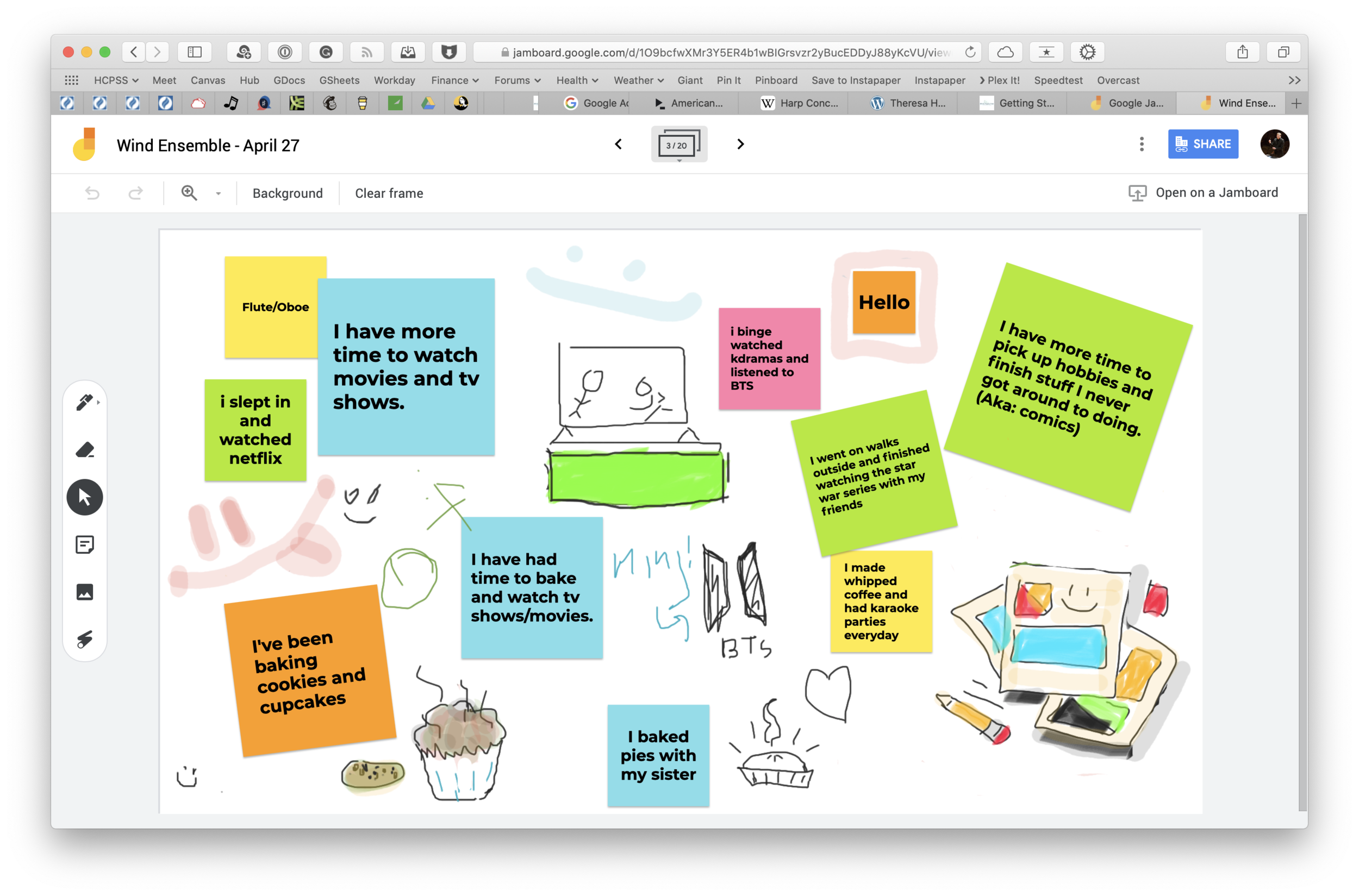
Jamboard is indeed excellent. I used it for a number of things last spring. One way we used it was to communicate and share what we had been up to in our free time when school started online.
<div class="
      image-block-outer-wrapper
      layout-caption-below
      design-layout-inline
      combination-animation-none
      individual-animation-none
      individual-text-animation-none
    ">


    <figure class="
          sqs-block-image-figure
          intrinsic
        " style="max-width:2500px">


      <div class="image-block-wrapper">
        <div class="sqs-image-shape-container-element


          has-aspect-ratio
        " style="position: relative;padding-bottom:65.95999908447266%;overflow: hidden">


            <img src="https://images.squarespace-cdn.com/content/v1/5595df9ce4b0ce9ff9ecd1a8/1596727567417-F9EYY0NWKQGJQAMN4WLR/CleanShot+2020-08-06+at+11.18.02%402x.png" alt="CleanShot 2020-08-06 at 11.18.02@2x.png" width="2500" height="1649" style="display:block;object-fit: cover;width: 100%;height: 100%;object-position: 50% 50%" loading="lazy">

        </div>
      </div>


      <figcaption class="image-caption-wrapper">
        <div class="image-caption"><p class="">I used this Jamboard our first day of online learning to ask students how they had been spending their extra time at home. Each section of the band had a page of the digital whiteboard to edit.</p></div>
      </figcaption>


    </figure>


</div>
Another way we used it was as an adjudication tool for providing ourselves feedback on our virtual ensemble video progress. You can see a brief snippet of that process in the middle of my How to Make a Virtual Band video, below.

